Search
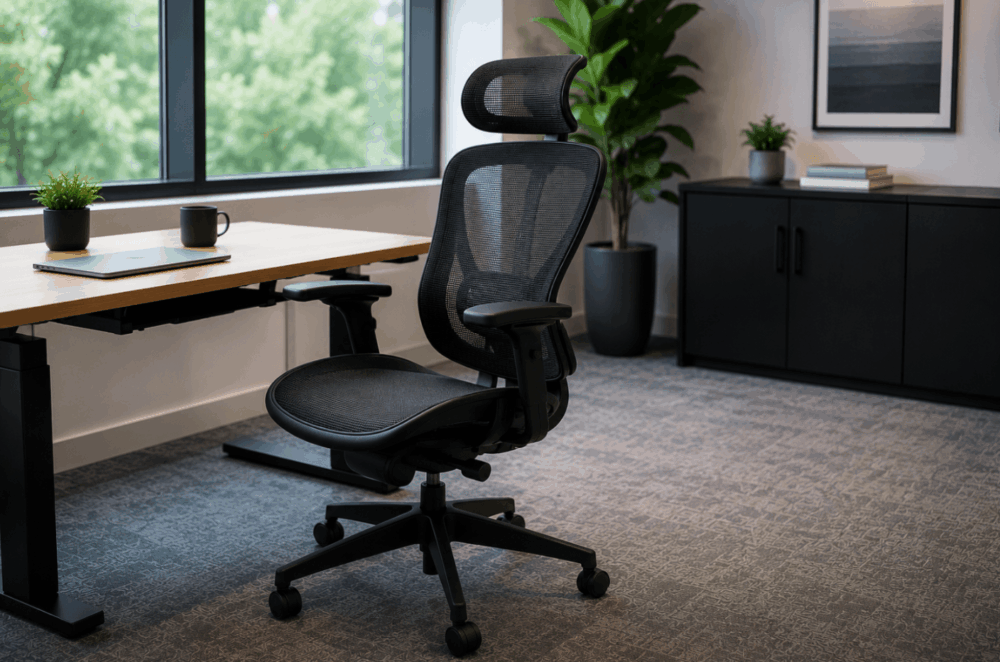
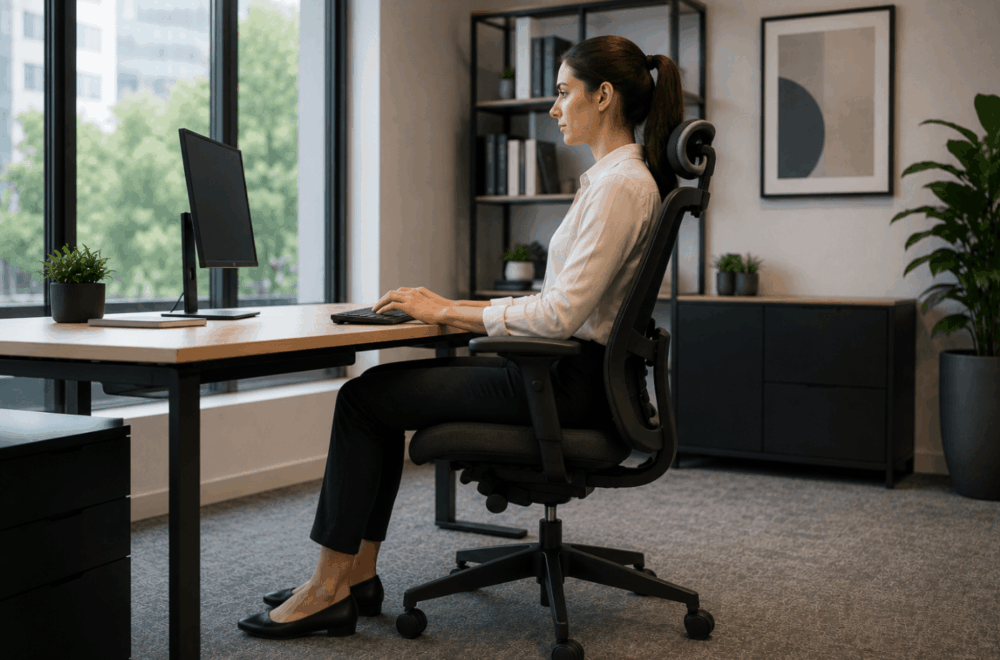
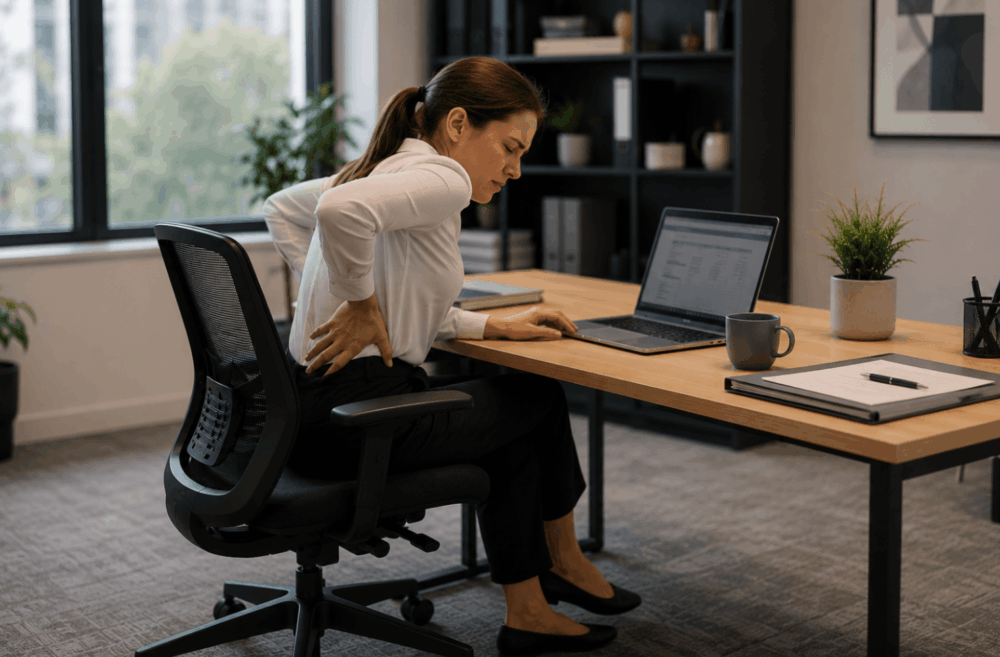
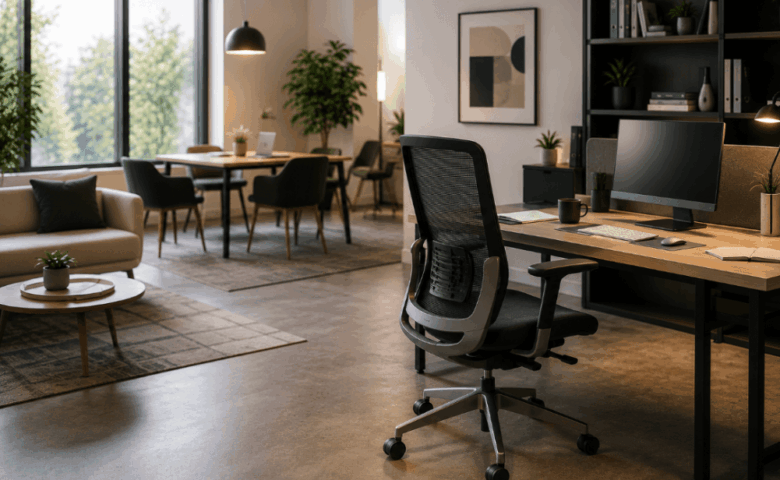
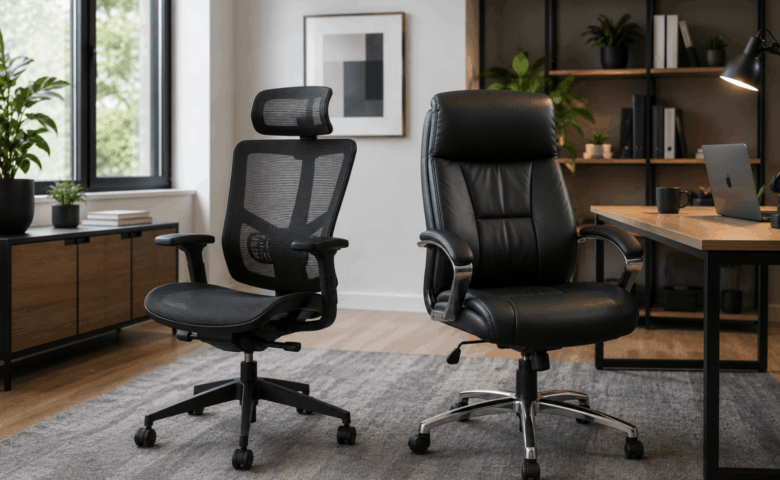
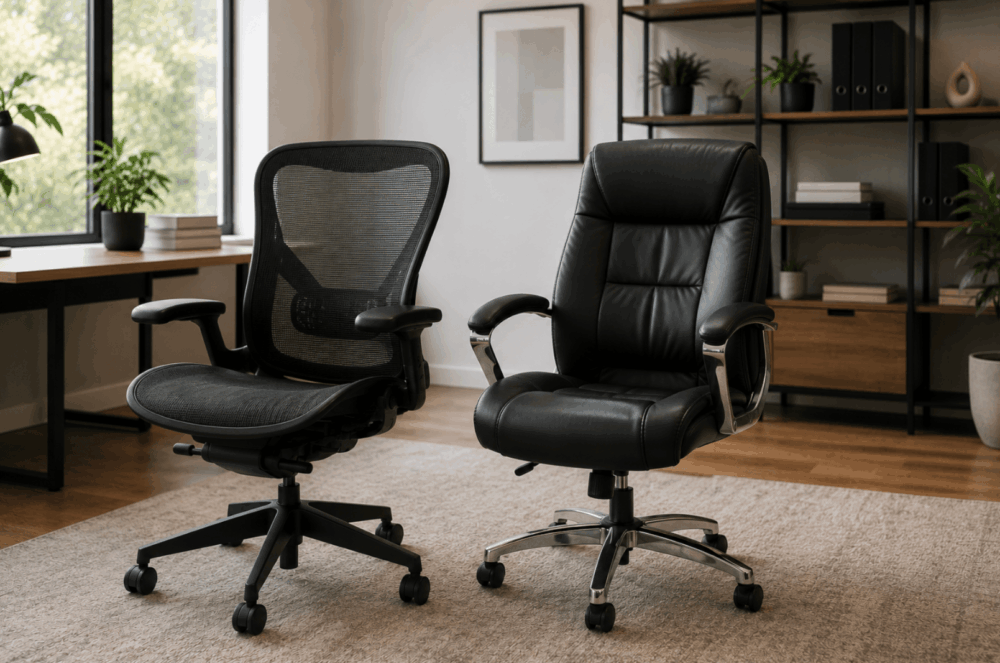
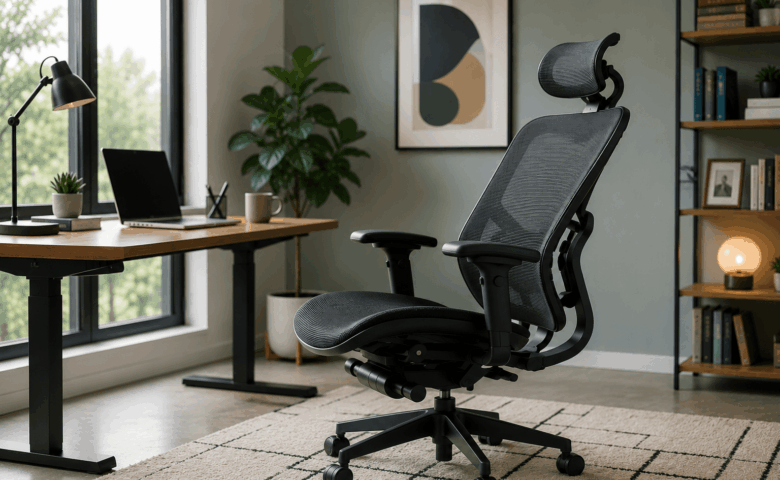
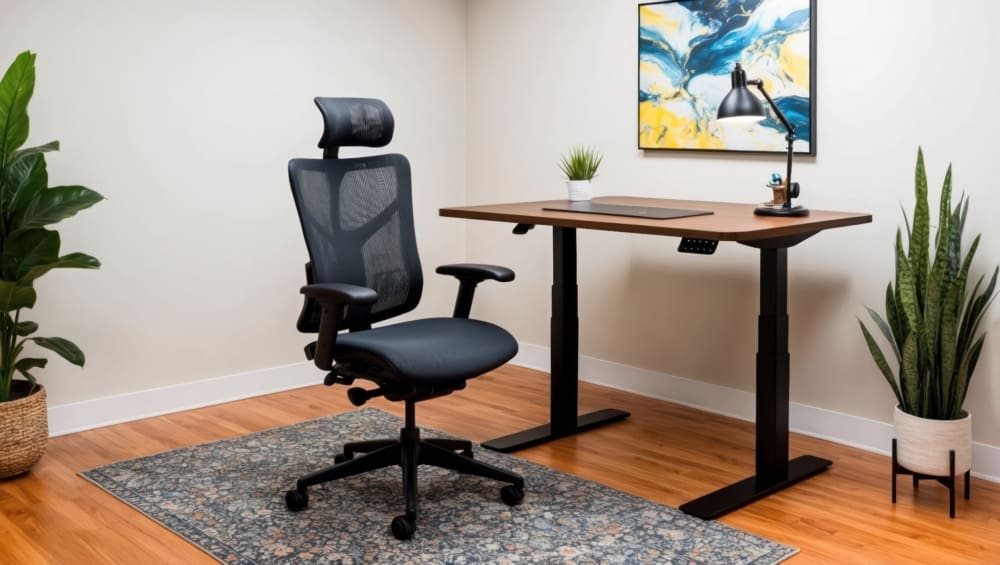
Modern ergonomic workstation with an office chair, organised desk and productivity-focused workspace designed to support employee comfort and efficiency.

7 Ways Office Furniture Can Improve Employee Productivity

A productive workplace relies on more than motivated employees. Office furniture, workspace planning and layout all influence how comfortably and efficiently people can carry out their daily tasks. 

Rather than viewing furniture as a standalone purchase, it's worth considering how desks, seating, storage and collaborative spaces work together to support different ways of working. 

Whether you're updating part of your office or planning a complete refurbishment, thoughtful planning can help you make better long-term decisions. If you're considering a workplace upgrade, at Wave Office, we have plenty of office design build services to help create a workspace tailored to your business and the way your team works. 

Why Office Furniture Matters For Employee Productivity

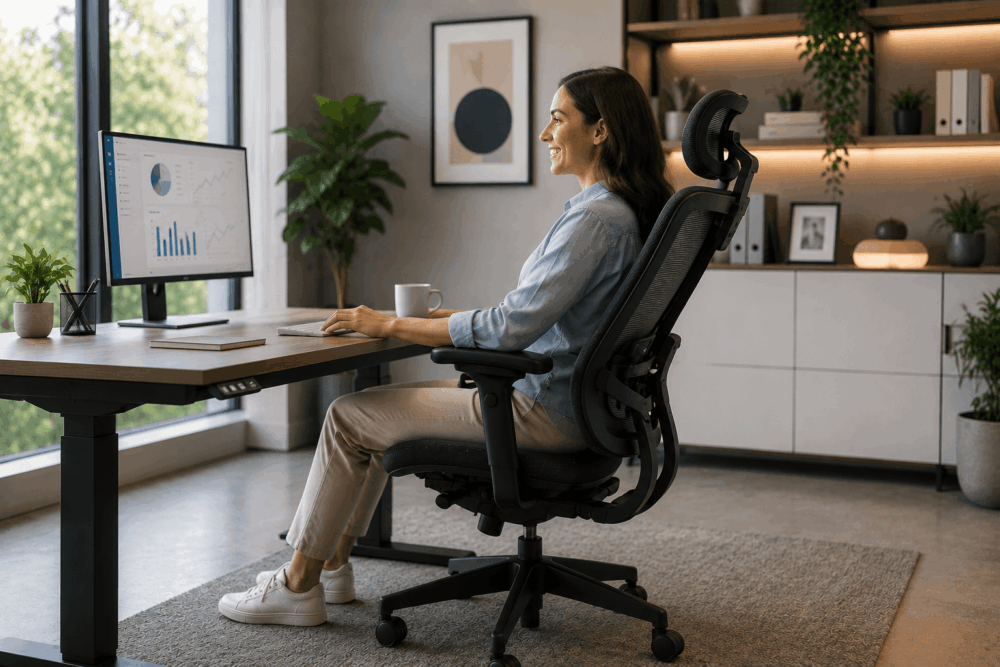
Employee working comfortably at an ergonomic desk in a modern office while colleagues collaborate nearby, showing how office furniture supports employee productivity.

Office furniture helps employees work more effectively by supporting comfort, organisation and collaboration within a well-planned workspace.

Employees interact with desks, chairs, storage and shared spaces throughout the working day. When these elements are planned around daily tasks, work becomes easier to organise and teams can move more efficiently between focused work and collaboration.

Furniture should support how people work rather than simply fill available space. Replacing individual items without reviewing the overall layout may solve one issue while creating another.

Before investing in new furniture, consider:

  • How employees move around the office.
  • Which teams collaborate most frequently.
  • Whether there are enough quiet spaces for focused work.
  • If storage meets current working practices.
  • How the workspace can adapt as the business grows.

Taking a strategic approach helps businesses create an office that supports day-to-day operations while making better long-term use of their furniture investment.

Ergonomic Office Chairs Improve Comfort And Focus

Adjustable office chairs help accommodate different users, making it easier to work comfortably throughout the day.

No single chair suits every employee. Differences in height, role and working style mean seating should allow users to adjust their workstation to meet individual requirements. Features such as lumbar support, seat height adjustment and adjustable armrests help employees achieve a comfortable working position while supporting Display Screen Equipment (DSE) assessments.

This flexibility is particularly valuable in hybrid offices where multiple employees may share the same workstation throughout the week. Chairs that can be adjusted quickly allow each user to tailor the setup before starting work.

When choosing office seating, consider:

  • Seat and backrest adjustability.
  • Lumbar and armrest support.
  • Compatibility with desk height.
  • Shared or assigned workstations.
  • Durability for commercial use.

Replacing every chair at once may not be necessary. Many businesses prioritise departments where employees spend the most time at a desk before introducing improvements across the wider workplace.

Office chairs deliver the greatest value when considered alongside desks, monitor positioning and workspace layout. Taking a wider planning approach helps create workstations that support employees' daily tasks while making better long-term use of your furniture investment.

Adjustable Desks Support Flexible Working Styles

Height-adjustable desks allow employees to adapt their workstations to suit different tasks and personal preferences.

Modern offices rarely operate in exactly the same way they did a decade ago. Hybrid working, flexible schedules and shared workstations have changed how businesses use office space, creating greater demand for adaptable furniture.

Height-adjustable desks give employees the option to alter their working position throughout the day according to personal preference or the task they're completing. While research continues into the wider effects of sit-stand working, these desks primarily provide flexibility rather than guaranteed productivity improvements.

They can also simplify workstation setup within hybrid environments. Employees using hot desks can adjust the desk to suit their preferred working position without requiring separate furniture for each individual.

Businesses considering height adjustable desks should think beyond the desk itself. Monitor positioning, cable management, power access and storage all contribute to creating a workstation that functions effectively.

Questions worth considering include:

  • Which employees would benefit most?
  • Will desks be permanently allocated or shared?
  • Is there sufficient cable management?
  • Does the surrounding layout provide enough movement space?
  • Can existing storage integrate with new desks?

Taking a broader planning approach helps ensure adjustable desks fit naturally into the workspace rather than becoming standalone features.

Better Desk Layouts Help Teams Work More Efficiently

Even the best furniture cannot compensate for a poor office layout. A well-planned workspace improves movement, supports communication and gives employees the flexibility to work in ways that suit their roles.

The way desks, meeting areas and shared spaces are arranged has a direct impact on how easily employees complete everyday tasks. A layout designed purely to maximise capacity can create bottlenecks, increase distractions and make collaboration less efficient.

Before changing your furniture, review how teams use the office. Customer-facing departments may benefit from sitting together, while finance, HR or administrative teams may need quieter areas for focused work.

When planning desk layouts, consider:

  • Clear circulation routes throughout the office.
  • Team neighbourhoods that encourage collaboration.
  • Separate areas for focused work and informal meetings.
  • Enough space around desks for comfortable movement.
  • Flexibility to accommodate future growth or changing team structures.

Hybrid working also influences layout decisions. Shared desks, touchdown spaces and collaborative zones can help businesses make better use of available space while adapting to changing occupancy levels.

Reviewing your office layout before purchasing new furniture helps ensure every workstation, meeting area and shared space supports the way your business operates, delivering greater long-term value from your investment.

Storage Solutions Reduce Workplace Clutter And Distractions

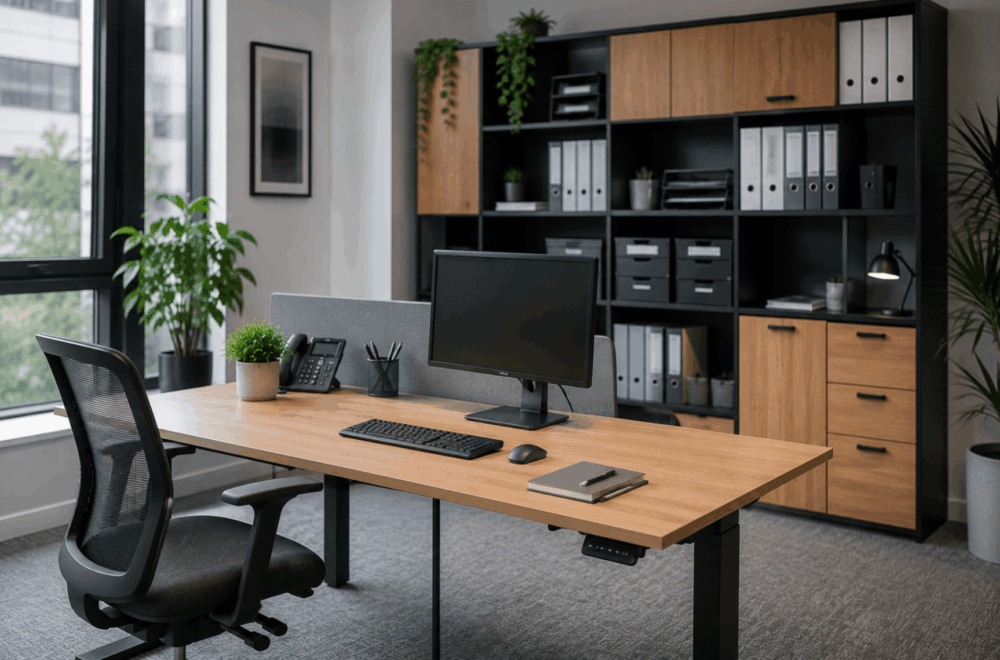
Organised office workspace with built-in storage cabinets, shelving, filing systems and a tidy desk that helps reduce workplace clutter and distractions.

Accessible storage helps keep workspaces organised and allows employees to spend less time managing paperwork and equipment.

An organised workspace makes daily tasks easier to manage. Searching for files, moving equipment between desks or working around unnecessary clutter can interrupt workflow and reduce the usability of the office.

The right storage solution depends on how your business operates. A workplace using assigned desks may benefit from personal pedestals and filing cabinets, while hybrid offices typically rely more on shared storage, lockers and centralised filing systems.

When reviewing storage requirements, consider:

  • How frequently documents need to be accessed.
  • Whether employees require personal or shared storage.
  • Security requirements for confidential information.
  • Storage for laptops, peripherals and personal belongings.
  • Future changes in staffing or office layout.

Mobile pedestals can provide flexibility where teams regularly move between workstations, while lockers help support desk-sharing by giving employees a secure place to store personal items throughout the day.

Storage should also complement the office layout. Placing cupboards, shelving and filing systems close to the teams using them reduces unnecessary movement without creating obstacles within circulation routes.

Reviewing storage during an office refurbishment can also identify opportunities to reduce underused cabinets, free up valuable floor space and create a cleaner working environment without increasing the overall office footprint.

Acoustic Office Furniture Helps Improve Concentration

Acoustic furniture can help reduce everyday distractions by creating quieter areas for focused work and private conversations.

Modern offices frequently combine collaborative working with individual tasks, creating competing demands within the same space. While open-plan layouts encourage communication, they can also generate background noise that makes concentration more challenging.

Acoustic furniture provides businesses with additional options for managing these environments. Rather than altering the building itself, products such as acoustic screens, privacy booths and meeting pods create dedicated spaces for activities requiring greater separation from surrounding office noise.

Depending on workplace requirements, businesses may consider:

  • Desk-mounted acoustic screens.
  • Freestanding acoustic panels.
  • Phone booths for private calls.
  • Meeting pods for small group discussions.
  • Enclosed collaboration spaces.

These solutions should be viewed as part of a wider workspace strategy rather than standalone fixes. Furniture cannot eliminate every source of workplace noise, although thoughtful planning can help separate quieter work from more collaborative activities.

For example, locating phone booths away from open desk areas allows employees to take video calls without disturbing colleagues, while small meeting pods reduce pressure on larger meeting rooms for short discussions.

Businesses should assess how employees currently use their workspace before investing in acoustic furniture. Understanding where distractions occur provides a stronger foundation for selecting suitable solutions.

Collaborative Furniture Encourages Better Team Communication

Flexible meeting furniture gives teams spaces that support collaboration without disrupting employees carrying out focused work.

Not every conversation belongs around a workstation. Providing dedicated areas for meetings, project discussions and informal catch-ups allows collaborative working to take place without interrupting colleagues completing individual tasks.

Meeting spaces no longer need to follow a single format. Different activities require different environments, making flexibility an important consideration during furniture selection.

For example:

  • Formal boardrooms suit presentations and client meetings.
  • Smaller meeting tables support project discussions.
  • Soft seating encourages informal conversations.
  • Modular furniture allows layouts to adapt for different group sizes.
  • Breakout tables provide spaces for quick collaboration throughout the day.

Choosing the right furniture begins with understanding how employees interact. Organisations holding frequent client meetings may prioritise larger meeting rooms, while creative teams may benefit from adaptable collaboration spaces that support workshops and brainstorming sessions.

Furniture should also allow spaces to evolve. Modular seating, mobile tables and reconfigurable layouts help businesses respond to changing team structures without requiring major refurbishment work every time requirements change.

Investing in flexible collaboration spaces can also reduce pressure on formal meeting rooms by providing alternative locations for shorter discussions and everyday teamwork.

Comfortable Breakout Areas Support Employee Wellbeing And Motivation

Breakout spaces provide employees with alternative environments for informal meetings, breaks and collaborative working throughout the day.

A productive workplace includes more than desks and meeting rooms. Employees also benefit from having spaces where they can step away from their workstation, hold informal conversations or work in a different setting when appropriate.

Breakout areas vary considerably between organisations. Some businesses create café-style environments, while others introduce lounge seating, high tables or quieter relaxation spaces depending on available space and working culture.

When planning a breakout area, consider:

  • How employees currently use communal spaces.
  • Whether the area will support informal meetings.
  • The balance between collaboration and relaxation.
  • Proximity to working areas.
  • Future flexibility if office requirements change.

Well-designed breakout spaces also help make better use of underutilised areas within the office. Rather than leaving awkward corners unused, businesses can create welcoming environments that support a wider range of workplace activities.

Furniture selection should reflect expected use. Durable finishes, comfortable seating and practical table layouts all contribute to creating spaces that employees are more likely to use throughout the working day.

As with every other part of the office, breakout areas work best when considered during the overall workspace planning process rather than added as an afterthought.

Before You Invest In New Office Furniture

Replacing furniture delivers the greatest value when it forms part of a wider workplace strategy rather than a series of isolated purchases.

Before making any investment, ask yourself:

  • Does the current office layout still support the way your teams work?
  • Which furniture creates the biggest day-to-day challenges?
  • Are there opportunities to improve flexibility for hybrid working?
  • Can existing furniture be retained alongside new products?
  • Will today's decisions still meet your needs in three to five years?

Answering these questions helps prioritise investment where it will have the greatest practical impact while avoiding unnecessary expenditure.

Working with an office furniture and workspace planning specialist can also help identify opportunities that may not be obvious when reviewing individual products in isolation.

Frequently Asked Questions

Does office furniture affect productivity?

Office furniture can support productive ways of working by improving comfort, organisation and flexibility within a well-planned workspace. While furniture alone does not increase productivity, choosing solutions that suit your employees and daily operations can remove unnecessary obstacles.

What furniture should businesses upgrade first?

Start with the furniture employees use most. Desks and office chairs are usually the priority, followed by storage, meeting areas or collaborative spaces. A workspace review helps identify where investment will have the greatest impact.

Are ergonomic chairs worth the investment?

Adjustable office chairs allow employees to tailor their seating position to their individual needs. They are particularly beneficial in offices where people spend long periods at a desk or where workstations are shared between multiple users.

How do office layouts affect teamwork?

A well-planned layout makes communication easier while providing dedicated areas for focused work, meetings and collaboration. Balancing these spaces helps teams work more effectively without creating unnecessary distractions.

What furniture works best for hybrid offices?

Hybrid workplaces benefit from flexible furniture such as height-adjustable desks, shared storage, lockers, modular meeting furniture and collaborative spaces. The right combination depends on how frequently employees use the office and how the workspace is organised.

Should businesses replace all office furniture at once?

Not necessarily. Many organisations achieve better value by upgrading the areas that need attention first before introducing further improvements as budgets and business requirements evolve.

Creating a productive workplace starts with understanding how people work rather than selecting furniture from a catalogue. Office layouts, storage, seating, collaboration spaces and flexible workstations all contribute to an environment that supports everyday tasks when planned as part of a complete workspace strategy.

Whether you're refreshing a single department or planning a full office refurbishment, taking time to assess your team's requirements can help you make informed investment decisions that continue to support your business as it grows.

If you're looking to create a workspace that better supports your team, contact the Wave Office team through our contact us page to discuss office furniture, workspace planning, office design solutions and much more, tailored to the way your business works.

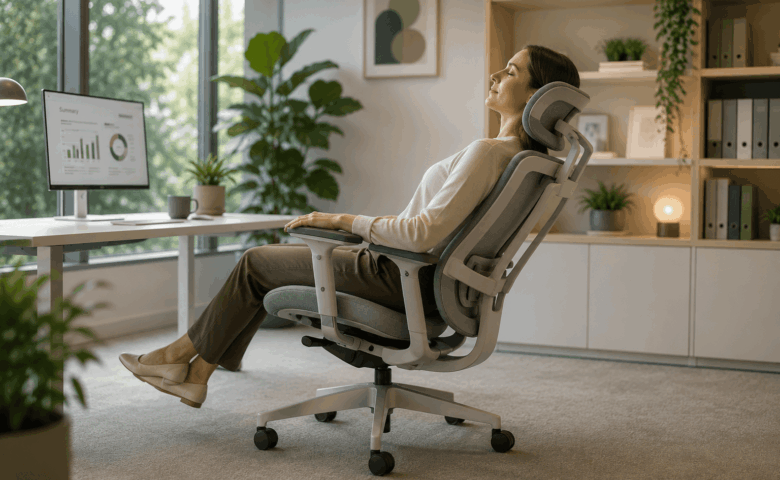
Employee stretching in an ergonomic office chair at a modern workstation, demonstrating how supportive office furniture can improve employee wellbeing and comfort.

How Does Office Furniture Affect Employee Wellbeing?

When businesses talk about employee wellbeing, the conversation often focuses on benefits, culture or workload. Office furniture is sometimes treated as a secondary concern, something to review only when desks or chairs become worn out.

In reality, furniture plays an important role in shaping the everyday workplace experience. It influences how comfortably people work, how easily teams collaborate, how well shared spaces function and how adaptable the office feels as business needs change.

That does not mean furniture alone improves wellbeing. Workplace wellbeing is shaped by many factors, including management, workload, culture, lighting, acoustics and office design. Furniture is one important part of that wider environment.

The most effective workplace improvements usually come from thoughtful planning rather than buying individual products in isolation.

Why Office Furniture Matters For Employee Wellbeing

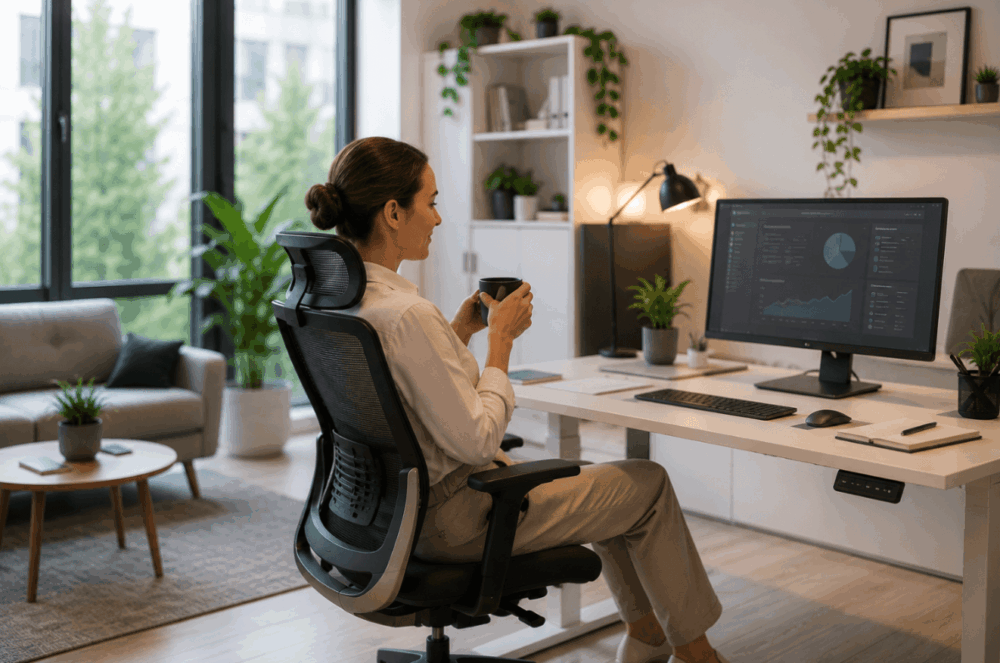
Employee sitting comfortably in an ergonomic office chair at a modern workstation with a hot drink, highlighting why office furniture matters for employee wellbeing.

Office furniture plays an important role in creating comfortable, adaptable and functional workplaces that support employees throughout the working day.

A well-planned workspace helps reduce unnecessary friction during everyday tasks. Employees should be able to work, move, collaborate and access resources without the environment making those tasks harder than necessary.

Furniture influences several parts of the employee experience, including:

  • Physical comfort during desk-based work
  • Accessibility for different users
  • Organisation and storage
  • Flexibility between individual and collaborative work
  • Ease of movement around the office
  • Overall workplace usability

Consider a growing business that began with a simple open-plan layout. As headcount increases, desks become crowded, storage becomes limited and meeting areas become harder to access. The problem is not always the furniture itself. Often, it is how the furniture has been planned and used.

Good furniture supports workplace activities. Poor planning can create clutter, restrict movement and make spaces feel less usable over time.

This is why workplace planning matters just as much as furniture selection.

How Adjustable Furniture Supports Physical Comfort

Adjustable furniture helps accommodate different users by allowing workspaces to adapt to individual needs rather than expecting everyone to work in the same way.

This is especially important in modern workplaces where shared desks, hybrid working and hot-desking are increasingly common. A workstation used by multiple employees during the week needs to support different heights, working preferences and desk setups.

Office seating is often the first area businesses review.

A suitable chair should offer adjustment that supports different users throughout the day. Important features may include:

  • Adjustable seat height
  • Lumbar support
  • Adjustable armrests
  • Backrest support
  • Recline or tilt mechanisms
  • Stable movement and mobility

These features allow users to configure seating to better suit their working position.

Businesses reviewing seating may benefit from exploring dedicated ergonomic office chairs, particularly where teams spend long periods at workstations or where desks are shared across departments.

Desks also play an important role in physical comfort.

Desk height affects screen positioning, keyboard placement and overall workstation setup. Fixed-height desks may work well in some environments, but shared workstations often benefit from greater flexibility.

This is one reason height adjustable desks have become more common in modern workplaces. They can support different working preferences and allow shared workstations to accommodate a wider range of users.

It is important to keep claims realistic. Adjustable furniture does not guarantee better health or improved performance. However, furniture that can adapt to different users is generally easier to integrate into flexible workplaces.

The key consideration is suitability, not simply features.

Why Workspace Design Matters As Much As Furniture

Even well-designed furniture can perform poorly if the surrounding workspace layout creates barriers to movement, collaboration or concentration.

This is where many workplace projects fall short.

Businesses often invest in high-quality desks and seating but overlook the wider office layout. The result can be a workspace filled with good products that still feels inefficient.

Workspace design affects how easily people can move through the office and how effectively different activities can happen within the same environment.

A well-planned office typically considers:

  • Walkways and circulation space
  • Team adjacency
  • Quiet focus areas
  • Meeting spaces
  • Collaborative zones
  • Storage placement
  • Accessibility requirements

Different teams often need different environments.

For example, a finance team may require quieter focused work areas, while sales teams may need faster access to collaborative spaces and call-friendly environments. Hybrid offices may need fewer fixed desks but more shared meeting zones.

Furniture should support those working patterns.

Lighting and spatial planning also matter. Furniture placement can influence how much natural light reaches workstations, whether spaces feel open or crowded and how easy it is to navigate the office.

This is why furniture should never be chosen purely from a catalogue without considering the wider environment.

Good workplace design improves usability by making furniture work as part of a complete space.

How Flexible Spaces Support Modern Working

Modern workplaces increasingly need flexible spaces that support collaboration, focused work, privacy and hybrid working patterns.

Employee wellbeing today involves more than desk comfort. It also involves whether people have access to the right environment for the task they need to complete.

Someone may need:

  • Quiet focused desk work in the morning
  • A private video call at lunch
  • Collaborative project work in the afternoon
  • Informal team discussion later in the day

A single type of workspace rarely supports all of those activities.

This is where flexible furniture becomes valuable.

Breakout spaces can support informal meetings and relaxed team discussions. Soft seating may help create less formal collaboration zones. Modular furniture can make shared areas easier to adapt as requirements change.

Acoustic furniture also plays an increasingly important role.

Acoustic booths, pods and screens can help create quieter spaces for calls or focused work, especially in open-plan environments. These products should not be seen as universal solutions, but they can help address privacy and noise-management challenges when used appropriately.

Hybrid working adds further complexity.

Shared workstations often benefit from:

  • Lockers for personal belongings
  • Hot-desking systems
  • Modular storage
  • Adaptable desk layouts
  • Flexible meeting areas

Businesses that plan for flexibility often find it easier to adapt as working patterns evolve.

Rigid office layouts can struggle when team structures or occupancy levels change.

How Poor Furniture Choices Can Reduce Workplace Comfort

Office worker experiencing lower back pain while sitting at a desk, showing how poor office furniture choices can reduce workplace comfort.

Poorly selected furniture may contribute to discomfort and reduce workplace usability when it does not match how the office is actually used.

This rarely happens because businesses deliberately choose poor products. More often, problems emerge when furniture decisions are made too quickly or without sufficient planning.

Common issues include:

Limited Adjustment

Chairs or desks with minimal adjustment can be difficult to use across multiple users, especially in hybrid work environments.

Poor Storage Planning

Insufficient storage creates clutter. Bags, files and equipment begin occupying desks, meeting rooms and circulation areas.

Overcrowded Layouts

Too much furniture can restrict movement and make collaboration awkward. More desks does not always mean a better office.

Prioritising Appearance Over Usability

Visually impressive furniture can still perform poorly in daily use if comfort, practicality and maintenance are overlooked.

Lack Of Future Planning

Furniture selected for current headcount may become restrictive if the team grows or working patterns change.

These mistakes are often avoidable through better planning.

Wave Office’s guide to creating meaningful spaces offers useful insight into designing environments that balance practical use with workplace experience.

Practical Ways To Improve Workplace Wellbeing

Improving workplace wellbeing usually starts with better planning, not immediate purchasing.

Businesses do not need to replace every desk or chair to create a more supportive environment. Small, well-targeted improvements often deliver more value than large unplanned purchases.

Practical steps include:

Review How The Office Is Actually Used

Observe peak occupancy, meeting demand and space usage. Identify friction points.

Gather Employee Feedback

Employees often identify workspace issues that managers may overlook.

Prioritise High-Impact Improvements

Common priorities include seating, storage, meeting capacity or acoustic privacy.

Plan For Future Flexibility

Choose layouts and furniture that can adapt as teams and working patterns evolve.

Consider The Full Workspace

Furniture should complement lighting, layout, accessibility and acoustics.

The goal is not simply to buy newer furniture. It is to create an office that better supports how people work.

Frequently Asked Questions

What Furniture Improves Workplace Wellbeing?

Furniture that supports comfort, flexibility and practical daily use often contributes most to workplace wellbeing. Adjustable seating, suitable desks, storage and flexible collaboration spaces are common priorities.

Are Ergonomic Chairs Worth It?

Ergonomic chairs can be worth considering where employees spend long periods at workstations or where seating is shared. Their value depends on adjustability and suitability rather than marketing claims.

Do Height Adjustable Desks Improve Wellbeing?

Height-adjustable desks can improve workstation flexibility by supporting different users and working preferences. However, they work best as part of wider workspace planning.

How Does Office Layout Affect Employees?

Office layout influences movement, collaboration, privacy and workspace organisation. Poor layouts can create unnecessary barriers during everyday work.

Office furniture affects employee wellbeing by shaping how comfortably, flexibly and effectively people can use the workplace.

The most important takeaway is that wellbeing involves more than ergonomic chairs or premium desks. Layout, storage, acoustics, flexibility and workspace planning all contribute to the employee experience.

The best workplace improvements usually begin with planning rather than purchasing.

If you're reviewing your workplace to better support employee wellbeing, Wave Office can help you choose furniture and layouts that suit your team, your workspace and your future plans. Contact us to discuss your office environment, furniture requirements or refurbishment plans.

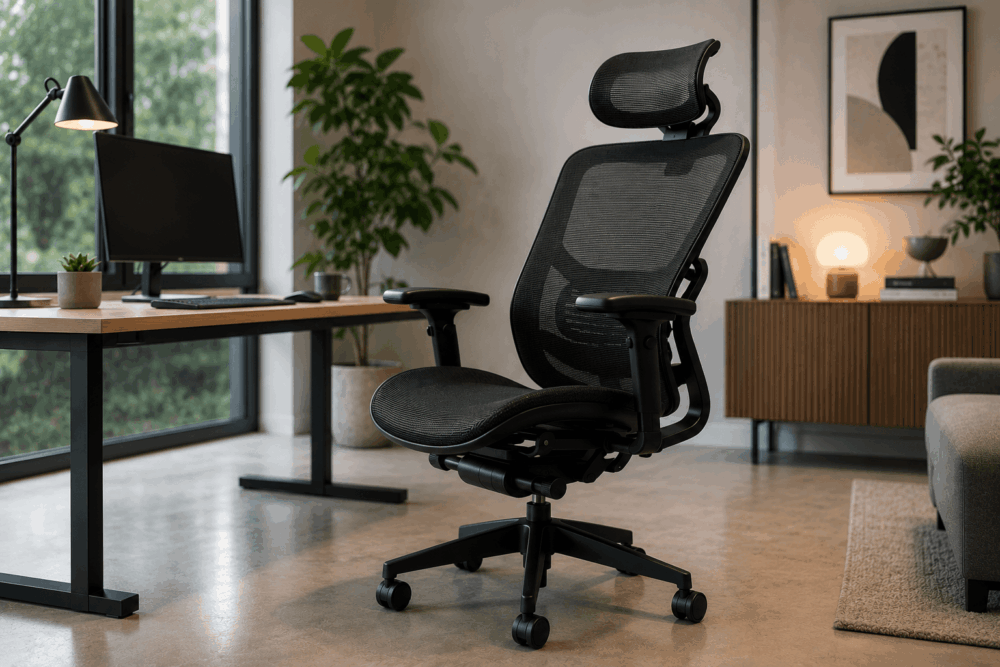
Modern office workspace with an ergonomic desk, mesh office chair and collaborative meeting area, highlighting how office furniture choices affect workplace productivity.

5 Office Furniture Mistakes That Make Workspaces Less Productive

When businesses look at improving workplace performance, furniture is not always the first thing they consider. Attention often goes to processes, staffing or technology. Yet many everyday frustrations in the office begin with the workspace itself.

Poor layout planning, unsuitable desks, inadequate storage and uncomfortable seating can all create unnecessary friction throughout the working day. This does not mean office furniture directly determines productivity, but it does influence how easily people can work, collaborate and stay organised.

The most expensive furniture is not always the best choice, and replacing old desks or chairs without proper planning can create new problems rather than solving existing ones.

Avoiding a few common office furniture mistakes can help businesses create workspaces that feel more practical, adaptable and easier to use.

Why Office Furniture Choices Affect Workspace Performance

Team collaborating around a meeting table using ergonomic office chairs in a modern workspace designed to support comfort and productivity.

Office furniture influences how easily employees can work, collaborate and stay organised, making thoughtful planning just as important as product selection.

Good office furniture should support daily activities rather than simply fill space. A desk is not just a desk if it affects screen positioning, cable management or collaboration. Storage is not just storage if poor placement creates clutter or wasted floor space.

The biggest mistake many businesses make is treating furniture as a purchasing exercise rather than a workspace planning exercise.

Consider a growing business that expands from 15 to 30 employees. A layout that worked comfortably at smaller headcount may become restrictive once desk numbers increase, meeting demand rises and shared storage becomes stretched.

This is why planning matters before purchasing. The right furniture supports workflow, movement and future growth.

Mistake 1: Choosing Office Chairs Without Proper Adjustment

Office chairs should provide sufficient adjustment to accommodate different users rather than offering a one-size-fits-all solution.

Chair selection is one of the most common office furniture mistakes because buyers often focus on price or appearance before usability.

A chair that looks smart in a meeting room may be unsuitable for full-day desk work. Likewise, a low-cost task chair may seem practical until multiple employees begin using it daily and discover limited adjustment.

When assessing office seating, key features to consider include:

  • Seat height adjustment
  • Lumbar support
  • Armrest positioning
  • Backrest support
  • Tilt or recline control
  • Stability and mobility

These features become even more important in hybrid offices or hot-desking environments, where several people may use the same chair across the week.

Different users have different seating preferences, body proportions and workstation setups. A chair with minimal adjustment can make shared workstations harder to use effectively.

This is why businesses should look beyond appearance and compare chairs based on suitability for real working conditions.

If you are reviewing seating options, exploring dedicated ergonomic office chairs can help identify models designed for adjustable workstation use.

Mistake 2: Buying Furniture Before Planning The Layout

Even high-quality furniture performs poorly if the office layout restricts movement, collaboration or concentration.

This is one of the costliest mistakes businesses make.

Furniture often gets ordered before anyone fully considers how the office will function. On paper, desks may fit. In practice, the space can feel cramped, awkward or inefficient.

Common layout issues include:

  • Narrow walkways
  • Oversized desks
  • Poor meeting room access
  • Lack of quiet areas
  • Crowded collaborative spaces
  • Insufficient room for future expansion

A layout needs to support how teams actually work.

For example, sales teams may need frequent collaboration and call spaces. Finance teams may need quieter focused work areas. Hybrid teams may need fewer permanent desks but more shared meeting space.

Without planning, businesses often create layouts that force incompatible activities into the same area.

Before purchasing furniture, ask:

  • Where do people need focused work?
  • Which teams collaborate regularly?
  • How many meeting spaces are needed?
  • Where are power and data points?
  • Can the layout adapt if headcount grows?

Professional office design build planning often identifies these issues before they become expensive problems.

A good layout improves circulation, makes better use of floor space and gives furniture a clearer purpose.

Mistake 3: Ignoring Storage Requirements

Poor storage planning creates clutter, reduces flexibility and limits how effectively a workspace can function.

Storage is often treated as secondary because desks and chairs feel more urgent during procurement. In reality, inadequate storage quickly affects day-to-day usability.

Without proper storage, businesses often see:

  • Bags under desks
  • Files piling up in meeting rooms
  • Shared surfaces becoming cluttered
  • Personal items occupying workstations
  • Equipment stored in circulation areas

This becomes especially noticeable in hybrid offices.

Hot-desking can reduce the need for permanent desks, but employees still need somewhere for personal belongings, documents and equipment. Removing desks without replacing storage often creates new organisational problems.

Useful storage solutions may include:

  • Personal lockers
  • Mobile pedestals
  • Shared cupboards
  • Filing cabinets
  • Meeting room credenzas
  • Wall-mounted storage

The best storage solution depends on what actually needs storing.

Good storage supports organisation while preserving flexibility. Poor storage creates clutter that spreads across the office.

Mistake 4: Prioritising Style Over Practical Use

Office worker experiencing lower back pain while sitting in a stylish leather office chair that lacks ergonomic support.

Modern office furniture should balance appearance with usability rather than prioritising aesthetics alone.

Visual design matters. Offices shape client impressions, brand perception and employee experience. However, style should not come at the expense of function.

This mistake usually appears in one of two ways.

First, businesses choose fashionable furniture that looks impressive but performs poorly in daily use.

Examples include:

  • Statement chairs with limited support
  • Oversized reception furniture
  • Stylish desks with poor cable management
  • Minimalist meeting tables with no power access

Second, businesses assume practical furniture must look plain or uninspiring.

That is rarely true today.

Modern office furniture increasingly combines clean aesthetics with practical design. Businesses do not need to choose between appearance and usability. They need to balance both.

Questions worth asking include:

  • Is this comfortable for daily use?
  • Is the material durable?
  • Can it handle commercial usage?
  • Is maintenance manageable?
  • Will it still work as needs change?

A visually impressive workspace loses value quickly if employees avoid using certain areas because the furniture is impractical.

Mistake 5: Buying Only For Today’s Needs

Office furniture should support future growth, not just current headcount or immediate requirements.

This is a major planning oversight, especially for growing businesses.

A layout designed around today’s occupancy may become restrictive sooner than expected. Team structures change. Hybrid working patterns evolve. Departments expand. Office usage shifts.

Furniture that lacks flexibility can become a costly limitation.

Examples include:

  • Fixed desk layouts with no expansion room
  • Insufficient meeting capacity
  • Storage that cannot scale
  • Furniture unsuitable for hybrid working
  • Single-purpose spaces with limited adaptability

Future-proofing does not mean overbuying.

It means asking better questions during planning:

  • Could headcount grow in 12–24 months?
  • Might more staff return to the office?
  • Will hybrid working continue?
  • Can layouts be reconfigured easily?
  • Can furniture serve multiple purposes?

Modular furniture, flexible layouts and adaptable workspace planning can help businesses respond to change without starting from scratch.

The best office investments often support both present and future working patterns.

Frequently Asked Questions

What Is The Biggest Office Furniture Mistake?

The biggest mistake is usually buying furniture before planning how the workspace needs to function. Layout and workflow should guide purchasing decisions.

How Often Should Office Furniture Be Replaced?

There is no fixed replacement cycle. Furniture should be reviewed when it no longer suits workspace needs, shows significant wear or prevents efficient use of the office.

Does Office Layout Affect Productivity?

Office layout can influence workflow, movement, collaboration and organisation. Poor layouts can create unnecessary friction during everyday work.

How Do You Choose Ergonomic Office Furniture?

Focus on adjustability, support and suitability for the intended user. Ergonomic features such as adjustable seating, lumbar support and suitable desk height are important considerations.

Should Businesses Plan Layouts Before Buying Furniture?

Yes. Planning first helps avoid costly mistakes, improves space utilisation and ensures furniture supports both current and future workplace needs.

The most common office furniture mistakes rarely come down to buying the wrong product alone. They usually begin with poor planning.

Choosing unsuitable chairs, ignoring storage, rushing layout decisions or buying purely for appearance can all make a workspace harder to use. The best office furniture supports how people actually work, both now and in the future.

Plan first, think long term and balance practicality with design.

If you're planning a new office or updating your existing workspace, Wave Office can help you avoid common furniture mistakes and create a workspace that supports your business now and in the future. Contact us to discuss your office furniture, design or workspace planning requirements.

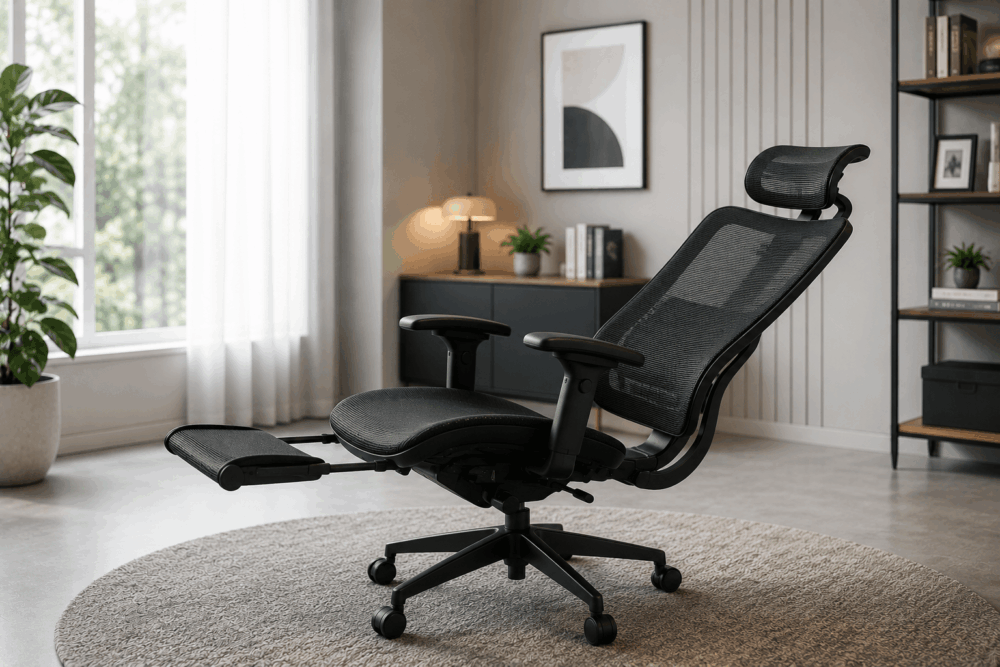
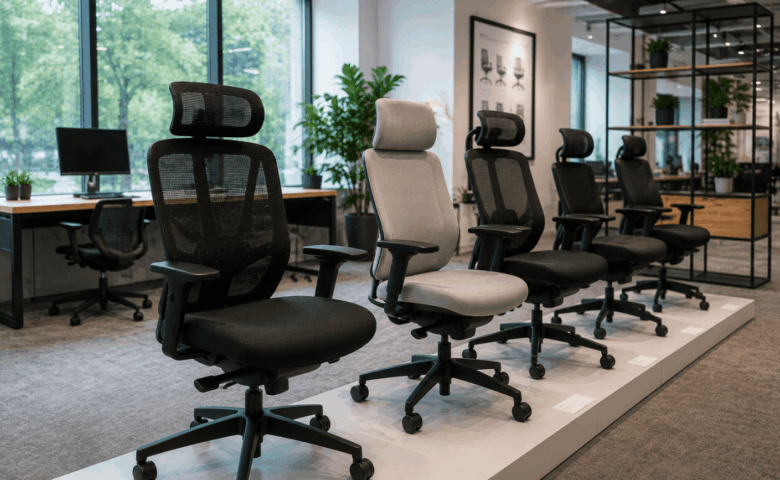
Mesh ergonomic office chair and leather executive office chair displayed side by side in a modern workspace, highlighting different seating styles for office environments.

Mesh vs Leather Office Chairs: Which Is Better?

Choosing the right office chair involves more than deciding what looks best in your workspace. Material plays a major role in how a chair feels during daily use, how easy it is to maintain and how well it suits different office environments.

When comparing mesh vs leather office chairs, there is no universal winner. The better choice depends on how the chair will be used, who will use it and what your workplace needs from its seating.

A busy hybrid office with shared desks may prioritise airflow and easy adjustability. An executive office or client-facing meeting room may place greater importance on visual impact and premium styling. Comfort, maintenance, long-term value and working patterns all influence the right decision.

This guide compares mesh and leather office chairs to help you choose the most suitable option for your workspace.

What Are Mesh And Leather Office Chairs?

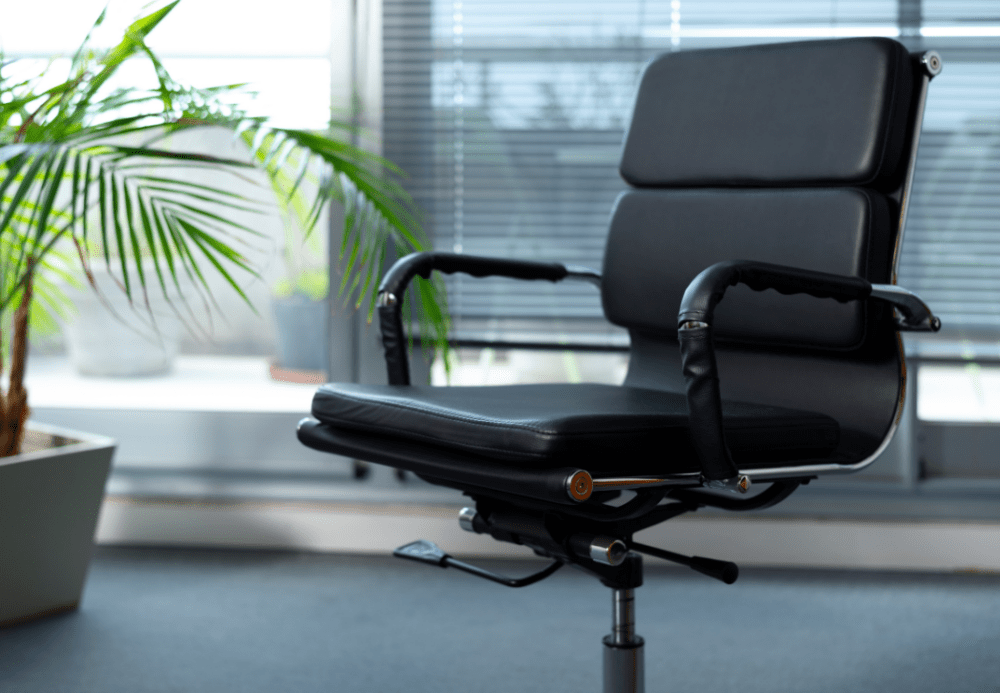
Modern mesh ergonomic office chair and black leather executive chair positioned together in a contemporary office to compare their design and features.

Mesh and leather office chairs offer different benefits, with mesh prioritising airflow and flexibility while leather often focuses on appearance, cushioning and executive styling.

A mesh office chair typically uses a woven synthetic material across the backrest, and sometimes the seat, stretched over a supporting frame. Many task chairs use mesh backs because the material allows airflow while maintaining shape. Mesh chairs are common in modern offices, especially in shared desk environments and open-plan spaces.

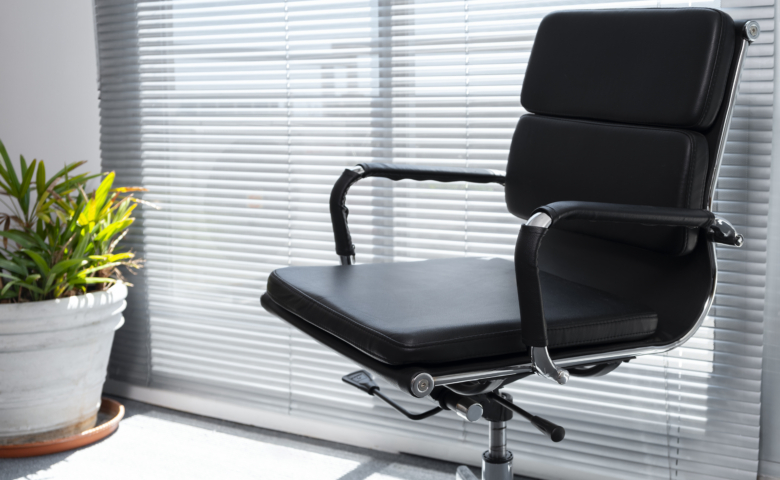
Leather office chairs usually feature padded cushioning upholstered in real leather or leather-look materials. These chairs often appear in executive offices, boardrooms and client-facing spaces where presentation matters. They commonly offer thicker seat padding and a more traditional premium aesthetic.

The material alone does not determine chair quality. Two mesh chairs can perform very differently depending on lumbar support, seat design and adjustment mechanisms. The same applies to leather seating. Material affects feel and maintenance, but design determines overall performance.

Mesh vs Leather Office Chairs At A Glance

The biggest differences between mesh and leather office chairs are breathability, appearance, maintenance and long-term ownership costs.

FactorMesh ChairsLeather Chairs
AppearanceModern and practicalPremium and executive
AirflowStrong airflow through backrestMore heat retention
CleaningDust removal may be neededUsually easier to wipe clean
Typical priceWide range from entry to premiumOften mid to premium
Best forShared workspaces, hybrid officesExecutive spaces, boardrooms

Mesh chairs often suit workplaces that prioritise function, flexibility and long periods of desk use. They are especially popular in task seating where multiple users may share the same workstation.

Leather chairs often appeal where appearance matters. They can help create a polished look in boardrooms, reception areas or executive offices. Buyers often associate leather with premium office furniture, although appearance alone should never drive the decision.

The best choice depends less on the material itself and more on the environment and expected use.

Comfort And Ergonomic Support

Comfort depends more on chair adjustment and overall design than the upholstery material alone.

This is one of the biggest misconceptions in office seating. Buyers often assume leather automatically means greater comfort because of thicker cushioning, or that mesh automatically means better ergonomics because it looks more supportive. Neither assumption is reliable.

A comfortable office chair should support the user throughout the working day while allowing movement and adjustment.

Key ergonomic features to consider include:

  • Adjustable seat height
  • Lumbar support
  • Adjustable armrests
  • Seat depth or slide adjustment
  • Tilt or synchronised recline mechanisms
  • Optional headrest support
  • Stable base and movement

These features matter more than upholstery when evaluating support.

Mesh chairs often feel more responsive because the material flexes with body movement. Some users prefer this lighter, more adaptive feel, particularly during long periods of desk work. However, support varies greatly depending on frame design and lumbar structure.

Leather chairs often provide more noticeable cushioning, especially around the seat and backrest. Some users prefer the softer, more padded feel, particularly in executive seating. Others may find thick padding less supportive over longer periods if the chair lacks proper adjustment.

Body type and working habits also matter. Someone sitting at a workstation for most of the day may value adjustability above appearance. Someone using a boardroom chair for shorter meetings may prioritise comfort differently.

When comparing specialist ergonomic office chairs, ask not “Which material is more ergonomic?” but rather:

  • Does this chair adjust properly?
  • Can different users sit comfortably?
  • Does the chair suit the intended duration of use?

That approach leads to better buying decisions.

Durability, Cleaning And Long-Term Value

Long-term value depends on how well the chair handles daily use, cleaning and wear rather than purchase price alone.

For office managers and procurement teams, this is often where the real decision sits.

A cheaper chair can become expensive if it wears quickly, becomes difficult to maintain or needs replacing sooner than expected. Total cost of ownership matters more than initial spend alone.

Mesh chairs typically handle daily airflow well and do not show heat-related wear in the same way padded materials can. However, mesh can collect dust and may require more regular cleaning, especially in high-traffic environments. Poor-quality mesh may also lose tension over time.

Leather chairs are often easier to wipe down after spills or daily use, which can make them appealing in client-facing or high-touch environments. However, wear patterns depend heavily on material quality and maintenance. Lower-quality finishes may show cracking, creasing or surface wear more quickly than better-made alternatives.

Before choosing seating, consider:

  • Daily usage levels
  • Number of users per chair
  • Cleaning routines
  • Risk of spills or stains
  • Maintenance expectations
  • Replacement planning

Hybrid offices introduce another factor: shared ownership. Chairs used by multiple people each week need to remain reliable and easy to maintain.

For procurement teams, durability should always be evaluated alongside serviceability and supplier support, not just unit price.

Which Office Environments Suit Each Chair Best?

Split image comparing a collaborative open-plan office with mesh chairs and a private executive office with a leather chair, showing which office environments suit each chair best.

Mesh and leather chairs suit different environments, so the best choice depends heavily on how and where the chair will be used.

Mesh Office Chairs Work Best For Flexible Workspaces

Mesh chairs are often well suited to modern work environments where functionality and adaptability matter most.

These include:

  • Open-plan offices
  • Hybrid workplaces
  • Hot-desking environments
  • High-occupancy desk areas
  • Shared workstations
  • Home offices

In these environments, airflow and ease of adjustment often matter. Different users may use the same chair across the week, so simple ergonomic controls become valuable.

Mesh chairs also pair well with contemporary workspace design, bench desking and collaborative layouts.

If your office uses hot-desking or flexible seating, exploring a dedicated mesh office chair range can help narrow suitable options based on task use and adjustability.

Leather Office Chairs Work Best For Premium And Client-Facing Spaces

Leather seating often works best where visual presentation plays a stronger role.

These environments include:

  • Executive offices
  • Boardrooms
  • Reception spaces
  • Client meeting rooms
  • Director offices

In these spaces, aesthetics may matter alongside comfort. Leather chairs can contribute to a more traditional, premium or executive appearance.

That does not mean leather is only decorative. Many executive chairs include advanced adjustment features. The key is ensuring style does not come at the expense of support.

Office design should also influence chair choice. A sleek modern office may benefit from mesh task seating. A formal boardroom may benefit from coordinated leather visitor seating.

Neither choice is inherently superior. The surrounding environment helps determine suitability.

Common Mistakes To Avoid When Choosing Office Seating

The biggest office seating mistakes happen when buyers focus on appearance or price before considering how the chair will actually be used.

Buying On Appearance Alone

A chair may look impressive in a catalogue but perform poorly in daily use. This happens frequently with executive-style seating chosen mainly for aesthetics.

Always prioritise suitability over appearance.

Ignoring Adjustability

A chair without meaningful adjustment can limit comfort for different users. This becomes especially problematic in hybrid workplaces or shared desk environments.

Check the adjustment range before purchasing.

Choosing The Wrong Material For The Environment

A premium leather chair may suit a boardroom but be less practical in a heavily used hot-desk zone. Likewise, a lightweight mesh chair may look out of place in a formal executive suite.

Match material to usage.

Not Testing Chairs

Where possible, test seating before committing to large purchases. Small differences in seat shape, back support and armrest positioning can have a big impact on usability.

Forgetting Cleaning Requirements

This is often overlooked during procurement.

Ask:

  • Who cleans the chairs?
  • How often?
  • What materials are easiest to maintain?
  • How will the chairs look after months of daily use?

If you are still comparing options, our guide on what to consider when buying an office chair covers additional buying criteria before purchase.

Frequently Asked Questions

Is Mesh Better Than Leather?

Neither is universally better.

Mesh often suits flexible, high-use workspaces, while leather may suit premium client-facing areas. The best choice depends on usage, environment and user preference.

Which Office Chair Is Easier To Clean?

Leather or leather-look surfaces are often easier to wipe clean after spills or daily use. Mesh may require more detailed cleaning to remove dust or debris from the weave.

Which Is Best For Hot-Desking?

Mesh chairs are often preferred for hot-desking because they are commonly lightweight, breathable and easier to adjust for different users.

However, adjustability matters more than material alone.

Are Mesh Chairs Ergonomic?

Mesh chairs can be ergonomic, but ergonomics depends on chair design rather than mesh alone.

Look for proper lumbar support, seat adjustment and suitable armrest positioning.

When comparing mesh vs leather office chairs, the best option depends on your workplace requirements rather than the material alone.

Mesh chairs often suit hybrid offices, shared workstations and high-occupancy environments where airflow and adjustability matter. Leather chairs often suit executive spaces, boardrooms and client-facing areas where appearance and premium styling carry more weight.

The most important factor is not whether a chair is mesh or leather. It is whether the chair supports the people using it, fits the workspace and delivers long-term value.

If you're choosing office seating for a new workspace or refurbishment, Wave Office can help you compare options and recommend chairs that suit your team, budget and working environment. Contact us today to discuss your office seating requirements.

Contemporary hybrid office featuring shared workstations, ergonomic office chairs, breakout lounge, private meeting pod and flexible workspaces with natural light.

What Is the Best Office Furniture for Hybrid Working?

Hybrid working has changed what businesses need from their offices. Fewer people may be in at the same time, but that does not mean the answer is simply to remove desks and leave empty floor space.

A good hybrid workplace needs furniture that supports different tasks, different users and changing occupancy levels. Some days, the office may be used for team meetings and collaboration. Other days, it may need quiet desks, video calls, private conversations and focused work.

This guide explains how to choose hybrid working office furniture that gives your team flexibility without creating clutter, confusion or wasted spend. It covers desks, seating, storage, meeting areas, breakout spaces, acoustic furniture, technology access and common planning mistakes.

What Is Hybrid Working Office Furniture?

Hybrid working office furniture is designed to support flexible occupancy, multiple users and changing workplace activities rather than fixed workstations.

In a traditional office, each person may have had a dedicated desk, chair, pedestal and storage space. In a hybrid office, the furniture often needs to work harder. A desk may be used by three different people across one week. A meeting room may need to support in-person meetings, video calls and project work. A breakout area may double as an informal workspace.

Hybrid office furniture can include:

  • Bench desks for shared desk areas
  • Height-adjustable desks for varied users
  • Ergonomic task chairs for hot-desking
  • Lockers for personal storage
  • Meeting tables with power access
  • Soft seating for informal collaboration
  • Acoustic booths or pods for calls and focused work
  • Mobile storage and modular furniture for layout changes

The main difference is planning. Hybrid furniture should be selected around how people work, not simply where they sit.

For example, an office where employees attend two or three days a week may not need one desk per person. It may need a balanced mix of shared workstations, bookable meeting areas, private call spaces and storage that does not rely on personal pedestals under every desk.

Why Hybrid Working Has Changed Office Design

Hybrid working has shifted office design from rows of permanent desks towards adaptable spaces that support collaboration, quiet work and meetings.

The office now has to justify the journey. If staff come in mainly to meet colleagues, share ideas or use better equipment, the layout needs to support those reasons. If the office still needs to support focused work, it also needs quiet areas with suitable desks, chairs, lighting, screens and power.

Before buying furniture, businesses should ask:

  • How many people are in the office on a typical day?
  • Which days are busiest?
  • Do teams come in together or separately?
  • How many people need quiet workstations?
  • How many need meeting rooms or video call spaces?
  • Are visitors, clients or interviewees using the space?
  • Is storage personal, shared or departmental?
  • Will headcount grow within the next 12–24 months?

This planning stage matters because hybrid offices can fail when furniture is chosen before the working pattern is understood. A company may reduce desks but forget that everyone attends on the same two days. Another may add soft seating but leave no quiet area for focused work.

Wave Office’s guide to buying office furniture is a useful next step for businesses that want to compare furniture choices before committing to a layout.

The Best Office Furniture For Flexible Hybrid Workspaces

Successful hybrid workplaces combine several furniture types that support different working styles.

There is no single product that makes an office suitable for hybrid working. The best setup usually blends desks, seating, meeting furniture, storage and acoustic support. The right mix depends on occupancy, team habits, available space and budget.
Furniture TypeBest ForWhat To Check Before Buying
Bench desksShared workstations and hot-deskingDesk depth, screen arms, cable access, spacing and privacy
Height-adjustable desksVaried users and task flexibilityAdjustment range, controls, power access and stability
Ergonomic task chairsShared desk areasSeat height, lumbar support, armrests, user weight range and ease of adjustment
Meeting tablesTeam days, project work and client meetingsSeating count, power, data, screen visibility and circulation space
LockersPersonal storage without fixed desksSize, security, location and daily access needs
Mobile pedestalsFlexible storageWhether they support or undermine hot-desking
Soft seatingInformal meetings and breakout areasDurability, cleaning, layout and visitor use
Acoustic boothsCalls, video meetings and privacySize, ventilation, lighting, power and placement
Folding or modular tablesTraining, events and multi-use roomsStorage space, ease of movement and stability

For most businesses, the best hybrid working office furniture is not the most expensive option. It is the furniture that matches real use. A compact office may need fewer fixed desks and more multi-purpose meeting furniture. A larger office may need desk neighbourhoods, lockers and quiet zones to stop hybrid working feeling disorganised.

How Ergonomic Furniture Supports Employee Comfort

Ergonomic furniture helps accommodate different users by offering adjustable support rather than forcing everyone into one seating position.

This matters in hybrid offices because workstations are often shared. A chair that worked for one dedicated user may not suit the next person. Shared workstations need seating that can be adjusted quickly and clearly, especially where people use the same desks on different days.

Employers should also consider Display Screen Equipment (DSE) duties. The Health and Safety Executive says employers must protect workers from health risks linked to DSE, and workstation assessments should consider the whole workstation, including equipment, furniture and working conditions.

Useful ergonomic checks include:

  • Can the chair height be adjusted easily?
  • Does the backrest provide suitable support?
  • Can armrests be adjusted or moved out of the way?
  • Is there enough legroom under the desk?
  • Can the monitor be positioned at a suitable height?
  • Is the keyboard and mouse position practical?
  • Can different users set up the workstation without help?

The HSE also advises that seating should be adjustable and that workers need enough space to use those adjustments properly.

Businesses reviewing shared workstations may want to compare ergonomic office chairs that suit varied users and daily office use.

Choosing Desks For Collaborative And Individual Working

The right desks for a hybrid office depend on whether people need shared workstations, team zones, quiet focus areas or a mix of all three.

Bench desks are often useful for hybrid workspaces because they make efficient use of floor space. They work well for hot-desking, team neighbourhoods and shared work areas. The key is to avoid treating benching as a simple numbers exercise. A row of desks without cable management, monitor support or enough space between users can quickly become frustrating.

For individual work, consider:

  • Desk depth for monitors, laptops and documents
  • Cable management for tidy shared use
  • Screen arms to free surface space
  • Power access for laptops and chargers
  • Desk screens where visual privacy matters
  • Clear booking or zoning if desks are shared

For collaborative work, consider:

  • Larger project tables
  • Team benches
  • Shared touchdown desks
  • Whiteboards or presentation furniture
  • Nearby storage for team materials
  • Space around furniture for movement

Height-adjustable desks can also have a place in hybrid offices, especially where users have different needs or where a business wants to offer more workstation variety. Avoid buying them as a blanket solution without understanding who will use them, where they will sit and how power will be managed.

A practical hybrid layout may include a bank of bench desks for everyday work, a small number of height-adjustable desks, meeting tables for team sessions and a quiet desk zone away from high-traffic areas.

Why Adjustable Seating Matters In Hybrid Offices

Adjustable seating matters because hybrid workstations are often used by different people with different heights, preferences and working habits.

In a fixed-desk office, a chair may stay set up for one person. In a hot-desking environment, that same chair may be adjusted several times a week. If the chair is difficult to use, people may not adjust it at all. That can make the workstation less comfortable and less suitable for longer periods of work.

Good hybrid seating should be:

  • Simple to adjust
  • Suitable for varied users
  • Robust enough for shared use
  • Easy to clean and maintain
  • Matched to the desk height and task type
  • Clear enough for users to understand quickly

For office managers and procurement teams, ease of use is important. A chair with many adjustments is only helpful if people can use them. In shared areas, clear controls and reliable mechanisms are often more useful than complex features that staff ignore.

It is also worth thinking about the difference between task chairs, meeting chairs and breakout seating. A meeting chair may be fine for a short discussion but unsuitable for a full day at a screen. A soft chair may suit informal conversation but not laptop work. Matching the chair to the task avoids poor buying decisions.

Storage Solutions For Modern Flexible Workspaces

Hybrid offices need storage that supports shared space rather than tying every person to a fixed desk.

In many hybrid workplaces, under-desk pedestals become a problem. They suggest ownership of a desk, reduce flexibility and take up floor space. That does not mean storage is less important. It means storage needs to be planned differently.

Common storage options include:

  • Lockers for personal items
  • Shared cupboards for team resources
  • Mobile pedestals for flexible project storage
  • Filing cabinets for documents that must stay on site
  • Wall storage where floor space is limited
  • Credenzas for meeting rooms and boardrooms
  • Reception storage for visitor-facing areas

Before choosing storage, ask what actually needs to be stored. Paperwork, laptops, bags, samples, stationery, confidential files and personal belongings all need different solutions.

Lockers can work well in hot-desking offices because they give employees a reliable place for personal items without assigning them a desk. Shared storage suits teams that need access to project files or equipment. Mobile storage can support changing layouts, but it needs a clear home when not in use.

Poor storage planning often leads to clutter. Bags sit under desks, documents pile up in meeting rooms and shared areas become untidy. Good storage keeps flexible offices usable.

How Office Furniture Supports Productivity And Wellbeing

Office furniture can support productive and comfortable work by helping people use the right setting for the task.

It is important not to overclaim. Furniture alone does not guarantee productivity, wellbeing or better performance. However, poor furniture choices can create friction. If people cannot find a suitable desk, take a private call, store their belongings or sit comfortably, the office becomes harder to use.

Furniture can support the working day by improving:

  • Access to suitable workstations
  • Organisation and storage
  • Comfort during screen-based work
  • Choice between quiet and collaborative areas
  • Privacy for calls and focused tasks
  • Movement between different work settings

For hybrid offices, choice matters. A person may need a desk in the morning, a meeting room at lunch and a quiet booth for a video call in the afternoon. If the furniture layout only supports one type of work, the space may feel busy even when occupancy is low.

The best approach is to map work activities first. Then select furniture that supports those activities. This avoids buying attractive furniture that looks good in a showroom but does not solve daily workplace problems.

Creating Comfortable Meeting And Breakout Areas

Meeting and breakout areas should support collaboration without taking over the whole office.

Hybrid working often increases the importance of meeting spaces. When people come into the office, they may want face-to-face time with colleagues. That can create pressure on meeting rooms, especially if rooms are also used for video calls.

A good hybrid office may need several types of meeting space:

  • Formal meeting rooms for clients or board meetings
  • Small rooms for two to four people
  • Open collaboration tables
  • Soft seating for informal discussions
  • Breakout areas for relaxed team conversations
  • Enclosed booths for calls and video meetings

The furniture should match the purpose. A formal meeting room may need a table with integrated power and good screen visibility. A breakout area may need durable soft seating, small tables and enough space for people to move around. A project room may need flexible tables, mobile whiteboards and storage.

Do not assume every meeting needs a closed room. Open collaboration areas can work well for short team discussions. However, confidential conversations, interviews and video calls still need privacy.

Space-Saving Office Furniture Ideas For Hybrid Teams

Space-saving furniture helps hybrid teams make better use of offices where occupancy changes throughout the week.

The goal is not to squeeze in as much furniture as possible. The goal is to keep the office flexible, clear and easy to use. Space-saving furniture works best when it supports a defined purpose.

Useful options include:

  • Folding tables for training rooms or events
  • Modular seating for changing breakout layouts
  • Stackable meeting chairs
  • Mobile storage units
  • Compact desks for touchdown work
  • Bench desks with shared legs
  • Wall-mounted storage
  • Multi-purpose meeting tables
  • Acoustic pods where separate rooms are not available

Small offices need careful planning because every furniture choice affects circulation. A meeting table that is too large can block movement. Too many chairs can make a room feel crowded. Oversized storage can reduce usable workspace.

For growing businesses, modular furniture can be useful because it allows layouts to change as teams expand. However, modular does not always mean better. Check whether the furniture can be moved easily, stored safely and reconfigured without disrupting the office.

The Role Of Acoustic Furniture In Open-Plan Offices

Acoustic furniture can help create more private and focused areas in open-plan offices, but it should be chosen for the specific problem it needs to solve.

Hybrid working often increases video calls. That can make open-plan offices noisy, especially when several people are on calls at once. Acoustic screens, booths and pods can help manage this, but they should not be treated as a cure-all.

Common acoustic furniture options include:

  • Desk screens
  • Floor-standing screens
  • Phone booths
  • Meeting pods
  • Upholstered seating with higher backs
  • Acoustic ceiling baffles
  • Enclosed collaboration spaces

Before buying, identify the issue. Is the problem speech privacy, background noise, visual distraction or lack of small meeting rooms? Each issue may need a different response.

Phone booths can support private calls. Meeting pods can create enclosed collaboration areas. Desk screens may reduce visual distraction between workstations. Acoustic products vary, so check manufacturer information rather than assuming every product offers the same level of performance.

Placement also matters. A booth next to a noisy kitchen may not solve the problem. Screens in the wrong location may block light or movement. Acoustic furniture should form part of a wider space plan.

How Technology Integration Influences Office Furniture Choices

Technology should influence furniture choices because hybrid work depends on laptops, screens, charging, video calls and reliable access to power.

A desk without power access may be unsuitable for hot-desking. A meeting table without cable management may become cluttered. A video meeting room with the wrong table shape may make it hard for remote attendees to see or hear people clearly.

Furniture planning should include:

  • Cable trays
  • Desk grommets
  • Power modules
  • USB charging
  • Monitor arms
  • Laptop risers
  • Screen positioning
  • Video conferencing equipment
  • Data access
  • Floor box locations

Technology integration is especially important in shared spaces. Staff should not need to crawl under desks to plug in a charger or move furniture to connect a screen. Good furniture keeps technology accessible without making the office look messy.

For meeting rooms, check the relationship between the table, screen, camera, speakers and seating layout. A long boardroom table may not suit every video call. Smaller settings or flexible tables may work better for hybrid meetings.

Common Mistakes Businesses Make When Designing Hybrid Workspaces

The most common hybrid office mistakes happen when businesses buy furniture before they understand how the space will be used.

Hybrid working can make office planning feel uncertain. That uncertainty often leads to quick decisions, but those decisions can become expensive. Furniture bought in a rush may not fit the room, support the team or adapt as working patterns change.

Mistake 1: Assuming Fewer Desks Solves Everything

Reducing desk numbers may free up space, but it does not automatically create a better office.

If everyone attends on Tuesday and Wednesday, fewer desks may cause pressure on peak days. If meeting demand increases, removing desks without adding collaboration space may simply shift the problem.

Plan around peak occupancy, not average occupancy.

Mistake 2: Buying Furniture Before Planning The Layout

Furniture dimensions matter. A desk may fit on paper but leave too little space for chairs, storage or movement.

Before ordering, check:

  • Walkways
  • Chair pull-out space
  • Door swings
  • Power locations
  • Fire routes
  • Storage access
  • Screen glare
  • Meeting room circulation

A layout drawing can prevent costly mistakes before furniture is delivered.

Mistake 3: Ignoring Storage

Hybrid offices still need storage. Without it, shared desks become cluttered and staff may leave belongings in unsuitable places.

Plan storage by user type. Employees may need lockers. Teams may need shared cupboards. Reception areas may need concealed storage. Finance or HR teams may need secure filing.

Mistake 4: Forgetting Private Calls

Open collaboration is useful, but hybrid teams also need privacy. Video calls, HR conversations, interviews and client calls cannot always happen in open areas.

Small rooms, booths or quiet zones can reduce pressure on larger meeting rooms.

Mistake 5: Choosing Furniture Based Only On Cost

Budget matters, but the cheapest option may not offer the best value if it wears quickly, lacks adjustment or cannot adapt to future needs.

Procurement teams should compare:

  • Suitability for daily use
  • Adjustment and flexibility
  • Compatibility with existing furniture
  • Maintenance needs
  • Replacement availability
  • Warranty details, where verified
  • Delivery and installation requirements

Mistake 6: Not Planning For Growth

Hybrid working patterns may change. Teams may grow. More staff may return to the office. A layout that only works today may become restrictive within months.

Where possible, choose furniture that can adapt. This may include modular desks, flexible meeting furniture, movable storage and layouts that allow extra workstations to be added later.

Frequently Asked Questions

What Furniture Is Essential For Hybrid Offices?

The essential furniture usually includes shared desks, adjustable task chairs, personal storage, meeting furniture and spaces for calls or focused work.

The exact mix depends on occupancy. A small office may need compact desks, lockers and one flexible meeting area. A larger office may need bench desking, quiet zones, meeting pods, breakout furniture and shared storage.

Are Height-Adjustable Desks Worth It?

Height-adjustable desks can be worth considering where different users share workstations or where a business wants to offer more desk choice.

They are not automatically needed at every workstation. Check the users, tasks, budget, power access and layout before specifying them. For some offices, a smaller number of height-adjustable desks may be more practical than a full-office rollout.

How Many Desks Does A Hybrid Office Need?

A hybrid office should plan desk numbers around peak occupancy, not total headcount.

Start by reviewing attendance patterns. If most staff attend on the same days, desk demand may still be high. If attendance is spread evenly, fewer desks may work. Always allow for visitors, new starters, part-time staff, team days and future growth.

What Seating Works Best For Hot-Desking?

Hot-desking works best with adjustable task chairs that are easy to set up for different users.

Look for clear adjustment controls, suitable back support, seat height adjustment and a design that matches the length of use. Meeting chairs and soft seating should not replace proper task chairs for screen-based work.

How Can Small Offices Support Hybrid Working?

Small offices can support hybrid working by using flexible, multi-purpose furniture.

Useful choices include compact bench desks, folding tables, mobile storage, lockers, stackable chairs and breakout seating that can support informal meetings. The key is to avoid overcrowding. A small office needs clear movement routes and furniture that earns its place.

The best hybrid working office furniture is flexible, practical and planned around how people use the workplace.

A successful hybrid office should balance shared desks, ergonomic seating, storage, meeting areas, breakout space, acoustic support and technology access. The layout matters as much as the products. Buying fewer desks may reduce furniture numbers, but it will not solve meeting demand, storage issues or privacy problems on its own.

Plan first. Understand occupancy. Think about different tasks. Then choose furniture that supports the team today while leaving room for change.

If you are planning a hybrid workplace, the Wave Office team can help you choose furniture that supports your team today while remaining flexible for future growth. Contact us to discuss your office furniture, space planning or refurbishment requirements.

5 Reasons You Need to Upgrade Your Office Chair

Office chairs are often used for years without much thought, yet they play a central role in how people work each day. Over time, support tends to decline, even if the change is not immediately obvious. This can affect posture, comfort, and overall performance in ways that build gradually.

Knowing when to replace office chair setups is not always straightforward. Small signs are often overlooked until discomfort becomes part of the routine. For businesses, this can impact focus, productivity, and even how the workspace is perceived by visitors.

This guide outlines five clear reasons to consider an office chair upgrade, helping you recognise when it may be time to buy new office chair options that better support your team and environment.

1. Your Current Chair No Longer Supports Good Posture

One of the clearest signs that it is time to replace your office chair setups is a noticeable change in posture. Users may find themselves leaning forward, adjusting frequently, or struggling to stay in a stable position throughout the day.

Older chairs often lack the adjustability needed to support different body types. Limited lumbar support or fixed settings can lead to strain across the lower back, shoulders, and neck. These issues tend to develop gradually, making them easy to ignore at first.

A chair designed for proper workplace seating ergonomics allows users to maintain a more neutral sitting position. This reduces pressure on key areas and supports better alignment over longer periods.

2. Your Team Is Struggling With Comfort During The Working Day

Discomfort in the workplace rarely appears as a single issue. It often shows through small behaviours such as frequent movement, short breaks, or difficulty staying focused on tasks.

When seating does not provide adequate support, fatigue can build earlier in the day. This can affect concentration, decision-making, and overall output. Over time, it may also influence morale if employees feel their working environment is not meeting basic comfort needs.

Improving office comfort can have a direct impact on performance. A well-designed chair allows users to stay engaged with their work for longer, reducing unnecessary interruptions. For many businesses, this is one of the more practical reasons to consider an office chair upgrade.

3. Your Office Chair Is Worn Out Or Damaged

Physical wear is one of the most visible signs that a chair has reached the end of its lifespan. Seat padding may flatten, fabrics can show damage, and adjustment mechanisms may stop working as intended.

These issues affect more than appearance. Reduced support and limited functionality can make chairs less effective for daily use. In some cases, damaged components may also introduce safety concerns, particularly in busy office environments.

Common signs include:

  • Flattened or uneven seat cushioning
  • Faulty height or tilt adjustments
  • Loose or unstable armrests
  • Visible wear across fabric or structure

Replacing worn seating is not only about comfort. It also helps maintain safety standards and supports a more consistent workplace setup.

4. Your Workspace Needs Better Style And Professional Appeal

Office seating plays a visible role in how a workspace is perceived. Chairs that are outdated, mismatched, or worn can make the environment feel neglected, even if other areas are well-maintained.

A consistent approach to office seating solutions helps create a more cohesive and organised space. This is particularly relevant in client-facing areas, where first impressions are formed quickly.

Updating seating can support a more professional office design without requiring a full refurbishment. For growing businesses, this can help align the workspace with brand identity and create a more considered overall appearance.

5. A Better Office Chair Can Improve Productivity

The connection between comfort and productivity is often underestimated. When a chair supports the body properly, it becomes easier to maintain focus and complete tasks without distraction.

Discomfort can interrupt workflow in subtle ways. Frequent adjustments, short breaks, or reduced concentration can all affect how efficiently work is completed. Addressing these issues through better seating can lead to more consistent performance.

Ergonomic office chair benefits extend beyond basic comfort. They support posture, reduce strain, and create a more stable working position. For businesses looking to improve output, upgrading seating can be a straightforward and effective step.

How Upgrading Your Office Chair Can Benefit Your Business

An office chair upgrade brings together several practical benefits across comfort, productivity, and workplace presentation. Employees gain improved support, which can help reduce strain and support more consistent performance throughout the day.

From a business perspective, investing in better seating can offer long-term value. Higher-quality chairs tend to last longer and perform more reliably, reducing the need for frequent replacements. This can make them a more cost-effective option over time.

Improved seating may also contribute to fewer complaints related to discomfort, supporting overall workplace satisfaction. In addition, a well-maintained environment can positively influence how the business is perceived by clients and visitors.If you are looking to buy new office chair options, exploring our range of our office chairs can help you identify solutions that match your needs. For more specific guidance, contact us and speak to our specialist team here at Wave Office for support with more tailored decisions.

Person reclining in an ergonomic office chair with headrest and lumbar support in a modern workspace, demonstrating a posture designed to reduce spinal pressure.

Are Reclining Office Chairs Good For Your Spine?

Questions around office chairs and spine health often centre on posture, comfort, and long-term impact. Reclining office chairs introduce a slightly different consideration. While some assume leaning back reduces strain, others associate it with poor sitting habits.

In practice, the answer sits between the two. A reclining office chair can support the spine when used correctly, though it does not replace proper setup or posture. The way the chair is adjusted and used tends to matter more than the recline function itself.

This guide explains how reclining works, where it can support spinal health, and what to consider when choosing an ergonomic office chair.

What A Reclining Office Chair Is Designed To Do

A reclining office chair allows the backrest to tilt backwards, giving users the option to move away from a fixed upright position. This movement is controlled through mechanisms such as tilt, synchro tilt, and lock systems, each offering a different level of support and flexibility.

The purpose is not to promote constant reclining. Instead, it introduces controlled movement into the working day. Remaining in one static position for extended periods can increase pressure on the spine, particularly in the lower back.

Reclining chairs are designed to support natural shifts in posture. This flexibility helps reduce the strain associated with rigid seating and allows the user to adjust position as tasks change throughout the day.

How Reclining Can Support The Spine

When used correctly, a reclining office chair can contribute to better spine support in several ways:

  • Reduces pressure on the lower back compared to prolonged upright sitting
  • Distributes body weight more evenly between the seat and backrest
  • Encourages regular posture changes, helping limit stiffness
  • Supports the natural curve of the spine when lumbar support is properly adjusted
  • Provides variation in seating position, which can improve overall comfort during long periods at a desk

The benefit comes from movement rather than the reclined position alone. Chairs that allow controlled adjustments tend to support spinal health more effectively than fixed designs.

When A Reclining Office Chair Can Be Beneficial

Reclining office chair benefits are most noticeable in environments where posture can vary throughout the day.

They may be particularly useful for:

  • Long desk-based roles where fatigue builds gradually in the lower back and shoulders
  • Tasks such as reading, reviewing documents, or video calls, where a slightly reclined position feels more natural
  • Users experiencing mild discomfort linked to static sitting positions
  • Hybrid working setups where ergonomic consistency is harder to maintain
  • Roles that allow flexibility in posture rather than constant forward-facing screen work

In these situations, the ability to shift position can help reduce the impact of prolonged sitting.

Why Posture Still Matters When Using A Reclining Chair

Reclining does not remove the need for proper posture. The spine still relies on structured support, particularly in the lumbar region.

Without adequate adjustment, the body may fall into a slouched position, which can increase strain rather than reduce it. A reclining chair should support alignment, not replace it.

Key considerations include:

  • Keeping feet flat on the floor
  • Maintaining a comfortable knee angle
  • Aligning the screen with natural eye level
  • Adjusting lumbar support to match the curve of the lower back

Poor positioning, even in a high-quality chair, can lead to tension in the neck and shoulders. For this reason, posture remains central to any ergonomic seating setup.

Features To Look For In A Supportive Reclining Office Chair

Not all reclining chairs offer the same level of ergonomic office chair support. The quality of adjustability plays a significant role in how well the chair supports the spine.

Features to look for include:

  • Adjustable lumbar support to maintain lower back alignment
  • Seat height and depth controls to suit different body types
  • Tilt tension and lock settings for controlled reclining
  • Headrest support to maintain neck positioning during recline
  • Durable materials that provide consistent support over time

An adjustable office chair in the UK market should offer flexibility across these areas, rather than relying on a single fixed position.

Common Mistakes That Can Reduce Spinal Support

Even the best office chair for back pain can fall short if it is not used correctly.

Common issues include:

  • Remaining fully reclined for long periods
  • Poor desk or screen positioning leading to neck strain
  • Limited adjustability that prevents proper setup
  • Ignoring individual comfort and body differences

These factors can reduce the effectiveness of any ergonomic seating solution, regardless of design.

Reclining Office Chairs Compared With Standard Office Chairs

Reclining office chairs offer greater flexibility than standard fixed designs. This allows users to adjust posture throughout the day, which can help reduce discomfort linked to static sitting.

Standard office chairs tend to support a more upright position, which suits task-focused work that requires consistent screen engagement.

Each option serves a different purpose:

  • Reclining chairs support movement and variation
  • Standard chairs provide stability for focused tasks

Choosing between them depends on how the chair will be used, rather than a single definition of what works best.

How To Use A Reclining Office Chair Properly At Work

To get the most from a spine support office chair, correct setup is essential:

  • Adjust seat height, depth, and lumbar support to fit the user
  • Use the recline function intermittently rather than continuously
  • Keep the desk and screen aligned with eye level
  • Change posture regularly to support circulation and reduce stiffness

Consistent adjustment tends to deliver better long-term comfort than relying on one fixed position.

Who May Benefit Most From A Reclining Office Chair

Reclining chairs are typically suited to individuals who spend extended periods seated and can vary their posture throughout the day.

They may be particularly relevant for:

  • Office workers with long sedentary hours
  • Users experiencing mild back discomfort
  • Roles involving calls, reading, or flexible workflows

In more fixed workstation environments, a standard ergonomic office chair may be more appropriate.

Choosing A Reclining Office Chair For Comfort And Back Support

Selecting the right chair depends on how it will be used. Features such as adjustability, lumbar support, and controlled recline tend to have a greater impact than appearance.

Testing a chair before purchase can provide a clearer sense of how it performs over time. Durability is also worth considering, particularly in busy office environments.Exploring our range of office chairs can help identify suitable options based on different workspace needs. For more specific guidance, contact us and speak to our specialist team here at Wave Office for support with more tailored decisions.

Office chairs

What Types of Office Chair Are There?

Buying seating can feel a bit confusing, especially when so many options look similar at first glance.

Still, not every chair suits every role, and that is where knowing the different types of office chair actually helps.

Some chairs are made for short bursts of use, others support people through long days at a desk, and a few focus more on how a space looks than how it feels after several hours.

This guide walks through the main office chair types you are likely to come across, explaining what each one is designed for and where it tends to work best. That way, you are not choosing based on guesswork or price alone.

Whether you are comparing mesh office chairs for shared spaces, looking at task chairs for all-day desk use, or considering executive office chairs for leadership areas, the aim is the same.

Standard Office Chairs

Standard office chairs are usually the most straightforward option you will see when browsing office chairs.

They tend to have a simple shape, basic padding, and limited adjustment, which is fine in the right setting. These chairs are not trying to cover every scenario, and that is often why they remain popular.

You will usually see standard office chairs used where people sit for short periods rather than full working days. Training rooms, hot desking areas, and occasional-use desks are common examples. Most designs include seat height adjustment and a swivel base, though support features are fairly minimal.

For anyone seated for long stretches, these chairs can start to feel uncomfortable. Still, as part of a wider seating mix, standard office chairs can be a sensible choice when usage is light, and expectations around comfort are modest.

Mesh Back Office Chairs

Mesh back office chairs are often chosen for everyday desk work where people stay seated for longer periods. The mesh back allows air to move more freely, which helps users stay cooler, especially in busy or warm offices. That breathable design is usually the main reason people choose this type of chair.

Many mesh office chairs also include a reasonable level of adjustment, but not all. Just because a chair has a mesh back don't assume it has the best ergonomic adjustments.

Mesh back office chairs are often chosen for aesthetic reasons. If you looking for ergonomic benefits you need to make sure these options are included with the chosen chair. So ask for some advice.

Executive Leather Office Chairs

Executive leather office chairs are usually selected for their appearance as much as their comfort. With high backs, thicker cushioning, and a more solid build, these chairs make a strong visual statement. They are commonly found in senior offices and client-facing rooms.

In terms of feel, executive office chairs are often comfortable for meetings and shorter periods of desk work. They suit roles where time is split between sitting, meetings, and calls. Adjustment options vary, though they are often simpler than what you would find on task-focused seating.

For all-day desk use, these chairs may not suit everyone. Still, when presentation and comfort both matter, executive leather office chairs can be the right fit in the right space.

Task Chairs

Task chairs are designed for people who spend most of their working day at a desk. What sets task chairs apart is adjustability. These chairs are built to adapt to the user rather than forcing the user to adapt to the chair.

Most task chairs allow adjustments to seat height, back position, and arm support. Some also offer fine-tuning for posture and movement. This flexibility is useful in offices where different people may use the same chair over time, or where workstation assessments have taken place.

For roles involving long hours at a screen, task chairs usually provide better day-to-day comfort than standard or executive seating. They might not draw much attention visually, yet they are often the most practical option when comfort, well-being, and lifespan all matter.

Stool Chairs and Drafting Chairs

Stool chairs and drafting chairs are made for desks that sit higher than average. These chairs are often paired with standing desks, lab benches, studios, or service counters where people move between sitting and standing.

You will usually see features like a taller seat height range and a foot ring for support. The seating position encourages an upright posture, which helps when working at raised surfaces. Comfort is still considered, though movement and access tend to take priority.

These chairs are not typically used across an entire office. However, in specialist environments, they are often the most sensible solution.

Guest Chairs and Visitor Seating

Guest chairs and visitor seating are designed for short-term use rather than full working days. They are most commonly found in reception areas, meeting rooms, and breakout spaces where people sit briefly.

Comfort still matters, though deep adjustment is rarely needed. Instead, these chairs focus on being easy to sit on and durable enough to handle frequent use. Materials and frame strength are usually more important here than flexibility.

Choosing visitor seating often means balancing comfort with longevity. The right choice helps shared spaces feel welcoming while avoiding frequent replacements.

Below is a quick comparison to help bring the main types of office chairs together.

Type of office chairBest ForUsage TimeAdjustability
Standard office chairsLight use desks and training roomsShort periodsLow
Mesh back office chairsEveryday desk roles and shared officesMedium to long hoursVaries 
Executive office chairsSenior offices and meetingsShort to medium periodsLow to medium
Task chairsAll day desk workLong hoursHigh
Stool and drafting chairsHigh desks and specialist environmentsVariableMedium
Guest and visitor seatingReception and meeting spacesShort periodsVery low

If you are reviewing seating options and want advice tailored to how your team actually works, you can contact us to talk through the options.

Ergochair | Bespoke, Made to Measure Chairs

ErgoChair is a UK based company, set up in 2004 to fill a gap in the ergonomic office chair market

  Until Ergochair, there were no ergonomic chairs on the market that could be specified to suit every individual. Even some of the best ergonomic chairs on the market could not offer complete support and comfort as they were not able to be tailored to custom requirements. For example, smaller framed people would not experience the complete benefit of a generic sized ergonomic chair as the varying supports would not correspond to the correct areas on the user's body. However, Ergochair's range provides more than just a good fit for the user. A vast range of advanced adaptations mean that they are able to create chairs suitable for a range of issues and conditions, including:
  • Amputeeism
  • Cerebral Palsy
  • Coccyx Pain
  • Core Stability Issues
  • Herniated or Prolapsed Spinal Discs
  • Hip Replacement
  • Fused or Painful Knee Joints
  • Differential Leg Lengths
  • Lumbar Pain
  • Multiple Sclerosis
  • Neck and Shoulder Pain
  • Pelvic Pain
  • Scoliosis
  • Thoracic Back Pain
  • Wheelchair Use/Restricted Mobility
  Using a Unique Specification System called Easispec, our specially trained advisors will take a few simple measurements in order to create your bespoke chair "prescription". They will also discuss any suitable adaptations that will ensure your chair caters to your exact requirements. Adaptations include:
  • A Range of Armrests - from simple support to permanent contact rests for severe upper limb issues
  • Neck and Head Rests, Rolls and Supports
  • Foot Rings and Plates
  • Locks - Keep the Chair From Moving or Swiveling
  • Range of Inflatable and Reactive Support Cells Across the Backrest and Seat
  • Sculpted and Memory Foam Backrests
  • Coccyx Cut-Outs and Zones
  • Wave and Split Seats - for issues with lower limbs such as amputation or prothesis
  • Memory Foam Seats
 

If you would like to know more about Ergochair, or to book an assessment, please call 01293 510553 or email sales@waveoffice.co.uk

Explore the Ergochair products

  Adapt 600 ErgochairAdapt 500 Ergochair   [yikes-mailchimp form="1" title="1" description="1" submit="Sign Up"]
office-chair

How To Care For Your Office Chair

Well maintained office chairs keep employees comfortable and create a good impression on clients and visitors. It is also important to keep your chairs clean in order to keep the spread of germs and allergy causing dust and pollen particles to a minimum. You can choose to keep your chairs maintained regularly in house which will reduce the required frequency for professional cleans. The care for each type of chair differs and you should always check the information that comes with the chair for cleaning instructions. You can also call your supplier who should be able to advise you on the correct type of maintenance and care for your chair.
  • Upholstered chairs should be regularly hoovered on a low setting with a brush or upholstery attachment. Any spills or stains should be dealt with as soon as possible. Remember to follow the chair's care instructions and make sure to test any cleaning products in a small, inconspicuous area before treating the stain.
  • Leather or vinyl chairs should be wiped down with a damp cloth often. Make sure the cloth you use in non-abrasive to avoid scratching the material
  • Mesh office chairs should be lightly hoovered weekly to avoid the accumulation of dust and other debris in the open weave. A wipe down with a damp cloth can also help to remove any sticky residue that can build up and block air flow.
  • Plastic chairs in waiting areas, canteens and cafes can be cared for with warm water and a mild detergent mix to keep them hygienic. Avoid using abrasive brushes or alkaline-based cleaning products.
All chairs should receive regular, professional cleaning and care to improve cleanliness and longevity of the product. The frequency of this service will depend on your in house maintenance routine and the type of environment the chairs are in. Wave Office provide professional cleaning services for all types of chairs. We can clean and care for chairs on site or collect them and carry out the service at our warehouse. For more information, please call 01293 510553     [yikes-mailchimp form="1" title="1" description="1" submit="Sign Up"]
Office Chair

What To Consider When Buying An Office Chair

Choosing an office chair tends to feel simple at first, yet it quickly turns into something a bit more involved once you pause and think about how long people sit each day.

For many office-based roles, the chair becomes the main piece of equipment someone uses, often for hours at a time. When the choice is wrong, discomfort creeps in, focus drops, and small aches can turn into ongoing issues.

This guide looks at the key office chair considerations worth paying attention to before buying. If you’re looking to juggle comfort, budget and considering any shared workspaces, we can give you clear guidance right here, helping you make ergonomic-first decisions that suit real offices and real people.

Ergonomics and Adjustability

Ergonomics sits at the centre of most office chair considerations, mainly because bodies differ far more than chairs often do. A well-designed chair should adjust to the person using it, rather than forcing someone to adapt their posture around fixed parts.

Seat height adjustment allows feet to rest flat on the floor, which helps with circulation and balance. A supportive backrest, ideally with adjustable lumbar support, encourages the spine to sit in a more natural position during desk work. Armrests also play a part, offering support for the shoulders and upper arms when they can be raised, lowered or moved inwards.

Adjustability becomes even more relevant in shared offices. A chair used by multiple people throughout the week needs to adapt quickly and easily; otherwise, it tends to be set up for one person only. Chairs designed with flexibility in mind usually suit a wider range of body shapes, which makes them a safer choice for growing teams and changing roles.

Comfort and Support for Long Hours

Comfort is sometimes treated as a nice extra, yet it plays a direct role in how people feel by the end of the day. Sitting for long periods places pressure on the lower back, hips and thighs, particularly when the chair does not offer enough support.

Good cushioning helps spread weight more evenly, reducing pressure points that can lead to soreness. The seat should feel supportive rather than overly soft, since chairs that sink too much can cause muscles to work harder to maintain balance. Back support matters just as much, especially for tasks involving screens and keyboards, where people remain seated for extended stretches.

Over time, a chair designed with comfort in mind tends to reduce fatigue. When people are not constantly shifting to relieve discomfort, they often find it easier to stay focused and engaged with their work.

Material Quality and Durability

The materials used in an office chair affect comfort, upkeep and how long the chair lasts. Mesh, fabric and leather all bring different benefits, and the right choice depends on how the space is used.

Mesh chairs are known for breathability, which can feel more comfortable in warmer offices or for people who sit for long hours. Fabric options offer a softer feel and come in a wide range of finishes, though they may need more regular cleaning. Leather and faux leather create a more formal look and tend to wipe clean easily, though breathability can vary.

Durability should not be overlooked. Chairs made with stronger frames, quality mechanisms and hard-wearing materials usually last longer and perform more consistently. Over time, this can mean fewer replacements and less disruption, which makes a noticeable difference in busy offices.

Suitability for Your Workspace Setup

Every workspace has its own layout, and an office chair needs to fit comfortably within it. Desk height plays a part here, since a chair that cannot adjust high or low enough may leave someone working at an awkward angle.

Movement also matters. Some roles involve frequent reaching, turning or moving between tasks, which calls for a chair that swivels smoothly and rolls without resistance. In tighter spaces, the overall size of the chair becomes important, as bulky designs can restrict movement and crowd the area.

Thinking about how the chair works with the desk, monitor and surrounding furniture helps avoid problems later. A chair that suits the full setup tends to feel more natural during everyday use.

Budget and Value for Money

Budget often drives early decisions, though it helps to think beyond the initial price. A cheaper chair may seem appealing at first, yet it can wear out faster or fail to support the body properly over time.

Value for money looks at how the chair performs day after day. A well-made adjustable office chair, used for several years, often costs less per day than replacing low-cost chairs every year or two. There is also the impact on comfort and wellbeing to consider, especially for people who sit for most of their working hours.

Approaching budgets with long-term use in mind makes it easier to justify spending a little more upfront. Many buyers find this leads to fewer issues and better overall satisfaction.

Delivery, Assembly and Warranty Considerations

Delivery and setup are easy to overlook, though they influence how quickly chairs can be used and how well they perform. Professional delivery and correct assembly reduce the risk of faults caused by poor fitting or missing parts.

Warranty coverage offers reassurance, particularly in offices where chairs see heavy daily use. Longer warranties often reflect confidence in build quality, and clear aftercare support makes it easier to resolve issues if something goes wrong.

For people organising purchases on behalf of others, these details help take pressure off. Knowing support is available allows you to focus on choosing the right seating rather than worrying about what happens later.

When weighing up office chair considerations, it helps to start with ergonomics, comfort and adjustability, then look at materials, workspace fit and long-term value. Chairs that support healthy posture and adapt to different users tend to work better in real office settings.

If you are exploring suitable office chairs for your workspace or need guidance on specific requirements, the Wave Office team can help you make a confident choice. You can always contact us for straightforward advice based on how your office is used day to day.

active-seating

A Look at Active Seating and the HÅG InBalance™ Mechanism

With Winter fast approaching, it's easier than ever to stay at your desk on your lunch break and to get cosy on the sofa in the evening. But do you know how bad this sedentary behavior is for your health?

  Take a moment to think about exactly how much time you spend sitting in an average day. How long is your commute to and from work and are you seated for the journey? Do you work at a desk or sit in meetings for the majority of the day? Do you eat your meals whilst seated? Do your evening activities involve sitting down?

Research suggests that on average, we only spend three hours out of twenty-four standing up or walking.

You may think that this isn't a problem if you are within your healthy BMI and take measures to exercise regularly, but did you know that even if you visited the gym every day, the negative effects of a sedentary lifestyle will not be offset?

So what are the effects of sedentary behavior?

The NHS website lists a number of issues such as:
  • Obesity
  • Type 2 Diabetes
  • Certain Types of Cancer
  • Slow Metabolism
  • Issues with blood pressure
  • Cardiovascular Disease
 

How can we change this?

You can take certain measures in order to tackle these effects, however, much like dieting, they depend upon self discipline and thus tend to fluctuate in success. Knowing this and taking note of the alarming health risks facing a large proportion of workers, the brains at Scandinavian Business Seating looked into creating a way to tackle sedentary behavior for workers without them even having to think about it. The HÅG InBalance™ Mechanism is the end result of their design. The mechanism perfectly complements a range of their ergonomically sound chairs, with the newest addition to their range - Sofi Mesh - also boasting the mechanism. InBalance™ allows the chair to act as a platform, enabling the user's body to move naturally and, as the name suggests, keeps them perfectly balanced whilst performing their day to day tasks.  

InBalance allows the range of chairs it is applied to, to be identified as "dynamic chairs", of which there are already many on the market. So, what sets InBalance™ apart from the rest?

HÅG handed the Sofi Mesh, fitted with the mechanism, over to the Karolinska Institutet (who award the Nobel Prize for physiology and medicine) to study how beneficial the mechanism is to the user and to compare these results to other dynamic chairs on the market.  
The blue lines on the image trace the movements of a user sat on the SoFi during the study

The blue lines on the image trace the movements of a user sat on the SoFi during the study

  Using a range of high-tech tools, the institute measured the movements of a group of test subjects who were asked to perform a variety of tasks that were akin to general office work. They then asked the test subjects to carry out the same tasks when sitting in other conventional dynamic chairs and whilst standing. Results were compared thereafter. As many as 73% of the subjects reached levels of movement similar to taking a slow walk, classified as "light human activity", when carrying out their tasks in the HÅG SoFi Mesh chair. These results far surpassed those of the test subject's recorded movements when sat in a conventional dynamic chair. The InBalance™ mechanism also outperformed the results for standing up by the same margin. This was a surprising find as it suggests that standing is not enough in itself to combat issues that surround sedentary behavior and highlights that the body must actually be in motion in order to avoid associated health risks.  

Erlend Weinholdt, physiotherapist and lead ergonomist at Scandinavian Business Seating, highlights the importance of the Institute's findings and comments; "Everyone is talking about chairs that promote activity, but we are the only ones who can prove it".

So, knowing these results and with an easy fix on the market, what's stopping you from investing in your health?

 HAG SoFi Mesh InBalance Mechanism Try Before You Buy

      [yikes-mailchimp form="1" title="1" description="1" submit="Sign Up"]

WHAT ARE THE BENEFITS OF A MESH CHAIR?

If you’re looking to buy a new office chair but are confused by all the options available, it can be easy to stick to something you know which is generally a simple, foam based task chair with standard fabric upholstery. But this isn’t always the best option and you could be missing out on a chair that not only looks after your body but could also be the most cost effective solution too.

What are the benefits of mesh chairs?

Ventilation
Traditional foam padded chairs act as insulators trapping heat between your body and the chair. This can cause uncomfortable sweating, even in an air conditioned office. Mesh chairs provide proper ventilation keeping the user cool, comfortable and dry. Ventilation can also help to minimise muscle fatigue.
Easy to Clean
Spillages and general maintenance are easily handled in the case of mesh chairs. Most wipe down quickly and easily with a damp cloth, making expensive shampoos and treatments a thing of the past.
Stylish & Modern
With the popularity of mesh chairs rising, designers have not only looked at improving ergonomic support but also aesthetic appeal. There are now a wide variety of customisable mesh office chairs on the market and many are now designed in line with the current minimalistic trend.
Durability
Mesh chairs retain their shape well and generally see less wear and tear than fabric upholstered office chairs. There is less chance of a mesh chair ripping or areas becoming worn and frayed.
Ergonomic Posture Support
A mesh chair may not look comfortable on first glance, but they can actually be more supportive than padded chairs. They can help to improve posture and reduce aches and pains associated with musculoskeletal disorders. Mesh chairs offer an array of adjustments and provide a firm, supportive structure. Many mesh chairs offer the buyer the option to upholster the seat for increased comfort whilst keeping the mesh back for postural support and ventilation.   Mesh-Back-Chairs-Variety-Sold-by-Wave-Office   [yikes-mailchimp form="1" title="1" description="1" submit="Sign Up"]
Product has been added to your cart