
Hybrid working has changed what businesses need from their offices. Fewer people may be in at the same time, but that does not mean the answer is simply to remove desks and leave empty floor space.
A good hybrid workplace needs furniture that supports different tasks, different users and changing occupancy levels. Some days, the office may be used for team meetings and collaboration. Other days, it may need quiet desks, video calls, private conversations and focused work.
This guide explains how to choose hybrid working office furniture that gives your team flexibility without creating clutter, confusion or wasted spend. It covers desks, seating, storage, meeting areas, breakout spaces, acoustic furniture, technology access and common planning mistakes.
What Is Hybrid Working Office Furniture?

Hybrid working office furniture is designed to support flexible occupancy, multiple users and changing workplace activities rather than fixed workstations.
In a traditional office, each person may have had a dedicated desk, chair, pedestal and storage space. In a hybrid office, the furniture often needs to work harder. A desk may be used by three different people across one week. A meeting room may need to support in-person meetings, video calls and project work. A breakout area may double as an informal workspace.
Hybrid office furniture can include:
- Bench desks for shared desk areas
- Height-adjustable desks for varied users
- Ergonomic task chairs for hot-desking
- Lockers for personal storage
- Meeting tables with power access
- Soft seating for informal collaboration
- Acoustic booths or pods for calls and focused work
- Mobile storage and modular furniture for layout changes
The main difference is planning. Hybrid furniture should be selected around how people work, not simply where they sit.
For example, an office where employees attend two or three days a week may not need one desk per person. It may need a balanced mix of shared workstations, bookable meeting areas, private call spaces and storage that does not rely on personal pedestals under every desk.
Why Hybrid Working Has Changed Office Design
Hybrid working has shifted office design from rows of permanent desks towards adaptable spaces that support collaboration, quiet work and meetings.
The office now has to justify the journey. If staff come in mainly to meet colleagues, share ideas or use better equipment, the layout needs to support those reasons. If the office still needs to support focused work, it also needs quiet areas with suitable desks, chairs, lighting, screens and power.
Before buying furniture, businesses should ask:
- How many people are in the office on a typical day?
- Which days are busiest?
- Do teams come in together or separately?
- How many people need quiet workstations?
- How many need meeting rooms or video call spaces?
- Are visitors, clients or interviewees using the space?
- Is storage personal, shared or departmental?
- Will headcount grow within the next 12–24 months?
This planning stage matters because hybrid offices can fail when furniture is chosen before the working pattern is understood. A company may reduce desks but forget that everyone attends on the same two days. Another may add soft seating but leave no quiet area for focused work.
Wave Office’s guide to buying office furniture is a useful next step for businesses that want to compare furniture choices before committing to a layout.
The Best Office Furniture For Flexible Hybrid Workspaces
Successful hybrid workplaces combine several furniture types that support different working styles.
There is no single product that makes an office suitable for hybrid working. The best setup usually blends desks, seating, meeting furniture, storage and acoustic support. The right mix depends on occupancy, team habits, available space and budget.
| Furniture Type | Best For | What To Check Before Buying |
| Bench desks | Shared workstations and hot-desking | Desk depth, screen arms, cable access, spacing and privacy |
| Height-adjustable desks | Varied users and task flexibility | Adjustment range, controls, power access and stability |
| Ergonomic task chairs | Shared desk areas | Seat height, lumbar support, armrests, user weight range and ease of adjustment |
| Meeting tables | Team days, project work and client meetings | Seating count, power, data, screen visibility and circulation space |
| Lockers | Personal storage without fixed desks | Size, security, location and daily access needs |
| Mobile pedestals | Flexible storage | Whether they support or undermine hot-desking |
| Soft seating | Informal meetings and breakout areas | Durability, cleaning, layout and visitor use |
| Acoustic booths | Calls, video meetings and privacy | Size, ventilation, lighting, power and placement |
| Folding or modular tables | Training, events and multi-use rooms | Storage space, ease of movement and stability |
For most businesses, the best hybrid working office furniture is not the most expensive option. It is the furniture that matches real use. A compact office may need fewer fixed desks and more multi-purpose meeting furniture. A larger office may need desk neighbourhoods, lockers and quiet zones to stop hybrid working feeling disorganised.
How Ergonomic Furniture Supports Employee Comfort
Ergonomic furniture helps accommodate different users by offering adjustable support rather than forcing everyone into one seating position.
This matters in hybrid offices because workstations are often shared. A chair that worked for one dedicated user may not suit the next person. Shared workstations need seating that can be adjusted quickly and clearly, especially where people use the same desks on different days.
Employers should also consider Display Screen Equipment (DSE) duties. The Health and Safety Executive says employers must protect workers from health risks linked to DSE, and workstation assessments should consider the whole workstation, including equipment, furniture and working conditions.
Useful ergonomic checks include:
- Can the chair height be adjusted easily?
- Does the backrest provide suitable support?
- Can armrests be adjusted or moved out of the way?
- Is there enough legroom under the desk?
- Can the monitor be positioned at a suitable height?
- Is the keyboard and mouse position practical?
- Can different users set up the workstation without help?
The HSE also advises that seating should be adjustable and that workers need enough space to use those adjustments properly.
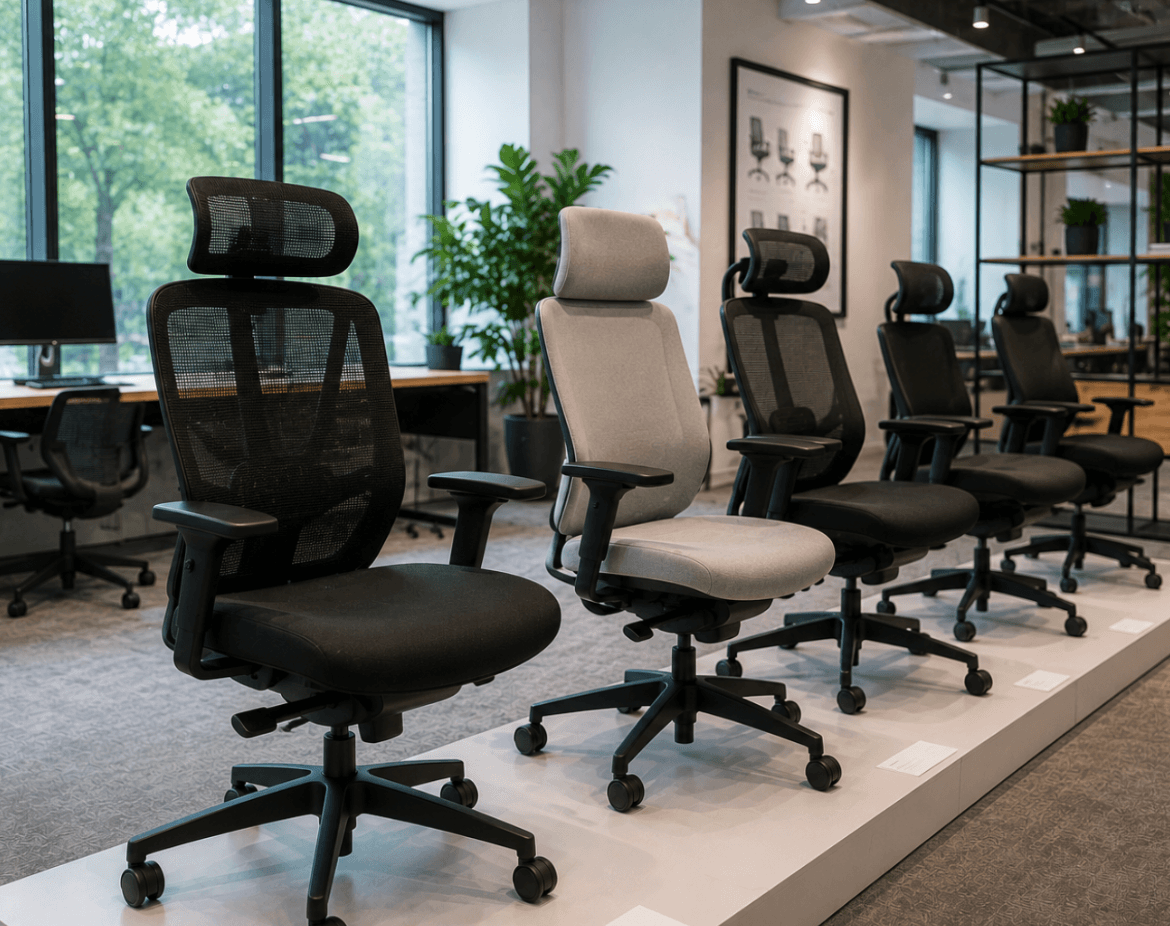
Businesses reviewing shared workstations may want to compare ergonomic office chairs that suit varied users and daily office use.
Choosing Desks For Collaborative And Individual Working

The right desks for a hybrid office depend on whether people need shared workstations, team zones, quiet focus areas or a mix of all three.
Bench desks are often useful for hybrid workspaces because they make efficient use of floor space. They work well for hot-desking, team neighbourhoods and shared work areas. The key is to avoid treating benching as a simple numbers exercise. A row of desks without cable management, monitor support or enough space between users can quickly become frustrating.
For individual work, consider:
- Desk depth for monitors, laptops and documents
- Cable management for tidy shared use
- Screen arms to free surface space
- Power access for laptops and chargers
- Desk screens where visual privacy matters
- Clear booking or zoning if desks are shared
For collaborative work, consider:
- Larger project tables
- Team benches
- Shared touchdown desks
- Whiteboards or presentation furniture
- Nearby storage for team materials
- Space around furniture for movement
Height-adjustable desks can also have a place in hybrid offices, especially where users have different needs or where a business wants to offer more workstation variety. Avoid buying them as a blanket solution without understanding who will use them, where they will sit and how power will be managed.
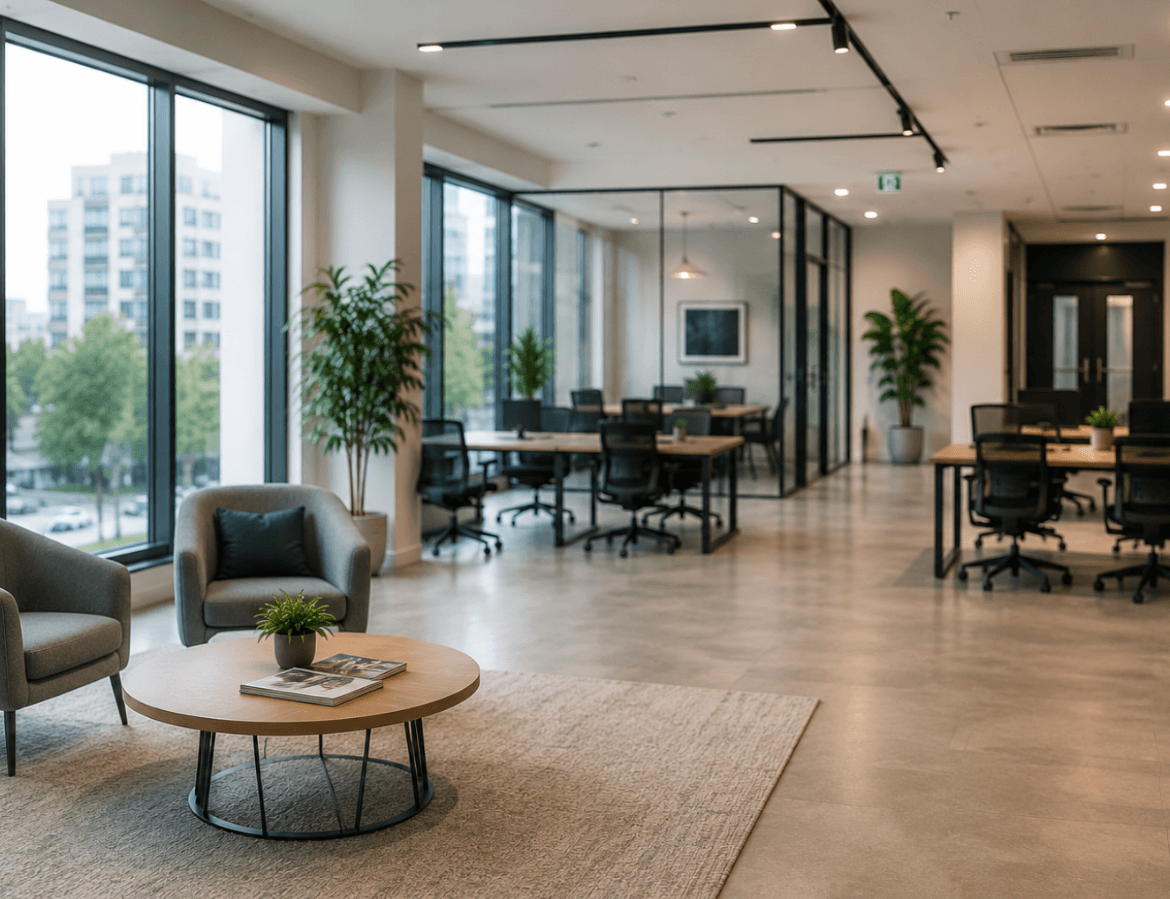
A practical hybrid layout may include a bank of bench desks for everyday work, a small number of height-adjustable desks, meeting tables for team sessions and a quiet desk zone away from high-traffic areas.
Why Adjustable Seating Matters In Hybrid Offices
Adjustable seating matters because hybrid workstations are often used by different people with different heights, preferences and working habits.
In a fixed-desk office, a chair may stay set up for one person. In a hot-desking environment, that same chair may be adjusted several times a week. If the chair is difficult to use, people may not adjust it at all. That can make the workstation less comfortable and less suitable for longer periods of work.
Good hybrid seating should be:
- Simple to adjust
- Suitable for varied users
- Robust enough for shared use
- Easy to clean and maintain
- Matched to the desk height and task type
- Clear enough for users to understand quickly
For office managers and procurement teams, ease of use is important. A chair with many adjustments is only helpful if people can use them. In shared areas, clear controls and reliable mechanisms are often more useful than complex features that staff ignore.
It is also worth thinking about the difference between task chairs, meeting chairs and breakout seating. A meeting chair may be fine for a short discussion but unsuitable for a full day at a screen. A soft chair may suit informal conversation but not laptop work. Matching the chair to the task avoids poor buying decisions.
Storage Solutions For Modern Flexible Workspaces
Hybrid offices need storage that supports shared space rather than tying every person to a fixed desk.
In many hybrid workplaces, under-desk pedestals become a problem. They suggest ownership of a desk, reduce flexibility and take up floor space. That does not mean storage is less important. It means storage needs to be planned differently.
Common storage options include:
- Lockers for personal items
- Shared cupboards for team resources
- Mobile pedestals for flexible project storage
- Filing cabinets for documents that must stay on site
- Wall storage where floor space is limited
- Credenzas for meeting rooms and boardrooms
- Reception storage for visitor-facing areas
Before choosing storage, ask what actually needs to be stored. Paperwork, laptops, bags, samples, stationery, confidential files and personal belongings all need different solutions.
Lockers can work well in hot-desking offices because they give employees a reliable place for personal items without assigning them a desk. Shared storage suits teams that need access to project files or equipment. Mobile storage can support changing layouts, but it needs a clear home when not in use.
Poor storage planning often leads to clutter. Bags sit under desks, documents pile up in meeting rooms and shared areas become untidy. Good storage keeps flexible offices usable.
How Office Furniture Supports Productivity And Wellbeing
Office furniture can support productive and comfortable work by helping people use the right setting for the task.
It is important not to overclaim. Furniture alone does not guarantee productivity, wellbeing or better performance. However, poor furniture choices can create friction. If people cannot find a suitable desk, take a private call, store their belongings or sit comfortably, the office becomes harder to use.
Furniture can support the working day by improving:
- Access to suitable workstations
- Organisation and storage
- Comfort during screen-based work
- Choice between quiet and collaborative areas
- Privacy for calls and focused tasks
- Movement between different work settings
For hybrid offices, choice matters. A person may need a desk in the morning, a meeting room at lunch and a quiet booth for a video call in the afternoon. If the furniture layout only supports one type of work, the space may feel busy even when occupancy is low.
The best approach is to map work activities first. Then select furniture that supports those activities. This avoids buying attractive furniture that looks good in a showroom but does not solve daily workplace problems.
Creating Comfortable Meeting And Breakout Areas
Meeting and breakout areas should support collaboration without taking over the whole office.
Hybrid working often increases the importance of meeting spaces. When people come into the office, they may want face-to-face time with colleagues. That can create pressure on meeting rooms, especially if rooms are also used for video calls.
A good hybrid office may need several types of meeting space:
- Formal meeting rooms for clients or board meetings
- Small rooms for two to four people
- Open collaboration tables
- Soft seating for informal discussions
- Breakout areas for relaxed team conversations
- Enclosed booths for calls and video meetings
The furniture should match the purpose. A formal meeting room may need a table with integrated power and good screen visibility. A breakout area may need durable soft seating, small tables and enough space for people to move around. A project room may need flexible tables, mobile whiteboards and storage.
Do not assume every meeting needs a closed room. Open collaboration areas can work well for short team discussions. However, confidential conversations, interviews and video calls still need privacy.
Space-Saving Office Furniture Ideas For Hybrid Teams
Space-saving furniture helps hybrid teams make better use of offices where occupancy changes throughout the week.
The goal is not to squeeze in as much furniture as possible. The goal is to keep the office flexible, clear and easy to use. Space-saving furniture works best when it supports a defined purpose.
Useful options include:
- Folding tables for training rooms or events
- Modular seating for changing breakout layouts
- Stackable meeting chairs
- Mobile storage units
- Compact desks for touchdown work
- Bench desks with shared legs
- Wall-mounted storage
- Multi-purpose meeting tables
- Acoustic pods where separate rooms are not available
Small offices need careful planning because every furniture choice affects circulation. A meeting table that is too large can block movement. Too many chairs can make a room feel crowded. Oversized storage can reduce usable workspace.
For growing businesses, modular furniture can be useful because it allows layouts to change as teams expand. However, modular does not always mean better. Check whether the furniture can be moved easily, stored safely and reconfigured without disrupting the office.
The Role Of Acoustic Furniture In Open-Plan Offices
Acoustic furniture can help create more private and focused areas in open-plan offices, but it should be chosen for the specific problem it needs to solve.
Hybrid working often increases video calls. That can make open-plan offices noisy, especially when several people are on calls at once. Acoustic screens, booths and pods can help manage this, but they should not be treated as a cure-all.
Common acoustic furniture options include:
- Desk screens
- Floor-standing screens
- Phone booths
- Meeting pods
- Upholstered seating with higher backs
- Acoustic ceiling baffles
- Enclosed collaboration spaces
Before buying, identify the issue. Is the problem speech privacy, background noise, visual distraction or lack of small meeting rooms? Each issue may need a different response.
Phone booths can support private calls. Meeting pods can create enclosed collaboration areas. Desk screens may reduce visual distraction between workstations. Acoustic products vary, so check manufacturer information rather than assuming every product offers the same level of performance.
Placement also matters. A booth next to a noisy kitchen may not solve the problem. Screens in the wrong location may block light or movement. Acoustic furniture should form part of a wider space plan.
How Technology Integration Influences Office Furniture Choices
Technology should influence furniture choices because hybrid work depends on laptops, screens, charging, video calls and reliable access to power.
A desk without power access may be unsuitable for hot-desking. A meeting table without cable management may become cluttered. A video meeting room with the wrong table shape may make it hard for remote attendees to see or hear people clearly.
Furniture planning should include:
- Cable trays
- Desk grommets
- Power modules
- USB charging
- Monitor arms
- Laptop risers
- Screen positioning
- Video conferencing equipment
- Data access
- Floor box locations
Technology integration is especially important in shared spaces. Staff should not need to crawl under desks to plug in a charger or move furniture to connect a screen. Good furniture keeps technology accessible without making the office look messy.
For meeting rooms, check the relationship between the table, screen, camera, speakers and seating layout. A long boardroom table may not suit every video call. Smaller settings or flexible tables may work better for hybrid meetings.
Common Mistakes Businesses Make When Designing Hybrid Workspaces
The most common hybrid office mistakes happen when businesses buy furniture before they understand how the space will be used.
Hybrid working can make office planning feel uncertain. That uncertainty often leads to quick decisions, but those decisions can become expensive. Furniture bought in a rush may not fit the room, support the team or adapt as working patterns change.
Mistake 1: Assuming Fewer Desks Solves Everything
Reducing desk numbers may free up space, but it does not automatically create a better office.
If everyone attends on Tuesday and Wednesday, fewer desks may cause pressure on peak days. If meeting demand increases, removing desks without adding collaboration space may simply shift the problem.
Plan around peak occupancy, not average occupancy.
Mistake 2: Buying Furniture Before Planning The Layout
Furniture dimensions matter. A desk may fit on paper but leave too little space for chairs, storage or movement.
Before ordering, check:
- Walkways
- Chair pull-out space
- Door swings
- Power locations
- Fire routes
- Storage access
- Screen glare
- Meeting room circulation
A layout drawing can prevent costly mistakes before furniture is delivered.
Mistake 3: Ignoring Storage
Hybrid offices still need storage. Without it, shared desks become cluttered and staff may leave belongings in unsuitable places.
Plan storage by user type. Employees may need lockers. Teams may need shared cupboards. Reception areas may need concealed storage. Finance or HR teams may need secure filing.
Mistake 4: Forgetting Private Calls
Open collaboration is useful, but hybrid teams also need privacy. Video calls, HR conversations, interviews and client calls cannot always happen in open areas.
Small rooms, booths or quiet zones can reduce pressure on larger meeting rooms.
Mistake 5: Choosing Furniture Based Only On Cost
Budget matters, but the cheapest option may not offer the best value if it wears quickly, lacks adjustment or cannot adapt to future needs.
Procurement teams should compare:
- Suitability for daily use
- Adjustment and flexibility
- Compatibility with existing furniture
- Maintenance needs
- Replacement availability
- Warranty details, where verified
- Delivery and installation requirements
Mistake 6: Not Planning For Growth
Hybrid working patterns may change. Teams may grow. More staff may return to the office. A layout that only works today may become restrictive within months.
Where possible, choose furniture that can adapt. This may include modular desks, flexible meeting furniture, movable storage and layouts that allow extra workstations to be added later.
Frequently Asked Questions
What Furniture Is Essential For Hybrid Offices?
The essential furniture usually includes shared desks, adjustable task chairs, personal storage, meeting furniture and spaces for calls or focused work.
The exact mix depends on occupancy. A small office may need compact desks, lockers and one flexible meeting area. A larger office may need bench desking, quiet zones, meeting pods, breakout furniture and shared storage.
Are Height-Adjustable Desks Worth It?
Height-adjustable desks can be worth considering where different users share workstations or where a business wants to offer more desk choice.
They are not automatically needed at every workstation. Check the users, tasks, budget, power access and layout before specifying them. For some offices, a smaller number of height-adjustable desks may be more practical than a full-office rollout.
How Many Desks Does A Hybrid Office Need?
A hybrid office should plan desk numbers around peak occupancy, not total headcount.
Start by reviewing attendance patterns. If most staff attend on the same days, desk demand may still be high. If attendance is spread evenly, fewer desks may work. Always allow for visitors, new starters, part-time staff, team days and future growth.
What Seating Works Best For Hot-Desking?
Hot-desking works best with adjustable task chairs that are easy to set up for different users.
Look for clear adjustment controls, suitable back support, seat height adjustment and a design that matches the length of use. Meeting chairs and soft seating should not replace proper task chairs for screen-based work.
How Can Small Offices Support Hybrid Working?
Small offices can support hybrid working by using flexible, multi-purpose furniture.
Useful choices include compact bench desks, folding tables, mobile storage, lockers, stackable chairs and breakout seating that can support informal meetings. The key is to avoid overcrowding. A small office needs clear movement routes and furniture that earns its place.
The best hybrid working office furniture is flexible, practical and planned around how people use the workplace.
A successful hybrid office should balance shared desks, ergonomic seating, storage, meeting areas, breakout space, acoustic support and technology access. The layout matters as much as the products. Buying fewer desks may reduce furniture numbers, but it will not solve meeting demand, storage issues or privacy problems on its own.
Plan first. Understand occupancy. Think about different tasks. Then choose furniture that supports the team today while leaving room for change.
If you are planning a hybrid workplace, the Wave Office team can help you choose furniture that supports your team today while remaining flexible for future growth. Contact us to discuss your office furniture, space planning or refurbishment requirements.