
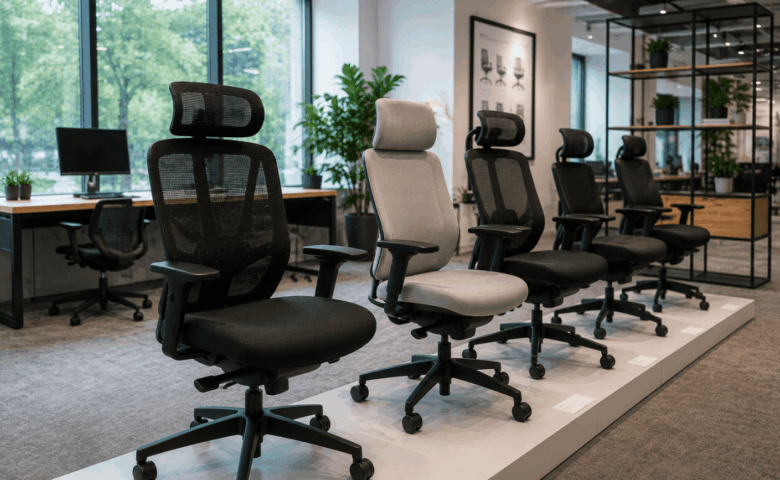
Choosing the right ergonomic office chair involves more than finding one that looks comfortable. The best chairs provide adjustable features that allow different users to tailor their seating position to suit their desk, daily tasks and working environment.
Whether you’re buying a single chair for a home office or furnishing an entire workplace, understanding which features matter most helps you make a more informed investment. This guide explains what to look for, how to compare ergonomic office chairs and the common mistakes to avoid before making a purchase.
What Is an Ergonomic Office Chair?
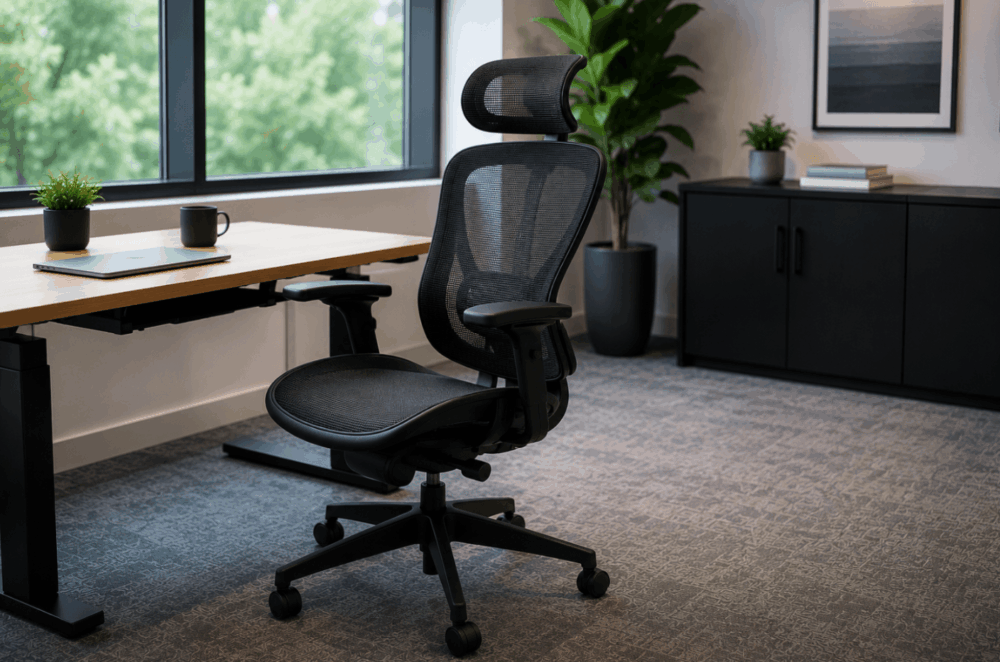
An ergonomic office chair is designed with adjustable features that allow users to customise their seating position for greater comfort throughout the working day.
Rather than referring to a specific style, the term “ergonomic” describes how well a chair can be adapted to suit different people. Features such as adjustable seat height, lumbar support, armrests and backrest position allow users to tailor the chair to their individual requirements.
This flexibility makes ergonomic office chairs suitable for a wide range of workplaces, including shared offices, hybrid environments and home workspaces. Instead of expecting employees to adapt to the furniture, the chair can be adjusted to support different working positions and desk setups.
When comparing office seating, prioritise meaningful adjustability over appearance. A chair that accommodates different users is more likely to provide lasting value as workplace requirements change.
Why Ergonomic Office Chairs Matter for Workplace Comfort
An adjustable chair allows employees to adapt their seating position to suit individual preferences and different working styles.
Modern workplaces rarely consist of identical users performing identical tasks. Some employees remain at their desks for extended periods, while others move between meetings, collaborative spaces and hybrid working locations throughout the day.
An ergonomic chair provides the flexibility to accommodate these different routines. Adjustable seating also benefits shared workstations, where multiple people may use the same desk across a working week.
Comfort depends on more than soft cushioning. Appropriate adjustment helps users position themselves correctly in relation to their desk, keyboard and monitor while allowing them to make small changes throughout the day as their working pattern changes.
For organisations purchasing office seating, adjustable furniture also supports greater consistency across departments. Rather than providing different chairs for every employee, businesses can select seating capable of accommodating a broader range of users through straightforward adjustments.
Wave Office regularly advises organisations on selecting seating that matches workplace layouts, employee requirements and available budgets rather than relying on a single chair for every application.
Key Features to Look for in an Ergonomic Office Chair
The most valuable ergonomic chairs combine multiple adjustable features rather than relying on a single selling point.
Instead of focusing on appearance or one standout feature, compare how each chair can be adapted to suit different users and working environments.
| Feature | Why It Matters | Best For |
| Seat height adjustment | Helps users work comfortably at different desk heights | All workplaces |
| Adjustable lumbar support | Allows users to position lower back support | Long working days |
| Seat depth adjustment | Accommodates users of different heights | Shared workstations |
| Adjustable backrest | Supports different seating positions | Office and hybrid workers |
| Adjustable armrests | Improves desk compatibility | Computer-based work |
| Tilt mechanism | Encourages movement throughout the day | General office use |
| Headrest | Provides additional upper body support for some users | Executive seating |
When comparing chairs, think about how they will be used.
In a hot-desking office, a chair may be adjusted by several employees during the same week, making seat depth, lumbar support and armrest adjustment much more valuable than fixed designs.
Look beyond specification lists and choose a chair with adjustments that are easy to use, durable and appropriate for your workplace.
How Adjustable Lumbar Support Improves Posture
Adjustable lumbar support helps users position the chair more comfortably by supporting the natural curve of the lower back.
Unlike fixed backrests, adjustable lumbar support allows individuals to position the support where it feels most suitable for their body shape and preferred seating position. Since users vary in height and build, this flexibility is more practical than a one-size-fits-all design.
Some ergonomic office chairs allow the lumbar support to move up and down, while others also let users adjust the level of support. These features can help users find a comfortable seating position that suits their workstation.
When comparing chairs, consider how easy the lumbar support is to adjust and whether it stays securely in place during use. Remember that lumbar support works best as part of a well-adjusted workstation, alongside appropriate desk height, monitor positioning and chair setup.
Why Seat Height and Depth Adjustment Matter

Seat height and depth adjustments help accommodate users of different heights while improving overall seating comfort.
Seat height is one of the first adjustments most users make. A correctly adjusted chair helps employees position themselves appropriately in relation to their desk and allows their feet to rest comfortably on the floor or on a suitable footrest where required.
Seat depth receives less attention during purchasing decisions, although it becomes particularly valuable in workplaces where several employees share the same chair.
A seat that is too deep may feel uncomfortable for shorter users, while one that is too shallow may provide less thigh support for taller individuals.
These adjustments become especially important in:
- shared offices
- hybrid workplaces
- hot-desking environments
- growing organisations with changing teams
Businesses purchasing seating for a range of employees should prioritise generous adjustment ranges rather than selecting fixed-size chairs that only suit a limited number of users.
Choosing the Right Backrest for Long Working Hours
The most suitable backrest depends on how the chair will be used, the user’s preferences and the working environment.
High-back chairs provide additional upper body support and are commonly chosen for executive offices or employees who spend long periods at their desks. Mid-back task chairs suit many workplaces by offering a balance of comfort, practicality and adjustability.
Rather than selecting a chair based on appearance alone, consider how many hours it will be used, whether workstations are shared and the level of adjustment required. A task chair may be the best option for operational teams, while executive seating may better suit management offices.
Matching the backrest to the workspace and its users is more important than choosing one style for every employee.
How Armrests Affect Comfort and Desk Positioning
Adjustable armrests help users position themselves comfortably at their desks while supporting different working styles.
Although armrests are frequently overlooked during purchasing decisions, they influence how easily users can position themselves beneath a desk and alongside keyboards, monitors and meeting tables.
The most adaptable chairs allow adjustments for height, width and pivot, enabling users to create a comfortable working position while accommodating different desk layouts.
Fixed armrests can restrict movement or prevent the chair from fitting neatly beneath certain desks. This may reduce usable workspace and make storage more difficult, particularly in compact offices.
When comparing armrests, consider:
- height adjustment
- width adjustment
- pivot or rotational movement
- durability
- ease of operation
- compatibility with existing desks
For organisations furnishing shared workstations, adjustable armrests provide greater flexibility as different employees can quickly tailor the chair to suit their own working position.
Mesh vs Upholstered Ergonomic Office Chairs
Both mesh and upholstered chairs can be ergonomic when they provide suitable adjustment and support.
The choice depends on your workplace, user preferences and practical requirements rather than the upholstery material alone.
Mesh office chairs are valued for their breathable backrests, making them a popular option for open-plan offices or warmer working environments. Upholstered chairs offer a wider choice of fabrics, colours and finishes, making them well suited to executive offices, meeting rooms and workplaces where appearance is a priority.
Cleaning and maintenance should also influence your decision. Some environments benefit from wipe-clean materials, while others may prioritise comfort or interior design.
When comparing chairs, focus on adjustment features first, then consider upholstery, durability and appearance.
How Ergonomic Chairs Support Employee Wellbeing and Productivity
Adjustable seating supports comfortable working by allowing employees to personalise their seating position throughout the day.
An ergonomic office chair gives users the flexibility to adapt their seating as tasks change, whether they’re working at a computer, attending virtual meetings or collaborating with colleagues. This adaptability makes ergonomic seating suitable for dedicated desks, shared workstations and hybrid working environments.
For employers, choosing adjustable office seating helps accommodate a wider range of users without relying on one fixed setup. Combined with a well-planned workstation, an ergonomic chair can contribute to a more comfortable working environment.
Remember that seating is only one part of workplace ergonomics. Desk height, monitor position and keyboard placement should also be considered when creating an effective workstation, and there are lots of different types of office chairs out there to consider.
The Importance of Chair Mobility and Stability
Chair bases and castors should suit both the flooring and the way employees move around their workstations.
Most ergonomic office chairs use a five-star base to provide stability while allowing smooth movement around a desk. Choosing the correct castors is equally important, as different wheel types perform better on different flooring surfaces.
Soft castors are generally better suited to hard floors, while hard castors are commonly used on carpeted surfaces. Matching the castors to the flooring can improve movement and help reduce wear over time.
Consider how the chair will be used within the workspace. Employees who regularly move between desks, storage or collaborative areas may benefit from greater mobility, while other environments may prioritise controlled movement and stability.
When comparing office chairs, don’t overlook the base and castors. Selecting the right combination helps ensure the chair performs well in your workplace and supports everyday use.
Common Mistakes to Avoid When Buying Office Seating
Many buying mistakes can be avoided by focusing on adjustability, workplace requirements and long-term value instead of appearance alone.
One of the most common errors is choosing chairs because they look modern without checking whether they provide the adjustments employees need. A chair that suits one person may be unsuitable for another if it offers limited flexibility.
Another mistake is prioritising the lowest purchase price. Lower-cost seating may appear attractive initially, although durability, adjustment options and replacement costs should also be considered when assessing overall value.
Before making a decision, avoid:
- Buying on appearance alone.
- Ignoring adjustment features.
- Choosing the cheapest option without considering long-term use.
- Forgetting to check warranty and after-sales support.
- Overlooking shared workstation requirements.
- Purchasing without testing chairs where practical.
Testing office chairs allows users to assess comfort, adjustment controls and ease of use before committing to a purchase. For larger organisations, trial chairs can also provide valuable employee feedback before placing larger orders.
Taking time to compare workplace requirements, user needs and product features helps reduce costly purchasing mistakes and supports better long-term investment.
How to Match Ergonomic Chairs to Different Workspaces
Different workplaces benefit from different seating priorities, making it important to match chair features to the environment rather than selecting one solution for every space.
Small and medium-sized businesses frequently require versatile seating capable of accommodating changing teams without exceeding available budgets. Adjustable task chairs usually provide an effective balance between flexibility, durability and value.
Corporate offices may require several seating categories across different departments. Operational teams, management offices, meeting rooms and collaborative areas all have distinct requirements, making a combination of seating styles a practical approach.
Home workers typically place greater emphasis on compact designs that fit comfortably within domestic environments while still offering meaningful adjustment.
Hybrid working introduces another consideration. Employees moving between home and office benefit from chairs with familiar adjustment controls, making it easier to achieve a consistent seating position in different locations.
Reception spaces usually prioritise visitor experience alongside durability and appearance. Executive offices may require seating that complements higher-specification furniture while continuing to provide appropriate ergonomic adjustment.
Procurement teams should also consider future organisational growth. Selecting seating with broad adjustment ranges allows businesses to accommodate new employees without replacing furniture unnecessarily.
Questions worth asking before purchasing include:
- Who will use the chair?
- Will workstations be shared?
- How many hours will the chair be used each day?
- Does the chair need to suit different desk layouts?
- Is appearance an important consideration?
- Could workplace requirements change over the next few years?
Answering these questions helps narrow the available options and supports better long-term purchasing decisions.
Balancing Comfort, Durability and Budget
The best-value office chair provides suitable adjustment and durability for the intended working environment.
Price should be considered alongside expected lifespan, daily usage and adjustment requirements rather than viewed in isolation.
Entry-level ergonomic seating may suit occasional users, home offices or businesses with modest adjustment requirements. Mid-range chairs generally introduce broader adjustment options together with improved materials and mechanisms, making them suitable for many professional workplaces.
Premium seating frequently provides enhanced adjustability, higher-quality components and greater long-term durability. These chairs may represent a worthwhile investment for intensive daily use or organisations furnishing workstations expected to remain in service for many years.
Looking beyond purchase price also helps buyers evaluate total cost of ownership.
Factors influencing long-term value include:
- expected lifespan
- maintenance requirements
- availability of replacement parts
- warranty provision
- adaptability for different users
Purchasing suitable seating at the outset can reduce future replacement costs while providing greater flexibility as teams and workplaces evolve.
Frequently Asked Questions
What makes an office chair ergonomic?
An office chair is considered ergonomic when it includes adjustable features that allow users to customise their seating position according to their individual requirements. Adjustability, rather than appearance, is the defining characteristic.
Are expensive ergonomic chairs worth it?
Higher-priced chairs may provide additional adjustments, premium materials and improved durability. Whether they represent good value depends on how frequently the chair will be used, who will use it and the workplace environment.
How adjustable should an ergonomic office chair be?
Most workplaces benefit from chairs offering adjustable seat height, lumbar support, backrest movement and armrests. Shared workstations may also benefit from seat depth adjustment to accommodate a wider range of users.
Is a mesh or upholstered ergonomic office chair better?
Neither option is automatically better. Mesh chairs provide excellent breathability, while upholstered seating offers a wider choice of finishes and workplace styles. The adjustment features remain more important than the upholstery material itself.
How long should an ergonomic office chair last?
The lifespan of an office chair varies according to build quality, frequency of use and ongoing maintenance. Choosing a durable chair with appropriate warranty support and replaceable components can improve long-term value.
Choosing an ergonomic office chair is about finding seating that matches the people using it, the workplace environment and the tasks carried out each day.
Rather than concentrating on appearance or headline features, prioritise meaningful adjustment, build quality and suitability for your organisation. A chair that adapts to different users is likely to deliver greater long-term value than one selected purely on price.
Whether you’re purchasing seating for a growing business, upgrading a home office or planning a larger office refurbishment, taking time to compare adjustment features and workplace requirements will help you make a more informed decision.
If you’re selecting ergonomic office chairs for your team, contact us to discuss your requirements. Wave Office can help you compare seating options and recommend solutions that suit your workplace, employees and budget.