Search
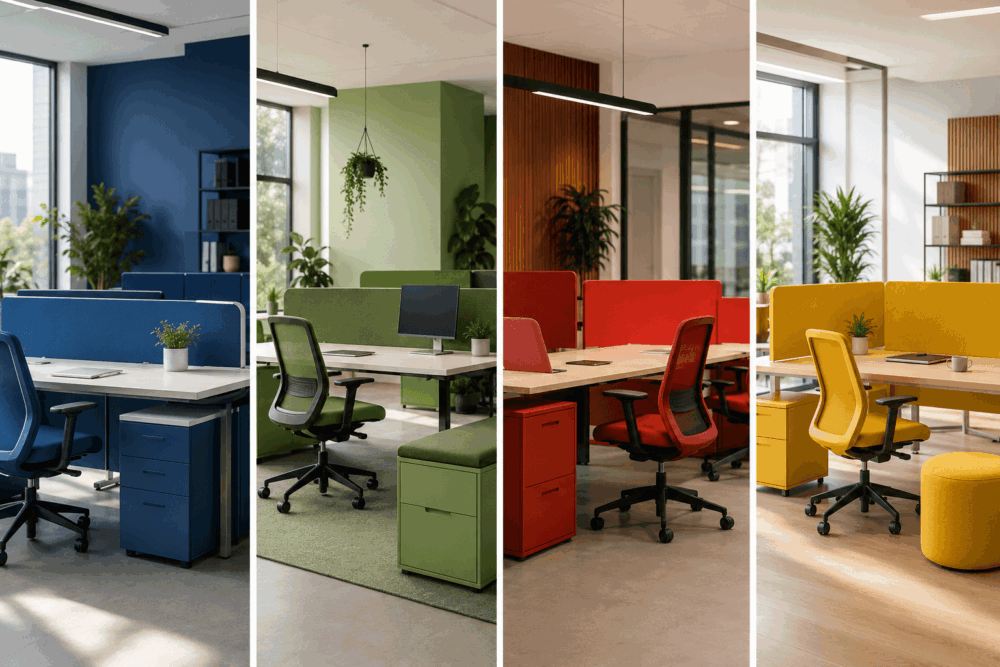
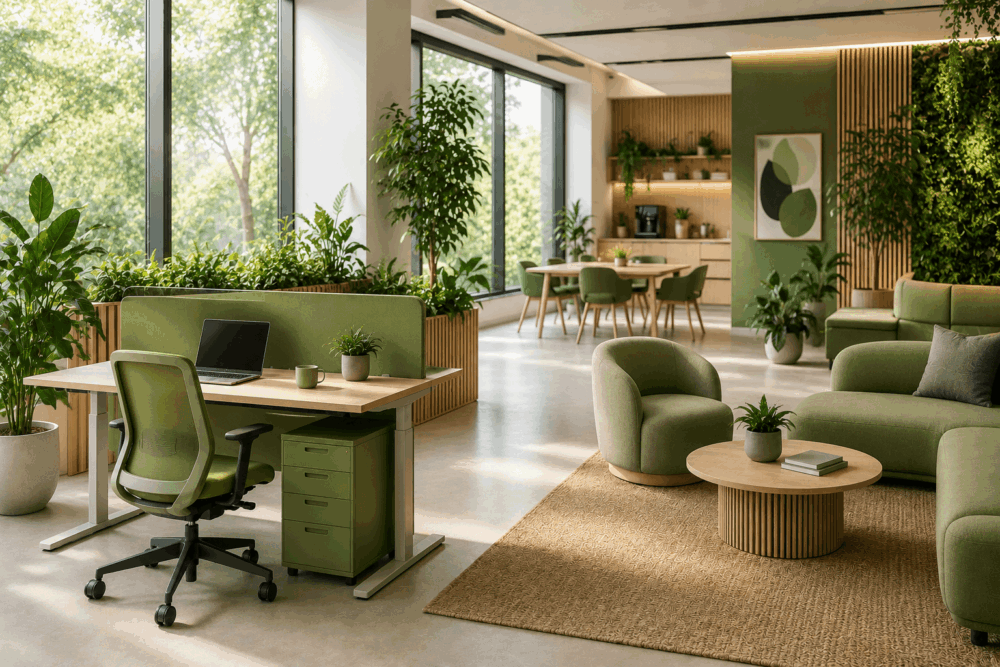
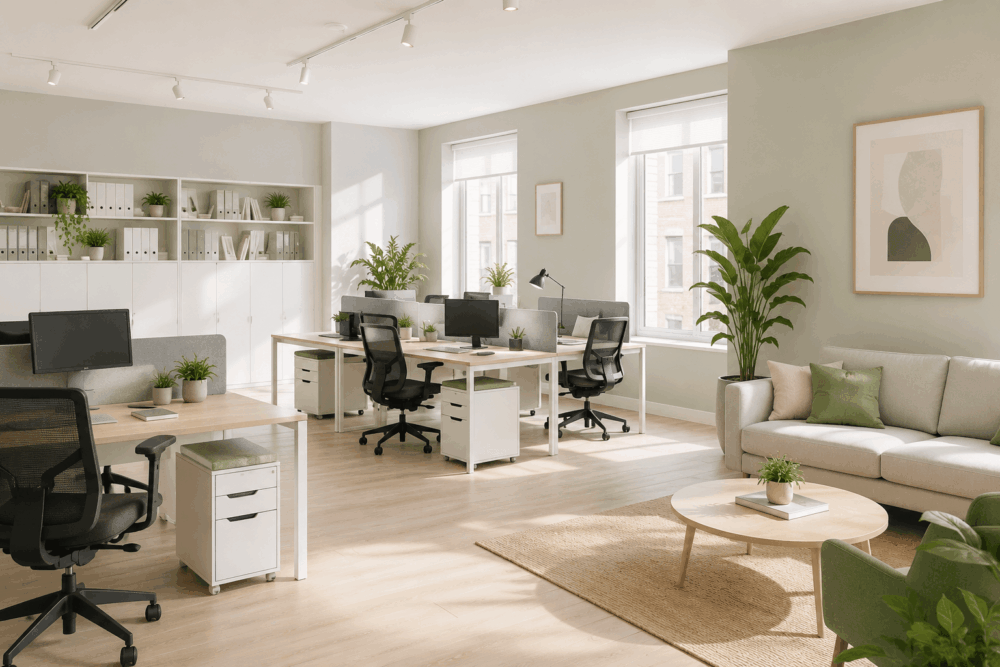
Bright contemporary office space with open-plan desks, meeting rooms, breakout seating and natural light, showing key features to look for when choosing an office in 2026.

What Are the Best Office Desk Layouts for Modern Workspaces?

Choosing the best office desk layout starts with understanding how your team works rather than selecting furniture first. Different layouts support different working styles, making careful planning an essential part of any office redesign or relocation. Hybrid working, business growth and changing team structures have made flexibility more important than ever. 

Before investing in new office desks, consider how employees collaborate, complete focused work and use shared spaces throughout the day. This guide explains the most common office desk layouts, when each is appropriate and the key planning considerations to help you make informed workspace decisions. 

Why Office Desk Layouts Matter in Modern Workspaces

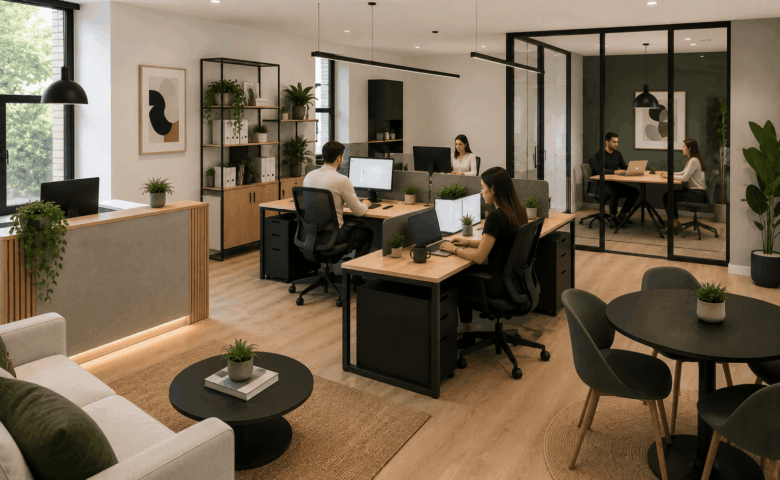
Modern office featuring a mix of shared workstations, collaboration areas, breakout seating and meeting rooms, showcasing the best office desk layouts for modern workspaces.

An effective desk layout supports the way employees work by balancing collaboration, focused work and efficient use of available space.

Office layouts influence far more than furniture placement. They shape how people move through the workplace, where conversations naturally happen and how different teams interact during the working day.

Planning a layout begins with understanding daily activity rather than measuring available floor space alone. Sales teams, finance departments, HR professionals and designers all work differently, meaning the most suitable arrangement varies from one organisation to another.

A well-planned layout considers:

  • Team structure
  • Department relationships
  • Meeting requirements
  • Circulation routes
  • Storage needs
  • Future recruitment
  • Accessibility requirements

The aim is not to fit as many desks as possible into a room. Instead, the objective is to create a workspace that remains practical as priorities change.

Modern offices also need greater flexibility than many traditional workplaces. Businesses regularly adjust team sizes, introduce hybrid working policies or reorganise departments. Layouts that accommodate these changes without extensive refurbishment usually provide greater long-term value.

What Makes an Effective Office Desk Layout?

The best office layouts are designed around business needs rather than simply fitting as many desks as possible into a room.

Before selecting furniture, businesses should consider how employees use the workspace throughout a typical week.

Important planning questions include:

  • How many employees work in the office each day?
  • Which teams collaborate regularly?
  • Which roles require privacy?
  • Are employees permanently office based or hybrid?
  • How much storage is needed?
  • Will the business continue to grow?

The answers influence the most appropriate desk configuration.

For example, a finance department processing confidential information may benefit from greater separation between workstations. A marketing team working collaboratively may prefer larger shared desk arrangements alongside informal meeting areas.

Storage also plays an important role. Integrated pedestals, lockers and shared storage prevent workstations becoming overcrowded while supporting cleaner layouts.

An effective workspace should also allow enough room for comfortable movement throughout the office. Walkways, access to meeting rooms and shared facilities should remain clear without forcing employees to navigate around furniture.

Planning these elements before purchasing desks reduces the likelihood of costly alterations later.

Open-Plan Desk Layouts for Collaborative Teams

Open-plan layouts work well for teams that collaborate regularly, provided there are also spaces for focused work.

This remains one of the most widely used office layouts because it allows departments to work within the same environment while making efficient use of available floor space.

Rather than dividing employees into enclosed offices, desks are grouped to encourage communication and make supervision easier.

Open-plan layouts can suit:

  • Creative agencies
  • Marketing teams
  • Customer service departments
  • Technology companies
  • Growing SMEs

Advantages include:

  • Flexible desk arrangements
  • Easier team communication
  • Straightforward expansion
  • Better visibility across departments
  • Efficient use of floor space

Planning considerations include:

Managing workplace noise

Larger open areas naturally create more conversation and movement. Quiet spaces, meeting rooms or acoustic furniture can provide alternative locations for work requiring greater concentration.

Creating departmental zones

Grouping related teams together makes navigation easier while supporting day-to-day communication without isolating departments completely.

Allowing circulation space

Employees should move comfortably between desks without creating bottlenecks around entrances, printers or shared facilities.

Open-plan layouts work best when collaboration spaces are balanced with quieter areas rather than expecting one environment to support every activity.

Bench Desking Ideas for Flexible Office Environments

Bench desking is a practical option for businesses using hybrid working and shared workstations.

Instead of individual desks separated by storage units or partitions, bench desking groups multiple workstations into continuous desk runs.

This creates a clean, adaptable layout that can be reconfigured as teams evolve.

Bench desking works particularly well for organisations that:

  • Operate hybrid working policies
  • Use hot-desking
  • Have changing project teams
  • Require flexible occupancy
  • Expect future expansion

The layout provides efficient use of available space while making it easier to increase or reduce workstation numbers when required.

Businesses adopting hybrid working frequently combine bench desking with shared lockers and bookable workstations. Employees arriving at the office can choose an available desk while keeping personal belongings securely stored elsewhere.

Planning considerations include:

  • Power and cable management
  • Monitor arrangements
  • Personal storage
  • Booking systems where appropriate
  • Team zoning

Providing sufficient shared storage helps maintain tidy workstations and supports flexible occupancy throughout the week.

Private Desk Layouts for Focused Individual Work

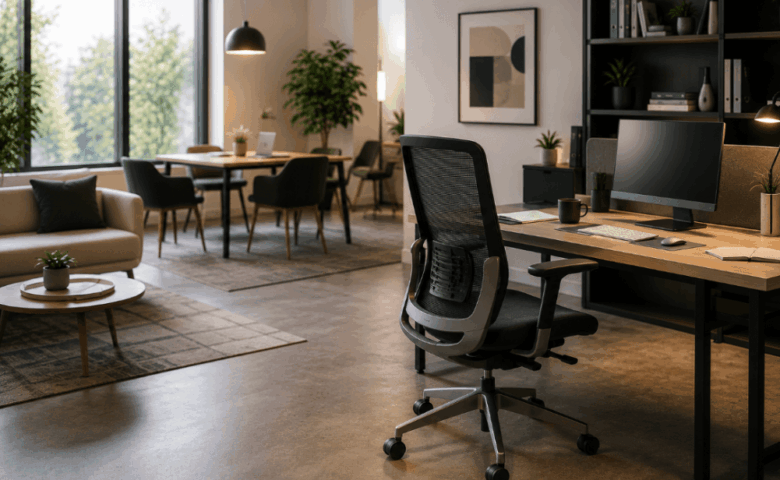
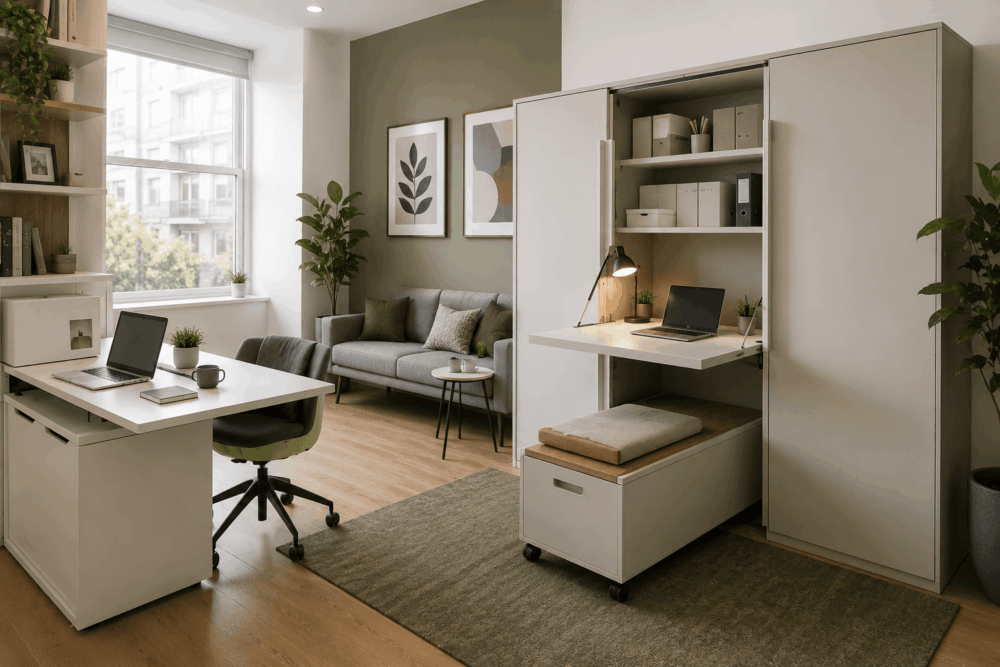
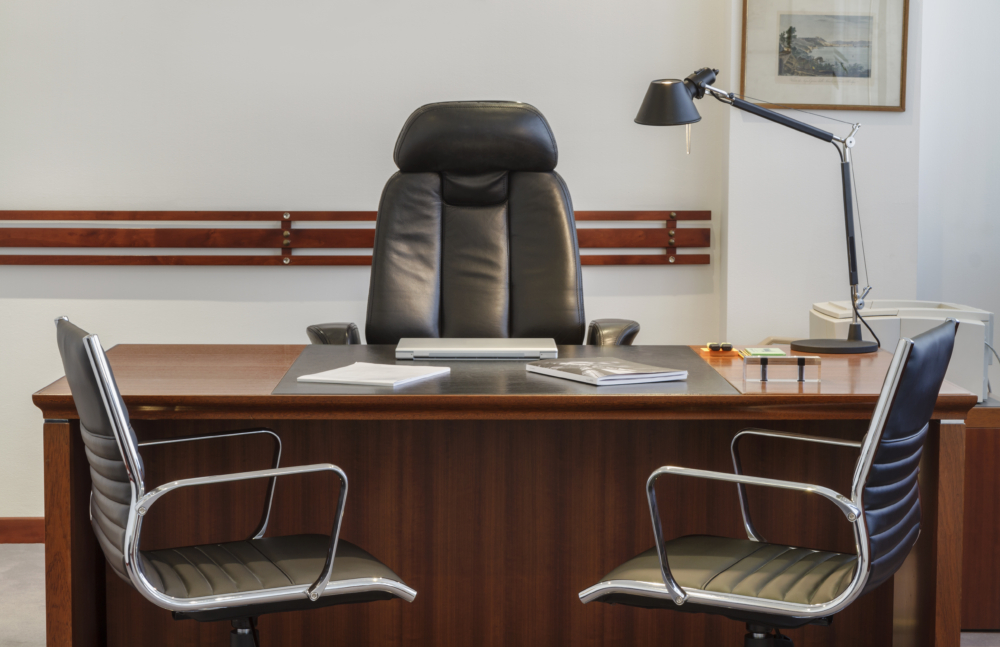
Private office with an executive desk, ergonomic office chair, storage unit and large window, creating a quiet workspace for focused individual work.

Individual desk layouts remain valuable where employees require concentration, confidentiality or specialist equipment.

While collaborative working receives considerable attention, many organisations still need dedicated workstations for roles involving sensitive information or prolonged periods of focused work.

Suitable environments include:

  • Human resources
  • Finance
  • Legal services
  • Healthcare administration
  • Executive offices

Dedicated desks also benefit employees who rely on specialist equipment, multiple monitors or extensive paperwork.

Rather than isolating every workstation, many businesses combine private desk layouts with shared collaboration spaces elsewhere within the office.

This creates a balanced environment where employees can complete focused tasks before moving into meeting areas when teamwork is required.

Desk positioning also becomes more important in these environments. Placing workstations away from busy circulation routes may reduce unnecessary interruptions while maintaining comfortable access throughout the office.

Hybrid Working Desk Layouts for Flexible Teams

Hybrid workplaces benefit from layouts that combine shared desks, collaborative areas and quiet spaces.

Many businesses no longer require permanent desks for every employee. Instead, occupancy varies throughout the week as staff divide their time between home and the office.

Rather than leaving unused desks sitting empty, organisations increasingly create flexible workspaces that support changing attendance patterns.

A hybrid office layout may include:

  • Shared desk banks
  • Touchdown workstations
  • Small meeting rooms
  • Informal collaboration areas
  • Lockers for personal belongings
  • Quiet work zones

These spaces allow employees to choose an environment that matches the task they are completing rather than assigning every activity to the same workstation.

Planning for hybrid working also involves reviewing technology requirements, storage provision and meeting spaces alongside desk selection.

Furniture should support flexibility without making the workplace feel temporary or disorganised.

L-Shaped and Corner Desk Layouts for Small Offices

Corner desks maximise available floor space and can provide larger work surfaces in compact offices.

Smaller workplaces frequently need to balance storage, equipment and circulation within limited floor areas. L-shaped desks make effective use of room corners while creating generous working surfaces for employees who need space for multiple monitors, paperwork or specialist equipment.

These layouts suit:

  • Small businesses
  • Home offices
  • Executive offices
  • Professional services
  • Management workspaces

The additional desk surface can separate computer-based work from paperwork or meetings without increasing the overall footprint significantly.

Storage integration is another advantage. Pedestals, cupboards or shelving can be positioned beneath return sections or alongside the main desk, helping maintain organised workstations without restricting movement.

Corner layouts also work well when combined with meeting furniture in private offices, creating a practical space for one-to-one discussions without requiring a separate meeting room.

How Desk Placement Affects Productivity and Workflow

Desk placement influences movement around the office, access to colleagues and how efficiently employees use shared spaces.

The position of each workstation affects how employees navigate the workplace and interact with different teams. Rather than arranging desks wherever space allows, layouts should reflect daily workflows and minimise unnecessary disruption.

Key planning considerations include:

  • Clear circulation routes
  • Team zoning
  • Access to shared facilities
  • Natural light
  • Accessibility

Departments that work closely together may benefit from being positioned nearby, while roles requiring greater concentration or confidentiality are often better suited to quieter areas. Desks should also avoid blocking access to meeting rooms, kitchens or other high-traffic spaces.

Planning desk placement before purchasing furniture helps create an organised workspace that is easy to navigate and adaptable as business needs change. Combined with effective space planning, thoughtful desk positioning supports collaboration, accessibility and efficient use of the available office space without making unrealistic productivity claims.

The Importance of Space Planning and Employee Movement

Good space planning helps employees move comfortably throughout the workplace while supporting collaboration and accessibility.

Effective office layouts consider more than desk placement. They also account for how employees access meeting rooms, shared facilities, storage areas and breakout spaces during the working day. Clear circulation routes reduce congestion and help the workplace feel organised rather than overcrowded.

When planning a layout, consider:

  • Walkways and access routes
  • Meeting rooms
  • Shared facilities
  • Accessibility requirements
  • Storage locations
  • Future expansion

Planning for growth is equally important. Selecting adaptable layouts and modular furniture makes it easier to accommodate new employees or changing working patterns without a complete redesign.

Reviewing employee movement before purchasing furniture helps businesses create workspaces that remain practical as requirements evolve. Whether fitting out a new office or refurbishing an existing one, space planning ensures the layout supports both day-to-day operations and long-term flexibility.

How Storage Solutions Support Organised Desk Layouts

Integrated storage helps maintain tidy workstations and supports more flexible office layouts.

Storage is sometimes treated as an afterthought, yet it plays a significant role in how efficiently an office operates.

Without appropriate storage, paperwork, equipment and personal belongings quickly occupy valuable desk space. This becomes particularly noticeable in hybrid workplaces where multiple employees may use the same workstation throughout the week.

A combination of storage options usually provides the greatest flexibility, including:

  • Personal lockers
  • Mobile pedestals
  • Shared filing cabinets
  • Credenzas
  • Storage walls
  • Archive cupboards

The right solution depends on how frequently documents and equipment need to be accessed.

For hybrid teams, personal lockers provide secure storage for laptops, bags and everyday items while allowing shared workstations to remain uncluttered. Mobile pedestals can also offer flexibility where employees require nearby storage that can move with changing layouts.

Planning storage alongside desk layouts creates a more organised workplace while reducing the temptation to overcrowd individual workstations.

Using Acoustic Furniture and Partitions in Open Offices

Acoustic furniture can help create quieter work areas without removing the benefits of open-plan layouts.

Many modern workplaces aim to encourage collaboration while still providing areas for focused work. Acoustic furniture offers one way of creating separation within larger spaces without introducing permanent walls.

Options may include:

  • Desk screens
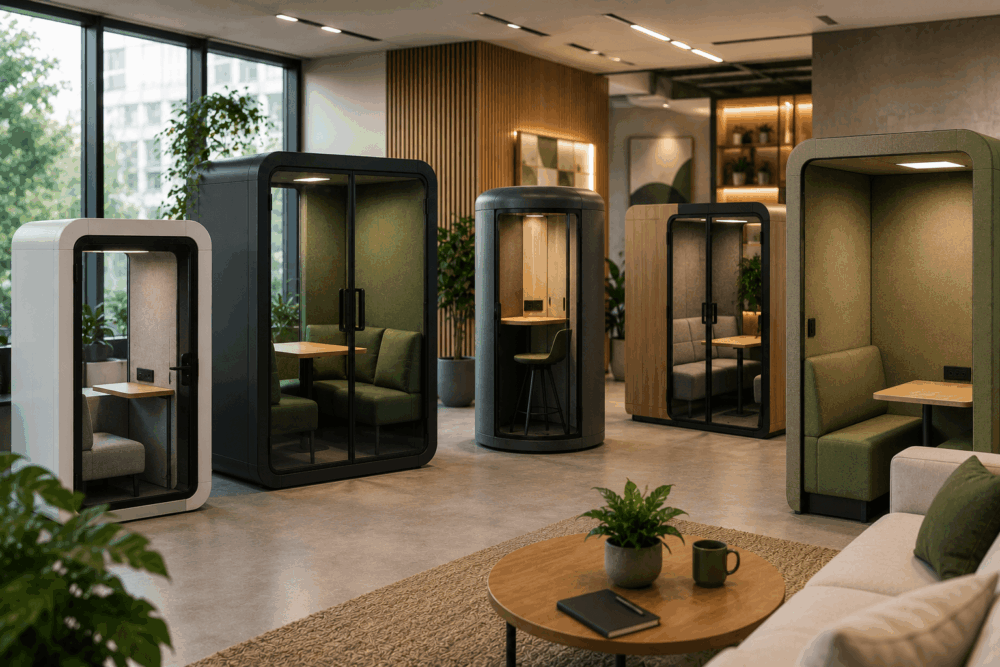
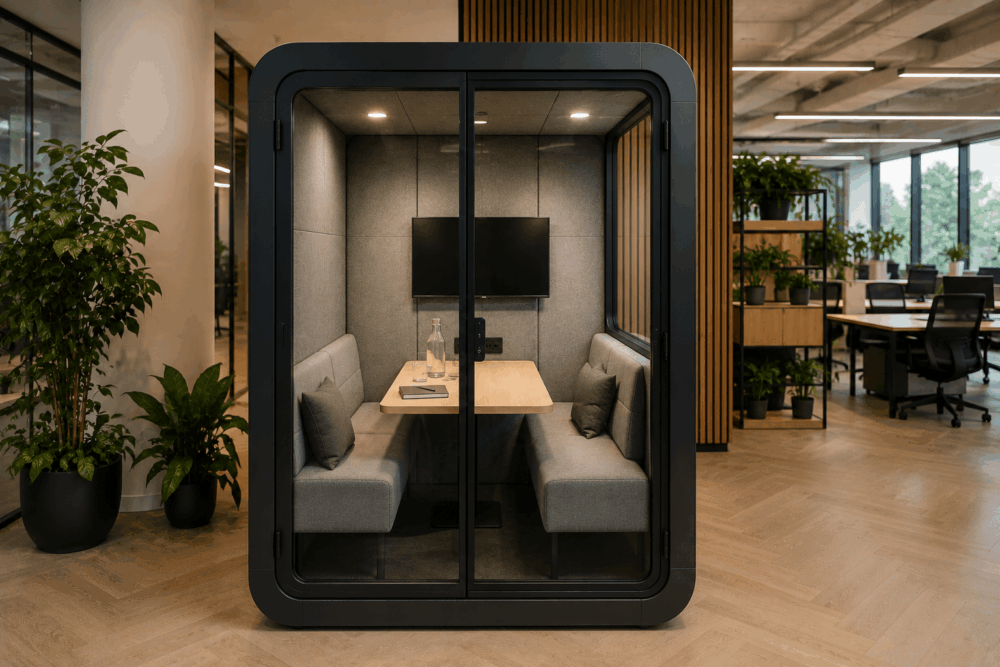
  • Acoustic booths
  • Office pods
  • Freestanding partitions
  • Acoustic seating
  • Meeting booths

These solutions can define quieter working areas, provide private meeting spaces or reduce visual distractions across larger office environments.

Rather than dividing every department, many organisations introduce acoustic furniture selectively. Small meeting pods may support confidential discussions, while desk-mounted screens can provide greater privacy between neighbouring workstations.

The objective is not to eliminate interaction between colleagues. Instead, acoustic furniture allows businesses to create a wider variety of working environments within the same office footprint.

When planning these spaces, consider how employees move throughout the office alongside the location of collaborative areas and quieter zones.

Common Office Layout Mistakes That Reduce Efficiency

Many workspace problems result from poor planning rather than unsuitable furniture.

Choosing quality office furniture cannot compensate for an ineffective layout. Investing time in planning before purchasing desks usually helps businesses avoid expensive alterations later.

Some of the most common mistakes include:

Buying desks before planning the workspace

Furniture should support the layout rather than determine it. Understanding team requirements first usually leads to better long-term decisions.

Ignoring circulation space

Walkways that are too narrow can make the workplace feel cramped and difficult to navigate. Comfortable circulation should remain a priority throughout the planning process.

Providing insufficient storage

Without suitable storage, desks quickly become overcrowded with paperwork and personal belongings, particularly in shared working environments.

Overlooking collaboration areas

Not every conversation belongs at a workstation. Informal meeting areas, breakout spaces and dedicated meeting rooms allow teams to work together without disrupting colleagues.

Planning for today's workforce only

Businesses evolve. Selecting layouts that allow additional desks, new departments or changing working patterns can reduce future disruption.

Forgetting hybrid working requirements

Shared occupancy may require lockers, bookable desks, flexible meeting spaces and adaptable furniture rather than permanently assigned workstations.

Treating every department the same

Different teams have different priorities. Finance, HR, marketing and customer support rarely require identical layouts.

For organisations considering a refurbishment or relocation, professional office design build services can help identify these issues before furniture is specified, reducing costly changes later in the project.

How Modern Office Furniture Supports Flexible Workspace Design

Flexible furniture allows businesses to adapt layouts as teams grow and working patterns change.

The workplace continues to evolve, making adaptability an important consideration when selecting office furniture.

Rather than investing in layouts that remain fixed for many years, many organisations now choose furniture that can be reconfigured with minimal disruption.

Examples include:

  • Modular bench desking
  • Height-adjustable desks
  • Mobile storage units
  • Modular meeting furniture
  • Flexible breakout seating
  • Acoustic pods
  • Moveable screens

These products allow workspaces to respond more easily to recruitment, departmental changes or evolving hybrid working policies.

Height-adjustable desks can also support workplaces where employees have varying preferences for how they work throughout the day. Similarly, modular meeting furniture allows rooms to accommodate different group sizes without requiring permanent alterations.

Choosing adaptable furniture alongside effective space planning helps businesses create workplaces that remain practical as operational needs develop.

Frequently Asked Questions

What is the best office desk layout?

There is no single best office desk layout. The most suitable arrangement depends on how your employees work, the available space, future growth plans and whether your business operates hybrid working. Planning the layout before selecting furniture generally leads to more effective long-term outcomes.

Which office desk layout suits hybrid working?

Hybrid workplaces commonly benefit from a combination of shared desks, collaboration spaces, quiet working areas and personal lockers. This approach supports changing occupancy levels while making efficient use of available office space.

How much space should each desk have?

The amount of space required varies according to the type of work being completed, equipment used and circulation requirements. Rather than focusing solely on desk dimensions, businesses should also consider walkways, storage, meeting spaces and accessibility during the planning stage.

Are bench desks better than individual desks?

Neither option is universally better. Bench desking can suit collaborative and hybrid environments, while individual desks remain valuable for roles requiring privacy, specialist equipment or extended periods of focused work.

When should businesses review their office layouts?

Office layouts should be reviewed whenever working patterns change significantly. Business growth, departmental restructuring, hybrid working policies, relocations and refurbishments all provide opportunities to assess whether the existing layout continues to support the organisation effectively.

The best office desk layouts are those designed around how people work rather than simply maximising the number of desks within a room. Careful planning helps create a workspace that supports collaboration, focused work, future growth and changing working patterns. 

By considering workflow, storage, accessibility and flexibility before purchasing furniture, businesses can make more informed decisions that continue to meet their needs over time. 

If you're redesigning your office or planning a new workspace, Wave Office can help you develop desk layouts that make the most of your available space. Contact us today to discuss your workspace planning requirements.

Bright contemporary office space with open-plan desks, meeting rooms, breakout seating and natural light, showing key features to look for when choosing an office in 2026.

What to Look for When Choosing an Office Space in 2026

Choosing office space in 2026 involves far more than finding the right location or comparing rental costs. The workplace should support how your business operates today while remaining flexible enough to accommodate future growth, changing working patterns and evolving employee needs.

Before signing a lease, it is worth considering how the space will function once furnished and occupied. Factors such as office layout, meeting rooms, storage, technology and furniture planning can all influence whether a workspace remains fit for purpose. This guide explains what to look for when choosing office space, helping you make informed decisions before committing to a new office.

Why Office Space Requirements Are Changing In 2026

Modern workplace combining open-plan desks, private meeting rooms, collaborative spaces and lounge areas to reflect changing office space requirements in 2026.

Modern offices are increasingly designed to support flexibility, collaboration and hybrid working rather than providing a permanent desk for every employee.

Many organisations now use their offices as spaces for teamwork, meetings and client interactions instead of somewhere employees spend every working hour. As a result, businesses are placing greater emphasis on adaptable layouts that accommodate different ways of working.

Hybrid working has also changed how office space is planned. Instead of calculating capacity around total headcount, businesses are considering peak occupancy, shared workstations and the need for collaboration areas, quiet spaces and meeting rooms.

Employee expectations have evolved too. A well-planned workplace should be practical, comfortable and capable of supporting a range of daily activities.

These changes mean choosing office space requires more than comparing size and location. Evaluating how the workplace will function once furnished helps ensure it remains suitable as your business grows and working patterns continue to change.

What To Look For When Choosing Office Space

The best office space supports your business today while remaining adaptable as your workforce and working patterns evolve.

Use this checklist to assess whether a property will continue to meet your needs after you move in.

Business requirements

Consider team size, working patterns, visitor numbers and meeting space. Planning around how your business operates provides a stronger starting point than headcount alone.

Workspace layout

Think about how desks, meeting rooms, breakout areas and walkways will fit within the available floor space. A practical layout should support efficient movement and collaboration.

Furniture planning

Plan furniture before signing a lease. Testing layouts early confirms whether the office can accommodate your preferred workstation arrangements. Reviewing suitable office chairs alongside desk layouts also helps support day-to-day use.

Storage requirements

Allow space for archives, office supplies, printers, IT equipment and personal storage. Dedicated storage helps keep the workplace organised.

Budget

Look beyond rent by factoring in furniture, fit-out works, technology, relocation costs and ongoing maintenance. Considering these costs early supports more informed decisions and reduces unexpected expenditure.

Location And Accessibility Considerations For Modern Businesses

A convenient location should support employees, visitors and daily business operations without creating unnecessary barriers.

Location continues to influence recruitment, commuting and client visits, although convenience now extends beyond proximity to city centres.

Public transport links remain important for organisations employing hybrid teams. This includes where staff travel into the office several times each week.

Parking availability also deserves careful consideration. Employees, visitors and suppliers may all require access, particularly where public transport options are limited.

Accessibility should be evaluated throughout the entire visitor journey.

Consider:

  • building entrances
  • lifts
  • internal circulation
  • toilet facilities
  • reception access
  • nearby amenities

Rather than viewing accessibility solely as a compliance consideration, businesses should think about how different users experience the workplace on a day-to-day basis.

Visitor experience also begins before someone enters the building.

Consider whether the location is easy to find, whether reception areas create a positive first impression and whether meeting facilities are convenient for external guests.

Finally, think beyond today's workforce.

If recruitment plans include attracting talent from a wider geographical area, transport connections and commuting options may become increasingly important over time.

How Hybrid Working Influences Office Space Decisions

Hybrid working often changes how much office space businesses need and how that space should be organised.

Rather than allocating every employee a permanent desk, many organisations now design offices around a combination of collaboration, focused work and shared facilities.

This changes how space should be assessed before signing a lease.

Desk sharing can reduce the number of permanent workstations required, although it also increases demand for alternative working environments.

Many businesses now benefit from including:

  • touchdown workstations
  • informal collaboration areas
  • enclosed meeting rooms
  • video conferencing spaces
  • quiet focus areas

Technology also plays an increasingly important role. Employees joining meetings remotely should have access to suitable audiovisual equipment, reliable connectivity and spaces that minimise distractions.

We've heard examples of where businesses secure offices that looked ideal during viewings, only to discover later that the meeting rooms couldn't comfortably accommodate the furniture or technology they needed.

Businesses planning a relocation should also think beyond furniture selection and consider how the entire workplace will function. Professional office design and build support can help translate operational requirements into practical workspace layouts before fit-out work begins.

The Importance Of Flexible Office Layouts

Modern office with flexible workspaces, breakout seating, collaboration areas and individual desks designed to support different ways of working.

Flexible office layouts make it easier to adapt your workplace as business priorities change.

Very few organisations remain unchanged throughout the duration of a commercial lease. Teams grow, departments evolve and working patterns continue to develop.

An adaptable layout reduces the need for disruptive alterations later.

Modular furniture can support changing requirements by allowing workstations, collaborative areas and meeting spaces to be reconfigured as needed.

Multi-purpose environments also make better use of available space.

A meeting room, for example, may also support training sessions, presentations or collaborative workshops with the appropriate furniture and technology.

Future planning should also consider organisational growth.

Leaving room for additional workstations, storage or meeting facilities can prove far more cost-effective than relocating sooner than expected.

The most successful workplaces evolve alongside the business rather than limiting its future potential.

Evaluating Office Size And Future Growth Potential

The right office should accommodate your current workforce while allowing enough flexibility for future expansion.

Choosing premises based solely on today's headcount can create challenges much sooner than anticipated.

Growth may involve recruiting additional employees, creating specialist teams or introducing new services that require different workspace configurations.

When assessing office size, consider:

  • projected recruitment over the next three to five years
  • additional meeting room requirements
  • expanded storage needs
  • changing departmental structures
  • increased visitor numbers
  • evolving technology requirements

It is equally important to assess whether the building allows furniture layouts to change as your organisation develops.

A workspace that comfortably accommodates 30 employees today may become restrictive if fixed layouts prevent efficient reconfiguration later.

Planning with future growth in mind helps avoid unnecessary relocation costs and supports a more sustainable long-term workplace strategy.

Why Natural Light And Workplace Comfort Matter

Natural light and workplace comfort should influence how you plan your office layout rather than being considered after you've moved in.

When viewing a property, think about how the space will function once furnished. Natural light can make offices feel brighter and more welcoming, although desk placement should also minimise screen glare. Positioning workstations, meeting rooms and collaborative spaces to make the best use of available daylight can improve the overall usability of the workplace.

Ventilation is another practical consideration. Assess whether the building provides adequate airflow and comfortable conditions throughout the year, particularly in busy areas such as meeting rooms and open-plan workspaces.

Furniture planning also contributes to workplace comfort. Selecting desks and seating that fit the available space helps maintain clear walkways, supports efficient layouts and makes better use of natural light.

Considering these factors before signing a lease allows businesses to identify potential limitations early and develop a workspace that remains practical, comfortable and adaptable as organisational needs change.

Technology And Connectivity Requirements For Modern Offices

Technology infrastructure should support your business from day one without requiring extensive alterations after you move in.

Reliable internet connectivity remains one of the first considerations, although modern workplaces require far more than broadband access alone.

Evaluate whether the building can support:

  • Reliable wired and wireless networks
  • Video conferencing facilities
  • Meeting room presentation technology
  • Sufficient power outlets
  • USB charging points
  • Secure printer locations
  • Future technology upgrades

Cable management should also be considered during the planning stage rather than after furniture has been installed.

Poorly managed cables create visual clutter, reduce flexibility and can restrict future workspace changes. Floor boxes, desk-mounted power modules and integrated cable management systems all contribute to a cleaner, more organised workplace.

Meeting rooms deserve particular attention. Hybrid meetings have become a standard part of business operations for many organisations, making suitable audiovisual equipment and reliable connectivity increasingly important when assessing office space.

Thinking about technology before signing a lease helps identify potential limitations while there is still an opportunity to evaluate alternative properties.

How Office Furniture And Design Affect Employee Experience

Office furniture and workplace design should support the way employees work rather than forcing teams to adapt to the building.

Furniture decisions influence how efficiently a workplace functions. The right layout encourages movement, supports collaboration and allows employees to work comfortably throughout the day.

Instead of selecting furniture after securing premises, businesses should develop a furniture strategy alongside their office search.

Questions worth considering include:

  • How many workstations are required?
  • Where will collaborative areas be located?
  • How much storage is needed?
  • Will departments benefit from bench desking or individual workstations?
  • Are quiet areas required alongside open-plan spaces?

Professional workplace planning allows these questions to be answered before purchases are made.

An effective office also accommodates different styles of work. Employees may spend part of the day at a workstation, attend meetings, collaborate with colleagues or complete focused tasks that require a quieter environment.

Designing spaces to support these different activities creates a workplace that reflects how the organisation operates rather than relying on a one-size-fits-all layout.

Businesses planning an office relocation can benefit from professional office design and build services that align furniture selection, layouts and operational requirements before installation begins.

Understanding Lease Terms And Hidden Costs

The overall cost of an office extends beyond rent, making it important to understand the wider financial commitment before making a decision.

While lease terms are a matter for legal and financial advisers, businesses should recognise that occupying a new office usually involves several additional costs.

These may include:

  • Office fit-out works
  • Furniture procurement
  • Technology installation
  • Service charges
  • Utilities
  • Parking
  • Signage
  • Decorating
  • Moving expenses
  • End-of-lease reinstatement obligations

Considering these costs during the selection process allows businesses to develop more realistic project budgets.

Some buildings may appear attractive because of lower rental costs, although they could require extensive refurbishment before becoming operational.

Evaluating the complete picture helps businesses compare properties more effectively while reducing the likelihood of unexpected expenditure during the relocation project.

Why Meeting Rooms And Collaboration Spaces Are Important

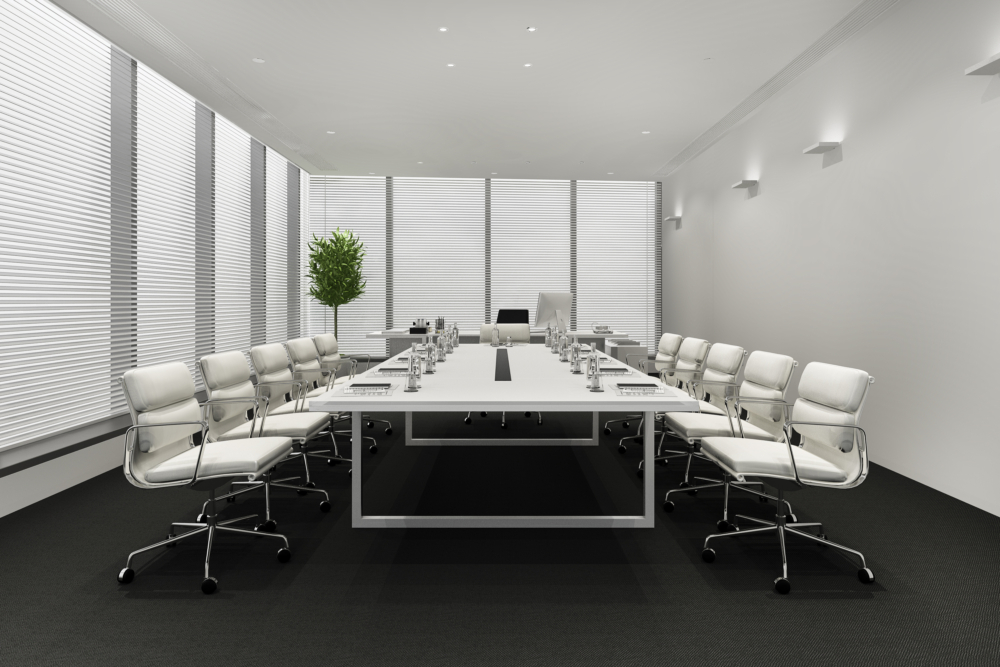
Meeting rooms should support communication, collaboration and client interactions while remaining adaptable for different styles of work.

The purpose of meeting spaces has evolved considerably. Modern workplaces typically require a combination of formal boardrooms, smaller meeting rooms and informal collaboration areas that accommodate different activities throughout the day.

When evaluating office space, consider:

  • The number of meeting rooms required
  • Capacity for hybrid meetings
  • Privacy for confidential discussions
  • Presentation facilities
  • Access to power and charging
  • Flexibility for different group sizes

Furniture also influences how effectively these spaces perform.

Selecting suitable meeting room tables alongside complementary seating helps ensure each room supports its intended purpose, whether hosting client presentations, internal workshops or day-to-day team discussions.

Planning meeting facilities before signing a lease helps confirm the building can accommodate your operational requirements without compromising other areas of the workplace.

Environmental And Sustainability Considerations In Office Selection

Environmental considerations should focus on creating workplaces that remain practical, adaptable and suitable for long-term use.

Many organisations now include sustainability objectives within their workplace strategies. Rather than focusing solely on new products, consider how the building and its future fit-out can support responsible decision-making throughout its lifespan.

Questions to consider include:

  • Can existing furniture be reused?
  • Does the layout support future adaptation?
  • Will durable furniture reduce replacement requirements?
  • Can refurbishment extend the life of existing workplace assets?
  • Does the building support efficient use of available space?

Selecting furniture designed for longevity and planning adaptable layouts can help reduce unnecessary replacement as organisational needs change.

This approach also supports more efficient procurement by encouraging long-term planning rather than repeated short-term purchases.

Common Mistakes Businesses Make When Choosing Office Space

Many costly office relocation issues can be avoided by planning how the workspace will function before signing a lease.

One of the biggest mistakes is choosing premises based mainly on rental costs without considering how the office will support day-to-day operations. A lower-cost property may require significant investment in furniture, technology or fit-out work before it is ready for use.

Another common oversight is underestimating future growth. Selecting an office that only meets current requirements can lead to expensive changes or another relocation sooner than expected.

Furniture planning is also frequently left too late. Without testing layouts beforehand, businesses may discover there is insufficient room for workstations, meeting areas or storage.

Hybrid working should also influence office selection. Focusing solely on desk numbers can leave too little space for collaboration, informal meetings or touchdown areas.

Finally, don't overlook technology and storage requirements. Power, connectivity, cable management and practical storage solutions should all be considered before committing to a property, helping create a workplace that remains functional as your business evolves.

Frequently Asked Questions

How much office space do I need?

There is no universal answer. Consider how many people use the office at peak occupancy, how different teams work, meeting room requirements, storage needs and future recruitment plans. Planning around operational requirements usually provides a more accurate assessment than relying on headcount alone.

Should hybrid businesses lease smaller offices?

Not necessarily. Hybrid working may reduce the number of permanent workstations required, although it can increase demand for collaboration areas, meeting rooms and flexible workspaces. Evaluate how employees use the office before deciding how much space is appropriate.

What should I check before signing a lease?

Assess whether the building supports your proposed furniture layout, technology requirements, storage capacity, accessibility needs and future growth plans. Understanding potential fit-out costs before making a commitment also helps avoid unexpected expenditure.

How important is office layout?

Office layout influences how efficiently employees move around the workplace, collaborate and use available facilities. A well-planned layout supports daily operations while allowing the workspace to adapt as business needs evolve.

When should furniture planning begin?

Furniture planning should begin before signing a lease. Testing layouts early helps confirm whether a property can accommodate the desks, meeting rooms, storage and collaborative areas your business requires.

Choosing office space is about far more than finding enough square footage or securing favourable lease terms. The most successful workplaces are planned around how people work, how businesses grow and how the space will adapt over time.

Considering furniture layouts, technology infrastructure, storage, collaboration areas and future flexibility before signing a lease allows organisations to make more informed decisions while reducing the likelihood of costly alterations later.

Whether you're relocating an established business or preparing a new workplace, planning early creates stronger foundations for every stage of the project.

If you're planning a new office or relocating your business, contact us before committing to a new workspace. Wave Office can help you assess your space, develop practical layouts and specify furniture that supports your team today while remaining adaptable for the future.

Modern ergonomic workstation with an office chair, organised desk and productivity-focused workspace designed to support employee comfort and efficiency.

7 Ways Office Furniture Can Improve Employee Productivity

A productive workplace relies on more than motivated employees. Office furniture, workspace planning and layout all influence how comfortably and efficiently people can carry out their daily tasks. 

Rather than viewing furniture as a standalone purchase, it's worth considering how desks, seating, storage and collaborative spaces work together to support different ways of working. 

Whether you're updating part of your office or planning a complete refurbishment, thoughtful planning can help you make better long-term decisions. If you're considering a workplace upgrade, at Wave Office, we have plenty of office design build services to help create a workspace tailored to your business and the way your team works. 

Why Office Furniture Matters For Employee Productivity

Employee working comfortably at an ergonomic desk in a modern office while colleagues collaborate nearby, showing how office furniture supports employee productivity.

Office furniture helps employees work more effectively by supporting comfort, organisation and collaboration within a well-planned workspace.

Employees interact with desks, chairs, storage and shared spaces throughout the working day. When these elements are planned around daily tasks, work becomes easier to organise and teams can move more efficiently between focused work and collaboration.

Furniture should support how people work rather than simply fill available space. Replacing individual items without reviewing the overall layout may solve one issue while creating another.

Before investing in new furniture, consider:

  • How employees move around the office.
  • Which teams collaborate most frequently.
  • Whether there are enough quiet spaces for focused work.
  • If storage meets current working practices.
  • How the workspace can adapt as the business grows.

Taking a strategic approach helps businesses create an office that supports day-to-day operations while making better long-term use of their furniture investment.

Ergonomic Office Chairs Improve Comfort And Focus

Adjustable office chairs help accommodate different users, making it easier to work comfortably throughout the day.

No single chair suits every employee. Differences in height, role and working style mean seating should allow users to adjust their workstation to meet individual requirements. Features such as lumbar support, seat height adjustment and adjustable armrests help employees achieve a comfortable working position while supporting Display Screen Equipment (DSE) assessments.

This flexibility is particularly valuable in hybrid offices where multiple employees may share the same workstation throughout the week. Chairs that can be adjusted quickly allow each user to tailor the setup before starting work.

When choosing office seating, consider:

  • Seat and backrest adjustability.
  • Lumbar and armrest support.
  • Compatibility with desk height.
  • Shared or assigned workstations.
  • Durability for commercial use.

Replacing every chair at once may not be necessary. Many businesses prioritise departments where employees spend the most time at a desk before introducing improvements across the wider workplace.

Office chairs deliver the greatest value when considered alongside desks, monitor positioning and workspace layout. Taking a wider planning approach helps create workstations that support employees' daily tasks while making better long-term use of your furniture investment.

Adjustable Desks Support Flexible Working Styles

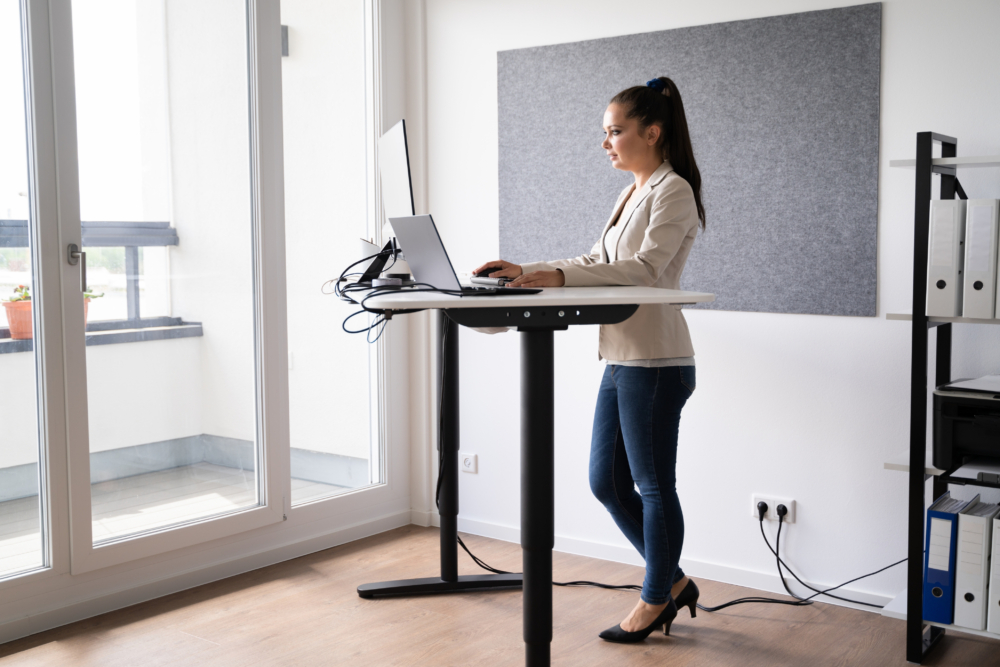
Height-adjustable desks allow employees to adapt their workstations to suit different tasks and personal preferences.

Modern offices rarely operate in exactly the same way they did a decade ago. Hybrid working, flexible schedules and shared workstations have changed how businesses use office space, creating greater demand for adaptable furniture.

Height-adjustable desks give employees the option to alter their working position throughout the day according to personal preference or the task they're completing. While research continues into the wider effects of sit-stand working, these desks primarily provide flexibility rather than guaranteed productivity improvements.

They can also simplify workstation setup within hybrid environments. Employees using hot desks can adjust the desk to suit their preferred working position without requiring separate furniture for each individual.

Businesses considering height adjustable desks should think beyond the desk itself. Monitor positioning, cable management, power access and storage all contribute to creating a workstation that functions effectively.

Questions worth considering include:

  • Which employees would benefit most?
  • Will desks be permanently allocated or shared?
  • Is there sufficient cable management?
  • Does the surrounding layout provide enough movement space?
  • Can existing storage integrate with new desks?

Taking a broader planning approach helps ensure adjustable desks fit naturally into the workspace rather than becoming standalone features.

Better Desk Layouts Help Teams Work More Efficiently

Even the best furniture cannot compensate for a poor office layout. A well-planned workspace improves movement, supports communication and gives employees the flexibility to work in ways that suit their roles.

The way desks, meeting areas and shared spaces are arranged has a direct impact on how easily employees complete everyday tasks. A layout designed purely to maximise capacity can create bottlenecks, increase distractions and make collaboration less efficient.

Before changing your furniture, review how teams use the office. Customer-facing departments may benefit from sitting together, while finance, HR or administrative teams may need quieter areas for focused work.

When planning desk layouts, consider:

  • Clear circulation routes throughout the office.
  • Team neighbourhoods that encourage collaboration.
  • Separate areas for focused work and informal meetings.
  • Enough space around desks for comfortable movement.
  • Flexibility to accommodate future growth or changing team structures.

Hybrid working also influences layout decisions. Shared desks, touchdown spaces and collaborative zones can help businesses make better use of available space while adapting to changing occupancy levels.

Reviewing your office layout before purchasing new furniture helps ensure every workstation, meeting area and shared space supports the way your business operates, delivering greater long-term value from your investment.

Storage Solutions Reduce Workplace Clutter And Distractions

Organised office workspace with built-in storage cabinets, shelving, filing systems and a tidy desk that helps reduce workplace clutter and distractions.

Accessible storage helps keep workspaces organised and allows employees to spend less time managing paperwork and equipment.

An organised workspace makes daily tasks easier to manage. Searching for files, moving equipment between desks or working around unnecessary clutter can interrupt workflow and reduce the usability of the office.

The right storage solution depends on how your business operates. A workplace using assigned desks may benefit from personal pedestals and filing cabinets, while hybrid offices typically rely more on shared storage, lockers and centralised filing systems.

When reviewing storage requirements, consider:

  • How frequently documents need to be accessed.
  • Whether employees require personal or shared storage.
  • Security requirements for confidential information.
  • Storage for laptops, peripherals and personal belongings.
  • Future changes in staffing or office layout.

Mobile pedestals can provide flexibility where teams regularly move between workstations, while lockers help support desk-sharing by giving employees a secure place to store personal items throughout the day.

Storage should also complement the office layout. Placing cupboards, shelving and filing systems close to the teams using them reduces unnecessary movement without creating obstacles within circulation routes.

Reviewing storage during an office refurbishment can also identify opportunities to reduce underused cabinets, free up valuable floor space and create a cleaner working environment without increasing the overall office footprint.

Acoustic Office Furniture Helps Improve Concentration

Acoustic furniture can help reduce everyday distractions by creating quieter areas for focused work and private conversations.

Modern offices frequently combine collaborative working with individual tasks, creating competing demands within the same space. While open-plan layouts encourage communication, they can also generate background noise that makes concentration more challenging.

Acoustic furniture provides businesses with additional options for managing these environments. Rather than altering the building itself, products such as acoustic screens, privacy booths and meeting pods create dedicated spaces for activities requiring greater separation from surrounding office noise.

Depending on workplace requirements, businesses may consider:

  • Desk-mounted acoustic screens.
  • Freestanding acoustic panels.
  • Phone booths for private calls.
  • Meeting pods for small group discussions.
  • Enclosed collaboration spaces.

These solutions should be viewed as part of a wider workspace strategy rather than standalone fixes. Furniture cannot eliminate every source of workplace noise, although thoughtful planning can help separate quieter work from more collaborative activities.

For example, locating phone booths away from open desk areas allows employees to take video calls without disturbing colleagues, while small meeting pods reduce pressure on larger meeting rooms for short discussions.

Businesses should assess how employees currently use their workspace before investing in acoustic furniture. Understanding where distractions occur provides a stronger foundation for selecting suitable solutions.

Collaborative Furniture Encourages Better Team Communication

Flexible meeting furniture gives teams spaces that support collaboration without disrupting employees carrying out focused work.

Not every conversation belongs around a workstation. Providing dedicated areas for meetings, project discussions and informal catch-ups allows collaborative working to take place without interrupting colleagues completing individual tasks.

Meeting spaces no longer need to follow a single format. Different activities require different environments, making flexibility an important consideration during furniture selection.

For example:

  • Formal boardrooms suit presentations and client meetings.
  • Smaller meeting tables support project discussions.
  • Soft seating encourages informal conversations.
  • Modular furniture allows layouts to adapt for different group sizes.
  • Breakout tables provide spaces for quick collaboration throughout the day.

Choosing the right furniture begins with understanding how employees interact. Organisations holding frequent client meetings may prioritise larger meeting rooms, while creative teams may benefit from adaptable collaboration spaces that support workshops and brainstorming sessions.

Furniture should also allow spaces to evolve. Modular seating, mobile tables and reconfigurable layouts help businesses respond to changing team structures without requiring major refurbishment work every time requirements change.

Investing in flexible collaboration spaces can also reduce pressure on formal meeting rooms by providing alternative locations for shorter discussions and everyday teamwork.

Comfortable Breakout Areas Support Employee Wellbeing And Motivation

Breakout spaces provide employees with alternative environments for informal meetings, breaks and collaborative working throughout the day.

A productive workplace includes more than desks and meeting rooms. Employees also benefit from having spaces where they can step away from their workstation, hold informal conversations or work in a different setting when appropriate.

Breakout areas vary considerably between organisations. Some businesses create café-style environments, while others introduce lounge seating, high tables or quieter relaxation spaces depending on available space and working culture.

When planning a breakout area, consider:

  • How employees currently use communal spaces.
  • Whether the area will support informal meetings.
  • The balance between collaboration and relaxation.
  • Proximity to working areas.
  • Future flexibility if office requirements change.

Well-designed breakout spaces also help make better use of underutilised areas within the office. Rather than leaving awkward corners unused, businesses can create welcoming environments that support a wider range of workplace activities.

Furniture selection should reflect expected use. Durable finishes, comfortable seating and practical table layouts all contribute to creating spaces that employees are more likely to use throughout the working day.

As with every other part of the office, breakout areas work best when considered during the overall workspace planning process rather than added as an afterthought.

Before You Invest In New Office Furniture

Replacing furniture delivers the greatest value when it forms part of a wider workplace strategy rather than a series of isolated purchases.

Before making any investment, ask yourself:

  • Does the current office layout still support the way your teams work?
  • Which furniture creates the biggest day-to-day challenges?
  • Are there opportunities to improve flexibility for hybrid working?
  • Can existing furniture be retained alongside new products?
  • Will today's decisions still meet your needs in three to five years?

Answering these questions helps prioritise investment where it will have the greatest practical impact while avoiding unnecessary expenditure.

Working with an office furniture and workspace planning specialist can also help identify opportunities that may not be obvious when reviewing individual products in isolation.

Frequently Asked Questions

Does office furniture affect productivity?

Office furniture can support productive ways of working by improving comfort, organisation and flexibility within a well-planned workspace. While furniture alone does not increase productivity, choosing solutions that suit your employees and daily operations can remove unnecessary obstacles.

What furniture should businesses upgrade first?

Start with the furniture employees use most. Desks and office chairs are usually the priority, followed by storage, meeting areas or collaborative spaces. A workspace review helps identify where investment will have the greatest impact.

Are ergonomic chairs worth the investment?

Adjustable office chairs allow employees to tailor their seating position to their individual needs. They are particularly beneficial in offices where people spend long periods at a desk or where workstations are shared between multiple users.

How do office layouts affect teamwork?

A well-planned layout makes communication easier while providing dedicated areas for focused work, meetings and collaboration. Balancing these spaces helps teams work more effectively without creating unnecessary distractions.

What furniture works best for hybrid offices?

Hybrid workplaces benefit from flexible furniture such as height-adjustable desks, shared storage, lockers, modular meeting furniture and collaborative spaces. The right combination depends on how frequently employees use the office and how the workspace is organised.

Should businesses replace all office furniture at once?

Not necessarily. Many organisations achieve better value by upgrading the areas that need attention first before introducing further improvements as budgets and business requirements evolve.

Creating a productive workplace starts with understanding how people work rather than selecting furniture from a catalogue. Office layouts, storage, seating, collaboration spaces and flexible workstations all contribute to an environment that supports everyday tasks when planned as part of a complete workspace strategy.

Whether you're refreshing a single department or planning a full office refurbishment, taking time to assess your team's requirements can help you make informed investment decisions that continue to support your business as it grows.

If you're looking to create a workspace that better supports your team, contact the Wave Office team through our contact us page to discuss office furniture, workspace planning, office design solutions and much more, tailored to the way your business works.

Employee stretching in an ergonomic office chair at a modern workstation, demonstrating how supportive office furniture can improve employee wellbeing and comfort.

How Does Office Furniture Affect Employee Wellbeing?

When businesses talk about employee wellbeing, the conversation often focuses on benefits, culture or workload. Office furniture is sometimes treated as a secondary concern, something to review only when desks or chairs become worn out.

In reality, furniture plays an important role in shaping the everyday workplace experience. It influences how comfortably people work, how easily teams collaborate, how well shared spaces function and how adaptable the office feels as business needs change.

That does not mean furniture alone improves wellbeing. Workplace wellbeing is shaped by many factors, including management, workload, culture, lighting, acoustics and office design. Furniture is one important part of that wider environment.

The most effective workplace improvements usually come from thoughtful planning rather than buying individual products in isolation.

Why Office Furniture Matters For Employee Wellbeing

Employee sitting comfortably in an ergonomic office chair at a modern workstation with a hot drink, highlighting why office furniture matters for employee wellbeing.

Office furniture plays an important role in creating comfortable, adaptable and functional workplaces that support employees throughout the working day.

A well-planned workspace helps reduce unnecessary friction during everyday tasks. Employees should be able to work, move, collaborate and access resources without the environment making those tasks harder than necessary.

Furniture influences several parts of the employee experience, including:

  • Physical comfort during desk-based work
  • Accessibility for different users
  • Organisation and storage
  • Flexibility between individual and collaborative work
  • Ease of movement around the office
  • Overall workplace usability

Consider a growing business that began with a simple open-plan layout. As headcount increases, desks become crowded, storage becomes limited and meeting areas become harder to access. The problem is not always the furniture itself. Often, it is how the furniture has been planned and used.

Good furniture supports workplace activities. Poor planning can create clutter, restrict movement and make spaces feel less usable over time.

This is why workplace planning matters just as much as furniture selection.

How Adjustable Furniture Supports Physical Comfort

Adjustable furniture helps accommodate different users by allowing workspaces to adapt to individual needs rather than expecting everyone to work in the same way.

This is especially important in modern workplaces where shared desks, hybrid working and hot-desking are increasingly common. A workstation used by multiple employees during the week needs to support different heights, working preferences and desk setups.

Office seating is often the first area businesses review.

A suitable chair should offer adjustment that supports different users throughout the day. Important features may include:

  • Adjustable seat height
  • Lumbar support
  • Adjustable armrests
  • Backrest support
  • Recline or tilt mechanisms
  • Stable movement and mobility

These features allow users to configure seating to better suit their working position.

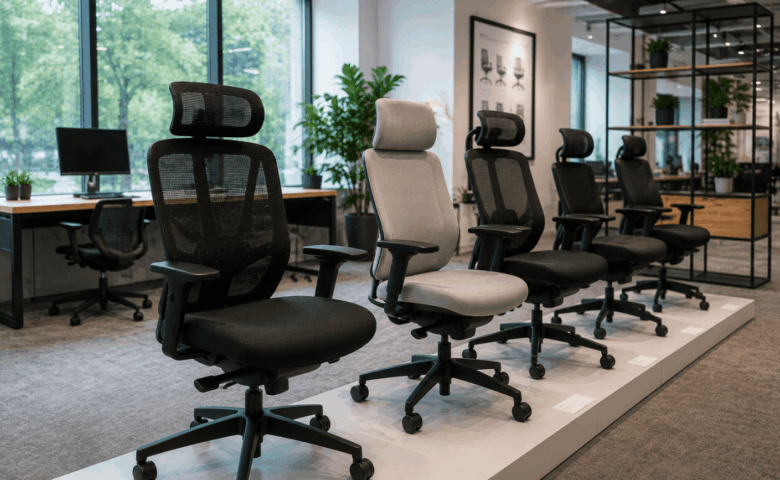
Businesses reviewing seating may benefit from exploring dedicated ergonomic office chairs, particularly where teams spend long periods at workstations or where desks are shared across departments.

Desks also play an important role in physical comfort.

Desk height affects screen positioning, keyboard placement and overall workstation setup. Fixed-height desks may work well in some environments, but shared workstations often benefit from greater flexibility.

This is one reason height adjustable desks have become more common in modern workplaces. They can support different working preferences and allow shared workstations to accommodate a wider range of users.

It is important to keep claims realistic. Adjustable furniture does not guarantee better health or improved performance. However, furniture that can adapt to different users is generally easier to integrate into flexible workplaces.

The key consideration is suitability, not simply features.

Why Workspace Design Matters As Much As Furniture

Even well-designed furniture can perform poorly if the surrounding workspace layout creates barriers to movement, collaboration or concentration.

This is where many workplace projects fall short.

Businesses often invest in high-quality desks and seating but overlook the wider office layout. The result can be a workspace filled with good products that still feels inefficient.

Workspace design affects how easily people can move through the office and how effectively different activities can happen within the same environment.

A well-planned office typically considers:

  • Walkways and circulation space
  • Team adjacency
  • Quiet focus areas
  • Meeting spaces
  • Collaborative zones
  • Storage placement
  • Accessibility requirements

Different teams often need different environments.

For example, a finance team may require quieter focused work areas, while sales teams may need faster access to collaborative spaces and call-friendly environments. Hybrid offices may need fewer fixed desks but more shared meeting zones.

Furniture should support those working patterns.

Lighting and spatial planning also matter. Furniture placement can influence how much natural light reaches workstations, whether spaces feel open or crowded and how easy it is to navigate the office.

This is why furniture should never be chosen purely from a catalogue without considering the wider environment.

Good workplace design improves usability by making furniture work as part of a complete space.

How Flexible Spaces Support Modern Working

Modern workplaces increasingly need flexible spaces that support collaboration, focused work, privacy and hybrid working patterns.

Employee wellbeing today involves more than desk comfort. It also involves whether people have access to the right environment for the task they need to complete.

Someone may need:

  • Quiet focused desk work in the morning
  • A private video call at lunch
  • Collaborative project work in the afternoon
  • Informal team discussion later in the day

A single type of workspace rarely supports all of those activities.

This is where flexible furniture becomes valuable.

Breakout spaces can support informal meetings and relaxed team discussions. Soft seating may help create less formal collaboration zones. Modular furniture can make shared areas easier to adapt as requirements change.

Acoustic furniture also plays an increasingly important role.

Acoustic booths, pods and screens can help create quieter spaces for calls or focused work, especially in open-plan environments. These products should not be seen as universal solutions, but they can help address privacy and noise-management challenges when used appropriately.

Hybrid working adds further complexity.

Shared workstations often benefit from:

  • Lockers for personal belongings
  • Hot-desking systems
  • Modular storage
  • Adaptable desk layouts
  • Flexible meeting areas

Businesses that plan for flexibility often find it easier to adapt as working patterns evolve.

Rigid office layouts can struggle when team structures or occupancy levels change.

How Poor Furniture Choices Can Reduce Workplace Comfort

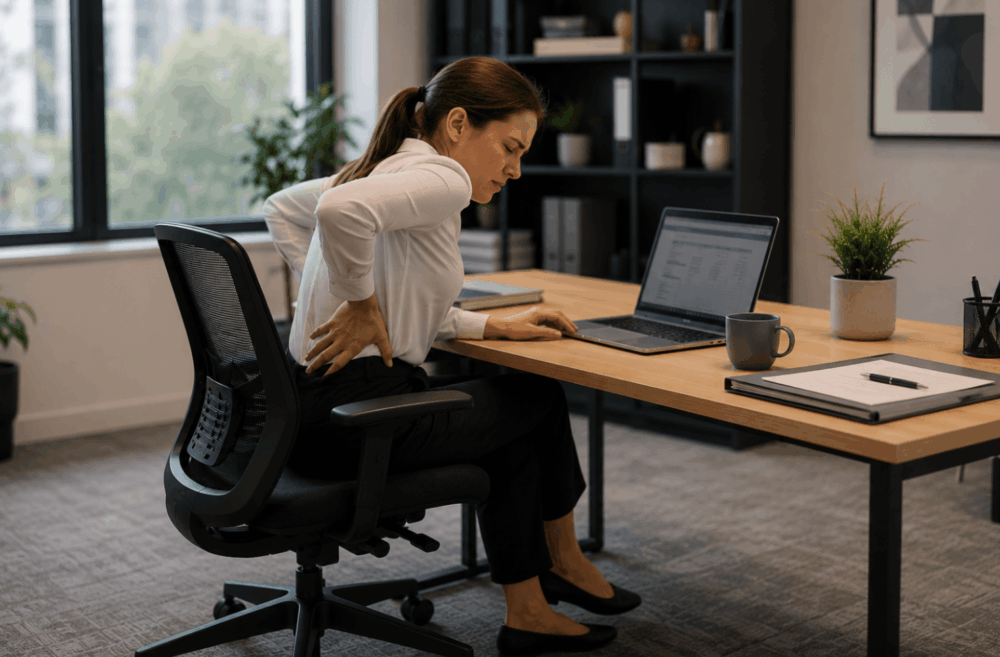
Office worker experiencing lower back pain while sitting at a desk, showing how poor office furniture choices can reduce workplace comfort.

Poorly selected furniture may contribute to discomfort and reduce workplace usability when it does not match how the office is actually used.

This rarely happens because businesses deliberately choose poor products. More often, problems emerge when furniture decisions are made too quickly or without sufficient planning.

Common issues include:

Limited Adjustment

Chairs or desks with minimal adjustment can be difficult to use across multiple users, especially in hybrid work environments.

Poor Storage Planning

Insufficient storage creates clutter. Bags, files and equipment begin occupying desks, meeting rooms and circulation areas.

Overcrowded Layouts

Too much furniture can restrict movement and make collaboration awkward. More desks does not always mean a better office.

Prioritising Appearance Over Usability

Visually impressive furniture can still perform poorly in daily use if comfort, practicality and maintenance are overlooked.

Lack Of Future Planning

Furniture selected for current headcount may become restrictive if the team grows or working patterns change.

These mistakes are often avoidable through better planning.

Wave Office’s guide to creating meaningful spaces offers useful insight into designing environments that balance practical use with workplace experience.

Practical Ways To Improve Workplace Wellbeing

Improving workplace wellbeing usually starts with better planning, not immediate purchasing.

Businesses do not need to replace every desk or chair to create a more supportive environment. Small, well-targeted improvements often deliver more value than large unplanned purchases.

Practical steps include:

Review How The Office Is Actually Used

Observe peak occupancy, meeting demand and space usage. Identify friction points.

Gather Employee Feedback

Employees often identify workspace issues that managers may overlook.

Prioritise High-Impact Improvements

Common priorities include seating, storage, meeting capacity or acoustic privacy.

Plan For Future Flexibility

Choose layouts and furniture that can adapt as teams and working patterns evolve.

Consider The Full Workspace

Furniture should complement lighting, layout, accessibility and acoustics.

The goal is not simply to buy newer furniture. It is to create an office that better supports how people work.

Frequently Asked Questions

What Furniture Improves Workplace Wellbeing?

Furniture that supports comfort, flexibility and practical daily use often contributes most to workplace wellbeing. Adjustable seating, suitable desks, storage and flexible collaboration spaces are common priorities.

Are Ergonomic Chairs Worth It?

Ergonomic chairs can be worth considering where employees spend long periods at workstations or where seating is shared. Their value depends on adjustability and suitability rather than marketing claims.

Do Height Adjustable Desks Improve Wellbeing?

Height-adjustable desks can improve workstation flexibility by supporting different users and working preferences. However, they work best as part of wider workspace planning.

How Does Office Layout Affect Employees?

Office layout influences movement, collaboration, privacy and workspace organisation. Poor layouts can create unnecessary barriers during everyday work.

Office furniture affects employee wellbeing by shaping how comfortably, flexibly and effectively people can use the workplace.

The most important takeaway is that wellbeing involves more than ergonomic chairs or premium desks. Layout, storage, acoustics, flexibility and workspace planning all contribute to the employee experience.

The best workplace improvements usually begin with planning rather than purchasing.

If you're reviewing your workplace to better support employee wellbeing, Wave Office can help you choose furniture and layouts that suit your team, your workspace and your future plans. Contact us to discuss your office environment, furniture requirements or refurbishment plans.

Modern office workspace with an ergonomic desk, mesh office chair and collaborative meeting area, highlighting how office furniture choices affect workplace productivity.

5 Office Furniture Mistakes That Make Workspaces Less Productive

When businesses look at improving workplace performance, furniture is not always the first thing they consider. Attention often goes to processes, staffing or technology. Yet many everyday frustrations in the office begin with the workspace itself.

Poor layout planning, unsuitable desks, inadequate storage and uncomfortable seating can all create unnecessary friction throughout the working day. This does not mean office furniture directly determines productivity, but it does influence how easily people can work, collaborate and stay organised.

The most expensive furniture is not always the best choice, and replacing old desks or chairs without proper planning can create new problems rather than solving existing ones.

Avoiding a few common office furniture mistakes can help businesses create workspaces that feel more practical, adaptable and easier to use.

Why Office Furniture Choices Affect Workspace Performance

Team collaborating around a meeting table using ergonomic office chairs in a modern workspace designed to support comfort and productivity.

Office furniture influences how easily employees can work, collaborate and stay organised, making thoughtful planning just as important as product selection.

Good office furniture should support daily activities rather than simply fill space. A desk is not just a desk if it affects screen positioning, cable management or collaboration. Storage is not just storage if poor placement creates clutter or wasted floor space.

The biggest mistake many businesses make is treating furniture as a purchasing exercise rather than a workspace planning exercise.

Consider a growing business that expands from 15 to 30 employees. A layout that worked comfortably at smaller headcount may become restrictive once desk numbers increase, meeting demand rises and shared storage becomes stretched.

This is why planning matters before purchasing. The right furniture supports workflow, movement and future growth.

Mistake 1: Choosing Office Chairs Without Proper Adjustment

Office chairs should provide sufficient adjustment to accommodate different users rather than offering a one-size-fits-all solution.

Chair selection is one of the most common office furniture mistakes because buyers often focus on price or appearance before usability.

A chair that looks smart in a meeting room may be unsuitable for full-day desk work. Likewise, a low-cost task chair may seem practical until multiple employees begin using it daily and discover limited adjustment.

When assessing office seating, key features to consider include:

  • Seat height adjustment
  • Lumbar support
  • Armrest positioning
  • Backrest support
  • Tilt or recline control
  • Stability and mobility

These features become even more important in hybrid offices or hot-desking environments, where several people may use the same chair across the week.

Different users have different seating preferences, body proportions and workstation setups. A chair with minimal adjustment can make shared workstations harder to use effectively.

This is why businesses should look beyond appearance and compare chairs based on suitability for real working conditions.

If you are reviewing seating options, exploring dedicated ergonomic office chairs can help identify models designed for adjustable workstation use.

Mistake 2: Buying Furniture Before Planning The Layout

Even high-quality furniture performs poorly if the office layout restricts movement, collaboration or concentration.

This is one of the costliest mistakes businesses make.

Furniture often gets ordered before anyone fully considers how the office will function. On paper, desks may fit. In practice, the space can feel cramped, awkward or inefficient.

Common layout issues include:

  • Narrow walkways
  • Oversized desks
  • Poor meeting room access
  • Lack of quiet areas
  • Crowded collaborative spaces
  • Insufficient room for future expansion

A layout needs to support how teams actually work.

For example, sales teams may need frequent collaboration and call spaces. Finance teams may need quieter focused work areas. Hybrid teams may need fewer permanent desks but more shared meeting space.

Without planning, businesses often create layouts that force incompatible activities into the same area.

Before purchasing furniture, ask:

  • Where do people need focused work?
  • Which teams collaborate regularly?
  • How many meeting spaces are needed?
  • Where are power and data points?
  • Can the layout adapt if headcount grows?

Professional office design build planning often identifies these issues before they become expensive problems.

A good layout improves circulation, makes better use of floor space and gives furniture a clearer purpose.

Mistake 3: Ignoring Storage Requirements

Poor storage planning creates clutter, reduces flexibility and limits how effectively a workspace can function.

Storage is often treated as secondary because desks and chairs feel more urgent during procurement. In reality, inadequate storage quickly affects day-to-day usability.

Without proper storage, businesses often see:

  • Bags under desks
  • Files piling up in meeting rooms
  • Shared surfaces becoming cluttered
  • Personal items occupying workstations
  • Equipment stored in circulation areas

This becomes especially noticeable in hybrid offices.

Hot-desking can reduce the need for permanent desks, but employees still need somewhere for personal belongings, documents and equipment. Removing desks without replacing storage often creates new organisational problems.

Useful storage solutions may include:

  • Personal lockers
  • Mobile pedestals
  • Shared cupboards
  • Filing cabinets
  • Meeting room credenzas
  • Wall-mounted storage

The best storage solution depends on what actually needs storing.

Good storage supports organisation while preserving flexibility. Poor storage creates clutter that spreads across the office.

Mistake 4: Prioritising Style Over Practical Use

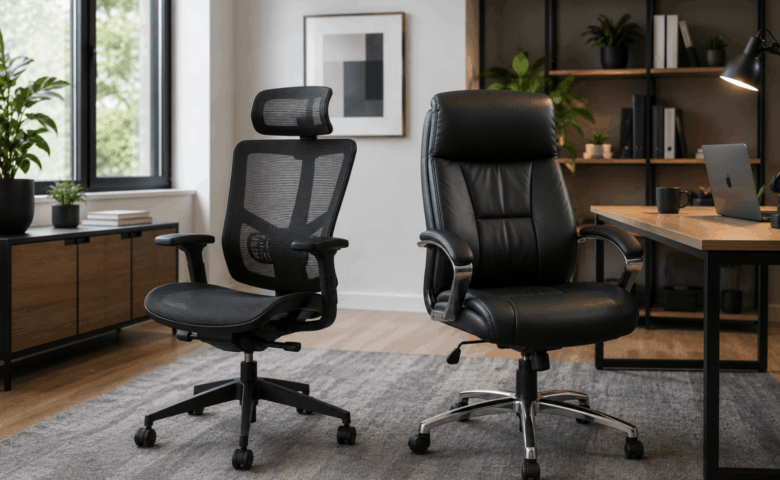
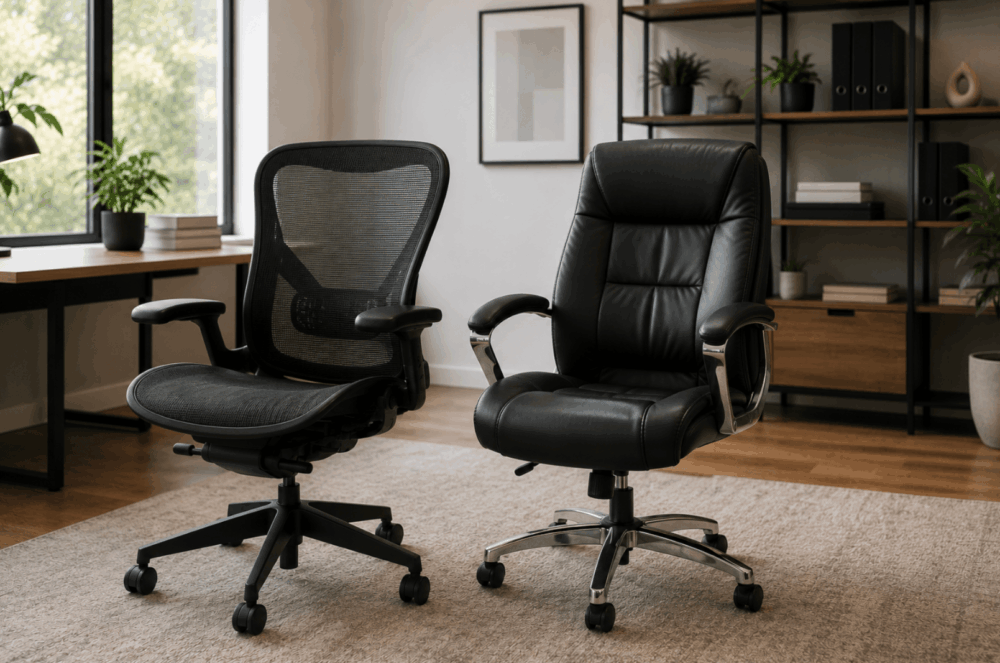
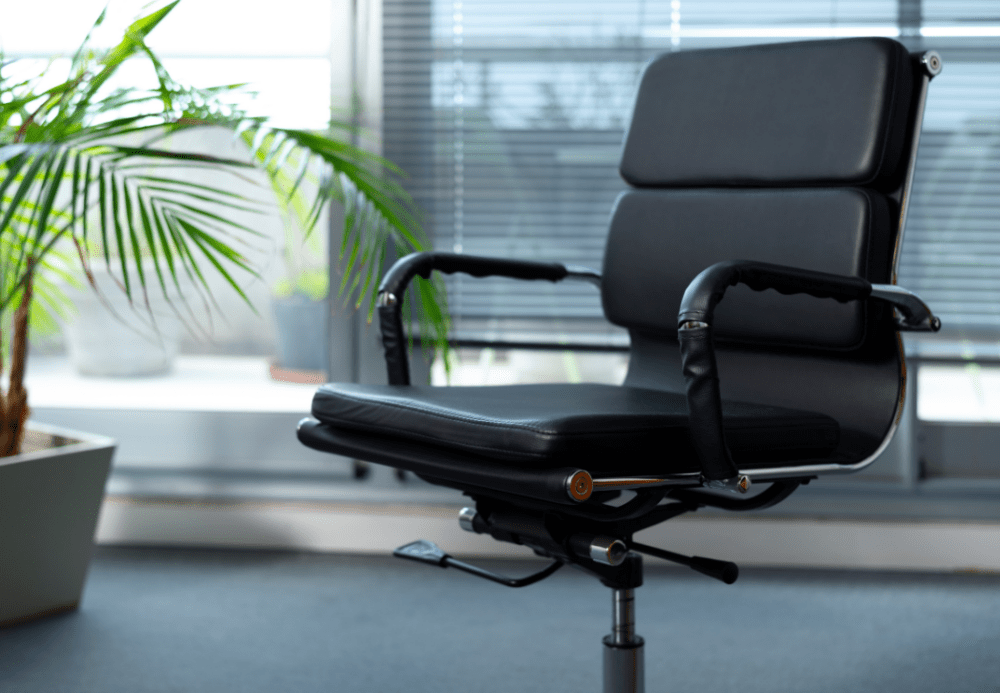
Office worker experiencing lower back pain while sitting in a stylish leather office chair that lacks ergonomic support.

Modern office furniture should balance appearance with usability rather than prioritising aesthetics alone.

Visual design matters. Offices shape client impressions, brand perception and employee experience. However, style should not come at the expense of function.

This mistake usually appears in one of two ways.

First, businesses choose fashionable furniture that looks impressive but performs poorly in daily use.

Examples include:

  • Statement chairs with limited support
  • Oversized reception furniture
  • Stylish desks with poor cable management
  • Minimalist meeting tables with no power access

Second, businesses assume practical furniture must look plain or uninspiring.

That is rarely true today.

Modern office furniture increasingly combines clean aesthetics with practical design. Businesses do not need to choose between appearance and usability. They need to balance both.

Questions worth asking include:

  • Is this comfortable for daily use?
  • Is the material durable?
  • Can it handle commercial usage?
  • Is maintenance manageable?
  • Will it still work as needs change?

A visually impressive workspace loses value quickly if employees avoid using certain areas because the furniture is impractical.

Mistake 5: Buying Only For Today’s Needs

Office furniture should support future growth, not just current headcount or immediate requirements.

This is a major planning oversight, especially for growing businesses.

A layout designed around today’s occupancy may become restrictive sooner than expected. Team structures change. Hybrid working patterns evolve. Departments expand. Office usage shifts.

Furniture that lacks flexibility can become a costly limitation.

Examples include:

  • Fixed desk layouts with no expansion room
  • Insufficient meeting capacity
  • Storage that cannot scale
  • Furniture unsuitable for hybrid working
  • Single-purpose spaces with limited adaptability

Future-proofing does not mean overbuying.

It means asking better questions during planning:

  • Could headcount grow in 12–24 months?
  • Might more staff return to the office?
  • Will hybrid working continue?
  • Can layouts be reconfigured easily?
  • Can furniture serve multiple purposes?

Modular furniture, flexible layouts and adaptable workspace planning can help businesses respond to change without starting from scratch.

The best office investments often support both present and future working patterns.

Frequently Asked Questions

What Is The Biggest Office Furniture Mistake?

The biggest mistake is usually buying furniture before planning how the workspace needs to function. Layout and workflow should guide purchasing decisions.

How Often Should Office Furniture Be Replaced?

There is no fixed replacement cycle. Furniture should be reviewed when it no longer suits workspace needs, shows significant wear or prevents efficient use of the office.

Does Office Layout Affect Productivity?

Office layout can influence workflow, movement, collaboration and organisation. Poor layouts can create unnecessary friction during everyday work.

How Do You Choose Ergonomic Office Furniture?

Focus on adjustability, support and suitability for the intended user. Ergonomic features such as adjustable seating, lumbar support and suitable desk height are important considerations.

Should Businesses Plan Layouts Before Buying Furniture?

Yes. Planning first helps avoid costly mistakes, improves space utilisation and ensures furniture supports both current and future workplace needs.

The most common office furniture mistakes rarely come down to buying the wrong product alone. They usually begin with poor planning.

Choosing unsuitable chairs, ignoring storage, rushing layout decisions or buying purely for appearance can all make a workspace harder to use. The best office furniture supports how people actually work, both now and in the future.

Plan first, think long term and balance practicality with design.

If you're planning a new office or updating your existing workspace, Wave Office can help you avoid common furniture mistakes and create a workspace that supports your business now and in the future. Contact us to discuss your office furniture, design or workspace planning requirements.

Mesh ergonomic office chair and leather executive office chair displayed side by side in a modern workspace, highlighting different seating styles for office environments.

Mesh vs Leather Office Chairs: Which Is Better?

Choosing the right office chair involves more than deciding what looks best in your workspace. Material plays a major role in how a chair feels during daily use, how easy it is to maintain and how well it suits different office environments.

When comparing mesh vs leather office chairs, there is no universal winner. The better choice depends on how the chair will be used, who will use it and what your workplace needs from its seating.

A busy hybrid office with shared desks may prioritise airflow and easy adjustability. An executive office or client-facing meeting room may place greater importance on visual impact and premium styling. Comfort, maintenance, long-term value and working patterns all influence the right decision.

This guide compares mesh and leather office chairs to help you choose the most suitable option for your workspace.

What Are Mesh And Leather Office Chairs?

Modern mesh ergonomic office chair and black leather executive chair positioned together in a contemporary office to compare their design and features.

Mesh and leather office chairs offer different benefits, with mesh prioritising airflow and flexibility while leather often focuses on appearance, cushioning and executive styling.

A mesh office chair typically uses a woven synthetic material across the backrest, and sometimes the seat, stretched over a supporting frame. Many task chairs use mesh backs because the material allows airflow while maintaining shape. Mesh chairs are common in modern offices, especially in shared desk environments and open-plan spaces.

Leather office chairs usually feature padded cushioning upholstered in real leather or leather-look materials. These chairs often appear in executive offices, boardrooms and client-facing spaces where presentation matters. They commonly offer thicker seat padding and a more traditional premium aesthetic.

The material alone does not determine chair quality. Two mesh chairs can perform very differently depending on lumbar support, seat design and adjustment mechanisms. The same applies to leather seating. Material affects feel and maintenance, but design determines overall performance.

Mesh vs Leather Office Chairs At A Glance

The biggest differences between mesh and leather office chairs are breathability, appearance, maintenance and long-term ownership costs.

FactorMesh ChairsLeather Chairs
AppearanceModern and practicalPremium and executive
AirflowStrong airflow through backrestMore heat retention
CleaningDust removal may be neededUsually easier to wipe clean
Typical priceWide range from entry to premiumOften mid to premium
Best forShared workspaces, hybrid officesExecutive spaces, boardrooms

Mesh chairs often suit workplaces that prioritise function, flexibility and long periods of desk use. They are especially popular in task seating where multiple users may share the same workstation.

Leather chairs often appeal where appearance matters. They can help create a polished look in boardrooms, reception areas or executive offices. Buyers often associate leather with premium office furniture, although appearance alone should never drive the decision.

The best choice depends less on the material itself and more on the environment and expected use.

Comfort And Ergonomic Support

Comfort depends more on chair adjustment and overall design than the upholstery material alone.

This is one of the biggest misconceptions in office seating. Buyers often assume leather automatically means greater comfort because of thicker cushioning, or that mesh automatically means better ergonomics because it looks more supportive. Neither assumption is reliable.

A comfortable office chair should support the user throughout the working day while allowing movement and adjustment.

Key ergonomic features to consider include:

  • Adjustable seat height
  • Lumbar support
  • Adjustable armrests
  • Seat depth or slide adjustment
  • Tilt or synchronised recline mechanisms
  • Optional headrest support
  • Stable base and movement

These features matter more than upholstery when evaluating support.

Mesh chairs often feel more responsive because the material flexes with body movement. Some users prefer this lighter, more adaptive feel, particularly during long periods of desk work. However, support varies greatly depending on frame design and lumbar structure.

Leather chairs often provide more noticeable cushioning, especially around the seat and backrest. Some users prefer the softer, more padded feel, particularly in executive seating. Others may find thick padding less supportive over longer periods if the chair lacks proper adjustment.

Body type and working habits also matter. Someone sitting at a workstation for most of the day may value adjustability above appearance. Someone using a boardroom chair for shorter meetings may prioritise comfort differently.

When comparing specialist ergonomic office chairs, ask not “Which material is more ergonomic?” but rather:

  • Does this chair adjust properly?
  • Can different users sit comfortably?
  • Does the chair suit the intended duration of use?

That approach leads to better buying decisions.

Durability, Cleaning And Long-Term Value

Long-term value depends on how well the chair handles daily use, cleaning and wear rather than purchase price alone.

For office managers and procurement teams, this is often where the real decision sits.

A cheaper chair can become expensive if it wears quickly, becomes difficult to maintain or needs replacing sooner than expected. Total cost of ownership matters more than initial spend alone.

Mesh chairs typically handle daily airflow well and do not show heat-related wear in the same way padded materials can. However, mesh can collect dust and may require more regular cleaning, especially in high-traffic environments. Poor-quality mesh may also lose tension over time.

Leather chairs are often easier to wipe down after spills or daily use, which can make them appealing in client-facing or high-touch environments. However, wear patterns depend heavily on material quality and maintenance. Lower-quality finishes may show cracking, creasing or surface wear more quickly than better-made alternatives.

Before choosing seating, consider:

  • Daily usage levels
  • Number of users per chair
  • Cleaning routines
  • Risk of spills or stains
  • Maintenance expectations
  • Replacement planning

Hybrid offices introduce another factor: shared ownership. Chairs used by multiple people each week need to remain reliable and easy to maintain.

For procurement teams, durability should always be evaluated alongside serviceability and supplier support, not just unit price.

Which Office Environments Suit Each Chair Best?

Split image comparing a collaborative open-plan office with mesh chairs and a private executive office with a leather chair, showing which office environments suit each chair best.

Mesh and leather chairs suit different environments, so the best choice depends heavily on how and where the chair will be used.

Mesh Office Chairs Work Best For Flexible Workspaces

Mesh chairs are often well suited to modern work environments where functionality and adaptability matter most.

These include:

  • Open-plan offices
  • Hybrid workplaces
  • Hot-desking environments
  • High-occupancy desk areas
  • Shared workstations
  • Home offices

In these environments, airflow and ease of adjustment often matter. Different users may use the same chair across the week, so simple ergonomic controls become valuable.

Mesh chairs also pair well with contemporary workspace design, bench desking and collaborative layouts.

If your office uses hot-desking or flexible seating, exploring a dedicated mesh office chair range can help narrow suitable options based on task use and adjustability.

Leather Office Chairs Work Best For Premium And Client-Facing Spaces

Leather seating often works best where visual presentation plays a stronger role.

These environments include:

  • Executive offices
  • Boardrooms
  • Reception spaces
  • Client meeting rooms
  • Director offices

In these spaces, aesthetics may matter alongside comfort. Leather chairs can contribute to a more traditional, premium or executive appearance.

That does not mean leather is only decorative. Many executive chairs include advanced adjustment features. The key is ensuring style does not come at the expense of support.

Office design should also influence chair choice. A sleek modern office may benefit from mesh task seating. A formal boardroom may benefit from coordinated leather visitor seating.

Neither choice is inherently superior. The surrounding environment helps determine suitability.

Common Mistakes To Avoid When Choosing Office Seating

The biggest office seating mistakes happen when buyers focus on appearance or price before considering how the chair will actually be used.

Buying On Appearance Alone

A chair may look impressive in a catalogue but perform poorly in daily use. This happens frequently with executive-style seating chosen mainly for aesthetics.

Always prioritise suitability over appearance.

Ignoring Adjustability

A chair without meaningful adjustment can limit comfort for different users. This becomes especially problematic in hybrid workplaces or shared desk environments.

Check the adjustment range before purchasing.

Choosing The Wrong Material For The Environment

A premium leather chair may suit a boardroom but be less practical in a heavily used hot-desk zone. Likewise, a lightweight mesh chair may look out of place in a formal executive suite.

Match material to usage.

Not Testing Chairs

Where possible, test seating before committing to large purchases. Small differences in seat shape, back support and armrest positioning can have a big impact on usability.

Forgetting Cleaning Requirements

This is often overlooked during procurement.

Ask:

  • Who cleans the chairs?
  • How often?
  • What materials are easiest to maintain?
  • How will the chairs look after months of daily use?

If you are still comparing options, our guide on what to consider when buying an office chair covers additional buying criteria before purchase.

Frequently Asked Questions

Is Mesh Better Than Leather?

Neither is universally better.

Mesh often suits flexible, high-use workspaces, while leather may suit premium client-facing areas. The best choice depends on usage, environment and user preference.

Which Office Chair Is Easier To Clean?

Leather or leather-look surfaces are often easier to wipe clean after spills or daily use. Mesh may require more detailed cleaning to remove dust or debris from the weave.

Which Is Best For Hot-Desking?

Mesh chairs are often preferred for hot-desking because they are commonly lightweight, breathable and easier to adjust for different users.

However, adjustability matters more than material alone.

Are Mesh Chairs Ergonomic?

Mesh chairs can be ergonomic, but ergonomics depends on chair design rather than mesh alone.

Look for proper lumbar support, seat adjustment and suitable armrest positioning.

When comparing mesh vs leather office chairs, the best option depends on your workplace requirements rather than the material alone.

Mesh chairs often suit hybrid offices, shared workstations and high-occupancy environments where airflow and adjustability matter. Leather chairs often suit executive spaces, boardrooms and client-facing areas where appearance and premium styling carry more weight.

The most important factor is not whether a chair is mesh or leather. It is whether the chair supports the people using it, fits the workspace and delivers long-term value.

If you're choosing office seating for a new workspace or refurbishment, Wave Office can help you compare options and recommend chairs that suit your team, budget and working environment. Contact us today to discuss your office seating requirements.

Contemporary hybrid office featuring shared workstations, ergonomic office chairs, breakout lounge, private meeting pod and flexible workspaces with natural light.

What Is the Best Office Furniture for Hybrid Working?

Hybrid working has changed what businesses need from their offices. Fewer people may be in at the same time, but that does not mean the answer is simply to remove desks and leave empty floor space.

A good hybrid workplace needs furniture that supports different tasks, different users and changing occupancy levels. Some days, the office may be used for team meetings and collaboration. Other days, it may need quiet desks, video calls, private conversations and focused work.

This guide explains how to choose hybrid working office furniture that gives your team flexibility without creating clutter, confusion or wasted spend. It covers desks, seating, storage, meeting areas, breakout spaces, acoustic furniture, technology access and common planning mistakes.

What Is Hybrid Working Office Furniture?

Hybrid working office furniture is designed to support flexible occupancy, multiple users and changing workplace activities rather than fixed workstations.

In a traditional office, each person may have had a dedicated desk, chair, pedestal and storage space. In a hybrid office, the furniture often needs to work harder. A desk may be used by three different people across one week. A meeting room may need to support in-person meetings, video calls and project work. A breakout area may double as an informal workspace.

Hybrid office furniture can include:

  • Bench desks for shared desk areas
  • Height-adjustable desks for varied users
  • Ergonomic task chairs for hot-desking
  • Lockers for personal storage
  • Meeting tables with power access
  • Soft seating for informal collaboration
  • Acoustic booths or pods for calls and focused work
  • Mobile storage and modular furniture for layout changes

The main difference is planning. Hybrid furniture should be selected around how people work, not simply where they sit.

For example, an office where employees attend two or three days a week may not need one desk per person. It may need a balanced mix of shared workstations, bookable meeting areas, private call spaces and storage that does not rely on personal pedestals under every desk.

Why Hybrid Working Has Changed Office Design

Hybrid working has shifted office design from rows of permanent desks towards adaptable spaces that support collaboration, quiet work and meetings.

The office now has to justify the journey. If staff come in mainly to meet colleagues, share ideas or use better equipment, the layout needs to support those reasons. If the office still needs to support focused work, it also needs quiet areas with suitable desks, chairs, lighting, screens and power.

Before buying furniture, businesses should ask:

  • How many people are in the office on a typical day?
  • Which days are busiest?
  • Do teams come in together or separately?
  • How many people need quiet workstations?
  • How many need meeting rooms or video call spaces?
  • Are visitors, clients or interviewees using the space?
  • Is storage personal, shared or departmental?
  • Will headcount grow within the next 12–24 months?

This planning stage matters because hybrid offices can fail when furniture is chosen before the working pattern is understood. A company may reduce desks but forget that everyone attends on the same two days. Another may add soft seating but leave no quiet area for focused work.

Wave Office’s guide to buying office furniture is a useful next step for businesses that want to compare furniture choices before committing to a layout.

The Best Office Furniture For Flexible Hybrid Workspaces

Successful hybrid workplaces combine several furniture types that support different working styles.

There is no single product that makes an office suitable for hybrid working. The best setup usually blends desks, seating, meeting furniture, storage and acoustic support. The right mix depends on occupancy, team habits, available space and budget.
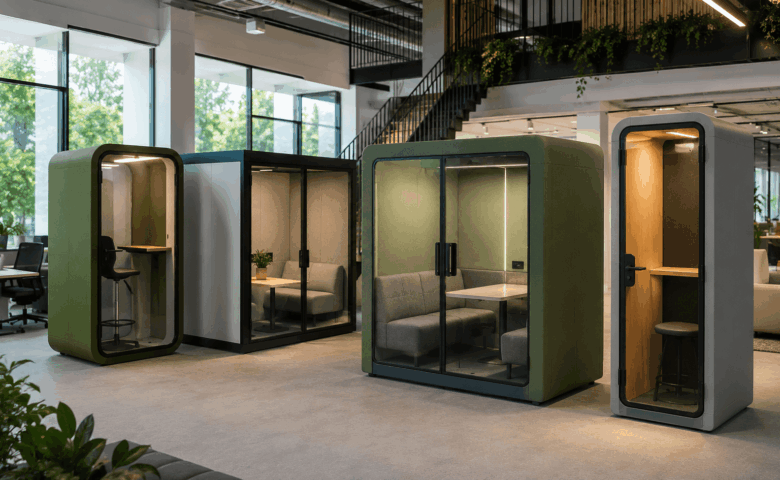
Furniture TypeBest ForWhat To Check Before Buying
Bench desksShared workstations and hot-deskingDesk depth, screen arms, cable access, spacing and privacy
Height-adjustable desksVaried users and task flexibilityAdjustment range, controls, power access and stability
Ergonomic task chairsShared desk areasSeat height, lumbar support, armrests, user weight range and ease of adjustment
Meeting tablesTeam days, project work and client meetingsSeating count, power, data, screen visibility and circulation space
LockersPersonal storage without fixed desksSize, security, location and daily access needs
Mobile pedestalsFlexible storageWhether they support or undermine hot-desking
Soft seatingInformal meetings and breakout areasDurability, cleaning, layout and visitor use
Acoustic boothsCalls, video meetings and privacySize, ventilation, lighting, power and placement
Folding or modular tablesTraining, events and multi-use roomsStorage space, ease of movement and stability

For most businesses, the best hybrid working office furniture is not the most expensive option. It is the furniture that matches real use. A compact office may need fewer fixed desks and more multi-purpose meeting furniture. A larger office may need desk neighbourhoods, lockers and quiet zones to stop hybrid working feeling disorganised.

How Ergonomic Furniture Supports Employee Comfort

Ergonomic furniture helps accommodate different users by offering adjustable support rather than forcing everyone into one seating position.

This matters in hybrid offices because workstations are often shared. A chair that worked for one dedicated user may not suit the next person. Shared workstations need seating that can be adjusted quickly and clearly, especially where people use the same desks on different days.

Employers should also consider Display Screen Equipment (DSE) duties. The Health and Safety Executive says employers must protect workers from health risks linked to DSE, and workstation assessments should consider the whole workstation, including equipment, furniture and working conditions.

Useful ergonomic checks include:

  • Can the chair height be adjusted easily?
  • Does the backrest provide suitable support?
  • Can armrests be adjusted or moved out of the way?
  • Is there enough legroom under the desk?
  • Can the monitor be positioned at a suitable height?
  • Is the keyboard and mouse position practical?
  • Can different users set up the workstation without help?

The HSE also advises that seating should be adjustable and that workers need enough space to use those adjustments properly.

Businesses reviewing shared workstations may want to compare ergonomic office chairs that suit varied users and daily office use.

Choosing Desks For Collaborative And Individual Working

The right desks for a hybrid office depend on whether people need shared workstations, team zones, quiet focus areas or a mix of all three.

Bench desks are often useful for hybrid workspaces because they make efficient use of floor space. They work well for hot-desking, team neighbourhoods and shared work areas. The key is to avoid treating benching as a simple numbers exercise. A row of desks without cable management, monitor support or enough space between users can quickly become frustrating.

For individual work, consider:

  • Desk depth for monitors, laptops and documents
  • Cable management for tidy shared use
  • Screen arms to free surface space
  • Power access for laptops and chargers
  • Desk screens where visual privacy matters
  • Clear booking or zoning if desks are shared

For collaborative work, consider:

  • Larger project tables
  • Team benches
  • Shared touchdown desks
  • Whiteboards or presentation furniture
  • Nearby storage for team materials
  • Space around furniture for movement

Height-adjustable desks can also have a place in hybrid offices, especially where users have different needs or where a business wants to offer more workstation variety. Avoid buying them as a blanket solution without understanding who will use them, where they will sit and how power will be managed.

A practical hybrid layout may include a bank of bench desks for everyday work, a small number of height-adjustable desks, meeting tables for team sessions and a quiet desk zone away from high-traffic areas.

Why Adjustable Seating Matters In Hybrid Offices

Adjustable seating matters because hybrid workstations are often used by different people with different heights, preferences and working habits.

In a fixed-desk office, a chair may stay set up for one person. In a hot-desking environment, that same chair may be adjusted several times a week. If the chair is difficult to use, people may not adjust it at all. That can make the workstation less comfortable and less suitable for longer periods of work.

Good hybrid seating should be:

  • Simple to adjust
  • Suitable for varied users
  • Robust enough for shared use
  • Easy to clean and maintain
  • Matched to the desk height and task type
  • Clear enough for users to understand quickly

For office managers and procurement teams, ease of use is important. A chair with many adjustments is only helpful if people can use them. In shared areas, clear controls and reliable mechanisms are often more useful than complex features that staff ignore.

It is also worth thinking about the difference between task chairs, meeting chairs and breakout seating. A meeting chair may be fine for a short discussion but unsuitable for a full day at a screen. A soft chair may suit informal conversation but not laptop work. Matching the chair to the task avoids poor buying decisions.

Storage Solutions For Modern Flexible Workspaces

Hybrid offices need storage that supports shared space rather than tying every person to a fixed desk.

In many hybrid workplaces, under-desk pedestals become a problem. They suggest ownership of a desk, reduce flexibility and take up floor space. That does not mean storage is less important. It means storage needs to be planned differently.

Common storage options include:

  • Lockers for personal items
  • Shared cupboards for team resources
  • Mobile pedestals for flexible project storage
  • Filing cabinets for documents that must stay on site
  • Wall storage where floor space is limited
  • Credenzas for meeting rooms and boardrooms
  • Reception storage for visitor-facing areas

Before choosing storage, ask what actually needs to be stored. Paperwork, laptops, bags, samples, stationery, confidential files and personal belongings all need different solutions.

Lockers can work well in hot-desking offices because they give employees a reliable place for personal items without assigning them a desk. Shared storage suits teams that need access to project files or equipment. Mobile storage can support changing layouts, but it needs a clear home when not in use.

Poor storage planning often leads to clutter. Bags sit under desks, documents pile up in meeting rooms and shared areas become untidy. Good storage keeps flexible offices usable.

How Office Furniture Supports Productivity And Wellbeing

Office furniture can support productive and comfortable work by helping people use the right setting for the task.

It is important not to overclaim. Furniture alone does not guarantee productivity, wellbeing or better performance. However, poor furniture choices can create friction. If people cannot find a suitable desk, take a private call, store their belongings or sit comfortably, the office becomes harder to use.

Furniture can support the working day by improving:

  • Access to suitable workstations
  • Organisation and storage
  • Comfort during screen-based work
  • Choice between quiet and collaborative areas
  • Privacy for calls and focused tasks
  • Movement between different work settings

For hybrid offices, choice matters. A person may need a desk in the morning, a meeting room at lunch and a quiet booth for a video call in the afternoon. If the furniture layout only supports one type of work, the space may feel busy even when occupancy is low.

The best approach is to map work activities first. Then select furniture that supports those activities. This avoids buying attractive furniture that looks good in a showroom but does not solve daily workplace problems.

Creating Comfortable Meeting And Breakout Areas

Meeting and breakout areas should support collaboration without taking over the whole office.

Hybrid working often increases the importance of meeting spaces. When people come into the office, they may want face-to-face time with colleagues. That can create pressure on meeting rooms, especially if rooms are also used for video calls.

A good hybrid office may need several types of meeting space:

  • Formal meeting rooms for clients or board meetings
  • Small rooms for two to four people
  • Open collaboration tables
  • Soft seating for informal discussions
  • Breakout areas for relaxed team conversations
  • Enclosed booths for calls and video meetings

The furniture should match the purpose. A formal meeting room may need a table with integrated power and good screen visibility. A breakout area may need durable soft seating, small tables and enough space for people to move around. A project room may need flexible tables, mobile whiteboards and storage.

Do not assume every meeting needs a closed room. Open collaboration areas can work well for short team discussions. However, confidential conversations, interviews and video calls still need privacy.

Space-Saving Office Furniture Ideas For Hybrid Teams

Space-saving furniture helps hybrid teams make better use of offices where occupancy changes throughout the week.

The goal is not to squeeze in as much furniture as possible. The goal is to keep the office flexible, clear and easy to use. Space-saving furniture works best when it supports a defined purpose.

Useful options include:

  • Folding tables for training rooms or events
  • Modular seating for changing breakout layouts
  • Stackable meeting chairs
  • Mobile storage units
  • Compact desks for touchdown work
  • Bench desks with shared legs
  • Wall-mounted storage
  • Multi-purpose meeting tables
  • Acoustic pods where separate rooms are not available

Small offices need careful planning because every furniture choice affects circulation. A meeting table that is too large can block movement. Too many chairs can make a room feel crowded. Oversized storage can reduce usable workspace.

For growing businesses, modular furniture can be useful because it allows layouts to change as teams expand. However, modular does not always mean better. Check whether the furniture can be moved easily, stored safely and reconfigured without disrupting the office.

The Role Of Acoustic Furniture In Open-Plan Offices

Acoustic furniture can help create more private and focused areas in open-plan offices, but it should be chosen for the specific problem it needs to solve.

Hybrid working often increases video calls. That can make open-plan offices noisy, especially when several people are on calls at once. Acoustic screens, booths and pods can help manage this, but they should not be treated as a cure-all.

Common acoustic furniture options include:

  • Desk screens
  • Floor-standing screens
  • Phone booths
  • Meeting pods
  • Upholstered seating with higher backs
  • Acoustic ceiling baffles
  • Enclosed collaboration spaces

Before buying, identify the issue. Is the problem speech privacy, background noise, visual distraction or lack of small meeting rooms? Each issue may need a different response.

Phone booths can support private calls. Meeting pods can create enclosed collaboration areas. Desk screens may reduce visual distraction between workstations. Acoustic products vary, so check manufacturer information rather than assuming every product offers the same level of performance.

Placement also matters. A booth next to a noisy kitchen may not solve the problem. Screens in the wrong location may block light or movement. Acoustic furniture should form part of a wider space plan.

How Technology Integration Influences Office Furniture Choices

Technology should influence furniture choices because hybrid work depends on laptops, screens, charging, video calls and reliable access to power.

A desk without power access may be unsuitable for hot-desking. A meeting table without cable management may become cluttered. A video meeting room with the wrong table shape may make it hard for remote attendees to see or hear people clearly.

Furniture planning should include:

  • Cable trays
  • Desk grommets
  • Power modules
  • USB charging
  • Monitor arms
  • Laptop risers
  • Screen positioning
  • Video conferencing equipment
  • Data access
  • Floor box locations

Technology integration is especially important in shared spaces. Staff should not need to crawl under desks to plug in a charger or move furniture to connect a screen. Good furniture keeps technology accessible without making the office look messy.

For meeting rooms, check the relationship between the table, screen, camera, speakers and seating layout. A long boardroom table may not suit every video call. Smaller settings or flexible tables may work better for hybrid meetings.

Common Mistakes Businesses Make When Designing Hybrid Workspaces

The most common hybrid office mistakes happen when businesses buy furniture before they understand how the space will be used.

Hybrid working can make office planning feel uncertain. That uncertainty often leads to quick decisions, but those decisions can become expensive. Furniture bought in a rush may not fit the room, support the team or adapt as working patterns change.

Mistake 1: Assuming Fewer Desks Solves Everything

Reducing desk numbers may free up space, but it does not automatically create a better office.

If everyone attends on Tuesday and Wednesday, fewer desks may cause pressure on peak days. If meeting demand increases, removing desks without adding collaboration space may simply shift the problem.

Plan around peak occupancy, not average occupancy.

Mistake 2: Buying Furniture Before Planning The Layout

Furniture dimensions matter. A desk may fit on paper but leave too little space for chairs, storage or movement.

Before ordering, check:

  • Walkways
  • Chair pull-out space
  • Door swings
  • Power locations
  • Fire routes
  • Storage access
  • Screen glare
  • Meeting room circulation

A layout drawing can prevent costly mistakes before furniture is delivered.

Mistake 3: Ignoring Storage

Hybrid offices still need storage. Without it, shared desks become cluttered and staff may leave belongings in unsuitable places.

Plan storage by user type. Employees may need lockers. Teams may need shared cupboards. Reception areas may need concealed storage. Finance or HR teams may need secure filing.

Mistake 4: Forgetting Private Calls

Open collaboration is useful, but hybrid teams also need privacy. Video calls, HR conversations, interviews and client calls cannot always happen in open areas.

Small rooms, booths or quiet zones can reduce pressure on larger meeting rooms.

Mistake 5: Choosing Furniture Based Only On Cost

Budget matters, but the cheapest option may not offer the best value if it wears quickly, lacks adjustment or cannot adapt to future needs.

Procurement teams should compare:

  • Suitability for daily use
  • Adjustment and flexibility
  • Compatibility with existing furniture
  • Maintenance needs
  • Replacement availability
  • Warranty details, where verified
  • Delivery and installation requirements

Mistake 6: Not Planning For Growth

Hybrid working patterns may change. Teams may grow. More staff may return to the office. A layout that only works today may become restrictive within months.

Where possible, choose furniture that can adapt. This may include modular desks, flexible meeting furniture, movable storage and layouts that allow extra workstations to be added later.

Frequently Asked Questions

What Furniture Is Essential For Hybrid Offices?

The essential furniture usually includes shared desks, adjustable task chairs, personal storage, meeting furniture and spaces for calls or focused work.

The exact mix depends on occupancy. A small office may need compact desks, lockers and one flexible meeting area. A larger office may need bench desking, quiet zones, meeting pods, breakout furniture and shared storage.

Are Height-Adjustable Desks Worth It?

Height-adjustable desks can be worth considering where different users share workstations or where a business wants to offer more desk choice.

They are not automatically needed at every workstation. Check the users, tasks, budget, power access and layout before specifying them. For some offices, a smaller number of height-adjustable desks may be more practical than a full-office rollout.

How Many Desks Does A Hybrid Office Need?

A hybrid office should plan desk numbers around peak occupancy, not total headcount.

Start by reviewing attendance patterns. If most staff attend on the same days, desk demand may still be high. If attendance is spread evenly, fewer desks may work. Always allow for visitors, new starters, part-time staff, team days and future growth.

What Seating Works Best For Hot-Desking?

Hot-desking works best with adjustable task chairs that are easy to set up for different users.

Look for clear adjustment controls, suitable back support, seat height adjustment and a design that matches the length of use. Meeting chairs and soft seating should not replace proper task chairs for screen-based work.

How Can Small Offices Support Hybrid Working?

Small offices can support hybrid working by using flexible, multi-purpose furniture.

Useful choices include compact bench desks, folding tables, mobile storage, lockers, stackable chairs and breakout seating that can support informal meetings. The key is to avoid overcrowding. A small office needs clear movement routes and furniture that earns its place.

The best hybrid working office furniture is flexible, practical and planned around how people use the workplace.

A successful hybrid office should balance shared desks, ergonomic seating, storage, meeting areas, breakout space, acoustic support and technology access. The layout matters as much as the products. Buying fewer desks may reduce furniture numbers, but it will not solve meeting demand, storage issues or privacy problems on its own.

Plan first. Understand occupancy. Think about different tasks. Then choose furniture that supports the team today while leaving room for change.

If you are planning a hybrid workplace, the Wave Office team can help you choose furniture that supports your team today while remaining flexible for future growth. Contact us to discuss your office furniture, space planning or refurbishment requirements.

5 Reasons You Need to Upgrade Your Office Chair

Office chairs are often used for years without much thought, yet they play a central role in how people work each day. Over time, support tends to decline, even if the change is not immediately obvious. This can affect posture, comfort, and overall performance in ways that build gradually.

Knowing when to replace office chair setups is not always straightforward. Small signs are often overlooked until discomfort becomes part of the routine. For businesses, this can impact focus, productivity, and even how the workspace is perceived by visitors.

This guide outlines five clear reasons to consider an office chair upgrade, helping you recognise when it may be time to buy new office chair options that better support your team and environment.

1. Your Current Chair No Longer Supports Good Posture

One of the clearest signs that it is time to replace your office chair setups is a noticeable change in posture. Users may find themselves leaning forward, adjusting frequently, or struggling to stay in a stable position throughout the day.

Older chairs often lack the adjustability needed to support different body types. Limited lumbar support or fixed settings can lead to strain across the lower back, shoulders, and neck. These issues tend to develop gradually, making them easy to ignore at first.

A chair designed for proper workplace seating ergonomics allows users to maintain a more neutral sitting position. This reduces pressure on key areas and supports better alignment over longer periods.

2. Your Team Is Struggling With Comfort During The Working Day

Discomfort in the workplace rarely appears as a single issue. It often shows through small behaviours such as frequent movement, short breaks, or difficulty staying focused on tasks.

When seating does not provide adequate support, fatigue can build earlier in the day. This can affect concentration, decision-making, and overall output. Over time, it may also influence morale if employees feel their working environment is not meeting basic comfort needs.

Improving office comfort can have a direct impact on performance. A well-designed chair allows users to stay engaged with their work for longer, reducing unnecessary interruptions. For many businesses, this is one of the more practical reasons to consider an office chair upgrade.

3. Your Office Chair Is Worn Out Or Damaged

Physical wear is one of the most visible signs that a chair has reached the end of its lifespan. Seat padding may flatten, fabrics can show damage, and adjustment mechanisms may stop working as intended.

These issues affect more than appearance. Reduced support and limited functionality can make chairs less effective for daily use. In some cases, damaged components may also introduce safety concerns, particularly in busy office environments.

Common signs include:

  • Flattened or uneven seat cushioning
  • Faulty height or tilt adjustments
  • Loose or unstable armrests
  • Visible wear across fabric or structure

Replacing worn seating is not only about comfort. It also helps maintain safety standards and supports a more consistent workplace setup.

4. Your Workspace Needs Better Style And Professional Appeal

Office seating plays a visible role in how a workspace is perceived. Chairs that are outdated, mismatched, or worn can make the environment feel neglected, even if other areas are well-maintained.

A consistent approach to office seating solutions helps create a more cohesive and organised space. This is particularly relevant in client-facing areas, where first impressions are formed quickly.

Updating seating can support a more professional office design without requiring a full refurbishment. For growing businesses, this can help align the workspace with brand identity and create a more considered overall appearance.

5. A Better Office Chair Can Improve Productivity

The connection between comfort and productivity is often underestimated. When a chair supports the body properly, it becomes easier to maintain focus and complete tasks without distraction.

Discomfort can interrupt workflow in subtle ways. Frequent adjustments, short breaks, or reduced concentration can all affect how efficiently work is completed. Addressing these issues through better seating can lead to more consistent performance.

Ergonomic office chair benefits extend beyond basic comfort. They support posture, reduce strain, and create a more stable working position. For businesses looking to improve output, upgrading seating can be a straightforward and effective step.

How Upgrading Your Office Chair Can Benefit Your Business

An office chair upgrade brings together several practical benefits across comfort, productivity, and workplace presentation. Employees gain improved support, which can help reduce strain and support more consistent performance throughout the day.

From a business perspective, investing in better seating can offer long-term value. Higher-quality chairs tend to last longer and perform more reliably, reducing the need for frequent replacements. This can make them a more cost-effective option over time.

Improved seating may also contribute to fewer complaints related to discomfort, supporting overall workplace satisfaction. In addition, a well-maintained environment can positively influence how the business is perceived by clients and visitors.If you are looking to buy new office chair options, exploring our range of our office chairs can help you identify solutions that match your needs. For more specific guidance, contact us and speak to our specialist team here at Wave Office for support with more tailored decisions.

Person reclining in an ergonomic office chair with headrest and lumbar support in a modern workspace, demonstrating a posture designed to reduce spinal pressure.

Are Reclining Office Chairs Good For Your Spine?

Questions around office chairs and spine health often centre on posture, comfort, and long-term impact. Reclining office chairs introduce a slightly different consideration. While some assume leaning back reduces strain, others associate it with poor sitting habits.

In practice, the answer sits between the two. A reclining office chair can support the spine when used correctly, though it does not replace proper setup or posture. The way the chair is adjusted and used tends to matter more than the recline function itself.

This guide explains how reclining works, where it can support spinal health, and what to consider when choosing an ergonomic office chair.

What A Reclining Office Chair Is Designed To Do

A reclining office chair allows the backrest to tilt backwards, giving users the option to move away from a fixed upright position. This movement is controlled through mechanisms such as tilt, synchro tilt, and lock systems, each offering a different level of support and flexibility.

The purpose is not to promote constant reclining. Instead, it introduces controlled movement into the working day. Remaining in one static position for extended periods can increase pressure on the spine, particularly in the lower back.

Reclining chairs are designed to support natural shifts in posture. This flexibility helps reduce the strain associated with rigid seating and allows the user to adjust position as tasks change throughout the day.

How Reclining Can Support The Spine

When used correctly, a reclining office chair can contribute to better spine support in several ways:

  • Reduces pressure on the lower back compared to prolonged upright sitting
  • Distributes body weight more evenly between the seat and backrest
  • Encourages regular posture changes, helping limit stiffness
  • Supports the natural curve of the spine when lumbar support is properly adjusted
  • Provides variation in seating position, which can improve overall comfort during long periods at a desk

The benefit comes from movement rather than the reclined position alone. Chairs that allow controlled adjustments tend to support spinal health more effectively than fixed designs.

When A Reclining Office Chair Can Be Beneficial

Reclining office chair benefits are most noticeable in environments where posture can vary throughout the day.

They may be particularly useful for:

  • Long desk-based roles where fatigue builds gradually in the lower back and shoulders
  • Tasks such as reading, reviewing documents, or video calls, where a slightly reclined position feels more natural
  • Users experiencing mild discomfort linked to static sitting positions
  • Hybrid working setups where ergonomic consistency is harder to maintain
  • Roles that allow flexibility in posture rather than constant forward-facing screen work

In these situations, the ability to shift position can help reduce the impact of prolonged sitting.

Why Posture Still Matters When Using A Reclining Chair

Reclining does not remove the need for proper posture. The spine still relies on structured support, particularly in the lumbar region.

Without adequate adjustment, the body may fall into a slouched position, which can increase strain rather than reduce it. A reclining chair should support alignment, not replace it.

Key considerations include:

  • Keeping feet flat on the floor
  • Maintaining a comfortable knee angle
  • Aligning the screen with natural eye level
  • Adjusting lumbar support to match the curve of the lower back

Poor positioning, even in a high-quality chair, can lead to tension in the neck and shoulders. For this reason, posture remains central to any ergonomic seating setup.

Features To Look For In A Supportive Reclining Office Chair

Not all reclining chairs offer the same level of ergonomic office chair support. The quality of adjustability plays a significant role in how well the chair supports the spine.

Features to look for include:

  • Adjustable lumbar support to maintain lower back alignment
  • Seat height and depth controls to suit different body types
  • Tilt tension and lock settings for controlled reclining
  • Headrest support to maintain neck positioning during recline
  • Durable materials that provide consistent support over time

An adjustable office chair in the UK market should offer flexibility across these areas, rather than relying on a single fixed position.

Common Mistakes That Can Reduce Spinal Support

Even the best office chair for back pain can fall short if it is not used correctly.

Common issues include:

  • Remaining fully reclined for long periods
  • Poor desk or screen positioning leading to neck strain
  • Limited adjustability that prevents proper setup
  • Ignoring individual comfort and body differences

These factors can reduce the effectiveness of any ergonomic seating solution, regardless of design.

Reclining Office Chairs Compared With Standard Office Chairs

Reclining office chairs offer greater flexibility than standard fixed designs. This allows users to adjust posture throughout the day, which can help reduce discomfort linked to static sitting.

Standard office chairs tend to support a more upright position, which suits task-focused work that requires consistent screen engagement.

Each option serves a different purpose:

  • Reclining chairs support movement and variation
  • Standard chairs provide stability for focused tasks

Choosing between them depends on how the chair will be used, rather than a single definition of what works best.

How To Use A Reclining Office Chair Properly At Work

To get the most from a spine support office chair, correct setup is essential:

  • Adjust seat height, depth, and lumbar support to fit the user
  • Use the recline function intermittently rather than continuously
  • Keep the desk and screen aligned with eye level
  • Change posture regularly to support circulation and reduce stiffness

Consistent adjustment tends to deliver better long-term comfort than relying on one fixed position.

Who May Benefit Most From A Reclining Office Chair

Reclining chairs are typically suited to individuals who spend extended periods seated and can vary their posture throughout the day.

They may be particularly relevant for:

  • Office workers with long sedentary hours
  • Users experiencing mild back discomfort
  • Roles involving calls, reading, or flexible workflows

In more fixed workstation environments, a standard ergonomic office chair may be more appropriate.

Choosing A Reclining Office Chair For Comfort And Back Support

Selecting the right chair depends on how it will be used. Features such as adjustability, lumbar support, and controlled recline tend to have a greater impact than appearance.

Testing a chair before purchase can provide a clearer sense of how it performs over time. Durability is also worth considering, particularly in busy office environments.Exploring our range of office chairs can help identify suitable options based on different workspace needs. For more specific guidance, contact us and speak to our specialist team here at Wave Office for support with more tailored decisions.

Modern office meeting pod with acoustic seating and glass walls providing a private space for meetings within a busy open-plan workplace.

10 Office Pods for Modern Workplaces and How to Choose the Right One

Walk through most modern offices, and you'll see the same challenge appearing in different forms.

Somebody is taking a Teams call at their desk because every meeting room is occupied. A manager is trying to have a confidential conversation in a breakout area. A project team has gathered around a table only to be interrupted by noise from the surrounding workspace.

Open-plan offices have delivered many benefits over the years, but privacy is rarely one of them.

At the same time, many organisations have reduced their office footprint, introduced hybrid working policies, and changed the way their workspace is used. While these changes have increased flexibility, they have also created greater pressure on meeting rooms, quiet spaces and collaboration areas.

This is where office pods can help.

The challenge is that "office pod" now covers everything from a single-person phone booth to a fully enclosed modular meeting room. Choosing the wrong type can leave you with an expensive solution that doesn't solve the problem you were trying to address in the first place.

At Wave Office, conversations about office pods rarely start with products. They usually start with questions.

  • How many people need the space?
  • What activities will take place there?
  • Is the challenge privacy, noise, lack of meeting rooms, or all three?

The answers often lead to very different recommendations.

This guide looks at ten office pod solutions and the workplace challenges they are designed to solve, helping you identify which option may be the best fit for your organisation.

What Should You Look for When Choosing an Office Pod?

Contemporary workplace featuring a variety of office pods and meeting booths in different sizes, helping businesses compare privacy and workspace solutions.

The best office pod depends less on features and more on how people will actually use it.

A beautifully designed booth can still be the wrong choice if it doesn't support the way your team works.

Before looking at products, consider:

  • How many people need access each day?
  • Will it mainly be used for calls, meetings or focused work?
  • How much floor space is available?
  • Are you solving a privacy problem or a meeting room shortage?
  • Is the office likely to change over the next few years?

The answers will usually narrow down your options very quickly.

The Biggest Mistakes Businesses Make When Buying Office Pods

Choosing a Product Before Identifying the Problem

One of the most common mistakes is starting with a product rather than a workplace challenge.

A business looking for additional meeting space may initially focus on phone booths. A company struggling with noise might assume it needs a large meeting pod when individual focus booths would solve the issue more effectively.

Underestimating Demand

A single booth often seems sufficient during the planning stage. Then it becomes the most popular space in the office.

In hybrid workplaces where Teams calls and video meetings are common, demand for private space is often higher than organisations expect.

Assuming Every Acoustic Pod Performs the Same Way

Different products provide different levels of privacy, enclosure and acoustic performance.

A partially enclosed collaboration booth serves a very different purpose to a fully enclosed meeting room pod.

Focusing Only on Today

It’s important to remember that office layouts evolve, teams grow, working patterns change; business never sleeps and how your space handles that matters.

Some organisations benefit from choosing solutions that can adapt alongside the business rather than solving a short-term requirement.

1. The Bob Office Privacy Booth: When One Space Needs to Do More Than One Job

The Bob Office Privacy Booth is one of the more versatile solutions in this guide.

Rather than being designed around a single activity, The Bob can support focused work, private conversations and informal collaboration depending on the configuration selected.

Available in two, four and six-person layouts, The Bob combines upholstered acoustic walls with integrated tables and optional additions such as lighting, ventilation and glass doors.

What makes The Bob particularly interesting is its flexibility.

Many organisations are still learning how employees use the workplace following changes to hybrid working patterns. A booth that supports multiple activities can often deliver more long-term value than a highly specialised solution.

The Bob is well-suited to organisations looking for adaptable workplace space without moving towards larger modular room systems.

2. The Bea Acoustic Meeting Booth: Designed for Informal Collaboration

Not every meeting requires a formal boardroom.

The Bea Acoustic Meeting Booth is designed around a more relaxed style of collaboration, combining deep cushioned seating with a distinctive pitched roof design that creates a comfortable, den-like environment.

This makes The Bea particularly suitable for:

  • Project discussions
  • Informal catch-ups
  • One-to-one meetings
  • Hybrid collaboration sessions

Where traditional meeting rooms can sometimes feel formal and underused, The Bea creates a space people are more likely to use naturally throughout the day.

For businesses looking to encourage spontaneous collaboration without introducing additional meeting rooms, it offers an attractive middle ground.

3. The Bill Meeting Pod: Creating Privacy Within Busy Offices

Glass-fronted meeting pod with built-in seating and table, providing a private meeting space within a busy open-plan office.

While The Bea focuses on collaboration, The Bill Meeting Pod leans more towards privacy.

Its angular design, upholstered structure and optional glass door help create a dedicated environment for conversations that need greater separation from surrounding workplace activity.

The Bill is often a strong choice for:

  • Management discussions
  • HR meetings
  • Client conversations
  • Interview spaces
  • Video meetings

In many open-plan offices, confidential conversations become difficult simply because there is nowhere suitable to have them.

The Bill addresses that challenge without requiring permanent construction or dedicated meeting rooms.

4. The Solus Acoustic Office Pod: The Most Adaptable Option in the Collection

If you're unsure how workplace requirements might evolve over the next few years, The Solus Acoustic Office Pod deserves serious consideration.

Unlike many products that serve a single purpose, The Solus is available as:

  • A phone booth
  • An individual work pod
  • A private office pod
  • Two-person meeting pods
  • Four-person meeting pods

That flexibility makes it one of the most adaptable solutions available.

The Solus is particularly well suited to organisations embracing hybrid working, activity-based working or flexible office layouts.

Integrated lighting, ventilation and optional power connectivity support longer periods of use, while the variety of configurations allows organisations to create a consistent look across multiple workspace types.

For businesses still defining how their office will be used in the future, The Solus offers a level of adaptability that few alternatives can match.

5. The Bob Rooms: When a Booth Isn't Enough

There comes a point where adding another booth no longer solves the problem.

If meeting rooms are constantly booked, teams struggle to find enclosed spaces and larger discussions regularly spill into open-plan areas, the issue may not be privacy. It may be a shortage of rooms.

This is where The Bob Rooms Modular Meeting Room stands apart.

Available in depths from 1200mm through to 4800mm, The Bob Rooms create fully enclosed modular spaces without the disruption associated with traditional construction.

Unlike standard office booths, they are designed to function as genuine rooms.

Businesses can configure panel layouts, glazing, furniture arrangements and technology integration to create spaces that support:

  • Team meetings
  • Training sessions
  • Project rooms
  • Client presentations
  • Larger collaboration sessions

For organisations that have outgrown smaller pods, The Bob Rooms can provide a practical alternative to permanent building work.

6. Connection Rooms: Reimagining How Space Is Used

Connection Rooms solve a slightly different challenge.

While The Bob Rooms create enclosed destinations, Connection Rooms focus on shaping the workplace itself.

Built around a modular post-and-beam system, Connection Rooms allow organisations to create meeting spaces, focus areas, breakout zones and collaborative environments without losing the openness of the wider office.

This makes them particularly appealing for:

  • Workplace refurbishments
  • Agile working environments
  • Growing businesses
  • Multi-functional office layouts

Rather than simply adding a room, Connection Rooms help define how space is organised.

For Facilities Managers planning long-term workplace flexibility, that distinction can be significant.

7. The Say Box Acoustic Booth: Built Around Frequent Calls

If employees spend a large portion of their day on calls, comfort becomes just as important as privacy.

The Say Box Acoustic Booth is designed specifically around this type of use.

Featuring upholstered acoustic panels, integrated ventilation, motion-activated lighting, USB charging and a perch table, it creates an environment that supports regular phone and video conversations throughout the day.

The premium design also makes it well-suited to customer-facing environments where appearance matters.

Sales teams, recruiters and customer service departments often generate the highest demand for individual booths. In those situations, creating a comfortable experience can make a meaningful difference to how frequently the space is used.

8. The Retreat Box: A Dedicated Space for Focus

Open-plan offices are excellent for collaboration.

They are not always ideal for concentration.

The Retreat Box is designed to provide a dedicated space for focused work, private calls and virtual meetings within a remarkably compact footprint.

At just 1000mm x 1000mm, it can fit into locations where larger pods may not be practical.

Integrated lighting, ventilation and power supply help support extended use, while the enclosed environment creates separation from surrounding distractions.

For organisations looking to introduce focus space without sacrificing large amounts of floor space, The Retreat Box offers a practical solution.

9. The Hana Compact Acoustic Booth: Privacy for Smaller Workplaces

Not every office has the space for larger acoustic pods.

The Hana Compact Acoustic Booth is specifically designed for environments where every square metre matters.

Its compact footprint, plug-and-play installation and integrated power options make it particularly suitable for:

  • Smaller offices
  • Co-working spaces
  • Reception areas
  • Shared workplaces

The Hana also offers a straightforward user experience. Lighting and ventilation activate automatically, while integrated power and USB connectivity support modern working requirements.

For businesses looking to create private space quickly and efficiently, The Hana can be an attractive option.

10. The Session Pod Collection: One Range, Multiple Workplace Solutions

The Session Pod Collection is difficult to describe as a single product because it is really a family of workplace solutions.

The range includes:

  • Single-person phone booths
  • Two-person booths
  • Four-person collaboration pods
  • Six-person meeting booths
  • Glass-front enclosed pods
  • Accessible Session Rooms

This breadth makes Session particularly appealing for organisations seeking consistency across multiple workspace settings.

Rather than mixing products from different collections, businesses can create a coordinated environment using a single design language throughout the workplace.

With multiple roof styles, seating configurations, enclosed and open options, Session adapts to a wide variety of workplace requirements.

For larger organisations planning multiple collaboration zones, breakout spaces and meeting areas, few collections offer the same level of flexibility.

Which Office Pod Is Right for Your Workplace?

The right office pod depends on the challenge you're trying to solve.

If your workplace needs...Consider...
Private calls and video meetingsThe Say Box, The Retreat Box, The Hana
Focused individual workThe Retreat Box, The Hana, The Solus
Informal collaborationThe Bea, The Bob
Private meetingsThe Bill, The Bob
Flexible workplace layoutsThe Solus, Connection Rooms
Additional meeting roomsThe Bob Rooms
Consistency across multiple workspace typesThe Session Pod Collection
Future adaptabilityThe Solus, Connection Rooms, Session

The best solution is rarely the largest booth or the most feature-rich product.

It is the one that aligns most closely with the way your people work.

Office pods have become an important part of modern workplace design because they address challenges that many traditional office layouts struggle to solve.

Whether the priority is focused work, confidential conversations, hybrid meetings or additional collaboration space, there is no single solution that suits every organisation.

The most successful projects start by understanding workplace behaviour, identifying where friction exists and selecting solutions that genuinely support the way people work.If you're exploring office pods and would like guidance on which solution best fits your workplace, why not contact us and our Wave Office team can help you compare options, assess your available space and create a more effective environment for focus, collaboration and privacy.

What Does Your Office Furniture Colour Say About Your Business?

Walk into any workspace and the overall look tends to shape how the business is perceived almost immediately. Office design colour plays a key role in that first impression, influencing how people interpret professionalism, energy, and attention to detail.

Furniture often carries that visual weight more than expected. Office desks, storage, and shared areas create a consistent backdrop that people respond to, whether consciously or not. For businesses aiming to present a clear identity, these choices go beyond appearance.

This guide explores how different office furniture colours influence perception, mood, and brand identity, helping you make decisions that feel considered and aligned with how your business operates.

Why Office Furniture Colour Matters In The Workplace

Office colour psychology is closely linked to how people experience a workspace day to day. Colour can influence focus, energy levels, and overall comfort, often in subtle ways that build over time.

For employees, the environment tends to shape how easy it feels to concentrate or collaborate. A balanced colour scheme can support productivity, while poorly matched tones may create distraction or fatigue.

Visitors also respond quickly. The look of a workspace can suggest organisation, credibility, and consistency before any conversation begins. This makes office furniture colours a practical part of how a business presents itself.

Choosing colours with intent allows a workspace to reflect both brand identity and the way teams actually work, rather than feeling like a series of disconnected decisions.

Blue Office Furniture And What It Says About Your Business

Blue is widely associated with trust, consistency, and a steady approach to work. It is commonly used in corporate environments where reliability is a priority, such as finance or professional services.

The tone supports focus, which can make it easier for teams to settle into detailed tasks. Lighter shades tend to feel calm and open, while deeper tones introduce a more formal, structured impression.

As part of an office interior colour scheme, blue works well for businesses aiming to appear organised and dependable. Used in excess, it can feel slightly reserved, so it often benefits from contrast through materials or softer accents.

Grey Office Furniture And The Message It Creates

Grey provides a neutral and modern foundation, which is why it appears so often in contemporary workplace design ideas. It allows other elements within the space to stand out without competing for attention.

This flexibility makes grey suitable across a wide range of industries. It pairs easily with brighter colours, natural finishes, or softer textures, helping create a balanced and cohesive environment.

Without variation, it can feel flat or impersonal. Layering tones or introducing contrast tends to keep the space visually engaging while maintaining a professional appearance.

Black Office Furniture And A More Executive Feel

Black furniture introduces a sense of authority and structure, often associated with leadership spaces and client-facing environments. It can give a workspace a more established and confident presence.

In a professional office design, black is typically used to create contrast and depth. It works particularly well alongside lighter surfaces, helping define key areas without dominating the entire space.

If overused, it can make a room feel enclosed or heavy. Balancing it with lighter colours or natural materials helps maintain a more open and accessible atmosphere.

White Office Furniture And A Clean Modern Identity

White is often used in modern office design in the UK, where clarity and simplicity are part of the overall look. It creates a clean and open environment, which can make spaces feel larger and more organised.

It also reflects light effectively, supporting a brighter workspace that feels easier to navigate. This can be useful in smaller offices or areas with limited natural light.

White furniture adapts easily to different styles, whether paired with bold features or kept minimal. The main consideration is maintenance, as marks and wear tend to show more quickly over time.

Green Office Furniture And A Focus On Balance And Wellbeing

Green is closely linked to balance and wellbeing, which is why it is becoming more visible in workplace design. It introduces a calmer atmosphere that can help reduce tension during longer working days.

Softer tones tend to feel more restorative, while deeper shades create a more grounded and stable environment. This makes green a useful option in collaborative or flexible workspaces.

As part of office space colour ideas, green supports a shift towards environments that feel more considered, rather than purely functional.

Wood Finish Office Furniture And A Warm Professional Look

Wood finishes bring warmth and familiarity into a workspace, helping it feel more approachable without losing structure. They sit comfortably between traditional and modern styles, which makes them widely applicable.

Natural tones can soften sharper design elements, creating a more balanced environment. This can be particularly useful in areas where client interaction takes place.

Different finishes allow for variation. Lighter woods tend to feel more open, while darker tones introduce a more formal edge, giving flexibility within a consistent design approach.

Bright Colour Office Furniture And A More Creative Brand Personality

Brighter colours tend to signal energy, creativity, and a more expressive working culture. They are often used in industries where collaboration and new ideas play a central role.

Used carefully, they can support engagement and make specific areas stand out. Rather than applying them across the entire office, a more controlled approach usually works better:

  • Accent seating in breakout areas
  • Feature pieces within collaborative zones
  • Selected workstations to introduce variation

This approach allows colour to support the environment without becoming distracting or overwhelming.

How To Choose Office Furniture Colours That Match Your Business

Choosing the right office design colour involves linking visual decisions to how the business operates day to day. It is not only about appearance, but how the space supports both employees and visitors.

A practical approach usually includes:

  • Aligning colours with brand identity and values
  • Considering how different areas are used throughout the day
  • Balancing visual appeal with durability and maintenance
  • Allowing flexibility for future changes
  • Keeping consistency across the workspace

For businesses reviewing layout alongside colour, exploring options such as office desks can help shape both function and appearance within the same decision. For more specific guidance, contact us and speak to our specialist team here at Wave Office for support with more tailored decisions.

5 Office Design Ideas for Small Businesses

5 Office Design Ideas for Small Businesses

Small businesses tend to face a familiar set of challenges around office space. Teams grow, equipment builds up, and before long, the workspace feels tight, cluttered, and harder to manage day to day.

Limited square footage can make even routine tasks feel less efficient, especially where the layout has not kept pace with changing needs.

A well-planned office does not depend on size. Thoughtful design choices can help smaller spaces support productivity, improve movement, and create a more professional environment for both staff and visitors. Small adjustments to layout, furniture, and storage can shift how a workspace functions without requiring a full redesign.

Our guide below explores practical office design ideas for small businesses, focusing on changes that are realistic to implement and aligned with everyday working needs.

Use Space Saving Furniture To Maximise Floor Area

Compact office featuring multifunctional furniture, concealed workspace and smart storage solutions to maximise floor space

Furniture selection has a direct impact on how a small office performs. Oversized desks and bulky storage units can quickly reduce usable floor space, making movement more restricted and the environment feel crowded. Choosing space-saving office furniture allows businesses to retain functionality without overwhelming the room.

Multi-functional pieces provide a more efficient approach. Desks with built-in storage reduce the need for separate cabinets, while modular systems allow layouts to adapt as requirements shift. Foldable or compact desks can also be introduced in areas where flexibility is needed, such as shared workstations or occasional use spaces.

Freeing up floor area improves movement across the office and supports a more organised layout. Staff can navigate the space with fewer obstacles, and workstations can be arranged with greater intention. Businesses looking to update their setup may find a wide range of suitable office desks designed for smaller environments.

Smarter furniture choices contribute to a workspace that feels less restricted and more suited to daily demands.

Create Multi-Functional Zones Within The Office

Dividing a small office into clear zones helps maximise how each part of the space is used. Without defined areas, work tasks can overlap, leading to distractions and reduced focus. Zoning allows different activities to take place within the same room while maintaining structure.

Physical walls are not required to achieve this. Furniture placement can guide how the space is interpreted and used. Desks positioned together can form a focused work area, while a separate table or seating arrangement can support meetings or collaboration.

Typical zones within a small office may include:

  • Individual workstations for focused tasks
  • A shared space for meetings or team discussions
  • A quieter corner for breaks or informal use

Flexible layouts allow these zones to shift depending on business needs. Mobile furniture, adaptable seating, and open layouts provide room for change without disruption.

Creating distinct areas supports better organisation and allows teams to use the office more effectively throughout the day.

Make The Most Of Natural Light

Natural light plays a key role in how a workspace feels and functions. Poor lighting can make an office appear smaller and less inviting, while well-lit environments tend to support concentration and overall comfort.

Positioning desks near windows allows staff to benefit from available daylight. This reduces reliance on artificial lighting during working hours and helps maintain a more balanced environment. Large furniture items should be kept away from windows where possible, preventing unnecessary obstruction of light sources.

Additional adjustments can help distribute light more evenly. Light-coloured surfaces reflect brightness across the room, while mirrors can extend the sense of openness in tighter areas.

Making better use of natural light contributes to a workspace that feels more open and supports a more productive atmosphere.

Choose Storage That Keeps The Office Clutter Free

Bright office interior with light-coloured walls, natural wood finishes and large windows creating a spacious feel

Clutter can quickly limit the effectiveness of a small office. Documents, equipment, and everyday items can build up across desks and shared areas, reducing available space and making the environment harder to manage. Structured storage helps maintain order and supports a more efficient workflow.

Vertical storage offers a practical solution where floor space is limited. Shelving units and tall cabinets allow businesses to store essential items without expanding the footprint of the office. Hidden storage options also help maintain a cleaner visual appearance, reducing distractions within the workspace.

Useful storage approaches include:

  • Wall-mounted shelving to free up desk space
  • Under-desk storage for frequently used items
  • Lockable cabinets for documents and equipment

Keeping storage organised supports faster access to materials and reduces time spent searching for items. A well-structured system allows the office to function more smoothly and maintain a professional appearance.

Use Colour And Finishes To Make The Space Feel Larger

Colour choices influence how a small office is perceived. Lighter tones tend to reflect more light, helping the space appear more open and less confined. Dark or heavy colour schemes can have the opposite effect, making the room feel more enclosed.

Consistent finishes across furniture and walls support a more cohesive look. Matching tones and materials reduces visual interruption, allowing the space to feel more unified. This approach works particularly well in smaller offices where contrast can break up the room unnecessarily.

Subtle branding can still be incorporated without overwhelming the design. Accent colours, small details, or signage can reflect company identity while maintaining a balanced environment.

Careful use of colour and finishes contributes to a workspace that feels more spacious and visually organised.

How Smart Office Design Helps Small Businesses Work Better

Office design decisions influence how teams operate daily. Layout, furniture, and organisation all contribute to how easily staff can complete tasks and move through the workspace. A well-planned office supports efficiency by reducing obstacles and making better use of available space.

Improved organisation also affects employee experience. Clear layouts, accessible storage, and comfortable work areas contribute to a more positive environment. Staff are better equipped to focus on their responsibilities when the workspace supports their needs.

Small businesses do not require large budgets to improve their office setup. Careful planning and targeted changes can deliver noticeable improvements without major disruption.Businesses considering updates to their workspace can explore tailored solutions or contact us at Wave Office for guidance on suitable options.

Collection of ergonomic office chairs, desks and workspace furniture designed to improve comfort and workplace wellbeing

Top 5 Benefits of Ergonomic Office Furniture

When considering ergonomic office furniture, such equipment is designed to support the body’s natural position during work, helping people sit, stand, and move with less strain throughout the day.

This can be various items, including chairs with adjustable support, desks that adapt to height, and monitor setups that align with eye level.

Workplaces have started to place more weight on how physical environments affect both performance and well-being. Long hours at poorly arranged workstations can lead to discomfort, reduced focus, and ongoing health concerns, which, over time, begin to affect business outcomes.

Investing in ergonomic solutions addresses these issues from both angles. It supports employee health while also helping organisations maintain productivity, reduce absence, and manage long-term costs more effectively. The benefits below outline why this approach continues to gain traction across modern offices.

Better Posture Throughout The Working Day

Office worker sitting with correct posture in an ergonomic chair at a height-adjustable desk in a modern workspace

Ergonomic furniture is designed to guide the body into a more natural and supported position during seated or standing work. Chairs with adjustable seat height, backrest tension, and lumbar support help maintain the spine’s alignment, reducing the tendency to lean forward or slump.

Desks that allow height adjustment give employees the option to alternate between sitting and standing, which encourages movement and reduces prolonged pressure on the lower back. Monitor positioning also plays a role, with correct screen height helping prevent neck strain caused by looking down or craning forward.

Over time, these adjustments help correct poor habits that develop through static working positions. Maintaining better posture reduces stress on muscles and joints, which contributes to fewer long-term issues such as chronic back pain. For organisations, this leads to a workforce that remains physically capable of performing consistently without avoidable discomfort interfering with daily tasks.

Greater Comfort For Employees

Comfort has a direct impact on how employees experience their working day. Furniture that adapts to individual needs allows each person to find a position that suits their body, rather than forcing a fixed setup that may only work for a small proportion of users.

Features such as adjustable armrests, seat depth control, and responsive back support help distribute weight more evenly. This reduces pressure points and allows the body to remain supported without constant repositioning. Employees can stay focused on their work instead of adjusting their seating throughout the day.

Improved comfort also contributes to overall job satisfaction. When employees feel physically supported, there is less distraction caused by discomfort or fatigue. This contributes to a more stable working rhythm and a better perception of the workplace environment.

Over extended periods, reduced fatigue supports sustained energy levels, which play a role in maintaining consistent output across the working week.

Reduced Risk Of Strain And Workplace Injuries

Musculoskeletal issues remain one of the most common causes of workplace absence. Conditions such as lower back pain, neck stiffness, and repetitive strain injuries can develop gradually when workstations are not properly configured.

Ergonomic setups aim to reduce these risks by aligning equipment with the user’s body and movement patterns. This lowers the strain placed on muscles and joints during repetitive or prolonged tasks.

Common issues addressed include:

  • Lower back pain from unsupported seating
  • Neck strain caused by poor monitor positioning
  • Wrist and forearm discomfort linked to incorrect desk height
  • Repetitive strain injuries from limited movement

Reducing these risks has a clear impact on absence rates. Fewer injuries lead to fewer sick days and less disruption to business operations. It also supports compliance with workplace health and safety expectations, which is a key consideration for Facilities Managers and Occupational Health Advisors.

Addressing these concerns early reduces the likelihood of long-term conditions developing, which can otherwise lead to higher costs through ongoing treatment, adjustments, or employee absence.

Improved Productivity And Focus

Discomfort creates distraction. When employees are adjusting their position, stretching to relieve tension, or managing ongoing aches, their attention shifts away from the task at hand.

Ergonomic furniture reduces these interruptions by supporting the body in a stable and comfortable position. This allows employees to maintain focus for longer periods without the need for constant adjustment. A well-configured workspace supports smoother workflows, as tasks can be completed without physical disruption.

Better posture and reduced strain also contribute to clearer concentration. Employees are less likely to experience fatigue that affects decision-making or slows progress. This has a measurable impact on output, particularly in roles that require sustained attention or precision.

For organisations, the link between comfort and productivity provides a clear justification for investment. Even small improvements in daily performance can accumulate into noticeable gains over time, particularly across larger teams.

Stronger Support For Long-Term Employee Wellbeing

Employee relaxing comfortably in an ergonomic office chair at a modern workstation designed for workplace wellbeing

Providing ergonomic furniture demonstrates a clear commitment to employee well-being. It shows that the organisation recognises the impact of the working environment on health and is willing to address it in a practical way.

This approach supports retention by improving the overall employee experience. Staff are more likely to remain in roles where their comfort and health are considered, especially in environments where long hours at a desk are required.

It also contributes to the employer’s reputation. Businesses that invest in workplace wellbeing are viewed more positively by both current employees and potential hires. This can influence recruitment outcomes, particularly in competitive sectors.

Flexible and hybrid working models have increased the need for adaptable solutions. Ergonomic furniture supports these setups by allowing consistent working conditions across different locations, whether in the office or at home. 

Maintaining this consistency helps protect long-term health, reducing the risk of issues developing due to varied or unsuitable work environments.

Why Ergonomic Furniture Is A Smart Business Investment

Initial costs can lead some organisations to question whether ergonomic furniture is necessary. However, the long-term value becomes clear when considering the wider impact on performance, absence, and employee retention.

Reduced injury rates lead to lower absence costs and less disruption to operations. Improved comfort and posture contribute to sustained productivity, which helps offset the upfront investment. Over time, these factors combine to create a more stable and efficient workforce.

From a procurement perspective, ergonomic solutions provide measurable benefits that support decision-making. They address both compliance requirements and operational performance, making them a practical addition to workplace planning.

Businesses looking to upgrade their workspace can explore a range of Wave Office options within our ergonomic office furniture offerings.For tailored advice or project support, teams can contact us to discuss specific requirements and workspace goals outside of the normal office set-up.

Collection of compact office desks designed for small spaces, featuring storage solutions and space-saving layouts

Top 10 Office Desks For Small Spaces

Limited office space can restrict how effectively a team works, particularly where every area needs to serve a clear purpose. The right desk choice helps improve layout, movement, and day-to-day efficiency without requiring more room.

Modern office desks for small spaces are designed to balance practicality with usability. Many now combine storage, ergonomic support, and flexible features within a compact footprint.

Our guide highlights a selection of desks, all available from Wave Office, including corner designs, sit-stand options, and integrated storage solutions, all suited to smaller environments where space needs to work harder.

What To Look For In Office Desks For Small Spaces

Compact office desk with built-in shelving and storage in a modern home office designed for small spaces
  • Compact footprint
    Smaller desk dimensions help maintain clear walkways and avoid overcrowding in tighter office layouts.
  • Built-in storage options
    Desks with integrated drawers or shelving reduce the need for additional furniture, freeing up valuable space.
  • Multi-functionality
    A desk that supports more than one task helps reduce the number of separate workstations required.
  • Ergonomic considerations
    Proper desk height and positioning still matter in smaller spaces, supporting comfort over longer working periods.
  • Cable management
    Built-in cable routing keeps work areas organised and prevents unnecessary clutter around the desk.

Top 10 Office Desks For Small Spaces

Maestro 25 Left Hand Radial Desk + Desk High Pedestal

This desk is designed with a left-hand return, meaning the extended workspace sits on the left side when seated. This layout supports a more structured workflow, allowing users to separate tasks or position equipment without increasing the overall footprint.

Key Features:

  • Left-hand radial return for extended workspace
  • Desk-high pedestal positioned for easy access
  • Efficient use of corner space
  • Durable surface for daily office use

Ideal Use Case:
Best suited to corner layouts where a defined left-hand workflow or room configuration dictates desk orientation.

Maestro 25 Desk and 2 Drawer Pedestal

For a compact workstation with practical storage, the Maestro 25 desk with drawer pedestal offers a balanced solution for smaller offices. Its clean design keeps the setup professional while giving users enough room for daily tasks.

Key Features:

  • Compact rectangular design
  • Two-drawer pedestal included
  • Clean, professional appearance
  • Easy to position in smaller offices

Ideal Use Case:
A reliable option for individual workstations where space is limited but storage is still needed.

Endurance Dual Motor Sit-Stand Desk R800

Flexible working can still be achieved in tighter layouts with the dual motor sit-stand desk. It allows smooth height adjustment and supports healthier movement through the working day without increasing the overall desk footprint.

Key Features:

  • Dual motor height adjustment
  • Stable frame across height settings
  • Supports ergonomic working
  • Suitable for flexible working environments

Ideal Use Case:
Suitable for offices introducing sit-stand working in a compact layout.

Electric Height Adjustable Gaming Desk

For more adaptable setups, the electric height adjustable gaming desk offers a modern option that works well in multi-purpose environments. It suits users who want flexibility, whether the desk is used for focused office work, hybrid setups, or longer periods at a workstation.

Key Features:

  • Electric height adjustment
  • Contemporary design
  • Adaptable for multiple users
  • Suitable for varied tasks

Ideal Use Case:
A strong option for hybrid environments or multi-use workstations with limited space.

Elev8 Contract Single Motor Sit Stand Desk

A practical entry point into ergonomic working, the single motor sit-stand desk helps bring height adjustability into smaller offices without pushing costs too far. It is a sensible choice where budget and floor space both need careful consideration.

Key Features:

  • Single motor adjustment
  • Space-efficient frame
  • Entry-level ergonomic support
  • Suitable for daily use

Ideal Use Case:
Best suited to budget-conscious offices looking to improve workstation flexibility.

Cairo Home Office Desk

Where simplicity is the priority, the Cairo home office desk provides a clean and understated solution for smaller rooms. Its minimal structure helps keep the workspace open, which is useful in both commercial and home settings.

Key Features:

  • Minimalist structure
  • Compact footprint
  • Lightweight and easy to position
  • Clean visual appearance

Ideal Use Case:
Ideal for home offices or smaller rooms requiring a simple desk setup.

Goal-Post Home Office Desk

The Goal-Post Home Office Desk uses an open frame design to maintain legroom and reduce visual bulk. That makes it a practical choice for layouts where every piece of furniture needs to feel proportionate to the room.

Key Features:

  • Open frame design
  • Efficient use of space
  • Sturdy construction
  • Flexible positioning

Ideal Use Case:
Suitable for offices where maintaining open floor space is a priority.

Tikal Home Office Desk with Storage

For users who need both a workstation and extra organisation, the Tikal desk with storage combines desk space with shelving in one compact unit. This helps reduce the need for separate storage furniture and keeps everyday items close to hand.

Key Features:

  • Integrated shelving
  • Space-saving design
  • Keeps essentials within reach
  • Suitable for organised work setups

Ideal Use Case:
A practical choice for users needing desk space and built-in storage in one footprint.

Delphi Home Office Workstation

The Delphi Home Office Workstation is designed for users who need a compact all-in-one setup. Its structure supports a range of day-to-day tasks while helping smaller rooms feel organised rather than overcrowded.

Key Features:

  • Compact workstation layout
  • Multi-use design
  • Efficient use of vertical space
  • Suitable for varied tasks

Ideal Use Case:
Ideal for users needing a complete workstation within limited space.

Coba Home Office Workstation

In very tight environments, the Coba Home Office Workstation provides an efficient all-in-one solution. Combining desk space with integrated storage elements, it helps make the most of smaller rooms without the need for extra furniture.

Key Features:

  • All-in-one workstation design
  • Compact footprint
  • Integrated storage elements
  • Suitable for small rooms

Ideal Use Case:
Best suited to very limited spaces where efficiency is essential.

How To Maximise Space In A Small Office

  • Use vertical storage to reduce reliance on floor space
  • Position desks in corners to make better use of the layout
  • Choose multi-functional furniture to reduce duplication
  • Keep layouts minimal to avoid overcrowding
  • Consider sit-stand options where flexibility is needed

Small offices can still support efficient and well-organised workspaces when the right furniture is in place. Choosing between small office desks, storage-led designs, and height-adjustable options depends on the way the space is used each day.

For teams comparing compact office desks or reviewing desks for small home offices, Wave Office offers a strong range of solutions designed to support practical, space-conscious working.
If you’re still not quite sure of the right office desk that’s best for you, we have even more options available at Wave Office, and you can speak to the team directly if you wish to contact us through our website.

why choosing the right office desk matters

The Ultimate Guide to Choosing an Office Desk

Choosing the right office desk plays a direct role in how people work, how they feel during the day, and how smoothly a business runs. A desk is more than a surface for a laptop or paperwork. It shapes posture, influences focus, and affects how easily tasks get completed.

Workplaces have shifted over recent years, with more emphasis placed on comfort, flexibility, and long-term usability. Teams expect workstations that support movement, reduce strain, and fit around changing needs. Businesses, on the other hand, need furniture that lasts, fits the space properly, and supports productivity without constant adjustments.

Selecting the right desk means balancing these expectations. Size, layout, materials, and functionality all play a part. Getting this right can reduce inefficiencies, improve organisation, and create a more consistent working environment.

Wave Office supports businesses through this process by helping identify practical, well-suited solutions that match both current requirements and future growth.

Why Choosing The Right Office Desk Matters

Modern office desk with ergonomic chair, laptop and natural light in a contemporary workspace

How Your Desk Impacts Productivity

The structure of a desk setup influences how work flows throughout the day. A poorly arranged workspace can slow tasks down, create unnecessary movement, and increase distractions. A well-planned desk, on the other hand, allows everything to remain within reach, supporting smoother task transitions.

For individual roles, desk layout affects concentration and task completion speed. Enough surface space allows documents, screens, and tools to stay organised without overlap. In team environments, desk positioning can either support collaboration or create barriers between colleagues.

Bench systems or grouped layouts tend to support communication, while individual desks suit roles requiring focused attention. The desk becomes part of the workflow, rather than just a static piece of furniture.

The Link Between Comfort And Daily Performance

Discomfort during the working day leads to fatigue, reduced concentration, and lower output. Poor desk height, limited legroom, or awkward positioning can create strain across the back, neck, and shoulders.

Ergonomics addresses these issues by aligning the workspace with the user. Desks that support correct posture help maintain energy levels across longer periods. This has a direct effect on performance, as employees can work without constant physical distraction.

Over time, improved comfort also contributes to job satisfaction. Staff are more likely to remain engaged when their environment supports their well-being.

Different Types Of Office Desks To Consider

Executive Desks

Executive desks are designed for leadership roles where presence and functionality both matter. These desks are typically larger, offering generous surface space alongside built-in storage.

They suit private offices or meeting-focused roles where paperwork, devices, and storage all need to be accessible. The design usually leans towards more traditional or premium finishes, reinforcing a professional appearance.

Bench Desks

Bench desks are widely used in open-plan offices. They consist of shared desk systems where multiple users sit within a continuous layout.

This design supports collaboration while making efficient use of floor space. Bench desks are also cost-effective when scaling teams, as additional positions can be added without major layout changes.

They are particularly useful in environments where communication between team members is a priority.

Corner Desks

Corner desks are built to maximise unused areas within a room. By fitting into corners, they free up central space while still providing a large working surface.

They are well-suited to smaller offices or roles requiring multiple screens or work zones. The extended shape allows different tasks to be separated across the desk without clutter.

Standing Desks

Standing desks offer a fixed-height solution for working while standing. They encourage movement throughout the day and can help reduce time spent sitting.

These desks are best used for shorter work periods or as part of a varied routine. They suit roles where quick access to workstations is required without long periods of seated work.

Height Adjustable Desks

Height-adjustable desks allow users to switch between sitting and standing positions. This flexibility supports different working styles and reduces strain caused by staying in one position.

These desks are increasingly used in modern offices, where well-being and adaptability are a priority. They suit a wide range of roles and can be adjusted to match individual preferences.

Choosing The Right Desk Size For Your Space

Measuring Your Office Layout

Accurate measurements are essential before selecting any desk. Room dimensions, doorway access, and fixed features such as radiators or columns all need to be considered.

Planning ahead prevents issues during installation and avoids layouts that feel cramped. Mapping out the space allows businesses to visualise how desks will fit alongside walkways and shared areas.

Even small miscalculations can affect usability, particularly in tighter environments.

Allowing Space For Movement And Storage

Desk placement must allow enough room for chairs to move freely and for staff to access storage. Restricted movement can make even a well-designed desk feel uncomfortable.

Clearances around desks also support safety and accessibility. Storage units such as pedestals or cabinets need to fit without blocking pathways.

Avoiding overcrowding helps maintain a functional workspace where movement feels natural rather than restricted.

Desk Shapes And Layouts That Suit Different Offices

Straight Desks For Simple Layouts

Straight desks are the most common option in office environments. Their rectangular shape makes them easy to position in rows or along walls.

They work well in structured layouts where consistency is needed. Businesses can scale these setups quickly by adding more desks in line with existing arrangements.

L-Shaped Desks For Maximising Corners

L-shaped desks make better use of corner spaces while providing a larger working area. They are suitable for roles that involve multitasking or dual-screen setups.

The extended layout allows different activities to be separated across the desk, improving organisation without increasing clutter.

Cluster Desks For Team Environments

Cluster desks group multiple workstations together, supporting collaboration within teams. These setups are common in open-plan offices where communication is frequent.

They help create defined team zones while maintaining an open layout. This structure encourages interaction without removing individual work areas.

How Desk Materials Affect Style And Durability

Collection of office desk material samples including oak wood, walnut wood, black metal, marble and concrete finishes

Wood And Wood Effect Finishes

Wood and wood-effect desks offer a balance between durability and visual appeal. They suit a wide range of office styles, from traditional to modern.

These finishes tend to handle daily use well while maintaining a consistent appearance. They are commonly used in professional environments where a neutral design is preferred.

Metal Frame Desks

Metal frame desks provide strength and long-term durability. The structure supports heavier loads and resists wear over time.

They are often paired with minimalist or industrial designs, making them suitable for high-traffic environments. These desks perform well in offices where longevity is a priority.

Glass Desks And Modern Styles

Glass desks create a clean, contemporary appearance. They are typically used in design-led spaces where visual impact matters.

Maintenance requires more attention, as surfaces show marks more easily. These desks are best suited to lighter use or areas focused on presentation rather than heavy daily tasks.

Storage Features To Look For In An Office Desk

Storage supports organisation and helps maintain a clear working surface. Without it, desks become cluttered, which can slow tasks and affect focus. 

Choosing the right storage setup depends on how the desk is used, with some roles needing frequent access to documents and others prioritising device organisation. Integrated options can also reduce the need for extra furniture, helping keep layouts efficient.

Built In Drawers And Pedestals

Drawers and pedestals keep essential items close without taking up additional space. They reduce surface clutter and support roles that rely on regular access to documents or supplies.

Cable Management Solutions

Cable trays and ports keep wiring organised and out of sight. This improves safety, reduces clutter, and allows equipment to be adjusted without disruption.

Integrated Storage Options

Desks with built-in shelving or compartments help maximise space. They combine storage and workspace, making them suitable for smaller or more compact office layouts.

How To Match An Office Desk To Your Working Style

The way work is carried out should guide desk selection. Different roles require different levels of focus, interaction, and flexibility. A desk that suits the working style helps reduce friction during tasks and supports a more consistent routine. Matching layout and function to daily use can improve both comfort and efficiency without unnecessary adjustments.

Desks For Focused Individual Work

Individual roles benefit from desks that limit distractions and support concentration. A clear surface, appropriate size, and ergonomic setup allow work to be completed without interruption. Positioning also plays a part, with quieter areas helping maintain focus across longer periods.

Desks For Collaborative Environments

Collaborative settings require desks that support interaction and shared access. Bench or cluster layouts allow teams to communicate easily while maintaining individual workspaces. This setup suits roles where tasks rely on regular discussion or shared resources.

Choosing A Desk For Home Offices vs Commercial Offices

Desk selection changes depending on where the workspace is based. Home and commercial environments come with different constraints, from available space to daily usage demands. Choosing a desk that fits the setting helps avoid layout issues and supports a more practical working setup over time.

Considerations For Home Workspaces

Home offices usually have limited space, which means desks need to fit comfortably without dominating the room. Compact or multi-purpose designs can support both work and personal use. Style also plays a part, as the desk often needs to blend with existing interiors rather than stand out.

Considerations For Business Premises

Commercial offices require desks that handle regular use and support multiple users where needed. Durability becomes more important, along with consistency across the workspace. Layout planning should allow for team structure, movement, and future growth without requiring frequent changes.

The Importance Of Desk Height And Everyday Comfort

Desk height affects posture, comfort, and how easily tasks can be carried out during the day. If the height does not suit the user, it can lead to strain across the neck, shoulders, and back.

Over time, this can reduce concentration and make it harder to maintain a steady workflow. Choosing the right height helps create a more supportive working position and reduces unnecessary physical pressure.

Standard Desk Heights Explained

Standard desk heights in the UK are designed to suit a wide range of users. They work well in general office settings but do not account for individual differences. In shared environments, this can limit comfort for some users, particularly during longer periods of work.

Benefits Of Adjustable Height Desks

Adjustable desks allow users to change positions throughout the day. This supports better posture and helps reduce strain caused by sitting for extended periods. They also provide flexibility for different users within the same workspace.

How Office Desks Support Productivity And Organisation

Office desks play a direct role in how work is managed and completed throughout the day. A well-structured desk setup helps reduce delays by keeping tools, documents, and equipment within easy reach. When everything has a place, tasks can move forward without constant adjustment or searching for items. This supports a more consistent workflow and reduces unnecessary interruptions.

Reducing Clutter With Smart Design

Desks with built-in storage and organised layouts help keep surfaces clear. Removing excess items from the workspace makes it easier to focus and reduces visual distraction. A cleaner desk also supports a more structured approach to daily tasks.

Creating Efficient Workstations

An efficient workstation is arranged around how tasks are carried out. Screen placement, keyboard position, and access to materials all need to align with the user. This reduces unnecessary movement and helps maintain a steady pace of work.

Design Features That Help Create A Professional Look

Desk design influences how an office is perceived by both staff and visitors. A consistent look across workstations helps create a more organised and structured environment. This can support brand identity while also making the space feel more considered. Choosing desks that align with the overall interior avoids a disjointed appearance and helps maintain a cohesive layout.

Matching Desks With Office Interiors

Desks should complement existing furniture, flooring, and layout choices. Consistency across materials and styles helps create a unified space that feels intentional rather than pieced together. This is particularly relevant in client-facing environments where presentation matters.

Choosing Colours And Finishes

Colours and finishes affect both appearance and practicality. Neutral tones tend to work across different spaces, while darker finishes can help mask wear over time. The right choice depends on how the space is used and maintained.

Common Mistakes To Avoid When Choosing An Office Desk

Choosing an office desk without proper planning can lead to issues that affect comfort, layout, and long-term use. Small oversights at the selection stage can create ongoing problems, from limited space to reduced efficiency. Taking time to assess needs before purchasing helps avoid unnecessary adjustments later.

Choosing Style Over Function

Focusing on appearance without considering how the desk will be used can cause practical limitations. A desk may look suitable but fail to support daily tasks, leading to frustration and inefficiency. Function should guide the decision, with design following where possible.

Ignoring Space Limitations

Selecting desks without accurate measurements can result in overcrowded layouts. Limited movement affects comfort and makes it harder to maintain an organised workspace. Proper planning helps create a more balanced environment.

Overlooking Storage Needs

Insufficient storage leads to clutter and disorganisation. Without adequate space for documents and equipment, desks quickly become difficult to manage during daily use.

How To Choose An Office Desk That Works Long Term

Choosing a desk with long-term use in mind helps avoid frequent replacements and unnecessary costs. Office needs can change over time, so desks should be able to adapt without disrupting the overall layout. Considering durability, flexibility, and future requirements at the start supports a more stable workspace that continues to function as the business develops.

Planning For Business Growth

As teams expand, desk layouts need to adjust without requiring a complete redesign. Modular systems or scalable desk options allow additional workstations to be added with minimal disruption. This approach supports growth while maintaining consistency across the office environment.

Investing In Quality And Durability

Higher-quality desks are built to handle regular use without wearing down quickly. Strong materials and reliable construction reduce the need for repairs or replacements. While the initial cost may be higher, long-term value comes from consistent performance and fewer disruptions.Hopefully, you have the knowledge now to help support your decision for which office desk is best for you; however, if not, do not worry, as for any more tailored advice on selecting durable solutions, you can contact us at Wave Office to discuss your workspace requirements.

meeting room table

What Does Your Meeting Table Say About Your Company?

Meeting rooms are where decisions move from discussion to action. Contracts are agreed, strategies are challenged, people are hired and partnerships often begin within those four walls. In many organisations, the most commercially sensitive conversations take place around a single central surface. When visitors enter a meeting room, their attention naturally settles on the table before anything else.

Within minutes, impressions begin to form. The size, condition and design of the meeting table can subtly communicate authority, creativity, stability or openness. A substantial rectangular boardroom table may suggest structure and control. A lighter round format may indicate collaboration and shared leadership. Even the finish and integration of technology contribute to the message being absorbed.

Furniture might appear secondary compared with people or presentation materials, yet the environment quietly shapes how conversations unfold. A well-considered meeting space can reinforce confidence, while a poorly specified one may create subtle friction before discussions even begin.

Selecting meeting tables therefore becomes more than a routine purchasing decision. The table influences communication dynamics, visitor perception and the overall sense of professionalism within the room. This guide explores how meeting tables shape brand identity, workplace culture and interaction, helping organisations approach selection with greater strategic clarity.

Why Meeting Tables Matter in Professional Spaces

Meeting tables sit at the centre of how organisations collaborate, plan and make decisions. Strategic discussions, financial reviews, interviews and client negotiations all unfold around this shared surface. In many workplaces, the meeting room acts as a focal point where direction becomes commitment and ideas translate into action.

The design and scale of the table influence how comfortably people interact. When spacing feels balanced and sightlines remain clear, discussion tends to flow naturally. Participants can maintain eye contact, share materials and engage without physical barriers interrupting the conversation. Poorly proportioned tables can disrupt that rhythm and create subtle obstacles to participation.

Meeting tables also influence how visitors experience the organisation. A well-specified table positioned within cohesive office meeting room furniture signals preparation and attention to detail. The environment suggests that the organisation values professionalism and understands the role of workspace design in supporting performance.

There is also a behavioural dimension. People respond to cues within their surroundings. A balanced and structured environment often encourages focus and clarity during discussions. When the room feels thoughtfully arranged, participants tend to approach conversations with greater confidence and engagement.

For organisations balancing practicality with brand identity, meeting tables represent a strategic design element rather than a purely functional purchase.

First Impressions Created by Meeting Tables

When a client enters a meeting room, the table often becomes the visual anchor of the space. Its scale, finish and placement immediately influence perception. A well-proportioned conference table can communicate confidence and readiness. By contrast, a surface that appears undersized, worn or poorly positioned may create quiet doubt about attention to detail.

Proportion plays a particularly important role. Oversized conference tables placed within compact rooms can feel restrictive and imposing. Participants may sense imbalance before the meeting even begins. Conversely, a table that appears too small for the space can suggest limited capacity or short-term thinking.

Design language also shapes perception. Clean lines and restrained detailing often convey clarity and organisation. Traditional finishes may reflect heritage and stability. The key is ensuring that the design reinforces brand positioning rather than contradicting it.

Condition is equally revealing. Scratches, fading finishes or outdated cable ports may suggest that maintenance has slipped down the priority list. Visitors rarely comment on these details directly, yet they contribute to the overall impression being formed.

In competitive environments, subtle environmental cues influence confidence. A well-specified meeting table supports credibility by reinforcing the message that the organisation values quality, preparation and professionalism.

How Meeting Tables Reflect Company Culture

The configuration of meeting tables often mirrors how decisions are made within an organisation. Formal boardroom tables with clearly defined head positions typically reinforce hierarchy. Leadership occupies one end, while reporting lines become visually structured around the perimeter.

Round tables create a noticeably different dynamic. Without a designated head position, conversation tends to feel more balanced. Participants often contribute more freely, which can encourage collaborative problem solving and shared ownership of decisions.

Minimalist table designs frequently appear in technology-driven environments or growing companies where agility and flexibility are emphasised. Clean surfaces and understated finishes align with flatter organisational structures and faster decision-making processes.

Traditional wood finishes often reflect heritage brands or professional services environments where continuity and stability remain important. These designs can communicate experience, credibility and institutional memory.

Modular or reconfigurable meeting tables signal adaptability. They support workshops, training sessions and evolving team structures without locking the organisation into a rigid layout. For businesses anticipating growth or change, flexibility becomes part of the cultural message conveyed through the workspace.

Culture ultimately reveals itself through everyday interactions. The meeting table becomes the stage on which those interactions unfold, quietly reinforcing how people collaborate, contribute and make decisions.

Choosing Styles That Match Your Brand Identity

Brand identity extends beyond logos and colour palettes. It also includes how workspaces feel, function and guide interaction. Meeting tables should align with the design language established across reception areas, executive offices and collaborative spaces.

Finishes can subtly reflect brand colours without appearing overly literal. A restrained accent within leg detailing or edging may reference corporate tones while maintaining a professional appearance. Neutral surfaces often allow presentation materials and digital displays to remain the focal point during meetings.

Consistency across reception, meeting rooms and executive spaces helps create a coherent visitor experience. If reception areas present a contemporary aesthetic while meeting rooms feel dated or mismatched, the environment may appear fragmented.

Style choices also signal positioning. Industrial materials and exposed structures may suit creative studios or design-led organisations. Polished corporate styles often align with legal, financial or consultancy environments where professionalism and stability remain central to brand identity.

Modern meeting tables incorporating integrated technology and clean architectural lines can reinforce a forward-thinking brand position. By contrast, ornate detailing may signal tradition and continuity.

Selecting a meeting table therefore benefits from strategic planning. When furniture choices align with brand narrative, the workspace communicates intention rather than appearing assembled through isolated purchases.

The Role of Size and Shape in Communication

Modern office boardroom interior with laptops documents on conference table and big window, empty company meeting room with no people after corporate group briefing, business real estate for rent

The shape of a meeting table influences how discussion unfolds within the room. Rectangular formats typically reinforce structure and direction. Participants sit along defined sides, and leadership often occupies the head position. This arrangement supports formal presentations and clear reporting structures.

Round tables create a more balanced conversational dynamic. Without a defined head, hierarchy becomes less visible and participation often feels more equal. This format can work well for collaborative discussions, workshops or creative sessions.

Boat-shaped conference tables provide a hybrid approach. Their tapered centre improves sightlines across larger groups, allowing participants to maintain visual connection more easily while preserving the structured layout associated with rectangular designs.

Key considerations include:

  • Rectangular shapes reinforcing clarity, authority and direction
  • Round formats encouraging shared discussion and balanced participation
  • Boat shapes improving visibility while maintaining structured seating

Capacity planning also plays a critical role. Each participant requires sufficient space to sit comfortably, access materials and use technology without crowding neighbouring seats. Clearance around the table supports circulation and accessibility, particularly in rooms used frequently for client meetings.

Selecting the correct size requires balancing current meeting patterns with future growth. Tables that feel either oversized or undersized can disrupt the natural flow of discussion. Shape and scale should therefore support the intended communication style rather than being chosen purely for visual appeal.

Materials and Finishes That Send a Message

Material choice communicates subtle signals about brand identity and organisational priorities.

Solid wood often conveys permanence and prestige. It suits executive boardroom furniture where the intention is to project longevity, experience and stability. The natural variation within timber can also introduce warmth into formal meeting environments.

Veneer provides a similar executive appearance with improved cost efficiency. It allows organisations to maintain visual consistency across multiple rooms while managing refurbishment budgets carefully. For many commercial meeting tables, veneer strikes a practical balance between aesthetics and financial planning.

Laminate surfaces prioritise durability. In high-traffic meeting rooms or training environments, resistance to scratches, stains and cleaning chemicals becomes important. While laminate may lack the depth of natural wood, it performs reliably in spaces used throughout the day.

Glass surfaces contribute a contemporary visual language. They can create a sense of openness and light within modern meeting room design. However, maintenance requirements such as cleaning and fingerprint visibility should be considered before specification.

Sustainability is increasingly shaping material decisions. Responsibly sourced timber, recyclable components and low-emission finishes reflect broader environmental commitments. These factors may also support internal procurement frameworks and corporate responsibility policies.

Evaluating materials in terms of appearance, maintenance and lifecycle cost helps ensure that meeting tables continue to represent the organisation positively over many years.

Technology Integration and Modern Expectations

Modern meeting rooms must support digital collaboration as seamlessly as they support face-to-face conversation. Meeting tables now function as technology platforms as much as physical work surfaces.

Built-in power modules allow participants to charge laptops and devices without trailing cables across the floor. Integrated cable management systems maintain order and prevent visual clutter that might distract attention during presentations.

Audio-visual compatibility has become equally important. Screens, microphones and video conferencing systems need to align with the table’s layout so that participants both in the room and joining remotely can engage effectively.

Camera placement, microphone positioning and screen visibility increasingly influence how meeting tables are configured. Poorly positioned furniture can restrict camera angles or make remote participants feel disconnected from the discussion.

Discreet technology solutions often support organisations seeking a clean, minimalist aesthetic. Hidden cable trays and pop-up power modules preserve visual simplicity while maintaining connectivity. In more technology-led environments, visible connectivity may reinforce the perception of capability and readiness.

Hybrid working has raised expectations across industries. Clients and colleagues may join meetings from different locations, and seamless participation is now assumed. Meeting tables designed without considering this requirement may quickly appear outdated.

Thoughtful integration of technology therefore plays a central role in future-proofing meeting spaces.

Adapting Meeting Tables for Different Types of Visitors

Not every meeting serves the same purpose, and the meeting table should support those differences.

Client-facing boardrooms often benefit from a more formal presence. A substantial table with high-quality finishes can reinforce credibility during negotiations or presentations. In these settings, proportion and layout help create a structured environment where discussions feel organised and purposeful.

Internal meetings frequently demand greater flexibility. Brainstorming sessions, team updates and project planning discussions benefit from layouts that encourage visibility and participation. Modular commercial meeting tables can adapt to different configurations, supporting evolving collaboration styles.

Interview settings require careful balance. A table that feels overly imposing may create unnecessary pressure for candidates. More proportionate formats can encourage open conversation while maintaining professionalism.

Training environments introduce additional practical considerations. Tables may need to separate into smaller groups or combine into larger arrangements. Durability also becomes important due to frequent movement and varied use.

Multi-purpose meeting rooms, particularly in smaller organisations, must support several functions across the week. Selecting meeting tables that adapt without compromising visual consistency helps maintain brand alignment across different types of interaction.

When It’s Time to Upgrade Your Meeting Tables

Even well-built meeting tables eventually reach a point where replacement becomes necessary. Visible wear is often the first signal. Scratched surfaces, fading finishes or unstable legs can weaken the impression created by an otherwise professional workspace.

Brand evolution may also prompt an upgrade. When organisations modernise their identity, refresh reception areas or reposition their market presence, outdated meeting room furniture can create inconsistency across the office environment.

Technology limitations provide another trigger. Older tables may lack integrated power modules, cable routing or compatibility with modern conferencing equipment. Retrofitting these features can prove difficult and may compromise aesthetics.

Business growth often exposes capacity issues. A table originally selected for small teams may no longer support larger discussions comfortably. Overcrowded meeting layouts can reduce productivity and create unnecessary friction during conversations.

Office relocation presents an ideal moment to reassess furniture standards. Moving into a new workspace while retaining outdated meeting tables may dilute the opportunity to establish a stronger brand presence.

Strategic upgrades ensure that meeting rooms continue to reflect professionalism, support communication and reinforce organisational identity.

Frequently Asked Questions About Meeting Tables

What size meeting table do I need?

Table size should reflect room dimensions and typical meeting attendance. Allow comfortable spacing between chairs and ensure there is sufficient clearance around the perimeter for movement.

Are round tables better for collaboration?

Round tables often encourage more balanced participation because they remove a defined head position. Rectangular tables may be better suited to formal presentations or structured discussions.

How long should a meeting table last?

Quality meeting tables can remain in service for many years when properly maintained. Lifespan depends on material durability, frequency of use and the overall environment.

What material is best for heavy daily use?

Laminate surfaces typically perform well in high-use environments due to their resistance to scratches and stains. Veneer can provide a more executive appearance while still offering durability.

Can meeting tables include built-in power?

Yes. Many modern meeting tables incorporate integrated power modules, USB ports and cable management systems to support laptops and conferencing equipment.

How do I choose the right supplier?

Look for suppliers with experience in office meeting room furniture who understand workspace design, installation planning and long-term maintenance. If you are considering an upgrade or refurbishment, you can contact us to discuss your requirements in more detail.

Are Height Adjustable Desks Worth the Investment?

Interest in ergonomic office desks has grown steadily in recent years. For many organisations, this shift reflects changing expectations around employee wellbeing, productivity and workplace design. As businesses review their office environments, furniture decisions increasingly sit alongside wider conversations about health, comfort and long-term performance.

At the same time, investment decisions face close scrutiny. A desk purchase must do more than look modern. It needs to support daily work, remain reliable over time and justify its cost within wider operational budgets.

Height adjustable desks sit at the centre of this debate. They promise greater flexibility and movement throughout the working day, yet they also introduce higher upfront costs and new considerations around implementation.

This guide takes a practical look at how these desks function, where they add measurable value, where they may fall short, and how organisations can approach adoption in a structured way. If you are evaluating ergonomic improvements or planning an office refurbishment, this article aims to provide a clear and balanced perspective.

What Are Height Adjustable Desks?

Height adjustable desks are workstations designed to move between seated and standing positions. Unlike fixed desks, they allow users to alter their working height throughout the day, supporting sit stand desks functionality within standard office layouts.

At a basic level, these desks consist of a desktop surface supported by adjustable legs connected to a lifting mechanism. The user can raise or lower the desk to suit their posture, enabling transitions between sitting and standing without leaving the workstation.

Two main configurations exist. Manual models rely on a crank handle or similar mechanism to adjust the height. Electric height adjustable desks use one or more motors integrated within the frame, controlled by buttons mounted beneath the desktop. Some systems include memory presets so users can save preferred heights.

It is also useful to distinguish between domestic and commercial standing desks. Domestic models are often designed for occasional use and lighter equipment. Commercial versions are built to support heavier monitors, accessories and continuous daily operation across larger teams.

Across modern workplaces, these desks are becoming more visible in both corporate and public sector environments. They are rarely introduced on their own. Instead, they typically form part of broader workplace ergonomics strategies designed to improve comfort and support long-term employee wellbeing.

How Height Adjustable Desks Work

Understanding how height adjustable desks operate can help organisations evaluate durability, stability and long-term performance.

Electric systems use motors housed inside telescopic lifting columns within the desk legs. When activated, these motors raise or lower the desktop smoothly. In commercial settings, dual motor systems are common because they distribute lifting power evenly across wider work surfaces.

Control panels mounted beneath the desk allow users to adjust height at the press of a button. Some models include programmable presets that store preferred positions, making it easier to switch between sitting and standing throughout the day.

Manual crank systems operate through mechanical gearing. Turning a handle engages an internal spindle that extends or retracts the desk legs. These models often cost less initially, although adjustments can take longer and may be less convenient in shared environments.

Pneumatic systems use gas-assisted lift mechanisms. They allow relatively quick adjustment but are usually found in lighter-duty desks with lower weight capacities.

Weight capacity is an important specification. Monitors, docking stations, document trays and desktop accessories add significant load. A commercial specification desk typically supports 100 kilograms or more, ensuring stability even at full height.

Frame construction also affects performance. Steel frames with cross support reduce lateral movement, particularly when the desk is fully extended. Stability becomes noticeable in open-plan environments where excessive wobble can distract nearby colleagues.

Cable management is another practical feature. Integrated cable trays, ports and modesty panels help organise wires and minimise trip risks, which is especially relevant during larger workplace rollouts.

The Benefits of Height Adjustable Desks

The primary advantage of height adjustable desks lies in encouraging movement during the working day. Rather than remaining seated for extended periods, employees can alternate between sitting and standing, introducing variation in posture without leaving their workstation.

Research into sedentary behaviour has linked prolonged sitting with a range of health concerns, including musculoskeletal discomfort and metabolic risk factors (British Journal of Sports Medicine, 2015). The Health and Safety Executive also highlights the importance of suitable workstation design and posture variation in reducing strain (HSE, 2021).

While a desk alone cannot address every ergonomic issue, it can contribute to a more flexible working setup.

From a practical perspective, posture variation can reduce complaints of stiffness in the lower back, shoulders or neck. Changing position periodically allows muscles to remain active rather than locked in a static posture for long periods.

Some employees also report improved concentration when alternating positions, particularly during longer tasks or virtual meetings. Even small adjustments can refresh attention and energy levels during the afternoon.

Employee perception plays a role as well. Workplaces increasingly communicate their values through physical environments. Investment in adjustable office furniture can signal a commitment to comfort and wellbeing.

When introduced alongside ergonomic assessments and clear guidance, these desks can support a wider workplace ergonomics strategy rather than acting as a standalone solution.

Potential Drawbacks to Think About

Despite their advantages, height adjustable desks also introduce practical considerations that organisations should evaluate carefully.

The most obvious factor is cost. Commercial electric models typically cost more than fixed desks, and across large offices the price difference can influence capital approval decisions.

Infrastructure can also affect implementation. Electric desks require power access, which may involve additional floor boxes or cable routing in older buildings. These adjustments can extend installation timelines during refurbishment projects.

User behaviour also matters. Standing continuously is not automatically beneficial. Without guidance, some people may overuse the standing function, leading to fatigue or lower limb discomfort. Gradual adoption and clear usage recommendations help avoid these issues.

Noise levels are generally low, yet repeated adjustments in open-plan offices may cause minor distraction if desks are raised or lowered frequently throughout the day.

Adjustable desks are also heavier than standard desks due to their motors and reinforced frames. This additional weight can affect relocation logistics during office moves or layout changes.

Finally, height adjustable desks do not replace a comprehensive ergonomic setup. Chair support, monitor placement and keyboard positioning remain essential. Introducing adjustable desks without reviewing the wider workstation configuration may limit the overall benefits.

Who Gets the Most Value from Height Adjustable Desks?

Height adjustable desks tend to deliver the greatest value in environments where employees spend long periods working at a screen.

In large offices where desk-based tasks dominate the working day, the ability to change posture without interrupting workflow can support comfort over extended periods.

Hybrid workplaces also benefit from adjustable desks. Shared workstations used by different individuals across the week require flexibility. Adjustable height settings allow each user to adapt the desk quickly to suit their posture.

Public sector environments often integrate adjustable desks within structured wellbeing initiatives. When introduced following workstation assessments or ergonomic reviews, they can support targeted interventions for staff experiencing discomfort.

Office relocations and refurbishments provide another opportunity. Integrating adjustable desks during redesign projects simplifies power planning and allows layouts to accommodate the additional functionality.

Smaller organisations may also benefit, although a selective rollout often proves more cost effective. Prioritising teams with intensive screen-based work or specific ergonomic risks can generate clearer value than universal installation.

Cost vs Long Term Return on Investment

Comparing a standard fixed desk with an electric height adjustable desk reveals a clear difference in purchase price. However, the financial conversation rarely ends at the initial investment.

Over a lifecycle of five to ten years, several factors influence overall value. Frame quality, motor reliability and warranty length affect maintenance requirements and replacement cycles.

Commercial desks often include warranties ranging from seven to ten years. A higher specification model may reduce mid-term expenditure by avoiding premature replacement or repair.

Consider a hypothetical organisation with 100 employees. If improved workstation flexibility reduces discomfort for even a small proportion of staff, the resulting reduction in short-term absence can offset part of the initial cost.

Productivity gains are harder to measure directly, yet incremental improvements across large teams can accumulate over time. Even small increases in focus or efficiency may contribute to long-term output.

There is also reputational value to consider. Investment in office wellbeing solutions can strengthen employer branding and support staff retention. Recruitment and onboarding costs often exceed the price difference between desk types.

Return on investment depends on correct specification, thoughtful rollout and effective user guidance. Viewing adjustable desks purely as furniture rather than workplace infrastructure may underestimate their potential value.

Key Features to Look For

When evaluating height adjustable desks for commercial use, decision makers should prioritise durability, safety and long-term reliability.

  • Weight capacity – Confirm the desk can comfortably support monitors, docking stations and additional accessories. Higher load ratings often indicate stronger internal components.
  • Stability at full height – Test the desk when fully extended. A rigid frame with cross support helps minimise movement in open-plan environments.
  • Height range – A wider adjustment span accommodates both shorter and taller users, supporting inclusive workplace ergonomics.
  • Anti collision safety features – Quality desks stop automatically if resistance is detected during movement, protecting equipment and reducing risk.
  • Motor quality and warranty – Longer warranties typically reflect confidence in motor durability and long-term performance.
  • Cable management integration – Built-in trays, ports and modesty panels help maintain organised workstations.
  • Desktop material durability – Commercial surfaces should resist scratches, heat and cleaning products used in busy offices.
  • Noise level during adjustment - Quieter motors help prevent distraction in open-plan environments.

How Height Adjustable Desks Compare to Traditional Desks

This comparison highlights how adjustable desks introduce greater flexibility but also additional considerations during installation and planning.

FeatureHeight Adjustable DesksTraditional Desks
FlexibilitySit or stand working positionsFixed height only
Ergonomic adaptabilityHigh, supports posture variationLimited to chair adjustments
CostHigher upfront investmentLower purchase price
InstallationMay require power accessSimple assembly
MaintenanceMoving components require occasional checksMinimal maintenance
Visual impactModern, wellbeing-focused workspaceConventional office appearance

Tips for Introducing Height Adjustable Desks into the Workplace

Adopt a phased rollout – Introducing adjustable desks gradually allows organisations to gather feedback and refine implementation. Starting with departments where desk work is most intensive often provides the clearest insights.

Provide staff education sessions – Adjustment alone does not guarantee benefit. Short guidance sessions can explain how to alternate between sitting and standing and how to avoid fatigue.

Carry out ergonomic assessments – Review chair support, monitor height and keyboard positioning alongside the new desks. Treating the desk as part of a wider workstation setup improves outcomes.

Issue clear usage guidance – Simple written instructions or digital reminders can encourage balanced posture changes rather than prolonged standing.

Measure impact post installation – Monitoring absence levels, reported discomfort and employee feedback over six to twelve months can help evaluate the effectiveness of the rollout.

Align with wider refurbishment projects – Introducing adjustable desks during relocations or redesigns simplifies power planning and reduces disruption.

Frequently Asked Questions About Height Adjustable Desks

Are height adjustable desks good for posture?
They can support healthier posture by allowing movement between sitting and standing. Remaining in one position for long periods often contributes to discomfort, so alternating positions can help reduce strain.

How long do height adjustable desks last?
Commercial models are typically designed for daily use over five to ten years. Lifespan depends on motor quality, frame construction and frequency of adjustment.

Are electric desks better than manual?
Electric height adjustable desks provide smoother and quicker adjustment, which tends to suit shared or frequently used workstations. Manual versions may suit smaller offices with tighter budgets.

Do height adjustable desks use a lot of electricity?
Energy consumption is generally low because motors only operate during adjustments that last a few seconds.

Are they suitable for shared desks?
Yes. Preset controls allow different users to switch between preferred heights quickly, making them useful in hybrid workplaces.

What is the best way to introduce adjustable desks?
A phased rollout combined with ergonomic guidance and staff education usually delivers the best results.If you are evaluating adjustable desks for your workspace or planning a wider office redesign, you can contact us to discuss practical options aligned with your organisation’s needs.

Executive Desk vs Standard Desk: What’s the Difference?

A desk may seem like a simple work surface, yet the type you choose affects storage, workspace layout and how clients perceive your office.

Size, storage and design influence workflow, organisation and how visitors view your business. For many companies, desk choice reflects hierarchy, culture and long-term planning.

If you are comparing executive desks with standard alternatives, you are likely balancing layout, budget and image. This guide offers a clear, practical comparison to help you decide which option suits your workspace.

What Is an Executive Desk?

Italy, leather office chair and desk

Executive desks are larger workstations typically used in private offices by senior leaders. They feature a wider surface area and often include integrated returns or built-in storage. You will commonly see executive office desks made from veneer, hardwood or high-quality laminate, chosen for a refined finish.

Lots of executive desks include return sections or L-shaped configurations, creating a larger working surface for meetings, documents and multiple screens.

Many include drawers, cupboards and modesty panels as part of the structure. Their scale and design create presence, which is why they are frequently positioned in director or partner offices.

What Is a Standard Desk?

A standard desk is a practical workstation designed for everyday use across teams. It usually has a compact rectangular shape, making it suitable for open-plan offices and tighter layouts. Standard office desks are commonly made from durable laminate or engineered wood to balance cost and longevity.

Storage is typically provided through separate pedestal drawers rather than built-in cupboards. The overall design supports flexibility, straightforward installation and easy scaling as teams grow.

Key Differences Between Executive Desks and Standard Desks

FeatureExecutive DesksStandard Desks
SizeLarger footprint, often with returns or extended topsCompact rectangular design
StorageIntegrated drawers and cupboardsSeparate pedestal or mobile storage
MaterialsVeneer, hardwood, glass, high-grade laminateLaminate and engineered wood
CostHigher upfront cost due to size and materialsLower initial outlay, suited to volume
Office PlacementPrivate officesOpen-plan and shared spaces
Visual ImpactCreates a stronger leadership presenceFunctional and consistent
Typical UserDirectors and senior leadersGeneral staff and operational teams

This office desk comparison highlights how each option supports different operational needs and visual priorities.

Size and Presence in the Office

Executive desks command space, and in many rooms they become the central feature.

In many leadership offices, the desk also acts as a small meeting point where visitors sit opposite during short discussions.

Their extended surfaces and built-in storage units require more clearance around the perimeter, which affects circulation and meeting space within the office. Before committing, it helps to measure doorways, wall lengths and walkways with care.

Standard desks, by contrast, suit collaborative layouts and denser workstation arrangements. In open-plan settings, rows or clusters of commercial office desks allow teams to sit together without overwhelming the floorplate. Linking desk dimensions to your wider office design strategy prevents awkward gaps or overcrowded zones later on.

Storage and Functionality

Maximize Your Workspace with Efficient Office Storage Cabinets and Desk Organizers for Ultimate Organization

One of the clearest distinctions lies in storage. Many executive desks include built-in cable channels or grommets, helping keep devices organised and wires hidden from view. This design supports leaders who handle confidential paperwork or require a tidy, enclosed setup.

Standard desks rely more on add-on units such as pedestals, under-desk drawers or shared filing cabinets. While this may appear simpler, it allows modular adjustments as teams expand or reorganise. Considering daily workflow is key. If a role demands regular access to documents and multiple devices, built-in storage might suit. For task-based roles with lighter paperwork, flexible desk storage solutions can feel more adaptable.

Materials and Build Quality

Materials influence durability and perception. Executive models often use veneer finishes over engineered cores or solid wood elements to create a polished appearance. Some incorporate reinforced frames or thicker desktops, which can handle heavier equipment over time.

Standard desks typically use laminate surfaces bonded to engineered wood. While less ornate, modern laminates resist scratches and wear effectively in busy environments. Metal frame reinforcement is common across both categories, supporting stability and load capacity. Edge protection also matters. Reinforced or sealed edges help prevent chips and peeling in high-use environments.

When assessing build quality, review warranty terms and expected lifespan. In high-traffic offices, surfaces and edges experience steady use, so choosing materials that tolerate long-term wear matters more than surface appearance alone.

Who Typically Chooses Executive Desks?

In client-facing industries, desk choice can influence first impressions when visitors enter a leadership office.

Executive desks are commonly selected by managing directors, senior partners and board-level leaders. In sectors such as law and finance, leadership office furniture often reflects hierarchy and client-facing expectations. A larger desk can subtly signal decision-making authority during meetings.

On the other hand, start-ups and cost-conscious SMEs frequently opt for standard desks across all levels, including management. This approach promotes a flatter structure and consistent aesthetic. The decision often ties back to branding. Organisations seeking a premium impression may favour executive options in senior offices, while those emphasising collaboration and agility may prefer uniform layouts throughout.

Cost Considerations

Upfront costs differ noticeably. Higher-quality desks often remain in place for many years, which spreads the cost across a longer lifecycle.

Executive desks usually involve a higher initial investment due to size, materials and integrated storage. For a single director’s office, this may be proportionate to the role’s visibility and long-term use.

Standard desks offer economies of scale, particularly when purchasing in larger quantities. Bulk ordering reduces per-unit costs, which can help procurement teams manage refurbishment budgets across entire floors. Long-term value depends on durability and adaptability.

A well-built desk that lasts through several team restructures may provide stronger return on investment than a cheaper option requiring early replacement.

Which Option Fits Your Workspace?

Choosing between executive and standard options depends on several factors. Consider the size of your office and whether rooms can accommodate larger footprints without restricting movement. Smaller offices or growing teams often prioritise standard desks for flexibility, while established leadership suites may justify executive options.

Reflect on the company culture, whether hierarchy is emphasised or collaboration takes priority.

Budget constraints will shape decisions, especially during phased refurbishments. Future growth also plays a role. If headcount is likely to increase, scalable layouts using standard desks may offer flexibility. Reviewing your floorplan in detail before committing helps align furniture choices with long-term operational plans.

Frequently Asked Questions About Executive Desks

Are executive desks only for directors?
No. While they are often used by senior leaders, some businesses place premium office desks in client-facing offices where image is central.

Do executive desks require more space?
Yes. Their larger footprint and integrated storage typically demand additional clearance compared with standard office desks.

Are executive desks worth the investment?
Executive desks can offer value when used for many years in leadership offices where presence, storage and durability matter.

Can executive desks work in open-plan offices?
They can, though careful space planning is needed to avoid disrupting collaborative layouts.

What materials last the longest?
High-quality laminates, reinforced engineered wood and well-finished veneers all perform well when properly maintained.If you are still weighing up which style fits your environment, it may help to speak through your layout and objectives in more detail. You can always contact us to explore options that suit your space, budget and future plans.

Classroom Chairs: A Buyer’s Guide for Schools and Colleges

Classroom chairs rarely sit high on a purchasing list, yet they affect how pupils sit, concentrate and behave throughout the school day.

Poor seating can distract, affect posture and gradually impact behaviour. Comfort connects closely with concentration, particularly during longer lessons.

Schools and colleges also face ongoing budget pressure, where every purchase must justify its value. Facilities buyers often balance compliance, durability and tight installation windows. This guide simplifies the decision process, helping you compare options clearly and select seating that supports both students and long-term planning.

Choosing the Right Classroom Chairs for Your Learning Space

Before reviewing styles or materials, it helps to assess the room itself. You’ll want to measure floor space, check desk heights and think about how students move around during a typical day. Layout shapes seating needs more than many expect.

Teaching style also influences selection. A traditional front-facing classroom may suit standard four-leg designs, while collaborative spaces often call for lighter, easy-to-move models. In rooms where pupils shift between activities, flexibility matters.

Age group and average height deserve attention early on. Younger children require proportionate support, while older students may need stronger frames. Storage constraints, particularly in smaller schools, affect stacking requirements. Cleaning routines should also guide choices, especially in busy environments where wipe-down surfaces save time each week.

Types of Classroom Chairs Available

Several common designs appear across classroom furniture for schools, each suited to different activities.

Four-leg classroom chairs remain widely used for standard teaching spaces because they offer dependable stability and simple maintenance. Sled base chairs move more smoothly, which can help in collaborative layouts.

Polypropylene shell chairs are lightweight, wipe-clean and practical for busy environments. Upholstered classroom chairs tend to suit sixth form areas or college classroom seating where sessions run longer.

Stools work well in science labs or art rooms where movement around benches is needed. Soft seating, including bean bags in reading corners, supports more flexible classroom seating in informal learning areas.

How Classroom Chairs Support Posture and Comfort

Well-designed classroom chairs contribute to healthy posture during long teaching sessions. Growing children and young adults spend hours seated each day, and poor support can lead to discomfort or fidgeting.

BS EN 1729 standard highlights how correctly sized classroom seating supports posture and reduces strain during extended learning sessions.

Seat height should align with desk level, allowing feet to rest flat on the floor. When knees sit at a natural angle, pressure reduces on the lower back. Backrests with gentle lumbar shaping encourage an upright position without forcing rigidity.

Movement-friendly designs, such as slightly flexible backs, can support concentration by allowing small shifts in posture. Ergonomic classroom chairs aim to reduce strain during extended lessons, helping students remain focused without constant adjustment or distraction.

When students sit comfortably, they are less likely to shift constantly or lose focus during longer lessons.

Durability and Materials to Look For

Material choice directly affects lifespan and overall cost. Polypropylene seats resist scratches and wipe clean quickly, which suits high-use classrooms. Wooden chairs may offer a traditional appearance, though they can show wear over time. Metal frames add strength and stability, especially in secondary schools and colleges.

Look for reinforced legs and anti-tilt features that limit rocking. Stain-resistant finishes support hygiene routines, particularly in shared spaces. Durable classroom chairs often come with warranties reflecting confidence in construction quality. More durable materials often reduce replacement frequency, which can lower lifecycle costs across several academic years.

It also matters that products meet UK safety standards for educational environments, including relevant guidance linked to BS EN 1729 sizing and stability principles.

Classroom Chairs for Different Age Groups

Age and height alignment remain central to comfort and behaviour.

Early years settings require lower seat heights and rounded forms suited to smaller frames. Primary school pupils benefit from proportionate support as they grow rapidly across year groups. Many schools mix two or three chair heights within a classroom to accommodate growth across year groups.

Secondary school environments often need stronger frames with slightly larger seat dimensions. In further education and colleges, seating may resemble adult workplace models, though flexibility still helps.

When chair height mismatches desk level, posture suffers and concentration may dip. Adjustable or varied-height options allow schools to accommodate mixed-age groups without constant replacement, supporting educational seating solutions that adapt as cohorts change.

Flexible and Stackable Seating Options

Stackable classroom chairs provide practical space-saving benefits, particularly in halls used for assemblies or exams. When stored vertically, they free valuable floor area between activities.

Lightweight designs support quick reconfiguration, helping staff switch from rows to group clusters with minimal effort. Storage trolleys simplify movement during holiday resets or refurbishments.

Flexible classroom seating has grown in popularity as schools adopt more adaptable teaching approaches. Seating that moves easily supports this shift without requiring a full furniture overhaul.

Matching Chairs with Classroom Layouts

Layout shapes how seating performs day to day. Traditional row arrangements favour stable, uniform models aligned neatly with desks. Group-based pods benefit from chairs that shift smoothly and allow closer interaction.

Exam setups often require quick transitions, making stackability useful. Hybrid classrooms, blending digital and face-to-face learning, may need more adaptable arrangements. In multi-purpose classrooms, stackable classroom chairs allow rooms to switch quickly between lessons, exams and assemblies.

Colour choice can support branding or house systems, tying into wider refurbishment projects. Aligning seating with broader design plans helps maintain a consistent environment across departments.

Safety Considerations When Buying Classroom Chairs

Safety should sit at the centre of any purchasing decision. Stable, anti-tip designs reduce the likelihood of accidents during busy lessons. Rounded edges limit minor injuries, particularly in early years and primary settings.

Fire safety compliance remains essential, especially in upholstered models. Load testing and clear weight ratings offer reassurance in secondary schools and colleges.

Non-marking feet protect flooring, reducing maintenance costs. Working with a reliable supplier who offers aftercare support helps address issues quickly, limiting disruption during term time.

Budget Planning and Long-Term Value

Upfront price rarely reflects true value. Lifecycle cost, including durability and maintenance, provides a clearer picture over several years. Higher quality models may reduce replacement frequency, lowering disruption in the long run.

Bulk purchasing can unlock efficiencies for larger trusts or phased refurbishments. Warranties add reassurance, particularly when installation aligns with tight school holiday windows. Many schools plan furniture upgrades around summer holidays to minimise disruption during term time.

Investing in durable classroom chairs often supports smoother operations, fewer emergency replacements and more predictable budgeting across academic cycles.

Frequently Asked Questions About Classroom Chairs

  1. How long should classroom chairs last?
    With proper use and care, quality models can last several years, though their lifespan depends on daily wear and student age.
  2. What height classroom chair do I need?
    Seat height should match desk level and allow feet to rest flat. Age group guidance and supplier advice help determine the correct size.
  3. Are stackable classroom chairs durable?
    Many stackable designs use reinforced frames and remain suitable for everyday use in busy schools.
  4. Are upholstered classroom chairs suitable for schools?
    They can suit sixth form areas or colleges, provided fabrics meet fire safety standards and cleaning needs.

How do I request a quote?
If you’re planning a classroom refresh or furniture upgrade, you can contact us to discuss layouts, timelines and suitable chair options.

Office chairs

What Types of Office Chair Are There?

Buying seating can feel a bit confusing, especially when so many options look similar at first glance.

Still, not every chair suits every role, and that is where knowing the different types of office chair actually helps.

Some chairs are made for short bursts of use, others support people through long days at a desk, and a few focus more on how a space looks than how it feels after several hours.

This guide walks through the main office chair types you are likely to come across, explaining what each one is designed for and where it tends to work best. That way, you are not choosing based on guesswork or price alone.

Whether you are comparing mesh office chairs for shared spaces, looking at task chairs for all-day desk use, or considering executive office chairs for leadership areas, the aim is the same.

Standard Office Chairs

Standard office chairs are usually the most straightforward option you will see when browsing office chairs.

They tend to have a simple shape, basic padding, and limited adjustment, which is fine in the right setting. These chairs are not trying to cover every scenario, and that is often why they remain popular.

You will usually see standard office chairs used where people sit for short periods rather than full working days. Training rooms, hot desking areas, and occasional-use desks are common examples. Most designs include seat height adjustment and a swivel base, though support features are fairly minimal.

For anyone seated for long stretches, these chairs can start to feel uncomfortable. Still, as part of a wider seating mix, standard office chairs can be a sensible choice when usage is light, and expectations around comfort are modest.

Mesh Back Office Chairs

Mesh back office chairs are often chosen for everyday desk work where people stay seated for longer periods. The mesh back allows air to move more freely, which helps users stay cooler, especially in busy or warm offices. That breathable design is usually the main reason people choose this type of chair.

Many mesh office chairs also include a reasonable level of adjustment, but not all. Just because a chair has a mesh back don't assume it has the best ergonomic adjustments.

Mesh back office chairs are often chosen for aesthetic reasons. If you looking for ergonomic benefits you need to make sure these options are included with the chosen chair. So ask for some advice.

Executive Leather Office Chairs

Executive leather office chairs are usually selected for their appearance as much as their comfort. With high backs, thicker cushioning, and a more solid build, these chairs make a strong visual statement. They are commonly found in senior offices and client-facing rooms.

In terms of feel, executive office chairs are often comfortable for meetings and shorter periods of desk work. They suit roles where time is split between sitting, meetings, and calls. Adjustment options vary, though they are often simpler than what you would find on task-focused seating.

For all-day desk use, these chairs may not suit everyone. Still, when presentation and comfort both matter, executive leather office chairs can be the right fit in the right space.

Task Chairs

Task chairs are designed for people who spend most of their working day at a desk. What sets task chairs apart is adjustability. These chairs are built to adapt to the user rather than forcing the user to adapt to the chair.

Most task chairs allow adjustments to seat height, back position, and arm support. Some also offer fine-tuning for posture and movement. This flexibility is useful in offices where different people may use the same chair over time, or where workstation assessments have taken place.

For roles involving long hours at a screen, task chairs usually provide better day-to-day comfort than standard or executive seating. They might not draw much attention visually, yet they are often the most practical option when comfort, well-being, and lifespan all matter.

Stool Chairs and Drafting Chairs

Stool chairs and drafting chairs are made for desks that sit higher than average. These chairs are often paired with standing desks, lab benches, studios, or service counters where people move between sitting and standing.

You will usually see features like a taller seat height range and a foot ring for support. The seating position encourages an upright posture, which helps when working at raised surfaces. Comfort is still considered, though movement and access tend to take priority.

These chairs are not typically used across an entire office. However, in specialist environments, they are often the most sensible solution.

Guest Chairs and Visitor Seating

Guest chairs and visitor seating are designed for short-term use rather than full working days. They are most commonly found in reception areas, meeting rooms, and breakout spaces where people sit briefly.

Comfort still matters, though deep adjustment is rarely needed. Instead, these chairs focus on being easy to sit on and durable enough to handle frequent use. Materials and frame strength are usually more important here than flexibility.

Choosing visitor seating often means balancing comfort with longevity. The right choice helps shared spaces feel welcoming while avoiding frequent replacements.

Below is a quick comparison to help bring the main types of office chairs together.

Type of office chairBest ForUsage TimeAdjustability
Standard office chairsLight use desks and training roomsShort periodsLow
Mesh back office chairsEveryday desk roles and shared officesMedium to long hoursVaries 
Executive office chairsSenior offices and meetingsShort to medium periodsLow to medium
Task chairsAll day desk workLong hoursHigh
Stool and drafting chairsHigh desks and specialist environmentsVariableMedium
Guest and visitor seatingReception and meeting spacesShort periodsVery low

If you are reviewing seating options and want advice tailored to how your team actually works, you can contact us to talk through the options.

office wellness

Wellness That Works: Creating Meaningful Spaces

A wellness space filled with beautiful furniture that gets no employee engagement is like a gym no one uses visually impressive, but functionally empty

Wellness rooms have become a visual hallmark of modern company culture. Scroll through any corporate Instagram feed and you’ll see dreamy images of softly lit rooms filled with spa music, essential oil diffusers and reclining massage chairs. They’re often used to attract new recruits and showcase a progressive approach to employee wellbeing. But for many organisations, especially those without large budgets this can feel out of reach or, worse, out of touch.

For businesses operating with tighter margins and less square footage, the idea of a wellness room doesn’t have to be an all-or-nothing luxury. In fact, with the right planning and practical support from dealers, effective wellness spaces can be created affordably, without sacrificing functionality or stealing space from business-critical areas.

More Than Mood Lighting: Understanding the Purpose

One of the most common mistakes organisations make is equating wellness with decor. A couple of beanbags and a salt lamp don’t create a meaningful wellness experience. To design a space that truly supports mental and physical recovery, the starting point should be a conversation. Dealers should ask their customers: What does wellness look like for your team?

For example, a high-stress, fast-paced retail or customer-facing environment may benefit most from a quiet, calming space to decompress, a room that offers employees a sensory break from noise, screens and human interaction. In contrast, a mentally demanding workplace such as a law firm, healthcare office, or accounting practice might need a space that fosters mental clarity, reflection and mindfulness practices.

Fitting Wellness Into the Real World

Once the purpose is clear, the next step is figuring out where it can happen. Does the customer have a dedicated room? Or are they trying to carve out space in a shared environment?

If a separate room is available, dealers can offer all-in-one wellness room packages that include lounge seating, soft lighting, acoustic wall panels and modular storage units to keep the space tidy and calm. Acoustic chairs can also provide enclosed seating that supports solitude and quiet. In many cases, space will be shared, a corner of a breakroom or multi-purpose room. This makes it even more essential to create physical and visual boundaries. Encourage customers to use moveable partitions, acoustic panels, colour-coded rugs or vinyl flooring and vertical storage to zone off a wellness corner. Add natural elements like potted plants or greenery walls to increase comfort and calm. Sound masking machines or white noise units can further block out the bustle of a busy environment.
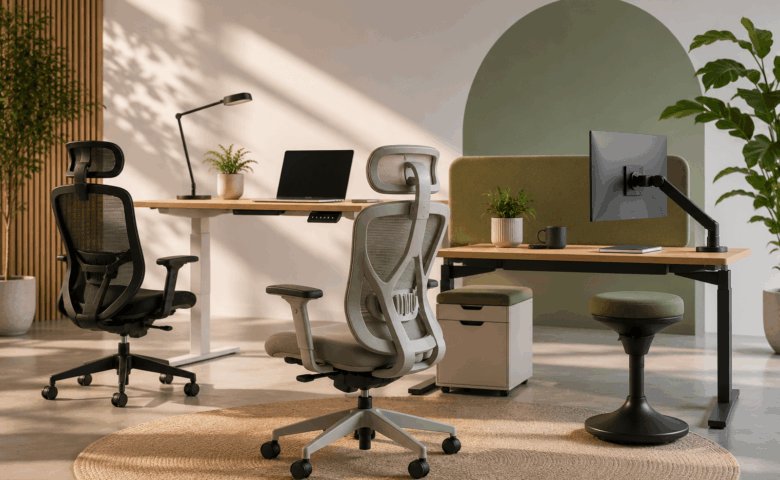
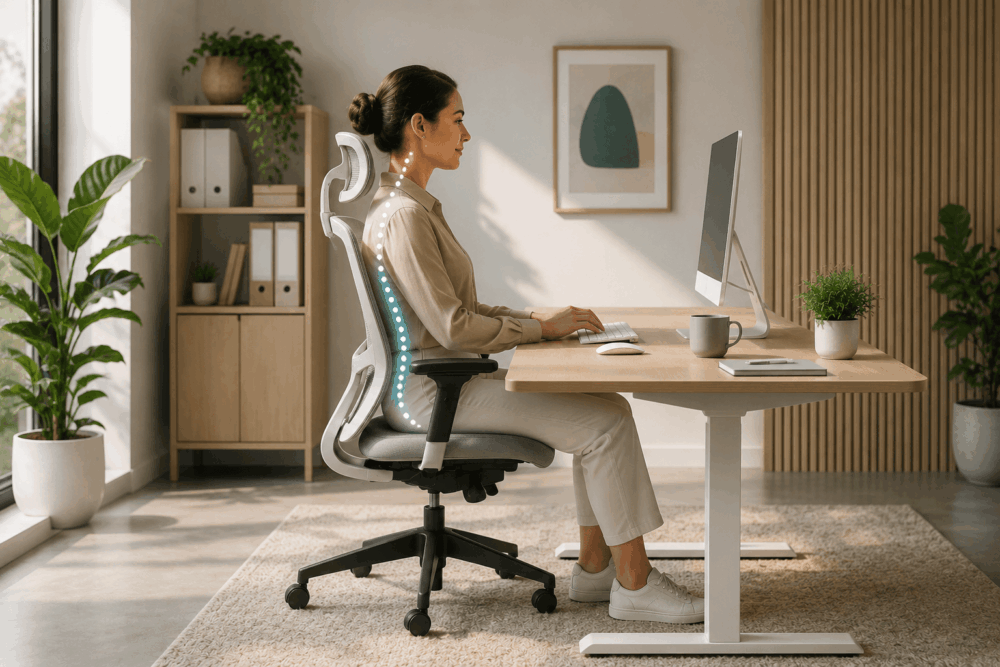
If No One Uses it, it’s Just Decor

Designing a wellness space is only half the job. If employees don’t feel comfortable or encouraged to use it, the space becomes nothing more than aesthetic. Leaders must make it clear that taking a moment to recharge is not just allowed but supported. Wellness spaces should not become yet another box to tick on a company culture checklist. They need to be embraced, lived in and built into the rhythm of the workday. The more people interact with the space, the more value it delivers.
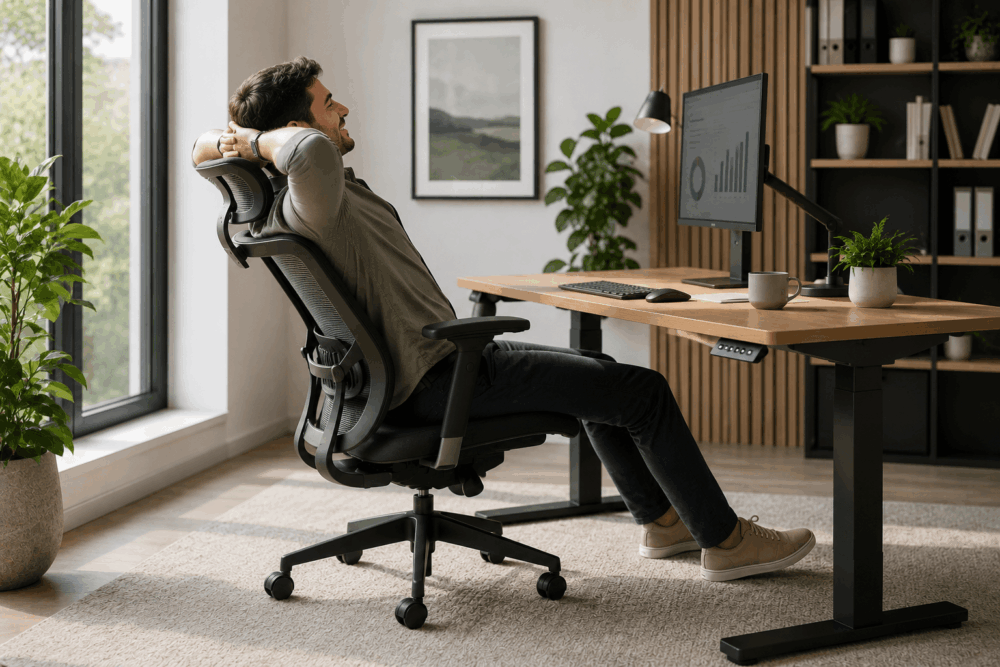
Dealers can guide customers in curating not only the layout but also the content of the room. Add accessible activities that draw people in, headphones with relaxing playlists or nature sounds, tactile elements like stress balls or puzzles to support mental reset. These small additions make the space come alive, transforming it from a set of chairs and mood lighting into a living, usable part of the workplace culture.

The future of workplace wellbeing won’t be measured by how luxurious a space looks, but by how intentionally it’s used. With the right furniture, space planning and employee engagement strategies, wellness rooms become more than just quiet places. They become essential tools for morale and long-term performance.

Temperature control

The Role in Temperature Control

Maintaining a comfortable workplace temperature is crucial for productivity here’s how office managers can help find the right solutions to keep employees comfortable and operations running smoothly:

The British summer is famously unpredictable, making it difficult to maintain a consistent and comfortable working environment. Sudden changes in weather, coupled with individual temperature preferences, can significantly impact productivity. Research has shown that temperature fluctuations can reduce worker efficiency by up to 10%, with excessive heat leading to fatigue, lack of concentration and increased errors. Conversely, being too cold can lead to discomfort, distraction and higher rates of absenteeism due to illness.

To create a comfortable working environment, businesses must invest in flexible temperature control solutions. Below, we explore various products that dealers should recommend helping workers manage heat at individual workstations, as well as throughout the entire workplace.

Personalised Control Solutions

Providing employees with personalised temperature control options is one of the most effective ways to ensure comfort without excessive energy use. Personal desk fans and air conditioners allow employees to control airflow at their workstations while under-desk heating solutions, such as heated footrests or under-desk heaters, ensure that warmth is focused on the individual rather than the entire office, reducing overall energy consumption. Wearable cooling and heating accessories, such as neck coolers, cooling wristbands and heated clothing, provide employees with personal temperature control, helping to improve comfort.

These solutions also provide an affordable alternative to costly full-office air conditioning or heating systems where employees gain greater autonomy over their work environment, improving morale and productivity.

Natural Light Solutions

Harnessing natural light and heat can make a significant difference in workplace comfort and energy efficiency. Reflectors and light panels can be positioned and angled to direct natural heat where it is needed most. For example, they can warm entryways where cool air is trapped or keep meeting areas cool and airy by reflecting heat away. Reflective window films also reduce glare and redirect sunlight, preventing excessive heat buildup in offices and making cooling more efficient. Smart blinds and curtains that adjust based on external temperatures provide insulation during colder months and block heat during warmer periods, further optimizing energy use.

These natural light solutions offer several advantages for businesses. By reducing reliance on artificial heating and cooling systems, they help cut energy costs. They also provide greater control over office temperatures without requiring major infrastructure changes.

Smart Technology Solutions

Smart technology can greatly improve workplace temperature management, allowing businesses to heat and cool spaces more efficiently based on occupancy and usage patterns. Air sensors monitor office temperature and air quality in real-time, adjusting heating and cooling systems accordingly to maintain optimal conditions. This is particularly useful for meeting rooms or shared workspaces that are occupied infrequently.

By ensuring energy is only used when necessary, they help reduce heating and cooling costs. They also offer a seamless and automated solution, eliminating the need for manual adjustments. Most importantly, they improve workplace efficiency by maintaining a stable and comfortable environment for employees.

A comfortable workforce is a productive workforce. By implementing targeted temperature control solutions, businesses can reduce energy costs, improve employee wellbeing and create a more efficient working environment. For dealers, encouraging businesses to invest in smarter, more personalized heating and cooling solutions enhances workplace comfort while ensuring long-term energy efficiency and productivity gains.

Office laptop

Laptop Essentials for a Better Experience

Here at Wave Office, we know you're always looking for the best ways to get the most out of your technology. You've invested in a fantastic new laptop, probably a high-end model with all the latest bells and whistles. That's exciting! But here's a thought: are you getting its full potential?

Often, people focus so much on the laptop itself that they overlook the crucial role of supporting accessories. These aren't just add-ons; they're essential tools that can enhance your laptop’s lifespan, functionality, and performance. Think of it this way: your top-of-the-line laptop is a race car, but without the right tires, fuel, and pit crew, it won't truly perform at its peak.

That's where we come in. By offering a comprehensive suite of essential laptop accessories, we don't just help you protect your investment; we help elevate your entire experience of using your laptop, making sure it stays functional and efficient for years to come. When it comes to laptop essentials, we can provide the total package, making Wave Office your one-stop shop for all your accessory needs.

Wellbeing and Comfort: Work Smarter, Feel Better

We understand that you're spending a lot of time in front of your screen, especially if you're using your laptop for work. While you might be aware of ergonomic solutions, we want to go the extra mile to highlight products that truly promote your overall wellbeing.

Consider how much more comfortable and productive your workday could be with adjustable lifter stands and risers. These simple additions can significantly improve your posture and reduce strain on your wrists. And for those long hours, blue light filters and anti-glare screen protectors are game-changers. They help reduce eye strain, which is crucial when you're staring at a screen all day. Investing in your eye care is a smart move, and we believe these accessories are indispensable for a comfortable, long-term laptop experience.

Privacy and Security: Protect Your Valuable Assets

Your laptop holds valuable information, and ensuring its security and privacy is absolutely vital, especially if you travel frequently or work in public spaces. We can help you with practical accessories like detachable or magnetic privacy screens. These handy tools limit who can see your screen, keeping sensitive information confidential in crowded environments. USB media hubs can also expand your connectivity while adding an extra layer of privacy by managing your connections securely.

And for peace of mind, consider laptop locks and anti-theft devices like cable locks. Imagine being able to physically secure your device to a fixed object, preventing theft. We can also discuss options like anti-theft software that can track and remotely lock a stolen device. These privacy and security accessories are all about safeguarding both the functionality and safety of your laptop.

Maintenance and Operation: Keep Your Laptop Running Smoothly

To ensure your laptop continues to operate smoothly and lasts longer, we can recommend essential maintenance and operational accessories that are often overlooked but incredibly beneficial. Cleaning kits, including screen wipes, keyboard brushes, and microfibre cloths, will help you keep your laptop in pristine condition and maintain its performance. And to prevent overheating during prolonged use, cooling pads are essential for optimal performance and extending your laptop's life.

We can even suggest lesser-known accessories like thermal paste (for improving heat transfer in older laptops) or portable laptop fans to help you maximise performance and extend battery life. These items contribute to smoother operations and can significantly increase the longevity of your device.

By putting together these wellbeing, security, and operational products, we aim to offer you a thoughtful, comprehensive laptop accessory solution that goes beyond the basics. This approach not only adds significant value to your purchase but also ensures that Wave Office becomes your trusted partner in your ongoing tech needs.

Ready to unlock the full potential of your new laptop? Talk to us today about the best accessory bundles for you! Call us on 01293 510553 or web@waveoffice.co.uk

Corporate office

Return-to-office (RTO) strategies

Return-to-office (RTO) strategies are a hot topic and a headache for many employers. Businesses are encouraging people to spend more time in the office, often to make the most of their property; but this has prompted pushback from some, who are asking: “What’s the point of returning to a space that doesn’t serve us?”

According to Focus Forward, a 2025 whitepaper from workplace experience experts Leesman, 69% of senior corporate real estate leaders admit their organisation has not yet found the right RTO approach. They believe their current hybrid model still needs either some or major improvement. Employers, therefore, are working hard to enhance workplace setups and better accommodate hybrid working.

Earning its place

Furniture can be one of the most cost-effective ways to design a space that will entice staff back to the workplace. To achieve this, the furniture must be thoughtfully chosen. Hippo Waste reports that over 22 million pieces of furniture are discarded in the UK each year, with ‘fast furniture’ accounting for 670,000 tonnes of waste. Opting for high-quality, ergonomic and modern pieces signals that a company values not only employee wellbeing, but also sustainability and longevity.

Home offices continue to outperform traditional office spaces on several fronts. Staff consistently report that their home environments support them better, particularly for individual, desk-based work, and when it comes to maintaining privacy and low noise levels during video calls or virtual meetings.

That said, when offices feel human-centred, supportive, adaptable and inclusive, they become places people want to be in. That’s the real benchmark for a successful hybrid structure, not just occupancy, but enthusiasm.

Design for collaboration

Interactions in the office should be meaningful. While technology has made it easier than ever to hold off-site meetings and bring people together virtually, it has its limits. Having employees physically present enables spontaneous conversations and cross-team connections, making meetings feel more open, fluid and collaborative.

To make this work, the space must support those objectives. The right furniture, think soft seating clusters, writable walls and standing tables, can help dissolve hierarchies, spark discussions and break down both physical and psychological barriers to genuine teamwork.

Silent stressors

In 2024, Mental Health First Aid England reported that 79% of UK employees experienced moderate to high stress levels in the workplace. It’s a striking statistic and one that can’t be ignored when encouraging people back to the office.

We often underestimate how much our environment contributes to that stress. It’s one of the reasons home offices continue to outperform traditional workplaces. A chair that digs into your back, a desk that’s too low or a space with nowhere to escape the noise, these are all silent stressors that build up throughout the day. Over time, discomfort becomes distraction, which in turn becomes fatigue.

Furniture can either fuel that stress or help diffuse it. Ergonomic seating that supports good posture, height-adjustable desks which promote movement and acoustically mindful pieces such as high-back chairs or upholstered dividers can all contribute to a more grounded, calming workspace. Even details such as a well-placed coffee table or gently curved furniture edges can make a noticeable difference.

Crucially, offering a variety of furniture types, whether it’s a quiet solo nook, a soft collaborative booth or a lounge chair for reading, gives employees more power over their environment. That sense of autonomy can significantly reduce workplace anxiety.

Fully inclusive

There’s a reason people often feel more focused at home, and it comes down to control. When individuals feel physically comfortable, their cognitive load is reduced, allowing them to concentrate more deeply on their work. This is especially true for neurodiverse staff who often find home environments more accommodating to their unique sensory and focus-related needs.

In contrast, traditional office setups can be overstimulating, unpredictable and full of potential distractions. For example, harsh lighting, background noise and rigid furniture layouts present a minefield of sensory triggers.

Furniture that allows personal control over lighting, sound and seating positions can make all the difference. Comfortable seating, quiet pods, sensory-friendly zones and adjustable, non-fluorescent lighting aren’t luxuries; they’re essential components of inclusive design.

Purposeful spaces

As businesses continue to refine their hybrid strategies, it’s clear the physical workspace needs to earn its place in employees’ weekly routines. With Gen Z now in the office and Gen Alpha not far behind, expectations are higher than ever. Furniture plays a vital, often underestimated, role in this equation.

It’s not just about filling space; it’s about shaping experiences. The right furniture supports wellbeing, fosters collaboration, embraces neurodiversity and creates environments where people can thrive. When thoughtfully selected and strategically placed, it becomes a silent ally in making the workplace feel inclusive, inspiring and worth the commute.

In short, if RTO is going to succeed, it should start with a rethink of the furniture. Comfort, choice and connection aren’t perks; they’re expectations.

Sarah Payne is Head of Design at Kerr Office Group

Classroom furniture

Shaping Tomorrow’s Classrooms: How Wave Office Elevates Learning with Purpose-Built Furniture

When you walk into a great classroom you can feel it straight away. The space is bright, welcoming and most importantly, set up so pupils and teachers can focus on learning rather than fighting against the furniture. At Wave Office Ltd, educational environments are our speciality, and we’ve spent decades perfecting three core product families that make the biggest difference:

  1. Robust, ergonomic school tables
  2. Comfort-first student chairs
  3. All-in-one TeacherWalls that give educators the control centre they deserve

Below, we unpack why each element matters and how Wave Office’s design know-how turns everyday classrooms into flexible, future-ready spaces.

1. The Science (and Art) of the School Table

A classroom table takes more punishment in one term than most office desks see in a year. Spilt paint, kicked chair legs, impromptu science experiments your tables need to take it all in their stride.

  • Frame strength: We use fully-welded steel frames with corner bracing, so there’s no wobble on day one or year ten.
  • Surface durability: High-pressure laminate tops resist scratches and chemicals; edge banding is heat-sealed so it won’t peel.
  • Flexible footprints: Rectangular, trapezoidal, curved “wave” and even kite-shaped options allow you to re-configure for group work, exams or STEM layout in minutes.
  • Height matters: Our junior and senior ranges follow BS EN 1729 height guidance, so posture is supported as pupils grow.

Why it matters: A stable, correctly sized work surface helps students maintain attention and reduces fatigue. Teachers spend less time rearranging the room and more time teaching.

2. Chairs that Care About Posture

Ask any teacher: fidgety students often equal drifting focus. The right chair can make a surprising difference.

  • Ergonomic shell design supports the natural ‘S’ curve of the spine, encouraging healthy sitting habits from Reception to Sixth Form.
  • Lightweight but tough: Injection-moulded polypropylene seats with a one-piece design mean no screws to loosen and no joints to fail.
  • Stackable & colour-coded: Stack 15 high to reclaim floor space at the end of the day, and pick colours that match year groups or subject zones for easy organisation.
  • Optional extras: Glide feet to protect polished floors, integrated book baskets, and height-adjustable gas-lift stools for science labs or art rooms.

Why it matters: When pupils sit comfortably, concentration goes up and back complaints go down. For staff, lightweight stackability slashes setup time between lessons.

3. TeacherWalls The Command Centre of Modern Teaching

Think of a TeacherWall as the Swiss Army Knife of classroom storage and presentation. One seamless installation combines:

FeatureBenefit
Interactive panel space (or whiteboard)Central focal point for lessons, cabled neatly behind the fascia
Lockable cupboards & traysSecure laptops, STEM kits or confidential coursework
Open shelvingKeep teaching aids visible and within arm’s reach
Cable management & power modulesEnd the trip-hazard spaghetti under desks
Acoustic panels (optional)Soften noise and improve speech intelligibility

Wave Office designs Teacher Walls to your exact wall dimensions, integrating existing smartboards or specifying new AV if needed. With everything in one place, transitions are faster and classroom floors stay uncluttered.

Built-In Sustainability

Parents, governors and pupils alike increasingly ask how furniture choices affect the planet. Our commitment:

  • FSC-certified wood across all TeachingWall carcasses
  • Recycled steel in table frames
  • Take-back programme we’ll collect end-of-life Wave Office products and recycle components responsibly
  • Made in the UK to minimise transport miles and support local jobs

Consultation, Delivery, After-Care Handled

Furniture is only half the story; getting it in on time and trouble-free matters just as much. Wave Office’s turnkey service includes:

  1. Free space planning & 3-D layouts so you can visualise before you buy.
  2. Staged deliveries during holidays or weekends to avoid lesson disruption.
  3. Certified installation teams who work cleanly and safely (and are DBS-checked, of course).
  4. Five-year warranty with real people at the end of the phone if something goes wrong.

Ready to Refresh Your Learning Spaces?

Whether you’re fitting out a brand-new academy or breathing new life into a much-loved Victorian school hall, Wave Office Ltd is here to help. From indestructible tables and posture-perfect chairs to show-stopping Teacher Walls, we bring the expertise, products and passion that let education flourish.

Let’s start the conversation reach us on 01293 510 553 or web@waveoffice.co.uk, and see how tomorrow’s classrooms begin with today’s furniture choices.

Product has been added to your cart