Although teachers are not necessarily sat down for as long as office workers, they are still just as susceptible to musculoskeletal disorders (MSDs)
Standing for extended periods of time, bending or crouching down to low desks and chairs, or sitting on chairs designed for children can all put strain on a teacher's body.
MSDs are one of the leading reasons for extended periods of time off across a range of professions throughout the UK workforce. The economical impact of extended absence is huge and in the case of teachers, the academic impact on students also needs to be considered.
Research shows that:
75% of teachers suffer neck and shoulder pain
53% have suffered with knee problems
33% have had trouble with their hips
82% experience MSD related pain at least once a week
What do teachers need to be aware of?
Teachers should pay special attention to how much time they spend on their feet, particularly if they are stood in one place, such as next to the whiteboard, for long periods of time with little movement.
Spending a lot of time standing, particularly in one position, can increase the risk of:
Varicose veins
Poor circulation
Bunions
Painful swelling of the feet and legs
Joint damage
Lower back pain
Problems with the feet
Standing properly can help to alleviate pain and strain. When standing, feet should be shoulder width apart, with weight evenly distributed across both feet. Knees should be slightly bent, the back kept straight and shoulders pulled back.
When interacting with students, teachers should note how often they are crouching and bending down. These actions can put huge strain on the body and should be avoided where possible.
Solutions?
Achieving good musculoskeletal and postural health is all about making sure that the teacher is properly supported and comfortable throughout the range of tasks they must fulfill each day.
The Jollyback Teacher's chair is a great addition to any classroom. It prevents the need for teacher's to crouch and bend by allowing the teacher to sit at pupil height in an ergonomically supportive chair. The castor base and adult height handle, make the chair easy to move without the need for bending or lifting.
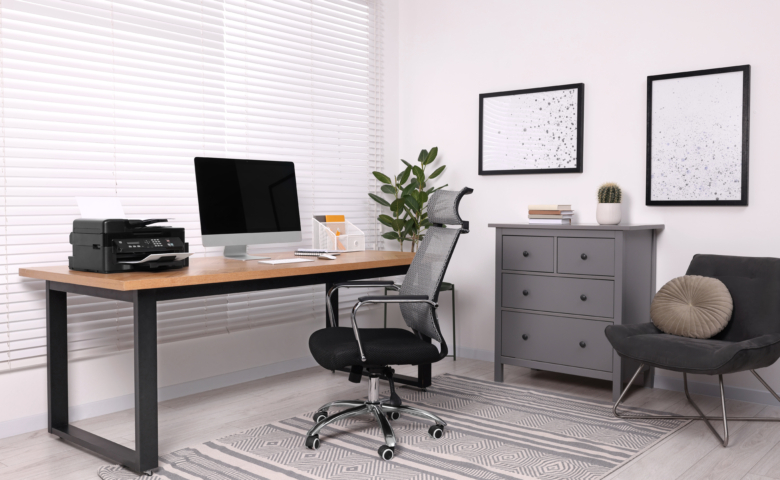
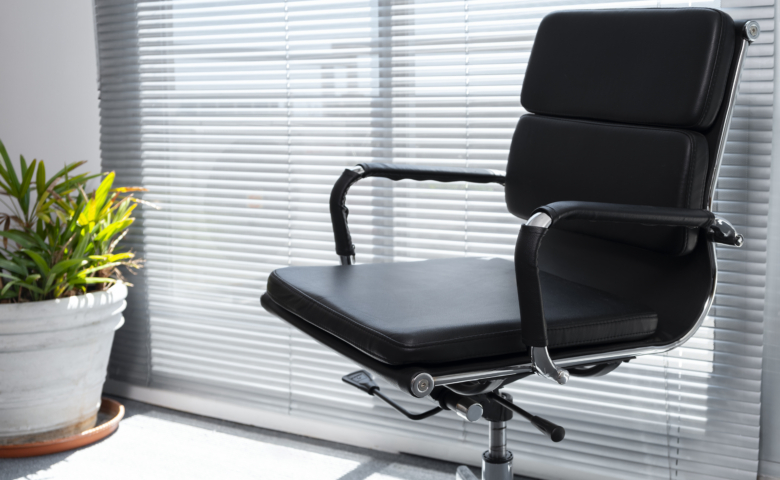
A supportive, ergonomic chair for working at their own desk should also be made a priority by teachers and their employers.
Musculoskeletal disorders and back pain account for 31 million of lost working days due to absenteeism. The costs to the economy are huge and perhaps that's why prevention or intervention for these issues tends to focus on adults in the workforce rather than children.
However, research shows that increasing numbers of children are experiencing neck and back pain. 72% of primary and 64% of secondary school students reported that they had experienced back pain at school. There are currently no legal regulations regarding back and postural health for students that schools are required to follow.
Children spend approximately 30% of their waking hours at school and much of this time is spent seated. Freedom from back pain and good postural health has been shown to have a positive impact on concentration and the ability to learn.
Luckily, there are some simple things that you can do to care for student's musculoskeletal health
The 30:30 Rule: for every 30 minutes spent seated, encourage students to stand up, move and stretch for 30 seconds
Limit the amount of time that students are sat cross-legged on the floor. Try to keep this time to around 10 minutes and encourage students to sit with their legs out in front of them
10% of a person's body weight is recommended as the limit of safe weight for backpacks. Try to encourage students to repack their bags each night so they only bring what they need. Alternatively, consider the provision of lockers where students can store belongings that aren't required for their next lesson.
Make sure everybody has a clear view of the front of the classroom, the white board and where you are standing to teach. Students should not need to twist, strain or stretch to clearly see these elements.
If a student is regularly hunching over their work in order to read or write, consider the quality of their eyesight and consider reporting this to their parents
Research from Westfield Health has found that almost half of employees regularly turn up to work too tired to function effectively. Despite this, 86% feel that they are not able to openly communicate with their manager about how their tiredness is affecting their performance.
34% of survey respondents said that their mental well-being has suffered because of their tiredness, whilst 55% stated that their fatigue extends beyond the office and affects their home life too.
37% state that tiredness has made them forgetful at work and 30% said it has made them short tempered with colleagues. Worryingly, 22% have found themselves actively drifting off to sleep at work and 13% have drifted off while driving. Furthermore, 30% have had an accident, made a serious mistake or felt extremely stressed at work due to fatigue.
Currently, 86% of employees feel that their employers or managers do not recognise the negative impacts and dangers of fatigue and only 9% believe that their employer would find fatigue a valid reason to call in sick.
Director of Well-being at Westfield Health, Richard Holmes, states that "the importance of rest time both at work and home should be taken seriously and encouraged by employers, and fatigue should be considered just as important as any other physical illness or injury".
So, what can be done?
Try to break your work schedule down into smaller chunks.This makes larger tasks seem less overwhelming and also allows you to use the Pomodoro Technique which can help you to stay focused and less stressed.
Make sure you get up to move around as much as possible throughout the day. This is good for keeping your mind alert and a gentle outdoor exercise such as a short walk during your break time is proven to have a positive impact on mental health.
Try to slowly cut down on sugar and carbs and swap caffeinated drinks for herbal teas or water. This helps to keep energy levels steady throughout the day rather than providing an artificial peak caused by sugar or caffeine which results in an energy crash later in the day.
Make sure your work space is set up ergonomically.A good ergonomic chair and setting your monitor screen to the correct height, as well as the addition of a footrest are all great ways to keep your body free from aches, pains and strains. An ergonomically correct posture will also keep oxygen flow and circulation at an optimum to help you to stay more alert and focused. Freedom from aches and pains helps you to feel less tired and aids in keeping added stress from pain at bay.
Try to get as much rest at home as possible.Develop a good night time routine with screen time ending at least an hour before you plan to go to sleep. Also, unless it is required by your employer, do not bring your work home and don't check or respond to emails whilst out of the office.
Consider taking a long weekend if you have enough holiday time to use.Regular, shorter breaks can often be better than one extended summer holiday. Try to use this time to relax and unwind as much as possible and make sure that you do not spend the time checking up on work.
Finally, if you feel able to, talk to your manager or employer about how your fatigue is affecting you both personally and professionally.You may, for example, be able to reach a flexible working agreement to allow you some extra time to rest, or you oculd ask for the opportunity to start and finish earlier so that you don't spend any more time than necessary commuting.
Research by co-working developer, Areaworks, has found that flexible and comfortable working zones are a top priority to employees. Half of the workers surveyed wanted to swap fixed desks for hot desks and casual seating. 64% of office-based respondents also stated that having access to good outdoor facilities or the ability to work on a roof terrace were important productivity and well-being factors.
Other items that made the list for dream office features included:
Good kitchen facilities
Plants
Games, e.g, table tennis
Pets
Sleeping Pods
Water Features
A study conducted by Perkbox, found that Generation Z - those born between the mid-1990's and 2000 - place a high importance on perks when deciding where to work. The research also found that 32% of Gen Z prefer smaller benefits with a higher frequency that they can benefit from year round, rather than one bigger annual event such as a Christmas party.
The top 3 most popular perks were annual leave on birthdays, free hot drinks and flexible working hours. These were closely followed up by free lunches and access to private health and dental care.
Capital One recently conducted a survey of 3,500 full-time US employees. The aim of the research was to understand employee's thoughts on workplace environment and design in relation to productivity, innovation and collaboration.
According to the results, many employees highly value flexibility and good office design. They also value up-to-date technology, agile work spaces and personal well-being investments.
These factors were found to be particularly important when employees were considering moving to a new employer. For example, 73% of workers say that a flexible schedule is a top reason for choosing to stay with or leave an employer.
When it comes to office design, 57% value natural light, 37% feel they benefit from easily reconfigurable furniture, 30% value collaborative spaces and 25% place high importance on rest and relaxation zones. 66% of workers believe that the design of the office environment is more important that it's location.
When asked to choose a health and well-being benefit that they would most like to keep or see implemented, 39% of respondents cited healthy food and beverage options as an important benefit, while 33% placed a high importance on on-site health and wellness centers or programs.
Next time you're considering your staff retention rates or are trying to attract a new generation of workers, consider what it is that they value and implement as many of these factors as you can.
Looking to buy height adjustable desks? Need some more information about the best types of sit/stand desks? Read on.
There is plenty of information available online regarding the multitude of ways that sit/stand desks are beneficial for both staff and employers. However, there isn't much information about what the best type of height adjustable desk may be for your business.
We won't cover all of the specific benefits that height adjustable desks can offer, as this information is easily found, however, we will say that keeping the body moving throughout the day is one of the best ways to improve concentration and productivity and avoid the development of musculoskeletal issues.
There is a wide range of factors that need to be considered when looking to purchase height adjustable desks. These factors are often overlooked by consumers and this leads to dissatisfaction and inefficient use further down the line. It also causes many to believe that sit/stand desks are an unsustainable "fad" for the workplace.
Here, we aim to help you to choose the best type of ergonomic sit/stand desk and explain why this choice is most likely to have the best impact on staff health, well being and productivity and thus, the best ROI for your business.
Manually adjustable sit/stand desks are generally operated by a crank handle. This adjustment operation is almost always slow and laborious and often people will simply just stop adjusting the desk, particularly if it is intended for use by a sole individual.
In the case of electronic height adjustable desks, there are a range of factors to consider before purchase that could cause issues with usage and integration.
Electronic operating motors can be noisy both when in use and when idle. A common complaint is that even when not being actively adjusted, the motor will make an annoying humming or buzzing noise which is particularly noticeable in quiet working areas of offices or in libraries.
Motors also run the risk of failure. It's not common but it is a problem that can occur and if it does it has the potential to put the desk out of use until fixed. Motor failure is particulalry problematic if the failure occurs during an adjustment as the desk will end up at an awkward and unworkable height.
Multiple and frequent adjustments can wear the motor out or cause it to overheat. This is a particular issue in areas where the desk is shared by multiple users or is in a more public environment.
Electrical sit/stand desks will need to be placed within the vicinity of a power outletand there is also the issue of additional cabling to address. The placement of desks that are required to have direct access to power means that re-configuring your office space becomes much harder so your layout becomes very fixed.
Making the change to using a height adjustable sit/stand desk can be uncomfortable and hard to become accustomed with for new users. The change requires the user to form a habit of changing between sitting and standing regularly in order to reap the intended benefit of the desk. Having a desk that is quick and easy to adjust, will help to make the process less of a struggle and habit forming easier.
As with the point above, people should neither sit all day, nor stand all day so regular adjustments throughout the day are unavoidable. If adjustments are slow, noisy or take a lot of effort, people will simply stop changing the height and the desk's function becomes obsolete, along with the business' ROI.
Transform, is the first gas assisted height adjustable desk to come to market. This simple method of adjustment - that has been implemented in chair design for decades - could actually solve many of the issues relating to the use of sit/stand desks and their effective integration into the workplace.
The desk requires no electrical power and doesn't rely on a crank handle. The gas assisted adjustment is smooth, quick and requires only fingertip touch from the user. The height is set by applying a brake to keep the desktop in place. Transform boasts a 700-1500mm height range and is available in 1200, 1400 and 1600mm top lengths.
Transform is a logical and practical advancement on the height adjustable desks that are currently on the market. It solves all of the problems outlined above and is a worthwhile investment for businesses who are looking to introduce sit/stand desks into their work place.
Were were happy to help a local 6th form college to create a new breakout area that students could be proud of
We recently helped a local college to update their current common room area into a more functional and modern space for students to relax and socialise in.
Using Visa chairs and fully welded tables with round tops, we designed part of the room to accommodate those who want to eat, socialise or study in groups. Both the tables and chairs are durable and easy to wipe down, making them ideal for such a high-use area.
Solent modular sofas acted as an excellent room divide and along with a video projector, helped to create a focal point for the space. Comfortable and supportive, the sofas were upholstered in two-tone fabric and now provide a space for students to relax and chat with friends.
Overall, the space is an ideal hub spot for the college, providing students with an adaptable space to use their time in between lessons as they wish.
As a customer of ours since 2008, we were delighted to be able to assist this network company in making their new offices practical, welcoming and comfortable
Our main areas of focus were the main offices, meeting room, boardroom and breakout space. We created all these areas with a modern and professional finish in mind to reflect the company's business and values.
We wanted each area of their new offices to be highly functional and selected a range of furniture with comfort, practicality and ease of use in mind.
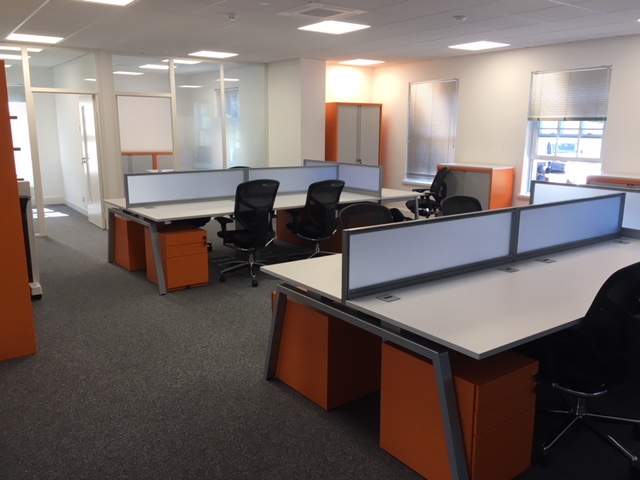
The main office areas were furnished with bench desking featuring cable management and monitor arms for increased desk space and comfortable ergonomic function. The Oscar mesh back chairs provide ultimate comfort with a self-tensioning synchro-mechanism which keeps users supported through each movement they make in the chair. The mesh also keeps the user's back cool and provides sound ergonomic function.
Next to desk tower storage pedestals provided a practical way to keep personal possessions, files and other required materials nearby. They also add to the overall professional and modern feel of the office with their sleek finish and smooth operation.
We installed a large box base veneer conference table in the boardroom with integral cable management. We completed the look of this room with faux leather conference chairs for a luxurious feel.
Throughout the offices, we also placed height adjustable and poseur benches to allow employees the option of working whilst standing. This has been proven to increase productivity and provide a variety of mental and physical health benefits. Poseur tables and stools were also provided in the breakout area, providing the option of a standing or seated lunch/social area.
At the heart of an ergonomic workplace, it has to ensure the setup fits the person using it, rather than forcing the body to adapt to poor furniture or awkward layouts.
Chairs support movement, desks adjust to different tasks, and accessories remove small daily strains which tend to build up over time.
With hybrid working now common and desk time stretching across longer days, office ergonomics has become a practical need rather than a specialist extra.
This guide walks through thirteen ergonomic office products which, used together or individually, help create healthier and more comfortable working environments.
We’ll focus firmly on everyday use, explaining what each product offers, who it suits best, and why it plays a part in a well-balanced ergonomic workplace.
The HÅG SoFi Mesh Chair is designed to support movement rather than encourage static sitting. Its breathable mesh back responds to small shifts in posture, helping users stay comfortable across the day without feeling restricted.
Key ergonomic benefits
Supports natural movement while seated
Helps maintain lower back alignment
Best suited for Office users working standard hours at fixed desks
Logic 220 24-Hour Chair
The Logic 220 24-Hour Chair is built for environments where seating is used for extended periods or shared across shifts. Its structure stays supportive even after many hours of continuous use.
Key ergonomic benefits
Maintains posture during long sitting periods
Highly adjustable for different users
Best suited for Control rooms, shared desks, and shift-based workplaces
Enjoy Elite G2 Ergonomic Chair With Headrest
Offering a balance of structure and comfort, the Enjoy Elite G2 Ergonomic Chair features a headrest that supports the neck during focused desk work. It suits users who spend most of their day seated.
Key ergonomic benefits
Supports upper back and neck
Encourages neutral spine positioning
Best suited for Desk-based roles with limited movement during the day
Toleo Quick Ship 3D Upholstered Office Chair Black
This upholstered chair from Toleo comes with adjustable support and a more traditional look, making it suitable for offices that need ergonomic chairs without long lead times.
Key ergonomic benefits
Adjustable seat and back support
Cushioned comfort for longer tasks
Best suited for Fast-growing teams or quick office refreshes
Solo Ergonomic Task Chair
The Solo Ergonomic Task Chair is designed for everyday desk work where comfort needs to be simple and reliable. It focuses on the core elements of office ergonomics, supporting posture without overwhelming users with complicated controls. This makes it easier for teams to sit comfortably without having to adjust multiple settings.
Key ergonomic benefits
Supports upright, balanced sitting
Straightforward adjustments reduce setup effort
Best suited for SMEs and shared offices needing practical ergonomic seating
HÅG Capisco Chair 8106
Built around movement rather than traditional sitting, the HÅG Capisco Chair 8106 with its saddle-style seat supports a wide range of postures, allowing users to sit forwards, sideways, or in a semi-standing position.
This flexibility suits roles where tasks change often and fixed seating feels restrictive, helping the body stay active rather than locked into one position.
Key ergonomic benefits
Encourages frequent posture changes
Supports seated and semi-standing work
Best suited for Agile roles using sit-stand desks or varied tasks
Endurance Dual Motor Sit-Stand Desk R800
The Endurance Dual Motor Sit-Stand Desk R800 supports regular movement through the working day by allowing smooth transitions between seated and standing positions.
Its dual motor system keeps height changes steady, which helps users adjust little and often rather than staying in one posture for too long. This makes it easier to build healthier desk habits without interrupting focus.
Key ergonomic benefits
Encourages regular posture changes
Stable height adjustment for daily use
Best suited for Office teams adopting flexible or hybrid working patterns
Each side adjusts independently, allowing users to switch between sitting and standing without affecting their neighbour. This setup supports healthier habits in busy offices, where shared desks often limit individual comfort and movement.
Key ergonomic benefits
Independent height control for each user
Encourages movement in shared spaces
Best suited for Bench desk layouts and collaborative office environments
Core Single Motor Sit-Stand Desk
The Core Single Motor Sit-Stand Desk offers a straightforward way to introduce height-adjustable working without overcomplicating the setup.
It allows users to shift between sitting and standing at a steady pace, supporting small posture changes during the day. This simplicity suits environments where reliability and ease of use matter more than frequent or rapid adjustments.
Key ergonomic benefits
Supports basic sit-stand routines
Simple controls suit everyday use
Best suited for Home offices and smaller teams seeking practical flexibility
Office Desk Risers
Office desk risers provide a flexible way to raise working height without replacing existing furniture.
They sit on top of standard desks, allowing users to work standing for short periods or alternate positions during the day. This makes them useful where permanent sit-stand desks are not practical, helping reduce long spells of seated work with minimal disruption.
Key ergonomic benefits
Supports standing posture without desk replacement
Easy to add or remove as needed
Best suited for Occasional standing work or temporary ergonomic adjustments
Twin Gas Monitor Arm
The Twin Gas Monitor Arm allows two screens to be positioned at comfortable viewing heights, helping users maintain a neutral head and neck position throughout the day.
By lifting monitors off the desk surface, it also creates more usable workspace, supporting cleaner layouts and easier posture adjustments.
Key ergonomic benefits
Supports correct screen height and distance
Reduces neck and shoulder strain
Best suited for Dual-screen users and technical roles
Single Gas Monitor Arm
For precise positioning of a single screen, a single gas monitor arm helps maintain a comfortable viewing angle throughout the day.
Key ergonomic benefits
Reduces neck and eye strain
Allows flexible screen movement
Best suited for Standard single-monitor workstations
Kensington Sole Massage Footrest
The Kensington Sole Massage Footrest supports lower body positioning and encourages subtle movement while seated, which helps reduce discomfort over time.
Key ergonomic benefits
Supports healthy leg positioning
Encourages gentle movement
Best suited for Users needing extra lower-body support
Creating an ergonomic workplace works best when seating, desks, and accessories are considered together rather than in isolation. Chairs, sit-stand desks, and ergonomic desk accessories each play a part in reducing discomfort and supporting long-term health.
Exploring Wave Office’s full range of ergonomic products can help identify combinations suited to different roles and spaces.For tailored advice based on individual needs, teams can also choose to contact us for practical guidance without pressure.
We recently completed an office refurbishment for a charity who were relocating their headquarters to a more modern premises in Reigate.
We were instructed to create a professional but vibrant feel to the new office space and also to create a space that was practical both in terms of working and storage.
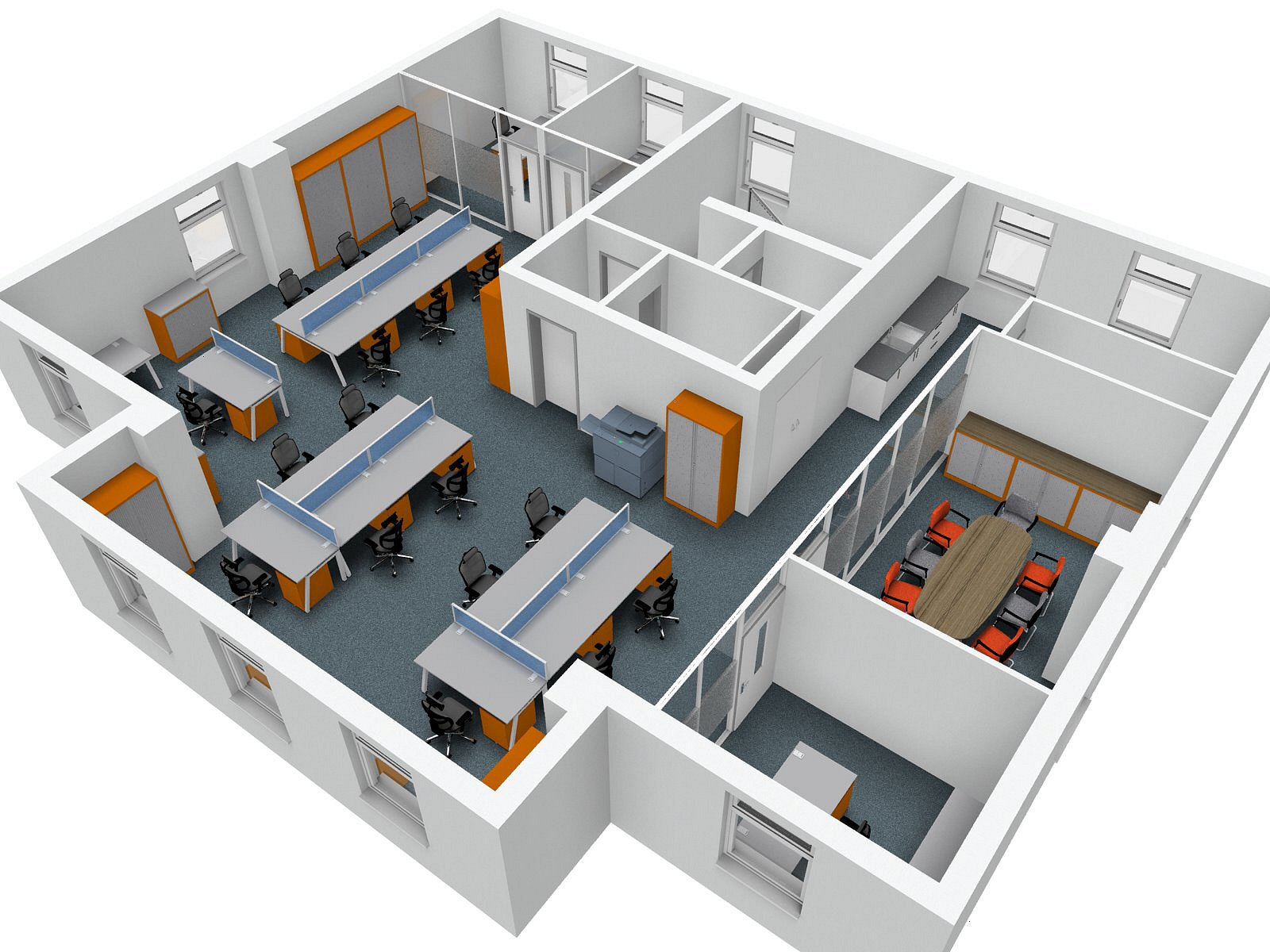
We provided the clients with 2D and 3D visual plans to allow them to see how we proposed the layout of the new offices and to help them to choose furniture ranges, styles and finishes.
The whole project was completed within the time frame given to us by the client. This included working around and liaising with other contractors such as electricians and flooring specialists to ensure practicality of location of things such as floor boxes, but also, again, to make sure that the project was completed on time.
The project included refurbishment and furnishing of the following areas:
Reception Area
Meeting Rooms
Offices
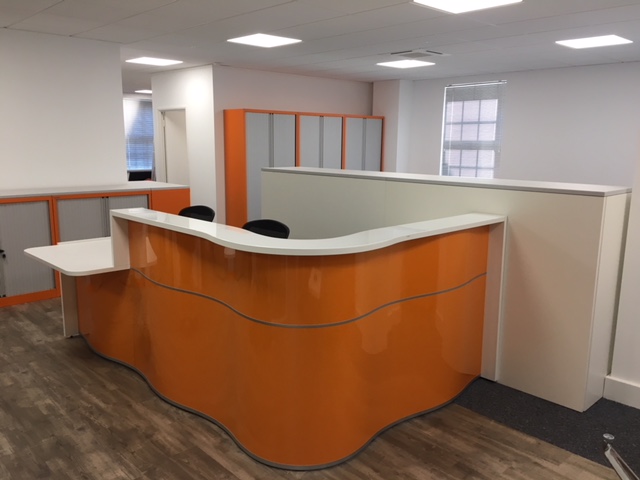
The reception area was furnished to include a range of tambour storage and an accessible reception desk finished in a gloss orange and matte white. We also built a bespoke surround around the storage in the reception area to section off the downstairs office from the reception.
The office areas were furnished with grey bench desks with a silver frame and frosted acrylic desk screens with a blue tint. Storage consisted of Bisley tambour cupboards and pedestals underneath the desks. We provided Enjoy chairs for a comfortable seating option that particularly supports the back and lumbar regions of the users.
The new meeting areas were furnished with oval tables and our SJX meeting chairs for a practical and comfortable seating solution. Meeting rooms also benefited from Tilt Top tables for ease of storage and use.
[yikes-mailchimp form="1" title="1" description="1" submit="Sign Up"]
A small office can start off feeling fine, then a couple of new starters arrive, storage spreads out, meetings get squeezed in wherever there’s a spare corner, and suddenly the whole place feels a bit tight. As the space changes make sure you have enough air volume for numbers in the office.That tends to show up in little ways, like people bumping chairs as they pass, noise travelling further than you would like, and desks becoming the default place for everything from filing to catch-ups.Still, making the most from small office space usually comes down to two things: how the room is used day to day, and whether the layout and furniture actually support that.With a bit of planning, some flexible choices, and a few practical swaps, you can often make the space feel calmer and work better, without jumping straight to relocating.
Start With a Plan and Measure Carefully
Before moving anything, it helps to take stock. In smaller rooms, even small measurements affect how the office feels, so it’s worth getting the basics down first.A quick audit might include:
Measuring wall lengths, door swing space, and window positions
Noting fixed items like radiators, sockets, columns, and any awkward corners
Checking walkways, so people can move without having to slide chairs out of the way
A rough floor plan helps too. It doesn’t need to be technical, just clear enough to show where desks, storage, and shared zones could sit.This is also the point where it helps to think about priorities. Does the team need to work closely together, or do they need quiet for focused tasks? Are visitors coming in? Are calls happening all day? Is the office used for quick huddles? If you involve the team in that thinking, you usually get fewer complaints later, and the layout ends up matching real working habits rather than assumptions. Can hot desking reduce the number of spaces required.
Choose Multi-Functional Furniture
In a small office, furniture that only does one job can take up space you do not really have. Multi-functional pieces tend to make a difference because they combine tasks without adding bulk.Some examples that work well:
Desks with built-in drawers, so everyday items don’t spill into shared areas
Shared tables that work as both “extra desk space” and a quick meeting spot
Fold-away or collapsible pieces that can be stored when they’re not needed
This type of thinking also supports space-saving office furniture choices because you’re buying for flexibility, not just filling a gap.
Use Vertical Space and Storage Solutions
Office storage is usually one of the first things that makes a small office feel crowded. People put boxes “just there for now”, then filing grows, then supplies pile up, and the floor space disappears.Using vertical space helps lift a lot of that pressure:
Wall-mounted shelving for supplies and shared items
Cupboards that go up rather than out
Storage walls are made up of modules, so you can vary what’s open, what’s closed, and what is used for high-volume storage
For personal storage, mobile pedestals can also work well, especially if desks are kept compact. Bite pedestals are a useful option for agile setups, because they can move with the person rather than becoming another fixed block in the room.The main idea is simple: keep frequently used items within easy reach, push occasional-use items higher up, and try not to let floor space become long-term storage.
Keep Layout Flexible for Different Uses
Small offices rarely do just one thing. You might need heads-down focus in the morning, a team catch-up at lunch, and a quick planning session in the afternoon. A layout that only works “one way” tends to feel restrictive quite quickly.
Experiment with desk layout ideas
These desk grouping patterns are especially useful for smaller rooms:
Paired Islands: two desks face-to-face, which can support collaboration while staying space-aware, often handy in narrower rooms
Blocked Seating: groups of four desks, which suits small teams working together without needing a big open-plan floor
The Bullpen: desks arranged in an inner-facing square, rectangle, or circle so the whole team can collaborate more naturally
These options are often the difference between a small office feeling “packed” versus “organised”, even when the desk count stays the same.
Think about meetings without sacrificing desk space
If meetings keep happening around someone’s desk, it can help to create a simple shared meeting point:
A wall-mounted presentation monitor, or a large whiteboard, placed where everyone can see without crowding one area.
Collapsible meeting tables, so you can create a meeting space when needed, then store them away.
If you need quick privacy or a quieter discussion space, the older post also suggested flexible, moveable options:
A mobile screen that can be repositioned and stored.
A modular acoustic wall solution that can be restyled or packed away when the meeting is done.
And sometimes, it’s not even about furniture. If the office genuinely can’t handle meetings comfortably, it can help to change the routine:
Use a local coffee shop for one-to-ones
Try walking meetings in a nearby park
If too many people are in on the same days, a rotating remote working schedule can free up space without reducing output
Opt for Compact Seating and Desks
Small offices punish oversized furniture. A desk that is slightly too deep, or a chair that does not tuck in properly, can turn a workable layout into a daily irritation.Slimmer desks often make sense here, particularly where walkways get tight. Modular and mobile desks also fit this section well because they support layout changes without creating dead space.Chairs matter too, especially when people are seated for long periods. This is where supportive operator chairs can help, because they’re built for everyday use but don’t have to dominate the room.The basic aim is to keep furniture proportions sensible, so movement stays easy, and the office feels usable even when everyone is in.
Maximise Light and Openness in the Space
Light changes how a small office feels, sometimes more than any layout tweak. Natural light tends to make rooms feel more open, so it helps to keep windows clear rather than stacking items nearby.A few practical things that often help:
Avoid tall storage directly in front of windows
Use glass screens if you need separation but want to keep brightness travelling through the space
Keep wall colours and larger surfaces light if the room feels boxed in
Tidy cables and surfaces, because visual clutter makes the space feel smaller than it is
This is usually when your small office design starts to feel “finished”, because it’s less about fitting things in and more about making the room feel calmer to work in.
If you want help mapping this to your own space, or you’re weighing up furniture choices, you can contact us directly and discuss with our team the best solution for your office.
ErgoChair is a UK based company, set up in 2004 to fill a gap in the ergonomic office chair market
Until Ergochair, there were no ergonomic chairs on the market that could be specified to suit every individual. Even some of the best ergonomic chairs on the market could not offer complete support and comfort as they were not able to be tailored to custom requirements. For example, smaller framed people would not experience the complete benefit of a generic sized ergonomic chair as the varying supports would not correspond to the correct areas on the user's body.
However, Ergochair's range provides more than just a good fit for the user. A vast range of advanced adaptations mean that they are able to create chairs suitable for a range of issues and conditions, including:
Amputeeism
Cerebral Palsy
Coccyx Pain
Core Stability Issues
Herniated or Prolapsed Spinal Discs
Hip Replacement
Fused or Painful Knee Joints
Differential Leg Lengths
Lumbar Pain
Multiple Sclerosis
Neck and Shoulder Pain
Pelvic Pain
Scoliosis
Thoracic Back Pain
Wheelchair Use/Restricted Mobility
Using a Unique Specification System called Easispec, our specially trained advisors will take a few simple measurements in order to create your bespoke chair "prescription". They will also discuss any suitable adaptations that will ensure your chair caters to your exact requirements. Adaptations include:
A Range of Armrests - from simple support to permanent contact rests for severe upper limb issues
Neck and Head Rests, Rolls and Supports
Foot Rings and Plates
Locks - Keep the Chair From Moving or Swiveling
Range of Inflatable and Reactive Support Cells Across the Backrest and Seat
Sculpted and Memory Foam Backrests
Coccyx Cut-Outs and Zones
Wave and Split Seats - for issues with lower limbs such as amputation or prothesis
Memory Foam Seats
If you would like to know more about Ergochair, or to book an assessment, please call 01293 510553 or email sales@waveoffice.co.uk
New Furniture For Various Zones of a Corporate Events Area
A local college engaged our services to furnish their new corporate events area. We designed the layout for various rooms within the area and supplied and installed a range of new furniture.
The end result was a modern, practical and functional space which provides great opportunities for relaxing, dining, meeting and networking.
All tables supplied were from the LTC range which are ideal for high use areas, as well as benefiting from a smart, polished chrome base which perfectly complemented the four star base of the Giggle Chairs.
Giggle chairs and Lilo sofas were upholstered in vinyl for easy cleaning and maintenance, whilst the walnut Espacio chairs provided a comfortable seating solution for the dining area.
[yikes-mailchimp form="1" title="1" description="1" submit="Sign Up"]
After Optimax became the Ultralase Optimax Group, one of their main objectives was to improve the image of the clinics. Here's how we helped the group to create a brand new clinic in Cardiff.
Having bought an empty building, the Ultralase Optimax group asked us to create a new clinic from design to build. The design was to include an operating theatre, recovery room, consultation rooms, staff rooms, an air handling plant and reception area.
In the reception area we added LED lighting, a large wall graphic and a gloss white reception desk and storage wall to give the clinic a fresh and modern feel. We added Giggle chairs to the lobby to provide comfort for visitors and extend on the modern theme.
We handled all aspects of design and build and completed the project four weeks early and under budget.
The new clinic was opened by Lee Halfpenny in October 2017 with staff and patients commenting on the "stylish, modern feel". There are now plans in place to refurbish other clinics to match the same design criteria.
[yikes-mailchimp form="1" title="1" description="1" submit="Sign Up"]
Recently, we were asked to carry out a refurbishment of multiple rooms for a local electrical manufacturing company. Here's what we did.
The refurbishment was to include the boardroom, executive toilets and the executive hallway with multiple changes throughout each room.
The boardroom benefited from new carpets, new blinds and new secondary double glazing to keep noise to a minimum throughout conference calls and meetings. This was complemented by the addition of a new acoustic wall and the installation of a new high specification audio/visual set up with surround sound, ideal for video conferences.
We added a new 3 piece Walnut veneer boardroom table with full cable management. This ensures cables stay tidy and hidden down through the table legs and into floor boxes. We also added a matching veneer storage unit with integral fridge and included high back leather executive chairs to create a modern and professional feel. The finishing touch to this room came in the form of a new ceiling with a recessed feature light above the boardroom table.
We were also instructed to carry out a refurbishment of the executive toilets. Here, we replaced all old porcelain, cubicles and tiling and added new flooring for a fresh look and feel.
The executive corridor was also refreshed with new Ash doors, LED lighting and a new ceiling grid and tiles.
[yikes-mailchimp form="1" title="1" description="1" submit="Sign Up"]
We recently a carried out an exciting refurbishment of 8 classrooms, creating fun and practical learning environments
Classrooms are ever changing environments and need to be able to adapt to a number of ways of working and different activities throughout the day. They also need to be engaging, fun and practical. This is exactly the type of spaces we recently created in a local school.
All classrooms featured student tables with dry-wipe surfaces. This not only creates a sense of fun, but serves as a practical way for children to learn and interact with their lesson. It also helps to stop damage and graffiti! We paired these tables with ergonomic Postura+ chairs. These chairs are highly durable and encourage students to sit in the correct position. This not only benefits their posture, but also their ability to concentrate. An ergonomic sitting position allows proper blood and oxygen flow throughout the body and also stops slouching which can tell the brain it's time to relax, causing a lack of productivity and concentration.
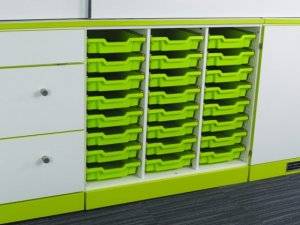
The storage areas in the classrooms featured space for children's trays, as well as cupboard and drawer space for equipment and teacher's essentials. The gloss white and grey finish of the storage area complimented the tables and gave a modern feel to the space.
Finally, the teacher's desks were supplied with integrated power and USB charging sockets, keeping equipment fully charged and accessible throughout the day, without the need for trailing wires or extension leads.
[yikes-mailchimp form="1" title="1" description="1" submit="Sign Up"]
At Wave Office we provide free space planning and design services to help you to get the most out of your work place
Office refurbishment can be a daunting task and visualizing the outcome is often one of the trickiest things to do. This can add extra worry if the project is your responsibility.
Planning space through the use of Computer Aided Design allows you to see how a refurbishment or new furniture will look in a space. This is beneficial for both the refurbishment company and you, the client. It is particularly helpful if you are working to a strict time scale as you can redesign the plan before any actual work is carried out, rather than making amendments at the end of the project. It also allows you to relax during the process knowing exactly how your desired outcome will look.
It can also be helpful to take the plans and designs into meetings with other people involved in the refurbishment project. This helps to prevent ambiguity and confusion and allows everyone to clearly see, agree on, or give their input on the intended outcome.
Wave Office have more than 20 years experience in planning, designing and furnishing great work spaces, casinos, schools, universities, colleges, leisure centres and many other businesses. So, if 2023 is the year for you to update your furniture or work space, get in touch for some helpful advice, space planning and a great choice of furniture.
Making the choice to move to a sit/stand way of working can be quite an adjustment, but with the right equipment and accessories, it should be a more comfortable transition
Despite sit/stand desks being proven to be beneficial to health, well-being and productivity, if you're used to sitting at a desk for many hours, changing to sit/stand can be a challenge.
The key is to build yourself up slowly, finding a rhythm of sitting and standing that works for you and gradually building your standing time up. As with any lifestyle change, jumping in head first and not pacing yourself can quickly cause you to give up and revert to what is familiar and comfortable.
Alongside your increasing sit/stand schedule, there are several other products and accessories that can help you to make a smooth and comfortable adjustment.
Standing Mat: These types of mats can help you to better control your posture, which in turn can help relieve aches and pains in the legs, feet, hips and back. They also make it easier to get used to spending time on your feet by providing a soft but supportive base. If you prefer to work in this position with your shoes off, they also provide a clean area for you to stand.
Monitor Riser/Screen Mount: Raising your computer screen up to eye level is a crucial part of reaping the benefits of a sit/stand desk. If your monitor is too low, you will need to hunch or stoop to get a proper view, or you could even end up leaning. Postures of this type can cause painful problems with the neck, shoulders and upper back. Most risers also provide support to your wrists which can help to prevent RSI when typing. An added bonus of mounting or raising your screen is the extra desk space you gain for accessories, notes and files etc.
Comfortable Footwear: Be aware that if you have been used to sitting at your desk, your choice of footwear may not have caused you any problems in the past. However, if you are trying to stay on your feet for longer, you may find that your usual shoes can cause pressure, pain and blisters. If possible, try to wear a soft sole shoe such as trainers to help you with your transition. You may even choose to remove your shoes for a period if this is appropriate.
Ergonomic Chair:Preventing aches and pains and keeping your body moving doesn't need to stop when you need a break from standing. Ergonomic chairs are designed to help you to keep a proper posture and provide support to the parts of the body that require it the most. Some ergonomic chairs even come with a mechanism that keeps you active whilst you're sitting. This helps to keep you alert and productive and prevents stiffness and aches throughout the body.
Foot Rest: Improve your posture further with the use of a footrest when you are sat down. A foot rest can help to prevent swelling in the legs and feet and relieve pressure in the hips by keeping your legs at a suitable angle.
The Right Height Adjustable Desk: The above products and tips will all be wasted if you haven't got a sit/stand desk that works for you. There are plenty to choose from on the market and you should invest some proper time in choosing one to suit you and the way you work. From electric or manual height adjustable desks, to those that remind you when its time to stand up and keep track of burned calories for you, there really is a desk for everyone.
Request to visit the dealers who you are interested in buying from so you can see the desk before purchasing. Some companies will even let you trial the desks at your own workplace to ensure you have the right fit.
[yikes-mailchimp form="1" title="1" description="1" submit="Sign Up"]
An office refurbishment covers far more than simply replacing furniture or repainting walls.
In most organisations, it involves reviewing how space is used, updating layouts, improving technology, upgrading finishes, and aligning the workplace with changing operational needs. In larger businesses and education settings, it can also mean navigating compliance, procurement frameworks, and strict timelines.
Without structure, a workplace refurbishment can drift off course. Budgets stretch, decisions stall, and teams lose confidence in the process. An organised office refurbishment checklist brings clarity from the outset. It gives the likes of facilities managers, procurement officers and educational facilities buyers, a framework they can follow step by step, reducing risk and limiting disruption.
Our guide walks you through each stage of office refurbishment planning, from defining objectives through to post-project review. It covers layout, furniture, compliance, technology and delivery, helping you approach your office redesign with a clear plan and measurable outcomes.
Understanding Your Refurbishment Goals
Every successful project starts with purpose. Before engaging suppliers or sketching new layouts, define why the refurbishment is happening and what the organisation expects to gain.
Common drivers include:
Team growth or departmental restructuring
Rebranding or leadership change
A shift towards hybrid working models
Wellbeing concerns linked to outdated layouts
Compliance upgrades or building requirements
Clarify what success looks like. For some organisations, this may mean increasing desk capacity without expanding floor space. For others, it may involve creating collaborative zones that support project-based working. Educational environments often focus on durability, safety and adaptability within tight budgets.
Establish a working budget range early, even if it evolves. This helps guide decisions around specification and phasing. Equally, map out a realistic timeline. Consider lease events, academic terms, financial year cycles and supplier lead times.
By documenting objectives, budget parameters and timing expectations, you create a reference point for the entire office refurbishment checklist. Every decision can then be tested against agreed goals.
Assessing Your Current Office Space
A thorough evaluation of your existing environment provides the foundation for informed decisions. Rather than focusing solely on what needs replacing, look closely at how the space currently performs.
Start by reviewing:
Desk utilisation and occupancy patterns
Storage levels and document management
Circulation routes and congestion points
Meeting room usage
Staff feedback on comfort and layout
Many often discover that space is underused in some areas yet overcrowded in others. Procurement teams may identify assets that can be retained to protect budgets. In education settings, classroom or administrative spaces may require better zoning rather than wholesale replacement.
Identify what should be kept, refurbished or upgraded. Furniture in good condition may be reused in different zones. Technology infrastructure might need modernising even if finishes remain suitable. Documenting these findings ensures your office fit-out checklist reflects genuine operational needs rather than assumptions.
Planning Your New Office Layout
Layout influences productivity, movement and overall experience. A thoughtful plan balances focused work with collaboration, ensuring that different activities have appropriate space.
During office refurbishment planning, consider how teams interact. Departments that rely on close coordination may benefit from clustered workstations. Functions requiring confidentiality may need quieter areas or acoustic treatment. In educational contexts, flexibility can support varied teaching methods and administrative tasks.
Space planning also involves understanding density. Overcrowding affects comfort and safety, while excessive open space reduces efficiency. Professional layout design uses measured drawings and workflow analysis to optimise flow without compromising accessibility.
Creating Zones for Different Activities
Modern workplaces rarely rely on a single desk-based format. Zoning allows multiple work styles to coexist within one environment.
Typical zones include:
Focus areas for concentrated individual tasks
Collaboration zones for informal discussion
Formal meeting rooms with privacy
Breakout spaces supporting wellbeing
Touchdown areas for hybrid staff
Zoning supports productivity by aligning the environment with tasks. In a structured workplace refurbishment, these areas are defined early in the layout process, ensuring power, lighting and furniture specification match intended use.
Improving Flow and Accessibility
Movement through the office should feel intuitive. Clear walkways, logical department positioning and appropriate signage all contribute to smoother circulation.
Accessibility considerations are equally important. Door widths, desk heights and turning circles must align with inclusive design standards. Compliance with equality legislation and building regulations should be integrated from the outset rather than retrofitted later.
By prioritising flow and inclusivity, your office redesign becomes more than a visual upgrade. It supports safety, comfort and long-term adaptability.
Working With an Office Design and Fit Team
Managing a workplace refurbishment internally can place considerable pressure on facilities and procurement teams. Coordinating contractors, tracking budgets and resolving design queries alongside day-to-day responsibilities increases risk.
An experienced design and fit partner provides structured support across:
Concept design and space planning
Detailed specifications
Supplier coordination
Project management
Installation and commissioning
Professional oversight reduces delays and cost overruns. It also streamlines communication between stakeholders, contractors and internal decision-makers. For larger organisations, documented processes and clear reporting align with procurement requirements.
Partnering with a specialist team turns an office refurbishment checklist into an actionable project plan, supported by technical knowledge and practical delivery experience.
Selecting Furniture for the Refurbished Space
Furniture plays a central role in performance and comfort. Selection should follow layout planning rather than precede it, ensuring products match both space and usage.
Durability, ergonomics and warranty support are particularly important in high-traffic corporate or educational settings. Consider future flexibility, as organisational needs rarely remain static.
Desks and Workstations
The choice of office desk configuration influences density and adaptability. Fixed desks may suit stable teams with assigned seating. Sit-stand workstations support movement and can contribute to improved posture over time.
Shared bench systems encourage collaboration but require careful cable management. Individual workstations offer privacy yet demand more floor space. During office refurbishment planning, assess which model aligns with work patterns and the available footprint.
Explore suitable options through Wave Office’s range of office desk solutions, selecting formats that complement your new layout while supporting practical daily use.
Chairs and Seating
Seating directly affects well-being and productivity. Adjustable lumbar support, seat depth control and armrest flexibility allow users to tailor chairs to their needs.
High-quality office chairs reduce discomfort and absenteeism linked to musculoskeletal strain. In educational settings, durability and ease of maintenance also influence specification decisions.
Wave Office provides a comprehensive range of office chairs designed to balance ergonomics with long-term reliability. Integrating suitable seating into your office fit-out checklist protects both staff comfort and compliance obligations.
Storage and Ancillary Furniture
Storage planning often receives less attention than desks or seating, yet it shapes efficiency. Poorly planned storage leads to cluttered walkways and underused zones.
Assess document retention policies before specifying cabinets. Lockable storage may be necessary for confidential materials. Shared storage walls can free desk space and support open-plan layouts.
Ancillary items such as meeting tables, reception counters and breakout seating should align with branding and usage requirements. Coordinated specification maintains visual consistency across the refurbished space.
Planning Lighting and Electrical Work
Lighting and electrical infrastructure should be addressed early in the refurbishment programme rather than treated as finishing touches. Both influence comfort, productivity and long-term adaptability.
Start by reviewing how natural light enters the space. Desk positioning should maximise daylight without causing screen glare. Artificial lighting can then be layered to suit different zones. Task lighting supports focused workstations, while balanced ambient lighting maintains consistent illumination across open-plan areas. In meeting rooms, controllable lighting levels may improve screen visibility and presentation quality.
Energy efficiency also warrants attention. LED fittings with occupancy sensors can reduce operational costs while maintaining consistent output. Emergency lighting must be positioned in line with fire safety guidance and tested before reoccupation.
Electrical planning extends beyond standard sockets. Floor boxes, wall-mounted outlets and integrated desk power modules should reflect workstation layouts and collaboration zones. Structured cabling and clearly routed data connections prevent trip hazards and simplify maintenance.
Future capacity remains an important consideration. Allowing for additional power and data provision within your office refurbishment checklist supports expansion, new equipment and evolving hybrid working models without disruptive retrofitting.
Choosing Finishes and Interior Details
Finishes shape how a refurbished office feels on a daily basis. While layout and furniture determine function, materials and detailing influence comfort, durability and long-term maintenance.
Flooring should reflect usage patterns across different zones. Carpet tiles often suit open-plan work areas, offering acoustic support and straightforward replacement in high-wear sections. Hard flooring may be appropriate in receptions, breakout areas or circulation routes where cleaning frequency is higher. In education environments, slip resistance and resilience under heavy footfall require close consideration.
Wall treatments contribute to both identity and practicality. Durable paint systems or protective wall coverings help reduce maintenance costs over time. Feature walls can reinforce brand colours without overwhelming the wider environment. Writable surfaces or acoustic panels may also support collaboration and noise control within specific zones.
Ceilings, partitions and glazing influence light distribution and privacy levels. Glass partitions can maintain openness while containing sound. Solid partitions may be necessary for confidential spaces or safeguarding requirements.
Selecting finishes with lifecycle performance in mind strengthens your office refurbishment checklist, ensuring aesthetic choices remain practical and aligned with operational demands.
Planning Technology and Equipment
Technology underpins modern working practices. Integrating infrastructure during refurbishment avoids disruptive retrofitting.
Assess existing systems and determine whether upgrades are required to support growth or hybrid models. You may need to align technology decisions with broader organisational standards.
IT Infrastructure and Connectivity
Reliable connectivity is essential. Structured cabling, server positioning and Wi-Fi coverage should be reviewed alongside layout plans.
Security considerations, including controlled access points and data protection measures, must form part of early planning. Collaboration between IT teams and refurbishment partners reduces compatibility issues.
A structured approach ensures infrastructure supports both current operations and future expansion.
Meeting and Collaboration Technology
Hybrid meetings demand high-quality audio-visual equipment. Screens, cameras and microphones should match room size and usage frequency.
Touchscreen booking panels and integrated conferencing systems streamline scheduling and reduce administrative workload. In education environments, interactive display solutions may enhance teaching delivery.
Incorporating technology into your office redesign from the outset creates cohesive, future-ready spaces rather than fragmented upgrades.
Health, Safety and Compliance
Health, safety and regulatory compliance must be embedded within every stage of a workplace refurbishment. Rather than treating compliance as a final check, it should inform layout planning, furniture specification and contractor coordination from the beginning.
Display Screen Equipment assessments remain a core requirement. Workstations should allow appropriate monitor height, screen distance and seating adjustment to reduce strain. Adequate spacing between desks supports safe movement and lowers the risk of overcrowding. For shared environments, clear guidance on workstation setup encourages consistent use.
Fire safety planning extends beyond marked exits. Review travel distances, alarm points, extinguishers and emergency lighting in line with current regulations. Refurbishment works may alter escape routes, so updated signage and revised fire risk assessments are often necessary before reoccupation.
Accessibility standards also require careful attention. Consider door clearances, ramp gradients, accessible workstations and inclusive washroom facilities. In educational settings, safeguarding and specific sector guidance may influence spatial design and material selection.
Building control approvals, electrical certifications, and documented inspections should be retained for audit purposes. Incorporating these elements into your office refurbishment checklist provides a structured compliance record and reduces exposure to future risk.
Managing the Refurbishment Project
Strong project management keeps the refurbishment controlled from first works to final sign-off. Once specifications are agreed, the focus moves to coordination, sequencing and oversight. Define clear roles at the outset, including who authorises changes, who monitors costs and who approves completed stages. This structure supports transparency and prevents delays linked to unclear decision-making.
Develop a detailed programme outlining each phase, from strip-out through installation and commissioning. Linking milestones to budget tracking provides visibility for senior stakeholders and procurement teams. Regular progress updates, supported by written summaries, maintain accountability across contractors and internal representatives.
Risk planning should sit alongside scheduling. Identify potential challenges such as supply delays, restricted site access or compliance approvals. Recording mitigation actions early helps maintain momentum throughout the project lifecycle.
Minimising Disruption to Staff
Where works take place in occupied buildings, disruption management becomes a priority. Phased scheduling may allow teams to remain operational while specific zones are upgraded. Temporary relocation plans or hybrid arrangements can reduce pressure on core functions.
Clear communication supports continuity. Share timelines, site access changes and safety guidance in advance. Coordinated planning protects productivity while enabling refurbishment works to proceed safely and efficiently.
Preparing for Staff to Move Back In
The period immediately before reoccupation requires structured coordination. While installation may be complete, practical readiness depends on detailed checks and clear communication.
Begin with a formal walkthrough involving facilities, health and safety representatives and project leads. Confirm that all agreed specifications have been delivered, including finishes, fixtures and integrated systems. Testing building services such as ventilation, heating controls and access systems helps prevent operational issues during the first days of return.
Furniture placement should reflect approved floor plans, with correct spacing between workstations and appropriate positioning of collaborative areas. Labelling storage zones, lockers, or shared resources can reduce early confusion. In larger organisations, allocating desks or booking zones in advance supports a smoother transition.
Technology systems should undergo final validation, including login testing, room booking functionality and AV calibration. Providing concise user guidance documents or short briefing sessions helps teams understand new layouts and equipment without disruption.
Clear internal communication remains essential. Share reopening timelines, updated floor maps and any revised workplace policies. A structured handover process reinforces confidence in the refurbishment outcome and sets the tone for a stable, organised return to the refreshed workspace.
Reviewing the Success of Your Refurbishment
Post-occupancy review allows you to measure whether the refurbishment has delivered against the goals set at the outset. This stage of the office refurbishment checklist often receives less attention, yet it provides valuable insight for future planning and budget allocation.
Begin by comparing outcomes against original objectives. If the aim was to improve space efficiency, review updated utilisation data and occupancy patterns. Where wellbeing formed part of the brief, gather structured staff feedback on comfort, lighting and layout. Procurement teams may also evaluate whether projected cost savings or lifecycle expectations are tracking as anticipated.
Consider operational performance across several areas:
Desk and meeting room usage
Maintenance requests and snagging trends
Energy consumption levels
Technology reliability
Staff satisfaction indicators
Many may find that minor adjustments improve performance further, such as repositioning storage or refining zoning. Those buying for education purposes, might assess durability and ease of maintenance after initial term use.
Document lessons learned, including supplier performance and timeline accuracy. This record supports stronger decision-making in future workplace refurbishment projects and creates a clear internal reference point for continuous improvement.
A structured office refurbishment checklist transforms a complex project into a manageable sequence of decisions. By defining objectives, assessing current space, planning layout carefully and integrating furniture, technology and compliance considerations, organisations reduce uncertainty and control costs.
Experienced professional support strengthens each stage, from concept through to installation and review.If you are planning a workplace refurbishment or exploring options for office redesign, Wave Office can support your project from initial consultation through to furniture supply and installation. To discuss your requirements and next steps, contact us and speak with a member of the team.
Finding it difficult to get through your workload without losing concentration or feeling overwhelmed? Try using this technique to help you break your task list down.
The Pomodoro Technique (so called due to the tomato shaped timer used to create the technique) was created by Franceso Cirillo in the 1980's and helps you to divide your work day into manageable chunks. It blocks your working time into 25 minute segments followed by a short, five minute break.
How and Why It Works
Great for helping the mind to stay focused and productive, the Pomodoro Technique helps you to take advantage of the average 25 minute attention span that most people possess. The five minute break helps the mind to stay refreshed and avoid burn-out and fatigue. The break also helps to improve concentration and productivity during the 25 minute working segment.
You can use the Pomodoro Technique to maximise your performance on both short and long task lists.
Shorter Tasks and Lists - A long to-do list of short jobs can seem overwhelming and finding the motivation to organise the list and start work can cause feelings of frustration or overwhelm. Breaking the list down into manageable 25 minute chunks can make the list seem less daunting and help you to start making progress. You will also work faster as you will want to avoid carrying a piece of work over into your next 25 minute block if you can help it. Great for stopping procrastination!
Longer Tasks and Lists - Avoid boredom, frustration and lack of concentration by dividing your list up. Breaking the list down into 25 minute work blocks can keep stress at bay and improve the quality of your work.
How to Put This Technique Into Practice
Find a timer - Either a physical timer or a phone timer will work. A phone timer can be better if you are working in an office with other people as you can set it to vibrate to avoid distracting others.
Use your five minute break wisely - Use this time to look away from your screen to help avoid tired eyes. Get a drink, stretch and try to move around. Keeping hydrated and keeping your blood flowing will also help to keep you refreshed and able to concentrate.
Take a 15 minute break after four timed working segments. Clear your head by going for a brisk walk or chatting to a colleague.
Try applying this technique next time your workload begins to overwhelm you and see how the results help you.
[yikes-mailchimp form="1" title="1" description="1" submit="Sign Up"]
Struggling to get through the day? You're not alone. Constant fatigue among UK workers is much more common than you might think. So how can we combat it?
Keep Hydrated: Aim to try and drink 2 litres of water per day. This sounds like a lot but can easily be achieved by keeping a bottle of water close by to sip regularly throughout the day. If you're not used to drinking this much, set yourself small goals over a few weeks, slowly building your intake up. You can also try alternating each tea or coffee with a glass of water. This will not only help you to achieve your two litre goal, but also aids in offsetting the diuretic affects of tea and coffee.
Watch Your Caffeine Intake: Try not to drink caffeinated drinks after lunchtime as afternoon consumption can still affect you into the evening and disturb your sleep. If you enjoy hot drinks at work, try to swap to decaffeinated drinks or herbal teas and see if this change helps you to nod off easier in the evening.
Try to Keep Moving Throughout the Day: Movement and physical activity keep your blood flowing which helps to improve concentration and relieves stress and anxiety. Simple activities such as stretching, taking the stairs and walking over to chat to a colleague instead of sending an email, can all help you to keep active over the day.
Snack Regularly: Keep energy levels up and blood sugar balanced by regularly snacking on healthy foods, rather than leaving yourself hungry until your next meal. If you are less hungry at lunch time, you will likely have a lighter lunch, which will combat the post-lunch slump. Nuts and fruit are good options to reach for when you begin to feel peckish as they are full of fibre and omegas to aid digestion and help concentration. Try to avoid sugary treats as the initial energy boost wears off quickly and the sugar crash can end up making you feel worse.
Use The Pomodoro Technique:This technique helps you to break your workload down into manageable chunks and allows you a five minute refresher break for every 25 minutes of work completed. This can help to improve concentration and productivity and avoid mental fatigue.
Watch Your Posture:Bad posture can lead to pain in the neck, back, shoulders and hips. Pains and aches can cause fatigue and bad posture can affect your concentration and productivity. If you need help to achieve a better posture, take a look at an ergonomic chair to help you into the correct sitting position.
Try incorporating some or all of these tips into your work day and see how much improvement is made to your levels of fatigue.
[yikes-mailchimp form="1" title="1" description="1" submit="Sign up"]
Can having too many personal items on your desk be a distraction, or can it improve productivity and wellbeing?
Allowing your employees to add some personal touches to their desk and general work area can encourage ownership over the work space and improve organisation and cleanliness. It can also provide employees with a sense of individuality and make them feel valued.
The use of colour in the workplace is known to have a positive effect on productivity and mood. Encouraging staff to use their favourite colours around their desk can bring comfort and a chance to display their personality within the working environment. It can also help to make the workplace somewhere that employees will want to spend time in.
Photos and other small items can also help to improve productivity, as well as creating a sense of pride and homeliness around the desk space. You could also consider allowing staff the chance to choose their own furniture and chairs to suit individual needs and preferences. Even simple choices such as the colour of a desk divider can make employees feel involved and valued.
Next time you plan a refurbishment or require new furniture, why not talk to your employees and find out what they would like from their own personal work spaces, create a plan to try and fulfill their wishes and see for yourself the improvement a simple touch can make.
[yikes-mailchimp form="1" title="1" description="1" submit="Sign Up"]
Teacherwalls are a bespoke, made to measure, versatile product that help you to make the best use of your available classroom space.
Designed specifically for educational environments, Teacherwalls provide a modern, striking aesthetic and are a practical way to enhance the aesthetic of your room.
With a range of fully customisable features, you can easily build a storage system with great flexibility that works for you and your space.
Choose from a host of modules, including those with multi-use features such as drywipe doors to get the maximum use out of your installation. Teacherwalls can also be used as a practical way to partition classrooms, further enhancing their versatility.
Internal fittings can be specified to meet your requirements and include:
Pigeon Holes
Suspension Filing
Shelves
Pull Out Filing Drawers
Gratnell Trays
Sinks
Retractable Teacher's Stations
Doors can be hinged, sliding or tambour depending on the amount of space you have available and what is most practical for you. The choice of finishes include woodgrain, colour, veneer and drywipe and can be mixed and matched to suit purpose and existing decor.
Lighting, graphics and lettering can also be used to make the wall a focal point or design feature and liven up any room.
For more information about Teacherwalls or to place an order, please call 01293 510553 or send us an email.
[yikes-mailchimp form="1" title="1" description="1" submit="Sign Up"]
When considering what furniture to buy for your school or college you doubtless already know that you will need something strong and durable that can withstand constant, heavy use. Wear and tear is generally expected and planned for but unnecessary misuse and vandalism is often a problem that can be difficult to control but should be thought about and minimised where possible.
Keeping costs down and finding furniture that will provide good value for money is a delicate balance and can be quite a challenge. It's easy to find cheap furniture but if your priority is cost effectiveness then the cheapest available products are not the solution as they will require frequent repairs or replacement. This doesn't mean that your new furniture needs to break the bank, only that in order to get the most for your money, an equilibrium needs to be found.
Throughout this blog, we aim to help you to plan the most appropriate furniture for your requirements and give you tips on how to make your items last.Plan
Firstly, it is a good idea to observe and consider how your students interact with any existing furniture. For example, do they sit on the backs of sofas, climb over furniture or jump/sit down heavily on existing seating? Are there items of furniture that frequently require replacing and is there a possible alternative to these items? From this you can work out what types of furniture may best suit the intended environment and users, as well as how durable the items need to be.
Another great way to determine which furniture would work for your space is to ask the students themselves. By providing this kind of inclusion, students feel listened to and are more likely to respect the new furniture.
Modular Pieces
Modular furniture is always a great option for high use areas, especially in environments where misuse is a possibility. This is because it is simple to replace a single module and often much cheaper than buying a whole new unit just because part of it is damaged or has been vandalised. Modular furniture also provides great value for money as it has a range of uses and can be easily reconfigured at will to suit many different requirements. In educational areas this is particularly helpful for aiding in dynamic lesson plans or function/assembly seating needs.
Loose cushions and single items of furniture such as small stools are easy to throw around, damage or lose. Because of this, it is generally best to avoid these items where possible, particularly in common room type environments. It is advised that the upholstery of your modular furniture should be dark as it will show less wear and tear and damage from spillages and stains. It's easy to add brighter colours into the space by painting the walls in a washable paint that marks can easily be removed from. The darker upholstery also means that if there is a need to redecorate, the furniture will still tie in with the next colour scheme you choose.
Chairs
Skid base chairs are often a better option than four legged chairs as they are harder for students to lean back and rock on. They are also less damaging to flooring as there are no bungs that can be removed which is what causes the scratching, marking and denting from four leg chairs. The frame of a skid base chair is also sturdier and harder to bend which adds to the product's longevity.
Dining
In dining areas, it is best to opt for hard shell furniture as it is easy to clean and won't stain as easily as upholstered furniture. They type of base you choose for your dining tables is a matter of choice. Four leg frames are generally sturdier and harder to knock/tilt which helps to avoid spillages in busier areas. However, trumpet base tables can fit more students around them as there are no legs to obstruct sitting space. Matt finishes are advised on either base as they show less scratches and marks than silver or chrome frames.
High pressure laminate table tops are a good choice for use in schools and colleges as this finish can withstand scratches, pen marks, heat and moisture. They are also easy to clean which keeps them looking new for longer and provides a hygienic eating & work surface.
Study Areas
It is a good idea to avoid using gas lift chairs in working environments, particularly those that are unsupervised. This is because the gas lift mechanism can be easily broken and the individual components of these types of chairs are easy to separate and damage. Hard shell chairs are a good alternative as they are harder to break and are cheaper to replace if needs be. There are plenty of ergonomic options on the market to ensure that student's well-being is still catered for.
Flooring
Vinyl flooring is quick and easy to clean compared to carpeted areas. However, try to think about what the area you are re-flooring will be used for as a darker coloured carpet may be more appropriate. Vinyl flooring can be easily marked or scratched and it can sometimes be easier to replace a section of carpet than repairing or replacing vinyl flooring.
Hopefully you now have a clearer idea of the type of furniture you require and how you can make the best choices to improve value for money. If you require any further help with your project, please contact us and we will be more than happy to advise on furniture and space planning, as well as any refurbishment work you may require.
[yikes-mailchimp form="1" title="1" description="1" submit="Sign Up"]
With urbanisation on the rise and a dependence on technology increasing, most of us have less time to relax and renew our mental and physical energy
Research has shown that incorporating elements of nature into the working environment can reduce blood pressure, heart rates and stress levels and can increase creativity, productivity and general mood.
A quick and simple way to incorporate nature into the office is through the use of plants. There's a huge variety of plants with a range of benefits which require very little care. Here we take a look at the top eight plants for office spaces.
Snake Plant
Can last for weeks without water and tolerates heating and air conditioning very well. Doesn't require a lot of light.
Peace Lilly
Brings a tropical feel to your work space and tolerates air conditioning very well. Suitable for low-medium light. (Not recommended for use in home offices as this plant is poisonous for cats and dogs).
Rubber Tree Plant
Ideal for brightening up corners, this floor plant boasts large leaves & brings colour to the office. Requires watering once a week.
Aloe Vera
Can go for many weeks without water but requires plenty of sunlight. The plant helps to filter the air and the gel inside has cooling and healing properties.
Yucca
Can survive for several weeks without water and can grow fairly large with the right levels of light. This plant can grow into an eye catching feature, even in large spaces.
Croton
Can grow up to ten feet tall and the leaves of the plant often feature a variable and interesting pattern. Must get enough sunlight or these patterns will begin to fade.
Fatsia Japonica
A low maintenance, air purifying plant with dark green leathery leaves
Montsera Deliciosa
This plant has huge, eye catching leaves and creates a luxury tropical feel in any space.
[yikes-mailchimp form="1" title="1" description="1" submit="Sign Up"]
With offices, schools, colleges and universities all beginning to focus more on collaborative working and learning, modular furniture allows you to get the most out of your space and the most out of the people using it.
There are a range of ways that modular furniture can boost morale and productivity, as well as offering great value for money.
Bring a new lease of life and functionality to worn/tired rooms
A really simple way to inject some new life in to a room that may have seen better days is to incorporate some modular seating or tables. Most modular furniture is created with a modern design and available in a range of bright fabrics. The way you choose to configure your furniture can also give the room some personality, as well as offering functionality.
Improve or create a community atmosphere
Due to it's endless configuration options, modular furniture allows groups to sit and work, chat and collaborate together more easily than traditional furniture. People who may not ordinarily get the chance to mix due to the restrictions of non-modular furniture can find themselves bouncing ideas of one another or just generally getting to know their colleagues. This builds a stronger sense of community and boosts morale, as well as offering the opportunity for heightened productivity.
Value for money
Easily replace any damaged part of your modular furniture or simply remove the piece and reconfigure the existing pieces. This way there is no immediate need to replace damaged furniture and you also don't need to pay out for a whole new piece if only one part is damaged.
More use out of one room
In offices, the same room can be used as a breakout room, a meeting room, a room for delivering seminars or talks or as a function room. In schools, teachers have the freedom to create more innovative lesson plans and allow different groups of students to work together.
Improved attitudes
Creating a bright, modern and functional space that caters to a range of requirements can make employees and students feel valued, listened to and invested in, which in turn can boost mood, morale and productivity.
[yikes-mailchimp form="1" title="1" description="1" submit="Sign Up"]
We use cookies on our website to give you the most relevant experience by remembering your preferences and repeat visits. By clicking “Accept All”, you consent to the use of ALL the cookies. However, you may visit "Cookie Settings" to provide a controlled consent.
This website uses cookies to improve your experience while you navigate through the website. Out of these, the cookies that are categorized as necessary are stored on your browser as they are essential for the working of basic functionalities of the website. We also use third-party cookies that help us analyze and understand how you use this website. These cookies will be stored in your browser only with your consent. You also have the option to opt-out of these cookies. But opting out of some of these cookies may affect your browsing experience.
Necessary cookies are absolutely essential for the website to function properly. These cookies ensure basic functionalities and security features of the website, anonymously.
Cookie
Duration
Description
cookielawinfo-checkbox-analytics
11 months
This cookie is set by GDPR Cookie Consent plugin. The cookie is used to store the user consent for the cookies in the category "Analytics".
cookielawinfo-checkbox-functional
11 months
The cookie is set by GDPR cookie consent to record the user consent for the cookies in the category "Functional".
cookielawinfo-checkbox-necessary
11 months
This cookie is set by GDPR Cookie Consent plugin. The cookies is used to store the user consent for the cookies in the category "Necessary".
cookielawinfo-checkbox-others
11 months
This cookie is set by GDPR Cookie Consent plugin. The cookie is used to store the user consent for the cookies in the category "Other.
cookielawinfo-checkbox-performance
11 months
This cookie is set by GDPR Cookie Consent plugin. The cookie is used to store the user consent for the cookies in the category "Performance".
viewed_cookie_policy
11 months
The cookie is set by the GDPR Cookie Consent plugin and is used to store whether or not user has consented to the use of cookies. It does not store any personal data.
Functional cookies help to perform certain functionalities like sharing the content of the website on social media platforms, collect feedbacks, and other third-party features.
Performance cookies are used to understand and analyze the key performance indexes of the website which helps in delivering a better user experience for the visitors.
Analytical cookies are used to understand how visitors interact with the website. These cookies help provide information on metrics the number of visitors, bounce rate, traffic source, etc.
Advertisement cookies are used to provide visitors with relevant ads and marketing campaigns. These cookies track visitors across websites and collect information to provide customized ads.